Enterprise Car Rental
- 17.97K
- 4.6
- Installs
- 1.00M
- Price
- Free

Screenshots
Analysis by Reviewed
For a trip where a car will make the day easier, I’d rather sort out the rental before I arrive than compare options while juggling luggage. Enterprise Car Rental gives me a direct route to arranging a vehicle through the company’s app, which is useful when I already know roughly where and when I need a car. It is free, falls under travel and local apps, and is made by EAN Services, LLC. Its 4.6 average rating from around 50,000 ratings and more than a million installs suggest it has found a sizable audience, though popularity alone can’t tell you whether it fits your trip.
Planning a booking without slowing down
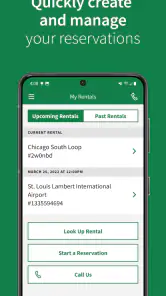
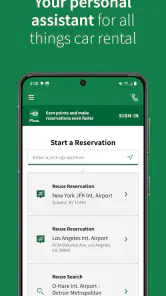
One of the standout features of the Enterprise Car Rental app is its incredibly user-friendly interface. After downloading the app, I was greeted with a clean and straightforward home screen. Everything is laid out intuitively, making navigation a breeze. Whether you're a tech whiz or someone who often struggles with digital stuff, you'll find this app easy to use. Just a few taps, and you've got your booking sorted. It's like having a personal assistant who never gets tired!
Speed depends on the task, not just the screen
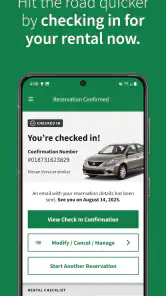
For a straightforward search, an app-based booking flow can save the back-and-forth of calling or opening several browser tabs. The real time-saver is having a single place to check the rental details you need while planning, rather than trying to reconstruct your choices from memory. I’d still give myself a moment to review the pickup location and dates before confirming: a quick interface is useful only if the reservation matches the itinerary.
Enterprise describes its network as covering over 9,500 locations, which can make the app a sensible first stop when a familiar rental brand matters. That reach is not a guarantee that every branch will suit a particular route or schedule. I’d compare nearby pickup points before settling on one, especially if I’m arriving late, staying outside a city center, or planning to return the car somewhere different from where I collected it.
Choosing a car for the trip you actually have
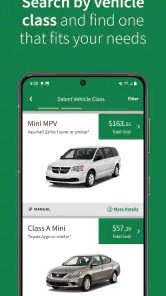
Now, let's talk about the variety. I was pleasantly surprised to find a vast range of vehicles available for hire. Whether you're looking for something compact for city driving or a spacious SUV for a family trip, the options are plenty. The app provides detailed descriptions and images of each vehicle, so you know exactly what you're getting. Plus, you can filter your search by price, car type, or features, which is a neat touch.
Those choices are most helpful when I start with practical constraints rather than a vague preference. For a weekend with several bags, I’d check whether the listed vehicle type seems appropriate for the luggage before focusing on appearance. For a solo work trip, a smaller car may be easier to manage in tight streets. A useful habit is to compare the vehicle description with the actual job the car must do, then keep a backup option in mind in case the first choice is unavailable at the location or time you select.
When plans change or the booking gets complicated
Booking a car is one thing, but dealing with payments and support is where things often get tricky. Thankfully, with the Enterprise app, everything is straightforward. The payment process is secure and offers various options, so you can choose what suits you best. In case you run into any issues, their customer support is just a tap away. I had a query about extending my rental period, and the response was prompt and helpful. It's comforting to know that help is readily available when you need it.
More From Our News Desk

Clash of Clans Is Won Between the Battles

Android Auto Makes the Case for Quieter Car Software

MobiOffice: Transforming Mobile Productivity with Seamless Integration

EA SPORTS FC™ Mobile Soccer: Redefining Mobile Sports Gaming

How Microsoft OneDrive Became a Mobile Productivity Giant

How Google Translate Breaks Language Barriers Effortlessly
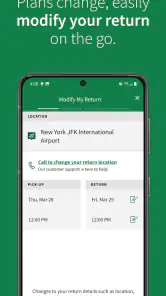
A rental can involve more than choosing a vehicle: travel delays, a changed meeting, or an extra day on the road can all affect the plan. I would use the app as a convenient starting point for managing a reservation, while checking the booking terms and contacting support when a change could affect the agreement. In particular, don’t assume that extending a rental is only a matter of changing a date on screen; confirm the revised arrangement before relying on it.
Useful for repeat renters, with a few trade-offs
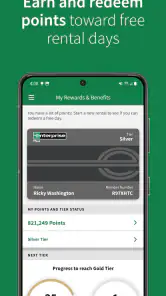
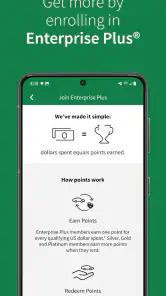
Beyond the basics, the app comes packed with extra features that add to its appeal. For instance, you can view your rental history, which is great for frequent travelers. There's also an option to join their rewards program, allowing you to earn points for each rental. Accumulate enough, and you could find yourself with some nice discounts or free upgrades. Talk about a win-win!
Rental history can be handy when I need to recall which branch I used on an earlier trip or keep personal travel records in one place. Rewards may matter to people who rent often, but I wouldn’t choose a car or location solely to chase points; the pickup logistics and rental terms should come first. If I only rent occasionally, a general travel search or a comparison across rental companies may be a better way to weigh competing offers. This app is most useful when I’ve decided Enterprise is a likely fit and want to handle the next steps directly.
Reliability, busy moments, and device fit
For an everyday scenario, imagine landing for a work visit and needing a car for meetings spread across town the next morning. I’d search before traveling, compare pickup locations against my arrival and hotel, and save time by settling the booking while I have a stable connection and room to read the details. That preparation matters more than expecting an app to rescue a rushed decision at the counter. During a busy travel day, having the reservation information accessible on the phone can be convenient, but I’d also keep confirmation details available in a way I can find if the app needs to be reopened or the connection is poor.
I wouldn’t judge stability or speed from a single quick session: performance can vary with a phone, operating system, network, and the complexity of the task. The current version is 8.6.0.2258, and the stated minimum operating system is version 10. If the app feels sluggish, I’d first check the connection and whether the device meets that requirement, then try again when I can focus on the booking rather than troubleshooting in a hurry. It is rated for Everyone, but that age classification does not replace checking whether the rental itself meets the driver and trip requirements.
Compared with calling a branch, the app is more convenient for browsing and beginning a reservation at my own pace; compared with a broad travel-comparison service, it is centered on Enterprise rather than surveying the whole rental market. That distinction is the key trade-off. I’d choose it when I want to arrange an Enterprise rental, especially for a trip where location choice and a clear booking workflow matter. I’d look elsewhere if my main goal were to compare many companies side by side or if another provider better matched my pickup route.
Making the app work for a real itinerary
I find it easiest to use the app when I treat the rental as one part of the route, not as a separate shopping task. Before searching, I’d write down the arrival point, the time I expect to reach it, where I’ll be staying, and whether the car is needed immediately or only the next morning. This makes location comparisons more meaningful: the nearest branch on a map may not be the easiest one to reach after a flight or train ride, while a slightly less obvious pickup point could fit the rest of the day better.
For a family trip, I’d also think through the handoff and return before choosing. Who will carry the bags while the driver collects the car? Is there enough time between pickup and the first planned stop? If the group is traveling with children or bulky luggage, the vehicle description deserves a closer look than the photo alone. These checks are simple, but they reduce the chance of booking a car that looks suitable in a quick scroll yet creates hassle when everyone is tired and waiting.
What to check before relying on a reservation
A common question is whether the app is enough to settle every detail of a rental. I’d use it to research and arrange the booking, then read the conditions attached to that specific reservation rather than assuming every rental follows the same terms. If a booking involves unusual timing, a different return location, or a change after confirmation, it’s worth checking the reservation details and asking support for clarity. That’s not a knock on the app; it’s a sensible boundary between a convenient booking tool and the rental agreement itself.
Another practical point is what to do if the app does not load smoothly at the moment you need it. I would avoid leaving the first search until I’m in a crowded terminal or rushing to a meeting. Make the important choices while you have a reliable connection and enough time to review them, then keep the confirmation information somewhere easy to locate. If the app stalls, checking the connection and retrying later is a calmer first step than repeatedly tapping through the same screen while under time pressure.
Who will get the most from it
This is a good fit for someone who already prefers Enterprise, rents repeatedly, or has a clear pickup plan and wants to manage the initial search directly. The rental-history option can make repeat planning less of a memory exercise, and the app keeps the company’s own booking path close at hand. It also suits travelers who would rather make a considered choice on a phone than call a branch just to begin comparing dates and locations.
I’d skip it as my only research tool if I were still deciding which rental company offers the best match, or if price comparison across providers were the main task. A broad comparison service is better for that first sweep; the Enterprise app is more useful once I’m interested in its locations and vehicles. Likewise, if I need an immediate answer to a complicated change, I would not rely on browsing alone: I’d check the terms and contact support so the arrangement is clear. The best choice depends less on which app looks simplest and more on whether its company and pickup network fit the trip.
For travelers wondering whether it costs anything to install, the app itself is free. That does not mean the rental is free, of course, so I’d review the price and conditions shown for the specific booking before confirming. It is rated for Everyone, but renting still involves eligibility and practical requirements that belong to the rental arrangement, not the app’s age label. Those distinctions are easy to overlook when the booking flow feels quick, and they are worth keeping in view.
The app was released on October 2, 2015, and its current version is 8.6.0.2258. EAN Services, LLC is behind it, and its 18,000 reviews alongside around 50,000 ratings reflect a substantial base of user feedback. I’d treat that scale as useful context rather than a promise that every device or booking will behave identically. The app’s strongest performance expectation is modest and practical: it can make the company’s rental process easier to approach, while a poor connection, an older unsupported device, or a complicated itinerary can still slow things down.
In conclusion, if you're looking for a reliable and efficient way to rent a car, the Enterprise Car Rental app should be on your radar. It's designed with the user in mind, offering simplicity, variety, and excellent support. So next time you're planning a trip, why not give it a try? Having the freedom of a rental car has never been easier or more convenient. Safe travels!
Enterprise Car Rental Frequently Asked Questions
Can I manage a reservation in the app after booking it?
The app is intended to support rental arrangements, so it can be useful to revisit your trip details after making a booking. If you need to change something, check the reservation options shown in the app and review any terms attached to your booking before confirming an update. Keeping your pickup and return information handy can make it easier to manage plans when they change.
What should I check before choosing a pickup location?
Before booking, make sure the selected Enterprise location works for your route and schedule. The app helps you look for rental locations, but a convenient branch depends on where you are going and how you plan to get there. Review the pickup details carefully, including the location and timing, so you do not accidentally choose a branch that makes the start of your trip difficult.
Can I use the Enterprise Car Rental app to find a rental location near me?
Yes. The app is designed to help you rent a car at Enterprise locations, with more than 9,500 locations available. You can enter a location when arranging a reservation and review the options that suit your trip. Checking the pickup location carefully before booking can help you choose a convenient starting point for your plans.
Is the Enterprise Car Rental app free, and what devices can run it?
The app is free to download and is intended for general audiences. It is available for Android devices running version 10 or later, so check your device’s operating system before installing. The app is published by EAN Services, LLC. If you are using an iPhone or iPad, check the relevant app store for compatibility with your specific device.
What types of vehicles can I rent through the Enterprise Car Rental app?
The Enterprise Car Rental app offers a wide range of vehicles to suit different needs and preferences. Whether you're looking for a compact car for city driving, a spacious SUV for a family trip, or a luxury vehicle for a special occasion, the app provides detailed information and features for various car categories. This ensures you can find the perfect vehicle for your journey.
Pros
- Wide variety of vehicles available.
- User-friendly booking process.
- Competitive pricing options.
- Flexible rental durations.
- Excellent customer support.
Cons
- Limited locations in rural areas.
- Age restrictions on certain vehicles.
- Additional fees for young drivers.
- High demand during peak seasons.
- No loyalty program for frequent renters.
- Category
- Travel & Local
- Version
- 8.6.0.2258