Draw Cartoon - AR Drawing App
- 747.00
- 4.1
- Installs
- 10.00M
- Price
- Free
Screenshots
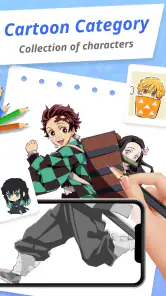
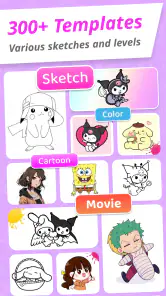

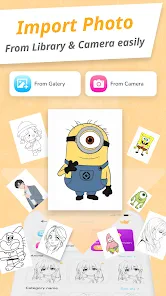
Analysis by Reviewed
I judge AR drawing apps by a simple question: do they help me make marks I couldn’t manage as easily with a blank page, without turning the process into a setup chore? That’s the appeal of Draw Cartoon - AR Drawing App. It is an art-and-design app from Braly JSC that places a drawing guide in your physical surroundings, so the experience feels closer to tracing and practicing than to working in a conventional digital sketchbook.
That distinction matters if you’re choosing between AR drawing, a standard drawing app, and paper. On a phone or tablet, a regular canvas is usually the more direct choice for freehand illustration and editing. Paper is simpler when you want to draw without a screen. AR makes sense when seeing a guide over a real surface helps you get started, keep proportions in view, or turn a spare moment into a hands-on drawing exercise.
Deciding whether AR fits your drawing habits
Before installing an AR drawing tool, I’d ask what usually stops you from drawing. If it’s a blank-page feeling, a visible cartoon guide can give you a first shape to follow. If you already have an image in mind and want to develop it through careful edits, a conventional illustration app is likely a better starting point. The difference isn’t simply digital versus physical; it’s guided copying in your surroundings versus making and revising an image on a canvas.
It also helps to think about where you draw. AR works best when you can hold or prop the device at a comfortable angle and keep the surface in view. A small table with room for your hand is more practical than a cramped lap or a spot where people keep walking through the camera’s view. This sounds mundane, but it can decide whether the session feels playful or fiddly.
The Magic of Augmented Reality
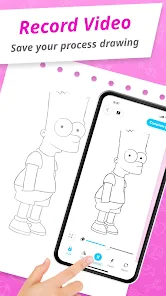
First things first, the whole idea of using AR to draw cartoons is just plain cool. The app basically lets you sketch in real life, but with the assistance of digital tools. You point your device at a surface, and voilà, you've got a canvas ready to be filled with your creativity. The Draw Cartoon - AR Drawing App does a fantastic job of making this tech accessible and fun to use, even if you're not a tech wizard.
Getting Started
The setup is pretty straightforward. After downloading and launching the app, you're greeted with a user-friendly interface that guides you through the basics. I'm talking step-by-step tutorials that even my grandma could follow. It's like having a personal art instructor in your pocket. Once you're set up, you can choose from a variety of drawing tools and templates to kickstart your artistic journey.
A practical tip is to treat the first session as a calibration exercise, not a finished-art attempt. Pick a clear, steady surface, make a few simple strokes, and see how reliably the guide stays in place before choosing a detailed design. If the overlay slips, adjusting your viewing angle or moving to a less cluttered area is more useful than repeatedly correcting a complicated drawing. That small test helps you decide whether the room and lighting you have are a good fit for AR sketching.
More From Our News Desk

Weather by Xiaomi Review: Clear at a Glance, Less Clear Up Close

X Under Pressure: Can It Recover When Posting Goes Wrong?

Clash of Clans Is Won Between the Battles

Android Auto Makes the Case for Quieter Car Software

MobiOffice: Transforming Mobile Productivity with Seamless Integration

EA SPORTS FC™ Mobile Soccer: Redefining Mobile Sports Gaming
Features That Stand Out
One feature I absolutely loved was the ability to layer your drawings. It's like Photoshop, but in real life. You can sketch different elements separately and then combine them to create a complex scene. The app also offers a ton of customization options, allowing you to tweak colors, brush sizes, and even add text. Plus, the AR aspect means you're not confined to a flat surface. You can literally draw around objects in your environment.
That combination is most useful when you want to build a cartoon in manageable pieces. I’d start with the main outline, then handle smaller details or lettering as separate elements rather than trying to get everything right in one pass. It gives you room to think about composition and keeps a practice session from becoming an all-or-nothing test of drawing skill. For a casual family activity, one person can choose a template while another adds color or details, making the process more approachable than asking everyone to invent a character from scratch.
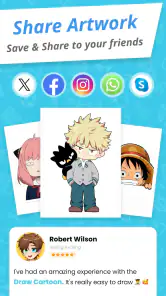
Another neat feature is the community aspect. You can share your masterpieces with other users and gain inspiration from their creations. It's a great way to connect with fellow artists and get feedback on your work.
For a realistic everyday use, I can imagine opening it during a quiet break at home, setting the phone where the guide is easy to follow, and drawing one small cartoon rather than planning a full art project. A quick sketch gives the AR format a clear purpose: it provides a visual prompt and a physical drawing activity at once. If you’re helping a child, I’d keep the goal modest—one character or a few shapes—so the fun comes from following the guide, not from producing a polished result.
Making a short session work well
I’d prepare the drawing spot before choosing a template: clear enough room for a hand to move, a stable surface, and a device position that doesn’t force you to crane your neck. If you’re drawing with someone else, agree on who handles the device and who draws. Passing a phone back and forth mid-session can interrupt the view and make it harder to follow the guide.
There’s a useful trade-off between detail and momentum. A simple cartoon can be completed in a short sitting and gives you a quick sense of whether the overlay is comfortable to use. A dense design asks for more careful line work and makes small tracking shifts more noticeable. I’d save intricate attempts for after you know how the app behaves in your chosen spot, rather than letting a difficult first design put you off the whole idea.
Choosing the Right Tool for the Job
The community and layered workflow make the app more than a novelty, but they don’t make it a replacement for every art tool. Compared with a conventional mobile drawing app, AR is better when a visible guide on a real surface helps you practice; a standard canvas is usually the more comfortable option for detailed editing, freehand experimentation, or a long illustration session. Compared with paper, this app offers digital guidance and customization, while a pencil and notebook win for quick, screen-free doodles.
I’d also separate “learning to draw” from “making a finished digital illustration.” The app can make copying shapes and building confidence feel less intimidating, but someone who wants precise control over a final image may prefer a dedicated illustration workflow. Likewise, if you mainly want to share polished files or refine linework for a larger project, choose a tool built around that kind of editing. The best reason to pick this one is the specific AR drawing experience, not the expectation that it will replace every part of an artist’s toolkit.
Where other approaches are a better fit
For an absolute beginner, the choice depends on what feels encouraging. A guide can reduce the pressure to invent a character, but it doesn’t automatically teach every underlying skill, such as designing a pose from memory or adjusting proportions without a reference. If your goal is to understand shape and construction, you may want to pair guided copying with simple paper exercises where you redraw the cartoon without the overlay. That gives you a way to notice what you remember, rather than treating a traced result as proof that you can reproduce it unaided.
Someone who already draws regularly may find AR most valuable as a change of pace or a warm-up, not as the center of a serious workflow. A tablet canvas is easier when you want to undo, zoom in, revise a line, or keep a project organized for later editing. Paper remains the least complicated option for spontaneous sketches. I’d choose this app when the act of drawing along with a guide is the point, and choose another medium when revision, portability without setup, or precise finished output matters more.
What Could Be Better
Now, no app is perfect, and while the Draw Cartoon - AR Drawing App is impressive, it does have its quirks. For starters, the AR tracking can be a bit finicky. Sometimes, the app struggles to keep your drawing aligned with the physical space, which can be a tad frustrating. Also, while the app is packed with features, some of them are locked behind a paywall. So, if you're not willing to shell out a few bucks, you might find yourself missing out on some of the more advanced tools.
That tracking issue isn’t just a technical annoyance; it affects which tasks are sensible. I wouldn’t choose a busy scene, a moving work area, or a drawing that depends on exact alignment for a first attempt. Start with a simple outline and pause if the guide shifts, rather than pressing on and ending up with uneven proportions. The layered approach can help keep a design organized, but it can’t remove the need for a stable AR view.
Thinking through the cost of switching
Because the app is free to download, trying the basic AR approach is a relatively low-commitment way to find out whether it suits you. The more important cost is practical: setting up your space, holding attention on a live guide, and deciding whether any locked tool is worth paying for. I wouldn’t pay simply because an option is visible. First, try a drawing that matches what you actually want to do, then judge whether the unavailable feature would solve a real problem in your routine.
If you move from AR to a regular drawing app, the skill that carries over is your eye for shape and line, not necessarily a particular file or editing workflow. If you move back to paper, you keep the practice but lose the digital guide and customization. That’s why I see this as a focused tool rather than a commitment to a new art system: you can use it for guided sessions and still rely on whichever medium suits your other work.
It’s free to download, and the app has an Everyone content rating. I’d treat the free version as a chance to test whether the AR method suits you before spending on any locked tools. If a feature you need is unavailable without payment, compare that cost with a regular drawing app or paper-based practice instead of assuming an upgrade is essential. The app’s average rating is 4.1 from around 48,000 ratings, and it has passed 10 million installs; those figures suggest broad interest, but they don’t guarantee the tracking will behave well in your own space.
For anyone wondering about device fit, its minimum operating-system requirement is version 7.0, and the current version is 1.0.29. I’d still make the first try a short one: AR comfort depends on whether your device can hold the view steady and whether you can position it conveniently while drawing. If you find yourself constantly shifting the phone or struggling to see the guide, that’s a practical sign to switch to a standard canvas rather than fight the setup.
That being said, these are minor bumps in an otherwise smooth road. The app is constantly being updated, so I'm hopeful that these issues will be ironed out in future versions.
Who I’d Recommend It To
I’d recommend it to curious beginners, cartoon fans who like guided practice, and families looking for a low-pressure drawing activity. It can also suit someone who already sketches but wants a different way to work with outlines and real surroundings. I’d skip it if you need dependable precision, prefer a screen-free routine, or want a complete substitute for an illustration program. The developer is Braly JSC, and the app was released on January 8, 2025, so its current version is still the one to check when deciding whether its approach fits your habits.
It may also appeal to someone who likes a small creative ritual more than a formal lesson: choose a simple subject, draw for a little while, and stop when the exercise has done its job. For a parent or caregiver, it can provide a shared activity where the adult helps with setup and the child focuses on the marks. I’d keep expectations about the result relaxed; the value is in making drawing feel approachable, not in turning a short session into a finished portfolio piece.
I’d steer away from it if you need the phone to remain free while you draw, if you dislike following a visual guide, or if you’re looking for a tool that can replace a complete illustration workflow. It may also be a poor match for someone who gets frustrated by small alignment changes. Those aren’t flaws every user will notice equally, but they are good reasons to try one uncomplicated sketch before making it part of a regular routine.
Final Thoughts
Overall, the Draw Cartoon - AR Drawing App is a delightful blend of technology and creativity. Whether you're an aspiring cartoonist or just someone looking to dabble in digital art, this app offers a unique and engaging experience. The use of AR adds a whole new dimension to drawing, making it more interactive and fun. So, if you're ready to unleash your inner artist, give this app a whirl. Who knows, you might just create the next big cartoon sensation!
My recommendation is to try it for the experience, not because you need another all-purpose art app. If tracing a guide in your surroundings sounds motivating, begin with a short, simple cartoon and see how the tracking feels in your usual drawing spot. If you’d rather work freely on a digital canvas or keep a pencil and paper nearby, those familiar options may suit you better. That makes this a worthwhile choice for a specific kind of creative session, rather than an automatic pick for every artist.
Draw Cartoon - AR Drawing App Frequently Asked Questions
Does Draw Cartoon - AR Drawing App need camera access?
The app’s augmented reality drawing experience uses your device’s camera to place a digital image over the real world, so camera access is central to trying that feature. You can then use the projected image as a guide while drawing. If you prefer not to grant camera access, the main AR approach may not be available in the way it is intended to work.
What Android version is required to install Draw Cartoon - AR Drawing App?
On Android, Draw Cartoon - AR Drawing App requires Android 7.0 or later. Checking your device’s operating-system version before downloading is a simple way to avoid compatibility trouble. The app’s AR experience also relies on a working camera, so a compatible Android version is only part of what makes the drawing features practical to use.
Can I use Draw Cartoon - AR Drawing App without drawing experience?
Yes. Draw Cartoon - AR Drawing App is designed to be user-friendly and is suitable for beginners. It provides step-by-step guidance on drawing cartoons, making it easier to get started even if you have little experience. The app’s guided approach can also be useful for practicing at your own pace, while more experienced artists may enjoy using AR as another way to explore drawing.
Can I draw on paper with Draw Cartoon - AR Drawing App?
The app’s AR approach places a digital image over the real-world view from your device’s camera, letting you use the image as a guide while you draw. This makes drawing on a surface in front of the camera a natural way to try the tracing experience. A steady setup and clear view can make it easier to follow the projected shapes and proportions.
Is Draw Cartoon - AR Drawing App free to download?
Yes. Draw Cartoon - AR Drawing App is free to download, so you can try its cartoon-drawing approach without paying upfront. The app is listed for everyone and is aimed at making drawing more approachable through augmented reality. Keep in mind that the download price and optional in-app purchases are separate: some extra content or features may involve a payment, as explained below.
Pros
- Innovative AR drawing experience.
- User-friendly and intuitive interface.
- Wide variety of drawing tools available.
- Supports multiple layers for complex designs.
- Great for both beginners and advanced users.
Cons
- Requires a stable internet connection.
- Limited free features
- in-app purchases needed.
- Occasional bugs and app crashes.
- High battery consumption during use.
- May not work on older devices.
- Category
- Art & Design
- Version
- 1.0.29