DHgate-online wholesale stores
- 100.85K
- 4.1
- Installs
- 10.00M
- Price
- Free

Screenshots

Analysis by Reviewed
When I first opened DHgate-online wholesale stores, I treated it less like a conventional shop and more like a place to research unfamiliar sellers and products. That distinction matters: the useful first step is not rushing to checkout, but narrowing down what you need and comparing listings carefully. The app is a free shopping app from dhgate.com, and its focus on wholesale stores makes it most appealing when you have time to look beyond the first result.
Start with a clear expectation
If this is your first wholesale-marketplace app, the main adjustment is learning to shop listing by listing. You are not simply choosing from one retailer’s standardized shelf; you are assessing individual offers and deciding which details matter for your purchase. I find that mindset reassuring because it gives me a practical plan: search with a specific goal, compare the relevant options, and only then decide whether an item is worth ordering.
It also helps to decide what “success” means before browsing. Maybe you need one accessory for a particular outfit, a distinctive gift, or a product you are considering for a small business. Defining that need keeps a broad catalogue from becoming an endless scroll, and it makes it easier to notice when a listing does not actually fit.
What to expect from this marketplace
The range can feel broad, but a large catalogue is not the same as a curated local shop. Listings may differ in product details, seller communication, and the way a purchase is presented, so I would approach each item on its own merits rather than assuming that similar-looking results are interchangeable. If you usually buy from a retailer where the store itself controls every listing, expect to do more comparison and checking here.
That extra effort can pay off for people searching for unusual items, considering a larger order, or exploring options for a small business. It is less suited to someone who needs a familiar product immediately and wants the simplest possible checkout. I would also avoid treating a low displayed price as the whole decision: compare the listing details and the order terms before deciding whether the total deal makes sense for you.
Exploring the Marketplace
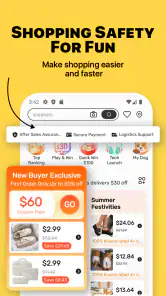
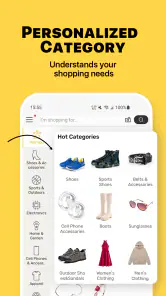
Once you dive into the DHgate-online wholesale stores app, you're welcomed by a bustling marketplace that feels like a digital bazaar. From fashion to electronics, the variety is mind-boggling. I found myself scrolling through endless categories, each more enticing than the last. The app's design is sleek, and it's surprisingly easy to navigate, which is always a plus when you're trying to snag a deal before someone else does!
A calm first setup and search
For a first visit, I would begin with a specific need rather than browsing every category. Decide what item you are looking for, then compare several listings for the same kind of product. Read the product description closely, check the available options, and look at seller information before adding anything to a cart. This simple routine helps prevent a common mistake: choosing a result based on its picture alone and only later discovering that it does not match the intended size, style, or quantity.
More From Our News Desk

Weather by Xiaomi Review: Clear at a Glance, Less Clear Up Close

X Under Pressure: Can It Recover When Posting Goes Wrong?

Clash of Clans Is Won Between the Battles

Android Auto Makes the Case for Quieter Car Software

MobiOffice: Transforming Mobile Productivity with Seamless Integration

EA SPORTS FC™ Mobile Soccer: Redefining Mobile Sports Gaming
You do not need to solve every shopping question before opening the app. A useful first session can be as modest as learning how results are presented and identifying which listing details you want to compare. I would keep notes on the exact option that interests me, especially if listings have several variants, so I can return to the right choice rather than relying on memory after viewing similar products.
Make the first useful action a comparison
A realistic first success might be finding a replacement accessory or a distinctive item for an upcoming event, then saving the most promising listing while you compare alternatives. If you are shopping for a business, first test your research process with a small, low-stakes order rather than making a large commitment immediately. Wholesale shopping can make quantity relevant, but buying more is not automatically better if you have not yet judged the item and seller for yourself.
For example, imagine I need a particular accessory for a gathering later in the month. I can search for the specific type, check whether the listed options match the color or style I need, and compare the descriptions before deciding. If one point could change my choice, I can ask the seller directly. The win is not merely finding a low price; it is ending the session with a listing I understand well enough to make a considered decision about.
Features That Stand Out
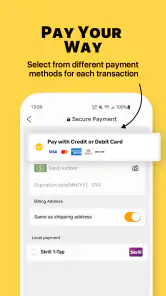
What really caught my attention were the app's standout features. First off, the secure payment options are a huge relief. Let's face it, shopping online can sometimes feel like a trust fall, but knowing that your transactions are protected gives a sense of peace. Then there's the buyer protection feature which acts like a safety net, ensuring you either get your item or your money back. Talk about shopping with confidence!
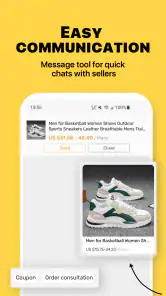
Another feature I didn't expect to love as much as I did is the live chat option with sellers. It's like having a personal assistant who can provide instant answers to any queries. It's incredibly useful, especially when you're on the fence about making a purchase.
Ask questions that help you decide
Seller chat is most useful when you ask a clear, answerable question that could affect your decision: for example, whether a particular option is available or whether the listing details apply to the version you intend to buy. I would keep the exchange focused and compare the reply with the written listing, rather than relying on a friendly message as a substitute for checking the order itself. If a key detail remains unclear, I would keep looking instead of guessing.
One practical tip is to ask about just the detail that is holding up the decision, rather than sending a vague message such as “Can you tell me more?” A question tied to a specific variant or listed feature is easier to assess when the reply arrives. I would also make sure the final option selected at checkout matches the listing I researched; a chat can clarify, but it should not leave me uncertain about what I am ordering.
Compare the actual offer, not just the picture
When choosing between similar results, I also compare what is actually included and whether the quantity suits my use. That matters especially when a listing uses several variants or when I am considering an order for more than one person. A cheap option that does not fit the need is not a bargain, and spending a few minutes checking the specifics is a better trade-off than making a rushed purchase.
This is where wholesale-style shopping can call for a different calculation from buying one item at a familiar shop. If I am considering a larger quantity, I think through whether I can use the full amount and whether I am comfortable with the listing before committing. A bulk-oriented price may look attractive, but it is only useful if the quantity and product details line up with a real need.
Deals and Discounts Galore
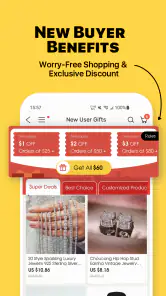
Now, let's talk savings. The app is packed with exclusive deals and discounts that are hard to resist. They even have a section dedicated to "Flash Deals" which are time-sensitive offers that make you feel like a savvy shopper ninja. I managed to grab a few things at a fraction of the cost I would have paid elsewhere, and who doesn't love a good bargain?
When a deal is—and is not—worth chasing
For me, a time-limited offer is a prompt to check a listing, not a reason to skip the checks. I compare the product details and seller information first, then decide whether the saving is meaningful for the item I actually want. This avoids the trap of buying simply because a countdown creates urgency. If I cannot assess the listing calmly, I would rather miss a deal than end up with something unsuitable.
For first-time users, the useful question is not “Is this marked down?” but “Would I still want this if the offer were not temporary?” That small pause helps separate a genuine match from a purchase driven by urgency. I also avoid letting a promotion determine what I search for; beginning with a need and checking for a relevant offer keeps the decision in my hands.
Compared with a typical retail shopping app, this marketplace can be more interesting for browsing a wider spread of sellers and considering wholesale-style purchases. A regular retailer may be the better choice when I need predictable product selection, a familiar store experience, or a quick purchase with little comparison. DHgate makes more sense when I am willing to research and can be flexible about the shopping process.
When wholesale-style shopping fits
For anyone looking to buy in bulk or start their own business, the wholesale prices available on DHgate-online wholesale stores are unbeatable. It's like having access to a secret stash of incredible prices that you won't find in regular retail stores.
I would treat business sourcing as a process rather than a single bargain hunt. Before considering a larger order, I would compare the listing’s options and seller responses, then decide whether the quantity makes sense for what I actually plan to use or sell. A new business owner might find the marketplace useful for exploring possibilities, but someone who needs a dependable supply plan should be careful not to mistake a promising listing for a complete sourcing strategy.
Who should take the time to use it
I would recommend giving the app a look if you enjoy comparing options, are looking for distinctive products, or want to explore wholesale-style sourcing. It can also suit a curious first-time shopper who is comfortable reading listings and asking sellers focused questions. I would steer someone toward a familiar local retailer instead if the purchase is urgent, if they dislike researching individual listings, or if they need a straightforward shopping experience with little uncertainty.
The app is rated for Teen users, has an average rating of 4.1 from around 542,000 ratings, and has been installed over 10 million times. Those figures suggest a substantial audience, but they do not remove the need to judge each listing on its own. It is free to install, and the current version is 6.9.4, with Android support from version 9. I see these as useful context, not a guarantee that every purchase will suit every buyer.
It may also be a poor fit if you prefer to make a decision from a short list of carefully selected products, or if you do not want to spend time interpreting different seller presentations. In those situations, a conventional retailer’s narrower catalogue can be an advantage, not a limitation. I would choose the marketplace when the variety and research are part of the appeal, rather than expecting it to remove the work of choosing.
Keep the order decision grounded
A common point of confusion is assuming that two listings with similar photos describe identical offers. I would read the written details and selected options separately, then check that they agree before proceeding. If I cannot tell what a listing includes, I would not try to infer it from an image or from a discount label. The safest shopping habit here is to treat each offer as its own decision.
Another question a newcomer may have is whether seller chat should settle every concern. I see it as a way to clarify a focused detail, not a replacement for reviewing the product page and order selection. If the answer is vague or leaves a mismatch between what was said and what is shown, I would pause. There is no need to force a purchase just because I have already spent time comparing it.
For someone wondering whether the app is only for large orders, I would say the wholesale focus is most relevant when quantity and sourcing matter, but a shopper can still use the marketplace to explore individual listings. The important part is checking what the specific offer asks you to choose. If you only need a familiar everyday item quickly, a local shop or standard retail app may involve less work; if you are curious about broader seller options, this app gives you more to investigate.
The Final Verdict
All in all, the DHgate-online wholesale stores app is a must-have for anyone who loves a good deal or is looking to source products directly from manufacturers. It's like having a global marketplace right at your fingertips. Whether you're a seasoned online shopper or just getting started, this app offers a seamless and secure shopping experience. My only advice? Keep an eye on those flash deals. You never know what treasures you might find!
My more practical advice for a newcomer is to start with one clearly defined item, compare a few listings, and use seller chat to resolve a specific doubt before placing an order. That gives you a meaningful first experience without turning a browsing session into an impulse buy. I like the app most when I treat it as a research-and-shopping marketplace rather than a shortcut to instant certainty; with that mindset, its broad selection is an advantage, while the need to inspect each purchase remains the main trade-off.
DHgate-online wholesale stores Frequently Asked Questions
Can I browse DHgate before creating an account?
DHgate is a shopping app for browsing wholesale stores, and its main appeal is exploring product listings from different sellers in one marketplace. You can look through available items and compare listings before deciding what to buy. For actions such as placing an order or managing a purchase, expect to use an account and provide the details needed to complete the transaction.
What should I check in a product listing before ordering?
Read the full listing rather than relying only on its title or photos. Pay attention to the item description, options, quantity, seller information, shipping details, and any conditions attached to the purchase. Since listings come from individual sellers, details can differ from one product to another. Comparing similar listings and checking buyer feedback can help you make a more informed choice.
Is DHgate free to download, and which devices can run it?
DHgate is a shopping app that is free to download, so you can browse the marketplace without paying for the app itself. It is intended for users with a device running iOS 9 or later. Before installing, check your device’s operating system version and make sure you have enough space for the app and any updates.
What is DHgate and how does it work?
DHgate is an online wholesale marketplace that connects buyers with Chinese manufacturers and suppliers. It allows users to purchase products in bulk directly from the source, often at discounted prices. The platform hosts a wide range of products, including electronics, clothing, and home goods. Buyers can browse product listings, communicate with sellers, negotiate prices, and make secure payments using DHgate’s platform.
Is DHgate a secure platform for online transactions?
Yes, DHgate provides a secure platform for online transactions. It uses advanced encryption technologies to protect users’ personal and financial information. The platform also offers a buyer protection program that ensures a refund if the product is not delivered or does not match the description. However, buyers are advised to check seller ratings and reviews before making a purchase to ensure a safe shopping experience.
Pros
- Wide variety of products available.
- Competitive prices for bulk buying.
- User-friendly interface.
- Secure payment options.
- Frequent discounts and promotions.
Cons
- Shipping times may vary.
- Occasional issues with product quality.
- Limited customer support.
- Potential for customs fees.
- Not all sellers are verified.
- Category
- Shopping
- Version
- 6.9.4











