Cox
- 17.49K
- 4.5
- Installs
- 1.00M
- Price
- Free

Screenshots
Analysis by Reviewed
Hey there, app adventurers! Today, I’m taking a closer look at Cox, a mobile account companion from Cox Communications, Inc. My main takeaway is simple: it can make routine service administration less of a chore, but it is most useful to people who already rely on Cox. If you want one place to keep an eye on your account rather than another general-purpose productivity tool, that distinction matters.
Where it earns a place on your phone
The app’s appeal is practical rather than flashy. I see it as a handy way to check in on important account and service information without having to start from a desktop browser. When you need to handle a small task quickly, having that account view on your phone can save a few steps. It is not a replacement for every way of contacting or managing a provider, but it can be a convenient first stop.
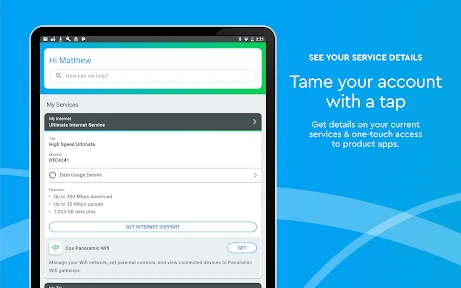
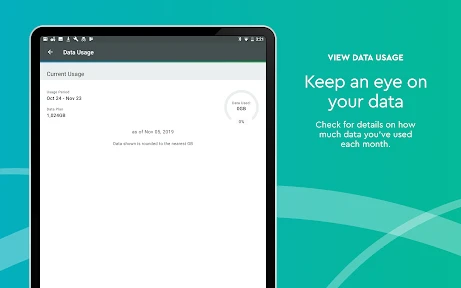
That convenience is especially useful when a household has several people who depend on the same connection or services. If the internet seems unreliable, for example, checking the account and service information before calling can help you work out whether the next step is a simple account task or further troubleshooting. I’d use it as a starting point, not assume that an app can resolve every interruption.
A practical role, not a universal dashboard
The key question I would ask before installing it is whether Cox is a regular part of your household routine. If it is, a phone-based account companion can shorten the path between noticing a problem and checking the details that might explain it. If it is not, the app has little reason to become part of your daily setup. Its usefulness comes from its connection to a particular provider, not from trying to organize every part of your digital life.
That focus can be a strength when you need provider-specific context. A general productivity or finance app may help you track broad tasks or spending, but it cannot stand in for a Cox account view when you need to deal with Cox service. On the other hand, if you are trying to oversee several household bills together, the provider app is only one piece of the picture. I would pair it with a broader organizer rather than expect it to replace one.
What is the Cox App All About?
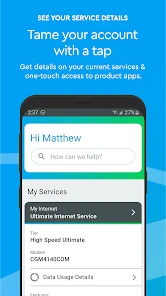
So, you might be wondering, what’s the deal with Cox? Well, it’s an app designed to streamline your experience with Cox services. Whether you’re managing your internet, TV, or phone services, this app brings everything together in one neat package. It’s like having a personal assistant for your digital life, right in your pocket!
First Impressions and Interface
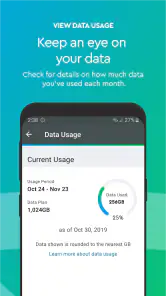
Upon launching the app, I was greeted by a clean and intuitive interface. The design is straightforward, which means you won’t be squinting at your screen trying to find what you need. The navigation tabs are clearly labeled, making it easy to jump between managing your account, checking your bill, or exploring new features.
More From Our News Desk

Clash of Clans Is Won Between the Battles

Android Auto Makes the Case for Quieter Car Software

MobiOffice: Transforming Mobile Productivity with Seamless Integration

EA SPORTS FC™ Mobile Soccer: Redefining Mobile Sports Gaming

How Microsoft OneDrive Became a Mobile Productivity Giant

How Google Translate Breaks Language Barriers Effortlessly
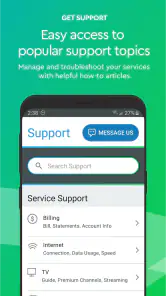
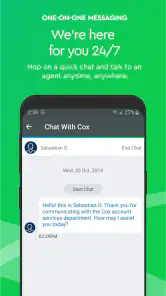
A feature I found particularly nifty was the ability to troubleshoot issues directly from the app. You know those moments when your internet decides to take a nap? Yeah, the app has a built-in tool to diagnose and even resolve some common issues. Talk about a lifesaver!
Making a service check more useful
For a connection problem, I would treat the app as a way to gather context before deciding what to do, rather than as a guaranteed repair button. Start by checking the account and service information, then use the available troubleshooting path if the problem looks like something it can address. If the issue affects only one device, it may be more useful to check that device’s connection first; if several people in the home are affected, the provider-side view becomes a more sensible first stop.
This distinction helps avoid a common frustration: repeating an in-app check when the underlying issue needs a different kind of help. If the app does not resolve the problem, switch to the appropriate support channel instead of assuming another round will change the result. I like having a quick first step, but the real benefit is knowing when to stop troubleshooting and move on.
Account Management Made Easy
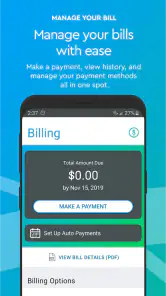
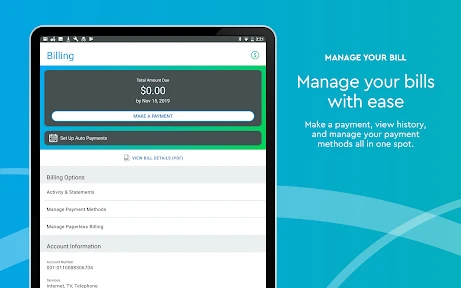
Managing your Cox account has never been simpler. The app allows you to view and pay your bills with just a few taps. No more scrambling to find your latest statement or logging into the website — it’s all right there. Plus, you can set up automatic payments to ensure you’re never late. It’s like your own financial guardian angel!
And let’s not forget about those pesky service calls — the app lets you schedule appointments and even track your technician’s arrival. No more waiting around all day wondering when they’ll show up.
Small account tasks and household routines
For day-to-day use, the most valuable workflow is often the unglamorous one: check the account when a bill is due, take care of the payment, and leave the app until something needs attention again. I would not open it just to browse aimlessly. It makes more sense as a utility you reach for when a specific Cox task comes up, which keeps the experience focused and reduces the temptation to confuse a provider app with a general-purpose money manager.
There is also a practical household angle to appointment tracking. If a technician visit is scheduled, checking the arrival information from a phone can make it easier to coordinate the day without staying beside a computer. That is especially handy when the person managing the account is not the only person who needs to know when service is being addressed. I would still make sure everyone involved has the relevant details rather than assume that one person’s app view automatically keeps the whole household informed.
Choosing the right tool for the job
Compared with a provider’s website, the phone app is better suited to quick checks and tasks when you are away from a computer; a browser can still feel more comfortable for longer account sessions. Compared with a general bill-tracking or budgeting app, Cox is more directly tied to Cox service management, while those broader tools are better for seeing spending across multiple companies. I would not install it expecting to manage a non-Cox provider from the same place.
A useful habit is to check the account view before contacting support, especially when you are trying to distinguish an account question from a service problem. If the app does not settle the issue, move on to the support route that fits the problem rather than repeating the same check. That makes the app a helpful first step without treating it as a substitute for a person when a situation needs one.
When the browser or another app is better
The choice between this app and a browser is mostly about the shape of the task. For a brief account check while away from home, the phone is the more natural tool. If you need to spend longer reviewing information or prefer a larger screen, opening the provider’s website on a computer may be more comfortable. I would not treat the app as automatically superior just because it is on a phone; convenience depends on what you are trying to do.
Likewise, a household that wants one consolidated view of bills from different companies should not expect a provider-specific app to do that job. A budgeting tool can help with the larger financial picture, while Cox remains the place to handle Cox-related account needs. The trade-off is clear: specialization makes the app more relevant for its own services, but less useful as an all-in-one control center.
Entertainment and everyday trade-offs
If you’re someone who loves exploring new shows and movies, the Cox app has you covered. It offers a guide to what’s on TV and allows you to manage your DVR recordings effortlessly. You can even stream live TV and on-demand content directly from your device. Perfect for those moments when the remote control mysteriously disappears!
I also appreciated the personalized recommendations feature. It’s like the app knows me better than I know myself sometimes, suggesting shows and movies that are right up my alley.
That entertainment side is useful if your Cox setup includes TV, but it is not the reason I’d recommend the app to someone who only wants a universal streaming guide. Its strongest role is bringing provider-related tasks together; the more of those services you use, the more likely it is to justify space on your home screen. If you mainly watch through unrelated streaming services, a dedicated streaming app is a more natural fit.
A realistic day with the app
Imagine you are getting ready for a video meeting and the home connection seems unreliable. I would first check whether the issue appears to affect more than one device, then open Cox to review the relevant service information and try the troubleshooting option if it fits. If that does not help, the app has still served a purpose: it gave me a quick place to check before I choose the next step, rather than leaving me to guess whether the problem is account-related or something local to one device.
Later, if there is a bill to handle or an appointment to coordinate, those are separate reasons to return. The useful habit is to open the app with a task in mind, complete the account or service check, and then leave it. This keeps the app from becoming an unnecessary daily ritual and makes its value easier to judge: it earns its place when it saves time on an actual Cox-related errand.
Who should give it a try
I’d point existing Cox customers toward it if they regularly check their account, handle bills on a phone, or want a convenient place to begin when service needs attention. Picture noticing a connection issue just before a work call: you can check the service information from your phone first, then decide whether to try the available troubleshooting or seek further help. That is a more useful role than expecting the app to fix every network problem by itself.
It is less compelling for someone who does not use Cox services, or for a household member who has no reason to manage the account. It is also not the best fit if your priority is a single dashboard spanning bills and subscriptions from many providers. In that case, a broader financial organizer can complement it, though it will not replace Cox-specific account tools.
Who may find it unnecessary
I would skip it if you rarely need to deal with your Cox account and already prefer handling provider tasks through a computer. It may also be redundant for someone in the household who does not take responsibility for bills, service checks, or appointments. A useful app does not have to be opened every day; if those tasks are rare and the browser works well for you, installing another app may not improve your routine.
For someone who manages several providers, the better setup is likely a combination: a broad tool for tracking household finances and the Cox app for Cox-specific account actions. That division is less tidy than a single dashboard, but it avoids expecting one app to do a job it was not designed for. The deciding factor is not how many services an app claims to cover; it is whether its particular account access saves you effort often enough to matter.
Final Thoughts
All in all, the Cox app is a solid companion for anyone who wants to make the most out of their Cox services. It’s packed with features that not only enhance convenience but also provide a level of control that was once only possible through a desktop browser. Whether you’re tech-savvy or not, this app is designed to make managing your digital services a breeze.
For a little context, it is a free productivity app for everyone, developed by Cox Communications, Inc. It has an average rating of 4.5 from around 150,000 ratings, with more than 1 million installs. It first appeared on February 15, 2011, and version 3.61.0.3071 supports devices running Android 7.0 or later. Those figures suggest a well-established audience, though popularity alone does not guarantee that every task will feel effortless on every device.
So, if you’re already a Cox customer or considering their services, downloading this app might just be your next best move. It’s all about making life easier, and who doesn’t want that?
Cox Frequently Asked Questions
Is the Cox app safe and appropriate for everyone in the household?
The Cox app has an Everyone content rating, so its content is considered suitable for a broad audience. It is a productivity app developed by Cox Communications, Inc., centered on viewing important account and service information. As with any account-management app, use your own judgment about who can access a signed-in device, especially if it is shared with other household members.
Do I need to be a Cox customer to use the app?
The Cox app is intended for people who use Cox services and want to manage account and service information from a mobile device. Its main purpose is to provide a dashboard view of important account and service details, so its usefulness is tied to having a Cox account or services to manage. If you are not a Cox customer, the app may have little practical value for you.
Is the Cox app available for my phone or tablet?
The Cox app is available for Android and iOS devices, making it accessible from a range of phones and tablets. Before downloading, check that your device meets the minimum operating-system requirement: Android 7.0 or later. The app is a productivity tool from Cox Communications, Inc., intended to give customers a dashboard view of important account and service information.
Who is the Cox app designed for?
The Cox app is intended for people who use Cox services and want to manage account and service information from a mobile device. Its dashboard-style approach brings important details together in one place, which can be useful when you want to check your account or take care of routine tasks without using a computer. The app is free, and its content rating is Everyone.
What is Cox app and what services does it offer?
The Cox app is a comprehensive platform designed to enhance customer experience by providing access to various services such as cable TV, internet, and home phone solutions. It allows users to manage their accounts, troubleshoot issues, view bills, and pay them directly from their mobile devices. With its user-friendly interface, the Cox app aims to make managing your Cox services more convenient and efficient.
Pros
- User-friendly interface for easy navigation
- High-speed internet with wide coverage
- Reliable customer support available 24/7
- Flexible plan options to suit various needs
- Secure and private connection
Cons
- Higher pricing compared to competitors
- Limited availability in rural areas
- Occasional outages during peak hours
- Long-term contracts required for best rates
- Installation fees may apply

- Category
- Productivity
- Version
- 3.61.0.3071












