Chatbot AI - Search Assistant
- 3.72K
- 4.4
- Installs
- 10.00M
- Price
- Free

Screenshots
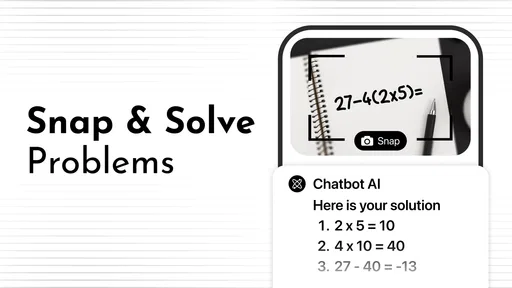
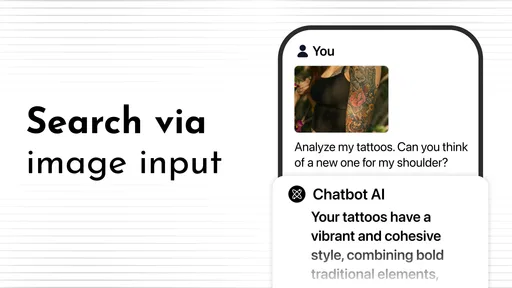
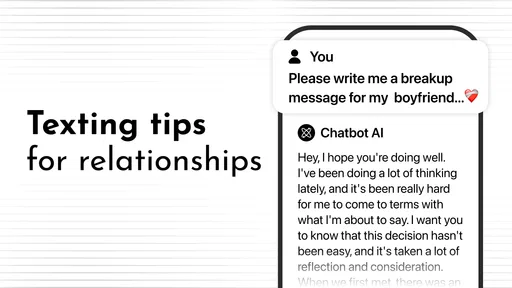
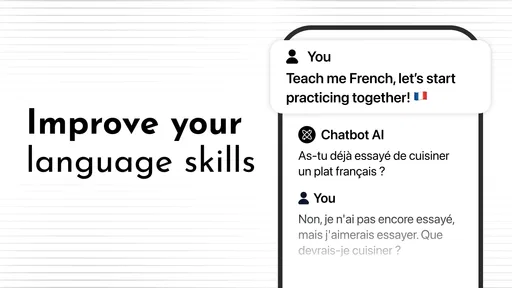
Analysis by Reviewed
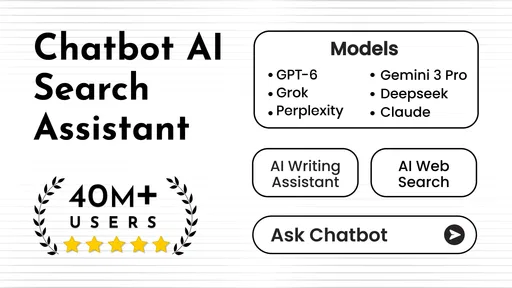
Ever felt like you needed a buddy who knows just about everything, from who won the last World Cup to how to bake the perfect chocolate cake? Well, meet your new best friend: Chatbot AI - Search Assistant. This app is like having a brainy sidekick in your pocket, ready to help with whatever you throw its way. Let's dive into what makes this app a must-have in your digital arsenal.
The Ultimate Digital Companion
So, what exactly is Chatbot AI - Search Assistant? Imagine having a personal assistant who never sleeps, always ready to provide answers, offer recommendations, and even engage in a casual chat when you’re bored. This app is powered by cutting-edge AI technology, ensuring that it stays sharp and up-to-date with the latest info. Whether you're looking for the meaning of life or just a simple weather update, this app has got you covered.
Making the first week useful
The app’s appeal is easiest to judge by giving it a few ordinary jobs rather than testing it with trivia alone. I’d try asking for a short explanation of a topic, then follow up with a request to simplify it or turn it into a checklist. That reveals whether the conversation helps you get from a vague question to something usable. The store summary points to search, web browsing, and generators, so the most promising routine is to use it as a starting point for gathering and shaping information, not as an authority whose first answer needs no checking.
For example, imagine planning a simple weeknight meal after work. You could ask for ideas based on ingredients you already have, then ask for a compact shopping list or a version that takes less effort. That kind of back-and-forth is where a chatbot can save time: it can help organize the next step without making you open several separate tools. I’d still check important details, especially when a suggestion depends on current information or exact quantities. Treating the response as a draft keeps the convenience while avoiding misplaced trust.
Features That Impress
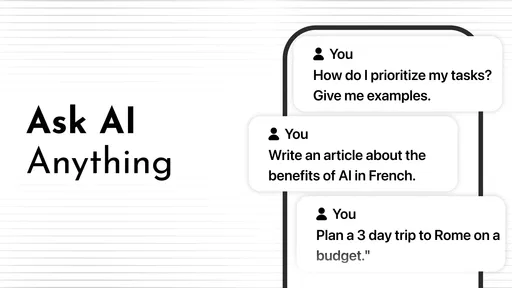
One of the coolest things about this app is its versatility. It's not just about answering questions. You can ask it to play your favorite tunes, set reminders for you, or even draft that email you’ve been procrastinating on. Chatbot AI - Search Assistant adapts to your needs, making it a truly personalized experience.
Another standout feature is its seamless integration with other apps and services. Need to book a cab? Just ask your chatbot. Want to know what’s trending on Twitter? It’s got that info too. This interconnectedness makes it a one-stop-shop for all your digital needs.
Where the ongoing value comes from
In practice, I would build a small habit around tasks that recur: turning a messy set of thoughts into a clear message, asking for a plain-language explanation before reading further, or generating options when I’m stuck on how to begin. The benefit is less about having an answer to every possible question and more about reducing the friction of starting. If the app helps you move from “I should do this” to a first usable draft, it can earn a place in a productivity routine.
More From Our News Desk

Weather by Xiaomi Review: Clear at a Glance, Less Clear Up Close

X Under Pressure: Can It Recover When Posting Goes Wrong?

Clash of Clans Is Won Between the Battles

Android Auto Makes the Case for Quieter Car Software

MobiOffice: Transforming Mobile Productivity with Seamless Integration

EA SPORTS FC™ Mobile Soccer: Redefining Mobile Sports Gaming
That role is different from a conventional search engine. Search is often better when I need to compare several original sources, inspect a particular website, or verify a claim directly. A chatbot is more convenient when I want a concise explanation or a first pass at organizing information. I’d use both: ask the app to clarify what I should look for, then check consequential facts at their source. This two-step approach is especially useful for work or study, where a confident-sounding answer still needs judgment.
Why You’ll Love It
Here’s the thing: we all love convenience, and this app epitomizes just that. The interface is user-friendly, ensuring even the least tech-savvy among us can navigate it with ease. Plus, the AI learns from your interactions, continuously improving its responses and becoming more attuned to your preferences. It's like having a friend who just gets you.
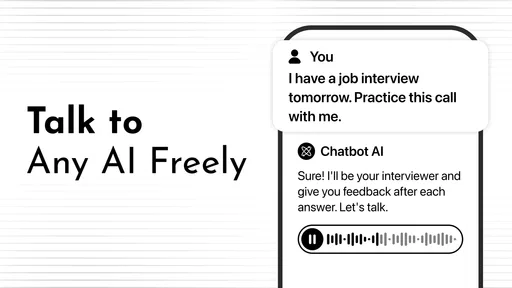
But what truly sets it apart is its conversational ability. The chatbot isn’t just spewing out robotic responses; it feels like a genuine conversation. Whether you’re in need of a quick fact or a bit of friendly banter, you’ll find this app surprisingly engaging.
Keeping the habit without adding chores
For lasting use, I’d keep requests focused and give the app enough context to produce something practical: who a message is for, what tone I want, or what limits matter. A useful follow-up is to ask it to identify assumptions or offer another option, rather than accepting a polished first draft automatically. That is a simple way to make the exchange more productive without turning every small task into a long prompt-writing exercise.
There is also a maintenance trade-off. A conversational tool is only helpful if I remember to reach for it, and it can become another app to check if I use it for tasks already handled well by my notes, calendar, or search habits. I would not move sensitive decisions or essential records into a chatbot workflow without considering what information I’m sharing. For routine brainstorming and drafting, the cost of maintaining the habit is low; for tasks that demand dependable records or direct control, a dedicated tool is the better fit.
Getting better results from everyday prompts
A small change in how you ask can make this kind of assistant more useful. Instead of requesting “help with an email,” I’d give it the recipient, the purpose, and a tone, then ask for a draft short enough to review quickly. If the result feels too formal, I can ask for a warmer version rather than restarting from scratch. This keeps the tool in a supporting role: it gives me material to edit, while I stay responsible for what I send.
For a practical daily workflow, I’d use it in short bursts. On a commute or during a break, I might ask for a plain-language explanation of a term I encountered, then save the key point in my usual notes if I need it later. Before a meeting, I could turn a rough list of concerns into a few questions to raise. These are useful jobs because the chatbot helps prepare or clarify; it does not need to become the place where the final record lives.
That distinction matters when the conversation starts producing several plausible answers. Rather than asking for more versions indefinitely, I’d set a stopping point: choose one draft, verify the details that matter, and move on. Generators can make it easy to keep exploring options long after the decision is clear. A little discipline prevents a productivity aid from turning a simple task into a longer session than doing it yourself.
Where it fits beside other tools
Compared with a regular search app, a conversational assistant can feel quicker when I already know the question but want an explanation in everyday language. Search remains the stronger choice when I want to see several pages, assess who published them, or follow a source’s own wording. I would not replace browser research with a single generated summary when the topic is disputed, changing, or important. The best pairing is to use chat for orientation and search for verification.
It also differs from a notes app or a task manager. Those tools are better for keeping a reliable list, tracking what is unfinished, and returning to the same information later. Chatbot AI can help turn a vague task into a first step, but I would transfer the result into my own system if I need to remember or complete it. That extra handoff is a minor inconvenience, yet it avoids expecting a conversational exchange to do the job of a structured organizer.
Against a general-purpose writing tool, the appeal here is the conversational path from question to revision: I can ask for a simpler explanation or a different tone without composing a new search. The trade-off is that a smooth exchange can make uncertain output feel more settled than it is. If I need a polished document with strict requirements, I’d review every claim and edit the structure myself rather than treating a generated draft as finished work.
Who should keep it—and who may not need it
This productivity app is most appealing to people who regularly need a quick explanation, a starting point for writing, or help turning a broad question into a few clear next steps. Codespace Dijital is the developer, and the app is free to install, with in-app purchases ranging from about five to seventy dollars per item. Its audience is marked Everyone, and it has an average rating of 4.5 from around 822,000 ratings, alongside more than 10 million installs. Those figures suggest wide uptake, but they do not guarantee that its answers will suit every task or working style.
If your main need is careful source comparison, a conventional search app or a specialist reference tool may serve you better. If you only ask an AI a question once in a while, a separate chatbot may not become a lasting part of your routine. I’d also be cautious about treating generated text as finished work: check names, dates, claims, and any advice that could affect an important choice. The app’s current version is 3.0.18 and it requires Android 7.0 or later, practical details worth checking against your device before making it part of your daily workflow.
Questions I’d settle before relying on it
Can it replace web search? I wouldn’t treat it as a full replacement. Its search and browsing focus makes it useful for getting oriented, but when I need to inspect evidence, compare publishers, or confirm a changing detail, I want to see the underlying source rather than depend on a conversational answer. I’d use the chatbot to frame a better search, then go directly to the material that supports the conclusion.
Is it useful if I’m not a regular AI user? It can be, provided I have a couple of repeatable jobs in mind. A draft message, a quick explanation, or a list of possible approaches gives me a clear reason to open it. If I cannot name a task it improves, the novelty may fade quickly, and keeping another app in my routine will feel unnecessary.
Should I use it for private or high-stakes matters? I would be careful. I avoid entering sensitive details simply to make a prompt more specific, and I would not let a generated answer make a consequential decision for me. For health, financial, legal, or similarly important questions, I’d use the conversation only to organize what I want to ask a qualified person or to understand unfamiliar terms, then rely on appropriate expertise.
Does free installation mean every use is free? The app is free to install, while optional in-app purchases are listed from about five to seventy dollars per item. I’d check the purchase details shown in the app before choosing anything paid and start with the free experience to see whether the routine is useful. The key question is not how many features I can try, but whether I return for tasks that genuinely save effort.
Final Thoughts
In an age where information is at our fingertips, having a smart companion like Chatbot AI - Search Assistant can make life a whole lot easier. It’s more than just an app; it’s a tool that adapts to and grows with you. Whether you’re a tech enthusiast or just someone looking for a little extra help, this app is definitely worth checking out. So, why wait? Let this AI-powered genius into your life, and watch as it transforms your digital experience.
My more measured verdict is that its value depends on whether you find repeatable jobs for it after the novelty wears off. I would start with everyday drafting, explanations, and idea generation, then keep only the uses that genuinely save effort. The app’s 3.4 thousand reviews offer another perspective to browse, while the real test is whether its answers fit your own needs over time. If you want a flexible conversational helper, it is worth trying; if accuracy, direct source control, or a dedicated task workflow matters more, choose the tool built for that job.
Chatbot AI - Search Assistant Frequently Asked Questions
What should I know about Chatbot AI - Search Assistant before installing it?
Chatbot AI - Search Assistant is a productivity app from Codespace Dijital, built around AI chat and search assistance. Its description highlights web browsing, generators, and guidance through conversational interactions. It may be useful if you want to explore topics or ask questions from your phone, but the quality of any AI response can depend on what you ask and how clearly you phrase it.
Does Chatbot AI - Search Assistant require a recent Android version?
The app’s current version is 3.0.18, and it requires Android 7.0 or later. Before downloading, check your device’s operating-system version to make sure it meets that requirement. Even when a phone runs a compatible version, performance and availability can vary by device, so it is sensible to check the app’s store page on your own device before installing.
Is Chatbot AI - Search Assistant free to download?
Chatbot AI - Search Assistant is free to download, so you can try its AI chat and search features without paying upfront. The app also offers in-app purchases, with items priced from around five dollars to around seventy dollars. Check the purchase options in the app before choosing any paid feature, especially if you plan to use it regularly.
What can I use Chatbot AI - Search Assistant for?
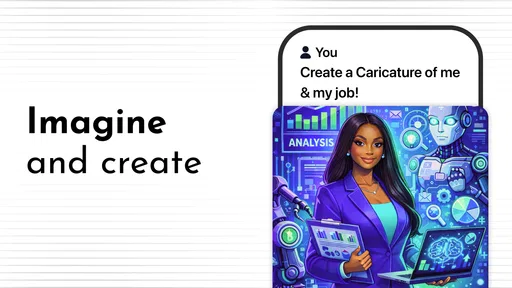
The app is intended for productivity and offers an AI chatbot experience centered on search and assistance. Its description highlights deep guidance through search, web browsing, generators, and more. It may suit people who want to explore topics, ask questions conversationally, or use AI-supported tools from a mobile device, while the usefulness of its responses can depend on the task and prompt.
What is Chatbot AI - Search Assistant?
Chatbot AI - Search Assistant is an advanced virtual assistant application designed to help users search for information efficiently. It uses artificial intelligence to understand and respond to user queries in a conversational manner, making it easier to find answers, manage tasks, and explore new topics right from your smartphone.
Pros
- Intuitive user interface
- Quick response times
- Supports various languages
- Customizable settings
- Integrates with other apps
Cons
- Limited offline functionality
- Occasional inaccuracies
- No dark mode available
- Requires stable internet
- May drain battery quickly












