Capital One Shopping
- 13.75K
- 4.7
- Installs
- 5.00M
- Price
- Free

Screenshots






Analysis by Reviewed
I judge shopping tools by a practical question: do they make it easier to check a deal without turning every purchase into homework? Capital One Shopping is a free shopping app from capitaloneshopping.com, and its focus is on helping people look for savings while they browse. I’d consider it most useful if you regularly buy online and are willing to pause for a quick comparison before checking out.
Start with the purchase, then compare
Before installing a shopping assistant, I’d think about how I actually buy things. Do I shop online often enough for a price check to be useful, or do I mostly pick up everyday items in person? Am I comfortable seeing suggestions while browsing, or would I rather search on my own? Those answers matter more than the promise of a possible discount. A tool like this earns its place when it fits an existing shopping routine rather than creating a new reason to shop.
I’d also consider what counts as a good deal for the item in question. For a familiar household product, comparing sellers may be straightforward. For electronics, clothing, or items with several variations, the headline price can be misleading if the model, size, bundle, or delivery terms differ. The useful question is not simply “Is another listing cheaper?” but “Is it the same item, from a seller and under terms I’m comfortable with?”
A useful habit, not a reason to buy
The best way to use a deal-finding app is to decide what you need first, then let it help you compare. For example, if I’m replacing a household item, I can check the suggested prices and coupons before choosing a seller rather than letting a discount tempt me into buying something unnecessary. That small change matters: a coupon only saves money when the purchase itself makes sense.
On a busy day, I might add a needed item to my online basket, review any coupon suggestions, and compare the price with another seller before paying. I’d still check delivery costs, return terms, and the exact product details myself; a lower displayed price isn’t automatically the better overall choice. This extra check is especially worthwhile for products where model names or included accessories can be easy to confuse.
Where it fits among shopping tools
Compared with searching for coupon codes manually, automatic suggestions can save time and spare me from trying a string of expired or irrelevant codes. Compared with a retailer’s own app, a shopping assistant has a broader role in the decision: it can prompt me to look beyond the store I started with. Those approaches can work together, though. I would still check a retailer’s checkout total and any sale shown directly by the seller before deciding.
It’s less appealing if you already have a strict store preference, rarely shop online, or dislike prompts while browsing. In those cases, a simple price search or the retailer’s own site may feel more direct. I also wouldn’t treat rewards as guaranteed savings on a particular purchase; I’d regard them as a possible extra, and make my decision based on the price and terms I can see at checkout.
You May Like

Clash of Clans Is Won Between the Battles

Android Auto Makes the Case for Quieter Car Software

MobiOffice: Transforming Mobile Productivity with Seamless Integration

EA SPORTS FC™ Mobile Soccer: Redefining Mobile Sports Gaming

How Microsoft OneDrive Became a Mobile Productivity Giant

How Google Translate Breaks Language Barriers Effortlessly
Who benefits from a second opinion
The app makes the most sense to me for someone who buys planned items online and is open to checking more than one seller. It can be useful when replacing a product you already know, comparing a few options for a household need, or revisiting an item before a purchase rather than rushing through checkout. That gives any coupon or comparison prompt a clear job: help assess a decision you were already making.
For instance, imagine I notice that a kitchen appliance I use has stopped working. I can first identify the exact model or the features I need, then use the shopping app to look for a possible coupon or another price. Before choosing, I would compare the final totals and confirm that the alternate listing includes the same accessories and seller terms. If one option is only marginally cheaper but has less convenient delivery or a return policy I don’t like, I may prefer the familiar seller. The app can widen the comparison; it should not make the choice for me.
It is a weaker fit for spontaneous shoppers who tend to buy because something looks discounted. Seeing a deal can add urgency even when the item was not on the list, so I’d avoid browsing just to see what savings appear. It may also offer little value to people whose purchases are mostly local, whose preferred stores already meet their needs, or who simply don’t want shopping prompts. In those cases, a direct search when a real need comes up is a cleaner approach.
Shopping Made Smarter
Ever found yourself in the middle of a shopping spree, only to wonder if you're really getting the best deal? Enter Capital One Shopping, your digital shopping assistant that's all about finding discounts, applying coupon codes, and earning rewards. What caught my attention was its ease of use. You just install the browser extension, and voila! It automatically searches for better prices and available coupons while you shop. It's like having a personal bargain hunter at your fingertips.
How It Works
Once I installed the app, I was impressed by its seamless integration. As I browsed through my favorite online stores, a little pop-up would appear, suggesting coupons and notifying me of potential savings. It's intuitive and doesn't disrupt your shopping flow. Plus, the app has a nifty price comparison feature that shows if a product is cheaper elsewhere. Talk about a money-saving miracle!
Use suggestions without losing control
The most useful way I can imagine handling a prompt is to treat it as a lead, not a conclusion. If the app surfaces a coupon, I’d let the checkout process show whether it applies to the item and whether the final amount changes. If it points me toward another seller, I’d open that option only long enough to compare the exact product and total cost. That keeps the convenience of a quick suggestion while avoiding the trap of assuming every alert represents a better purchase.
I would also avoid stacking too many decision tools at once. If I’m checking a retailer sale, a manual search, and an app suggestion, I’d compare the final options side by side rather than remembering a string of prices. The relevant figure is the amount I would actually pay for the item I want, with the same quantity and conditions. For a small purchase, an elaborate comparison may not be worth my time; for a costly or repeat purchase, a careful check is easier to justify.
There is a trade-off between convenience and attention. A prompt can save a manual search, but it still asks me to pause, inspect the suggestion, and decide whether it is relevant. If that interruption makes shopping feel busier, I’d use the tool selectively rather than engaging with every notification. A calm, planned check is more valuable than a constant hunt for marginal savings.
Rewards Galore
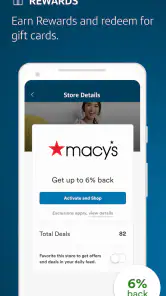
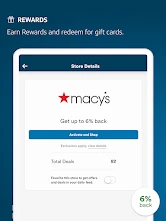
Now, let's talk about the rewards. Who doesn't love earning a little something extra on their purchases? With Capital One Shopping, you earn credits that can be redeemed for gift cards. It's like getting a bonus every time you shop. I found this particularly satisfying when I realized how quickly those credits added up. It's a sweet little perk that makes the app even more appealing.
How I’d weigh rewards against the real price
I would keep rewards in a separate mental column from the purchase price. Credits that may later be redeemed can be a pleasant bonus, but they are not the same as an immediate reduction at checkout. If two sellers have different totals or terms, I’d first choose the option that makes sense on those grounds, then consider whether the reward changes the overall value enough to matter. That prevents a small future benefit from distracting me from a less suitable seller or a higher amount due now.
This distinction is especially helpful if I’m buying something I need urgently. I wouldn’t delay a necessary purchase just to chase a possible reward, and I wouldn’t buy an extra item to make a reward feel worthwhile. The practical test is whether I would still choose the product and seller if the reward were not part of the decision. If not, I’d step back and reconsider.
Where alternatives can be better
Manual price searching is still a good choice when I have one exact item in mind and want to control every step. It lets me choose which sellers to inspect and avoid prompts, though it takes more effort and may mean testing coupon codes myself. A retailer’s own app or website can be more convenient when I already know where I want to buy, especially if I’m checking that store’s current offer and checkout total. Neither route is automatically superior; they serve different habits.
For a person who wants broad comparison with minimal searching, Capital One Shopping is the more natural starting point. For someone who values a quiet, single-store experience, the retailer’s own tools may feel simpler. And if I’m shopping for a product with complicated versions, a manual review of specifications can matter more than an automated price comparison. I’d use the app to discover an option, then verify that it is genuinely comparable before changing sellers.
The Final Verdict
In a nutshell, Capital One Shopping is a game-changer for anyone looking to save money and shop smarter. Its seamless integration, ease of use, and rewarding system make it a must-have for online shoppers. Whether you're a seasoned bargain hunter or someone just looking to cut down on expenses, this app has got you covered. So, why not give it a try? Your wallet might just thank you!
What to expect before installing
The app has a 4.7 average from around 88,000 ratings, and it has passed five million installs. It is rated for everyone, so its audience is broad; that doesn’t mean every shopping prompt will suit every person’s preferences. The current version is 2.108.0, and it requires Android 10 or later. I’d check that compatibility before downloading, particularly if you use an older phone.
It is free to install, which makes trying it a relatively low-commitment choice, but free does not mean there is no cost at all: the app still needs a little of my attention, and I have to decide which suggestions deserve a closer look. The developer is capitaloneshopping.com. I’d also distinguish the mobile app from the browser-extension workflow described earlier. They relate to the same shopping service, but my preferred place to browse will shape how convenient the experience feels.
One practical point is the difference between using a mobile app and a browser extension. The review experience described above centers on browsing prompts and comparison, so the feature that matters most to you may depend on where you shop and how you browse. If you mainly shop in a mobile browser, check that the app supports your usual routine before relying on it; if you do most shopping on a computer, a browser-based workflow may be more natural.
Switching without changing your whole routine
I wouldn’t move every shopping habit over at once. I’d start with one planned purchase and see whether the suggestions are relevant, whether the comparison is easy to verify, and whether the app fits the device I actually use. If it helps, I can keep it for purchases where checking another seller is worthwhile. If it adds friction, I can continue with direct searches or a retailer’s own site without rebuilding my entire routine around it.
That trial is also a useful way to judge whether the prompts suit me. A tool can be objectively convenient for deal checking and still be distracting for someone who prefers to shop quickly. I’d pay attention to whether I’m making better-informed decisions, not merely whether I’m opening more offers. If I find myself adding unplanned items or spending too long comparing minor differences, I’d narrow the situations in which I use it.
Make the savings work for you
I’d use the app as a second opinion, not as the final authority. Before buying, compare the same size, model, and seller conditions, then check the final checkout amount. For a one-off purchase, that takes little effort; for repeat shopping, it can help build a consistent habit of checking without chasing every notification. If a suggestion interrupts you, dismissing it and returning to the item later is better than buying under pressure.
Capital One Shopping is best for people who value convenience and often compare online prices, while shoppers who prefer a single familiar retailer may be happier with that retailer’s own tools. It is free, which makes trying it low-risk, but attention is still a cost: ignore prompts that don’t relate to something you planned to buy. My recommendation is to install it if you shop online often and enjoy checking alternatives, while keeping your own comparison of total cost and purchase terms in charge.
Capital One Shopping Frequently Asked Questions
Can I use Capital One Shopping without a Capital One credit card or bank account?
Capital One Shopping is intended for shoppers who want to look for savings, and the app’s name does not mean you need to be a Capital One banking customer to consider it. You can use the shopping service independently of having a Capital One credit card or bank account. It is a separate shopping tool rather than a banking app.
What kinds of savings can Capital One Shopping help me find?
Capital One Shopping focuses on savings while you shop, including coupon discovery and price comparisons between retailers. Its store summary describes access to free, exclusive savings on the go. It may be useful if you like checking for available deals before completing an online purchase, though a deal-finding tool is not a guarantee that every item or retailer will have a discount.
Does Capital One Shopping work only for online purchases, or can I use it while shopping in stores?
Capital One Shopping is a shopping app and browser extension focused on helping users find savings while shopping online. Its tools can check for available coupon codes and compare prices across retailers, which is most useful when you are browsing products on shopping sites. If you mainly shop in person, consider whether online deal discovery fits the way you prefer to shop before downloading it.
What is Capital One Shopping and how does it work?
Capital One Shopping is a free browser extension and mobile app designed to help users save money while shopping online. By automatically scanning for available coupon codes and providing price comparison across different retailers, it ensures that you get the best possible deal on your purchases. To use it, simply install the extension on your browser or download the app, and start shopping as usual. The tool will alert you if there are better deals available, making it a seamless way to save money.
Is Capital One Shopping safe to use?
Yes, Capital One Shopping is safe to use. It is developed by a reputable financial institution, Capital One, and it is designed with user security and privacy in mind. The app does not collect your personal data or track your browsing history beyond the shopping sites. Moreover, it doesn't require you to share sensitive information like credit card numbers, ensuring a secure shopping experience.
Pros
- Saves money by automatically finding coupons.
- Easy to use interface for quick navigation.
- Works with most major online retailers.
- Price comparison feature is very helpful.
- Tracks price drops and alerts users.
Cons
- May miss some obscure coupon codes.
- Requires account creation to use features.
- Occasional glitches in the app.
- Some deals may not be the best available.
- Limited support for physical store coupons.

- Category
- Shopping
- Version
- 2.108.0