BabyTV - Kids Videos & Songs
- 455.00
- 3.5
- Installs
- 1.00M
- Price
- Free

Screenshots

Analysis by Reviewed
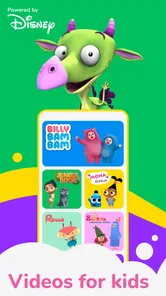
When I choose something for a young child to watch, I want it to be easy to offer in the moment and appealing enough to hold their attention without turning every quiet stretch into an endless video session. BabyTV - Kids Videos & Songs is a Disney parenting app built around short-form children’s entertainment, with songs, stories, videos and games. I see its strongest role as a familiar, parent-chosen option for small pockets of screen time—not a replacement for shared play, books or conversation.
A sensible first test for families
I would begin by trying the app when there is enough time to explore it alongside the child, rather than downloading it during a rushed moment and expecting it to solve an immediate problem. Browse the available choices together, notice which kinds of content hold the child’s interest, and see how they respond when it is time to stop. That quick trial can tell you more about its fit than a broad promise of children’s entertainment.
It also helps to decide what “useful” means in your household. If you want a few minutes of calm while handling a practical task, a song or short video may be the relevant test. If you are hoping for an activity that keeps a child occupied independently for a long stretch, this may not meet that expectation—and I would avoid making that the measure of its value. A parent’s presence and a clear beginning and end can make screen time feel more intentional.
What the free app offers—and what it costs
The app is free to install, and in-app purchases range from $0.99 to $59.99 per item. That gives families a chance to explore before deciding whether to spend, but “free” should not be mistaken for a promise that every item is included at no cost. I’d check what is available in the version you install and review any purchase choices with your child out of reach of the device. The key value question is not simply whether the app costs nothing to start, but whether the content your family actually wants is included or requires a purchase.
Variety for short, practical moments
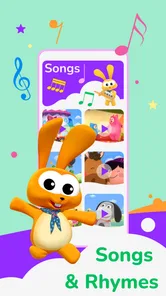
The mix of videos, children’s songs, bedtime stories and games gives parents different kinds of content to turn to. A song can suit a brief wait, while a story may fit more naturally into a calmer part of the day. I would treat the app as a menu of options rather than assuming every child will enjoy every format; a toddler who loves music may not settle for a story, and another child may prefer watching to tapping through a game.
For a realistic example, I might use it while preparing dinner: choose one suitable item, get the child settled nearby, and keep the device where I can see what is playing. That is more useful than handing over a screen with no plan, especially if the child tends to keep asking for “one more.” Deciding on a stopping point before pressing play can make the app easier to fit into a family routine.
Where it sits among children’s apps
Compared with a general video service, a parenting-focused app can feel like a more purposeful place to look for young-child entertainment. Compared with a single-purpose nursery-rhyme or bedtime-story app, BabyTV’s broad mix may be more convenient when a child’s mood changes. The trade-off is that a wider selection does not necessarily make it the best choice for a family seeking one carefully bounded activity or a specific kind of learning. I’d choose based on what your child will use calmly, not on the size of a content menu.
More From Our News Desk

 Gmail
Gmail in a Busy Inbox: Who Benefits Most?
From first account to crowded workday, Gmail earns its place through dependable search and flexible sorting—but its best fit depends on how much inbox maintenance you can tolerate.

 Prime Video
Switching to Prime Video: What Changes in Your Viewing Routine
Prime Video can make a compelling second home for streaming, but switching means learning a different catalog, rental layer, and route from browsing to playback.

 Universal TV Remote Control
 Works Best as a Reliable Backup
A phone remote earns its place through quick setup and reliable habits. Here is how to get more from Universal TV Remote Control—and where its limits show.

 Weather - By Xiaomi
Weather by Xiaomi Review: Clear at a Glance, Less Clear Up Close
Xiaomi’s weather app makes everyday forecasts quick to scan, but its calm surface can leave useful details and recovery paths harder to find than they should be.

 X
X Under Pressure: Can It Recover When Posting Goes Wrong?
A resilience-focused review of X, examining setup, mistaken posts, interruptions, weak connections, and the gaps that matter when recovery needs to be dependable.

 Clash of Clans
 Is Won Between the Battles
Its raids are quick; its community is a long-term project of coordination, teaching, rivalry, and shared responsibility—with all the friction that entails.
Latest News



It is also worth separating entertainment from learning. Songs and stories can create opportunities to repeat words, sing together or talk about what a child sees, but watching by itself is not the same as an interactive lesson. I get more value when I join in—asking a simple question, echoing a rhyme, or connecting a story to something familiar—than when I expect the app to do all the teaching.
Who is likely to find it worthwhile?
BabyTV may suit caregivers of young children who want a range of age-oriented entertainment in one app and are comfortable supervising screen use. It is less suited to families who want a completely free, fully specified catalogue, or who would rather avoid children’s screen content altogether. The app is rated Everyone, but that broad age label does not tell me which individual songs, stories or games will suit a particular child’s temperament or stage; I would preview content and make the choice myself.
It has been available since February 29, 2012, and runs on Android 5.0 or later. Its 3.6 average from around 14,000 ratings, alongside more than 1 million installs, suggests it has reached many households without being universally loved. I take that as a reason to try it with realistic expectations: a child’s interest and a family’s preferred routine matter more than popularity figures.
Entertainment Meets Education
When it comes to keeping my kids engaged, I’ve found that a balance of fun and learning is key. This app delivers just that with its rich library of videos and songs. From classic nursery rhymes to delightful animations, there’s a wide variety of content that keeps the little ones glued to the screen. And the best part? It’s all safe and age-appropriate. I don’t have to worry about them stumbling upon something they shouldn’t be watching.
Intuitive and Kid-Friendly Interface
One of the standout features of this app is its user-friendly interface. It’s designed with kids in mind, which means my toddler can navigate through the app with minimal help from me. The bright colors and simple layout make it easy for them to find their favorite videos and songs. Plus, the app is available in multiple languages, making it a great tool for introducing your child to new languages.
Offline Mode: A Parent’s Best Friend
Let’s face it, we’ve all been in situations where we need to keep the kids entertained without an internet connection. Whether it’s a long car ride or a flight, the offline mode in this app is a true blessing. You can download videos and songs for offline viewing, ensuring your kids have access to their favorite content anytime, anywhere.
Parental Controls and Ad-Free Experience
In a world where ads are everywhere, it’s refreshing to have an app that offers an ad-free experience. I appreciate that BabyTV - Kids Videos & Songs prioritizes the viewing experience for kids by eliminating ads. Additionally, the parental controls give me peace of mind, allowing me to set screen time limits and choose what content my child can access.
In conclusion, BabyTV - Kids Videos & Songs has become a staple in our daily routine. It’s more than just an app; it’s a tool that provides both entertainment and educational value. Whether you need a few minutes of peace or want to enrich your child’s learning experience, this app is a fantastic choice. Give it a try and see how it can brighten up your little one's day!
Making it work in a real routine
One useful way to judge the app is to try it at a predictable point in the day, rather than introducing it only when a child is already upset. For example, I might use a familiar song while packing a bag, then switch the screen off before leaving. A routine like that gives the child a clear cue and helps me avoid treating the app as the automatic answer to boredom. If a particular video reliably causes arguments when it ends, I would choose a shorter activity or sit with the child and explain the next step before it finishes.
For travel, I would prepare well before getting into the car or boarding a flight. The published description does not establish whether offline downloads are available, so I would not rely on that feature for a trip; I’d check the current app myself and have a non-screen backup such as a book or familiar toy. Likewise, parents asking about ads, time limits, content selection or language options should verify those details in the installed app rather than assume they work a certain way. Those practical checks matter more than a reassuring label when a child is the one using the device.
Choosing between this and a narrower alternative
The best comparison is not simply “more content” versus “less content,” but convenience versus focus. A collection spanning songs, stories, videos and games can spare me from switching between several child-oriented apps as the mood changes. On the other hand, if my child is currently fixated on bedtime stories, a dedicated story app may make it easier to keep the activity centered on that routine. If I want a hands-on learning task, a game or lesson designed around participation may be a better fit than a video-led choice.
General video platforms can offer broad discovery, but that breadth may put more responsibility on the adult to choose what appears next. A children’s app can feel more contained, though I still would not treat a child-friendly label as a substitute for previewing. For a young child who taps quickly from one item to another, I would stay close enough to guide the selection and keep the device from becoming an unsupervised stream of entertainment.
Small choices that improve the experience
I find it useful to offer two acceptable choices instead of asking a young child to browse an open-ended menu: for example, “Would you like a song or a story?” That keeps the child involved without making the device itself the activity. It also gives me a natural way to match the format to the moment—music when energy is high, a calmer story when we are winding down—while remembering that an individual child may react differently.
Another practical habit is to treat the end of a selected item as a transition cue. I can tell the child what happens next before starting, then follow through when it ends. This is particularly helpful if the app is used before a meal, bath or departure, when stopping abruptly can turn a convenient screen break into a difficult handover. If the child regularly resists that transition, I would reconsider when and how I use the app rather than assuming that more content will fix the problem.
For a caregiver managing several tasks, it may be tempting to use the app whenever the child is restless. I would save it for moments when a screen genuinely helps and keep other familiar options nearby: a toy, a book, a snack or a chance to join in with a song. That makes the app one tool in a routine, not the default response to every pause.
Questions worth settling before relying on it
Parents often want to know whether the app can keep a child occupied on a trip, whether a particular item is included, and how much a purchase will cost. I would check the installed app in advance for the exact content and purchase choices, then test anything I plan to use before leaving home. That avoids making a child’s first experience with a new screen happen in a car park, airport queue or other stressful moment.
I would also check how the app behaves in the hands of the child who will use it. Can they stay with the item you chose, or do they quickly move on? Do they enjoy watching together, or prefer choosing and tapping independently? Those observations matter more than an assumption that a simple-looking app will suit every age or temperament. The age rating is Everyone, but personal fit still comes down to the child and the parent’s comfort with the content.
The developer is Disney, and the app has 450 reviews alongside its broader rating history. I see that as useful context, not a guarantee that another household will have the same experience. If the app is appealing but a specific feature is essential to your plans, confirm it on your own device before building a routine around it.
My buy-or-skip judgment
At no charge to install, BabyTV is reasonable to try if you want children’s songs, stories, videos and games gathered in a parenting app. The purchases are the point to weigh carefully: I would not pay simply because a child asks for a particular item until I had checked its cost and considered how often it would be used. A free starting point is useful, but it does not establish that paid content offers good value for every household.
I would skip it if your priority is a strictly offline option, a guaranteed fully free library, or a tightly controlled learning activity; those needs call for checking alternatives built around that specific requirement. For families who want varied entertainment and are happy to supervise, it can be a handy option to test. My recommendation is a cautious one: explore the free access first, decide what role screens should have in your home, and spend only if the content proves useful in your own routine.
BabyTV - Kids Videos & Songs Frequently Asked Questions
Who makes BabyTV - Kids Videos & Songs, and what does the app offer?
BabyTV - Kids Videos & Songs is a parenting app from Disney. It brings together fun videos, kids’ songs, bedtime stories, and games, giving families a mix of viewing and play options for young children. Its focus is on child-oriented entertainment, so parents can consider whether this kind of screen content fits their child’s interests and their household’s approach to screen time.
Is BabyTV - Kids Videos & Songs suitable for young children?
The app has an Everyone content rating and is designed around videos, songs, stories, and games for children. That makes it an option for families looking for child-focused entertainment, but parents should still choose content and screen time in a way that suits their child. An age rating is a general guide, not a substitute for a caregiver’s judgment about what a particular child is ready to use.
What devices can run BabyTV - Kids Videos & Songs?
BabyTV - Kids Videos & Songs is available for Android devices running Android 5.0 or later. It is a parenting app from Disney, with a content rating of Everyone. Before downloading, check that your device meets the minimum operating-system requirement and has enough room for the app and any content you may want to keep for offline viewing.
Is BabyTV - Kids Videos & Songs free to download?
The app is free to download, so parents can try it without an upfront purchase. It also offers in-app purchases, with individual items ranging from $0.99 to $59.99. As the app is intended for children, it is sensible to review purchase settings on your device and discuss any paid access with an adult before a child uses it.
What is BabyTV - Kids Videos & Songs and who is it suitable for?
BabyTV - Kids Videos & Songs is an app designed to provide educational and entertaining video content for young children, primarily toddlers and preschoolers. It offers a range of videos and songs that are both fun and educational, helping to develop early learning skills. The app is suitable for parents who are looking for a safe and engaging digital environment for their children to explore and learn.
Pros
- Engaging and educational content for kids.
- User-friendly interface for easy navigation.
- Wide variety of videos and songs available.
- Safe and ad-free environment for children.
- Offline access to videos and songs.
Cons
- Limited free content without subscription.
- Requires internet for initial downloads.
- Can be repetitive for older children.
- Subscription can be costly over time.
- Limited parental control features.