Baby Zone for Toddler & Parent
- 259.00
- 4.5
- Installs
- 100.00K
- Price
- Free

Screenshots
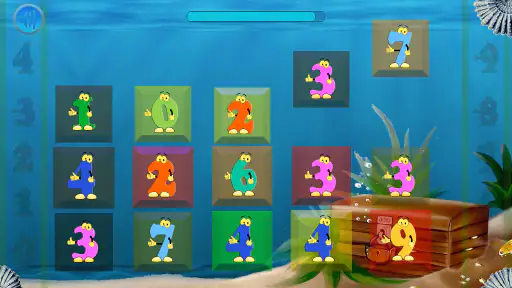
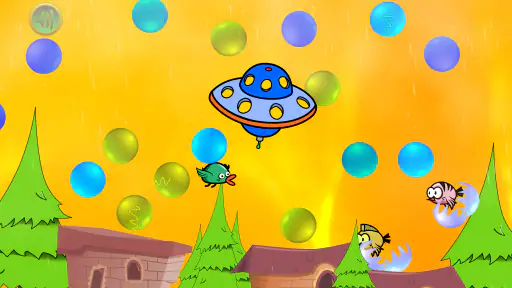

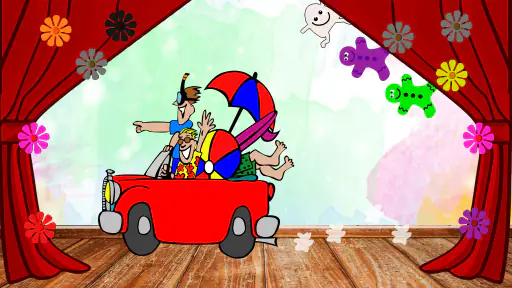
Analysis by Reviewed
Baby Zone for Toddler & Parent is the kind of parenting app I would reach for when I need a phone to become a short, calmer activity rather than an open invitation to tap through everything on the device. Its purpose is simple: keep a toddler occupied with child-friendly interaction while the parent retains control of the phone. In my experience, that basic idea is more useful than it first sounds, especially during a meal out, a short wait, or a moment when I need both hands free.
What makes it different from handing over an ordinary video app is the focus on a contained experience. The child can interact with the screen, but the phone is meant to stay in a more controlled zone. That matters for parents who worry about accidental calls, settings changes, deleted items, or a toddler wandering into unsuitable content. I would not treat it as a substitute for play, conversation, or supervision, but it can be a practical tool when used in short, intentional sessions.
Where parents usually get stuck
The first difficulty is not necessarily inside the activities themselves. It is understanding the parent-and-child rhythm of the app. A toddler may start tapping before the adult has finished preparing the phone, or a parent may expect the lock behavior to work without checking how it is activated. When that happens, the app can feel confusing even though the underlying idea is straightforward.
I found it helpful to think of Baby Zone as a routine rather than a one-touch babysitter. I prepare the device first, open the app, check that the child-facing activity is ready, and only then hand over the phone. That small change prevents the common situation where a child is already pressing buttons while the parent is still trying to find the right control.
The app comes from VRSeeds and belongs to the parenting category. It is free to start, with optional in-app purchases ranging from ninety-nine cents to four dollars and sixteen cents per item. That makes it easy to test without committing money immediately, but I would still look carefully at any purchase screen before giving the phone to a child. Toddlers are excellent at discovering buttons that adults assumed would be ignored.
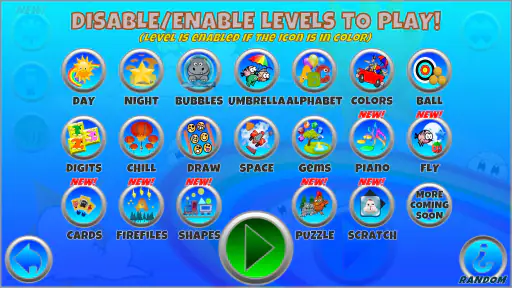
Another point of friction is expectation. The store summary presents the app as a way to lock the phone, keep a toddler busy, support coordination, and combine learning with fun. I read that as a focused distraction tool, not as a complete educational program. The value is in giving a young child a controlled place to touch, watch, and react, rather than in delivering a structured lesson with measurable progress.
What to check before handing over the phone
I recommend starting with the phone in your hand and the child somewhere nearby but not yet using the screen. Confirm that the intended activity is visible, that the device has enough battery for the planned session, and that notifications or interruptions will not create an unexpected change. These are ordinary preparation steps, but they are especially important when the child is too young to explain what happened after the screen changes.
The app is rated for Everyone, which suits its family-oriented purpose, but an age rating should not replace parental judgement. A very young child may need help understanding what to touch, while an older child may quickly find the experience too basic. I would introduce it according to the child’s attention span and ability to follow a simple boundary: this is the activity, and the rest of the phone is not available.
It also helps to use a device case that is easy for an adult to grip and that can tolerate ordinary toddler handling. That is not a special requirement of the software; it is simply sensible when a phone is being used by small hands. If the child tends to press hard, throw objects, or chew on devices, no locking feature solves the physical risk.
Before the first real use, I would try the parent controls several times without rushing. Look for the way the child-facing mode begins, how you return to normal phone use, and whether the screen responds consistently to the gestures you use. The goal is not to memorize every option. It is to make the start and finish predictable enough that you do not need to troubleshoot while a toddler is waiting.
A smoother everyday workflow
A realistic use case is a restaurant meal. I might give my toddler a few minutes of Baby Zone while waiting for food, keeping the phone flat on the table and staying close enough to talk. I would decide in advance when the activity ends instead of allowing the screen to become the entire meal. That makes the app a temporary bridge through a difficult wait, not the main event.
For travel, I would prepare it before boarding or before the child becomes restless. Starting in a quiet moment is easier than attempting setup in a crowded station or moving car. I would also keep another non-screen option available, such as a small book or familiar toy, because a child can lose interest in any digital activity without warning.
One useful habit is to keep sessions connected to a clear transition. For example, the app can be used while a parent prepares a bag, then put away when the task is complete. Toddlers handle endings better when the adult announces them and follows the same pattern each time. The application can help occupy the gap, but it cannot create a boundary on its own.
Its coordination angle is most convincing when the parent treats tapping and visual response as a small shared activity. I would sit nearby, name what the child is seeing, and encourage slower, deliberate touches rather than leaving the child to swipe randomly. That turns passive screen time into a chance for language and joint attention, even if the app itself remains simple.
Recovering when the workflow breaks
If the child leaves the intended screen, I would first avoid repeated tapping. Take the phone back, wait a moment, and return to the starting point using the parent controls. Rapidly pressing buttons can make it harder to tell whether the app is responding or whether the device is simply receiving too many touches.
If the screen appears frozen, the safest general approach is to stop the session, check whether the phone itself responds elsewhere, and then reopen the app if necessary. A single app problem and a device-wide problem look similar to a toddler, but they require different responses. If other parts of the phone are also slow, the application may not be the real source of the trouble.
When the child repeatedly exits the activity, I would check the setup rather than assuming the app has failed. The phone may not be in the intended child-facing mode, the child may be using a gesture that the parent has not accounted for, or an interruption may have moved the device away from the activity. Repeating the same rushed sequence rarely improves the result.
It is also worth checking whether the phone meets the stated minimum operating-system requirement. Baby Zone supports Android 7.0 and later, so an older device can create compatibility problems before the app has a fair chance to work properly. On a supported phone, updating the operating system or the app may help with general stability, but I would avoid making several changes at once. Change one thing, test it, and observe what actually improved.
The current version is 1.56. I would use that as a reminder to keep the installation reasonably current, while remembering that an update can also change the feel of controls or the way the app behaves on a particular phone. After an update, I would run a short adult-only test before giving the device back to a child.
When the app is not the cause
Not every failed session points to software. A toddler who is hungry, tired, overstimulated, or uncomfortable may reject an activity that worked perfectly earlier. I have found that parents often spend too long changing settings when the child really needs a snack, a nap, or a different kind of attention.
Screen glare, low brightness, a cracked protector, and a weak speaker can also make a simple activity feel unresponsive. If the child keeps tapping the same place, move to better lighting and check whether the display is registering touches elsewhere. If sound seems absent, test the phone independently rather than assuming the app has no audio response.
Network conditions can be another distraction during setup, but I would not promise that changing connectivity will solve every issue. The sensible test is to observe whether the problem appears before the activity starts, only after another app opens, or across the whole device. That pattern tells you more than repeatedly switching settings.
Parents should also consider privacy and household rules before giving any app regular access to a child’s attention. I would review the device’s general notification behavior and purchase protections, especially when the phone is shared with adults who use it for messages, work, or banking. A child-friendly screen does not automatically make the entire phone child-proof.
How it compares with ordinary alternatives
The most obvious alternative is a video app. Video is often easier when the goal is quiet viewing, but it can expose the child to recommendations, controls, or content changes outside the parent’s plan. Baby Zone is more appealing when I want a bounded interaction instead of an endless stream. On the other hand, a video may hold attention longer during a difficult journey, so the better choice depends on whether control or sustained viewing matters more at that moment.
Another alternative is a dedicated toddler game. A full game may offer richer variety, clearer progression, or more sophisticated challenges, particularly for an older preschool child. Baby Zone makes more sense for a younger user or for a parent who values a simpler environment over depth. I would not choose it for a child looking for complex goals, long-term advancement, or competitive play.
There is also the no-screen option: a board book, stacking cups, a snack, or a conversation. Those choices are often better when the child needs movement, sensory exploration, or social contact. The strength of this app is not that it replaces them. It is that it can fill a narrow gap when those alternatives are unavailable or when the parent needs a controlled pause.
The adoption numbers suggest that it has reached a substantial family audience, with over one hundred thousand installs. Its average rating is four point five from around one thousand two hundred ratings, and it has two hundred fifty-nine reviews. I see those figures as signs of practical appeal rather than proof that every phone and every toddler will respond the same way.
Who should use it, and who should skip it
I would recommend trying Baby Zone if you share a phone with your child, often need a brief hands-free moment, and prefer a contained activity to unrestricted access to a video platform. It is particularly suitable for parents who are willing to prepare the phone, stay nearby, and use the app as one part of a larger routine.
I would be more cautious if your child is old enough to want substantial gameplay. The experience may feel limited compared with a dedicated game designed for longer sessions. I would also skip it as a primary solution if your child becomes more upset after screen use, struggles with transitions, or needs active movement rather than seated distraction.
Because optional purchases are available, I would not leave the phone unattended with payment access enabled. That is a general household safeguard, but it is especially relevant here because the intended user may be unable to distinguish a play control from a purchase control. A parent should remain the person who starts, monitors, and ends the session.
My practical verdict
Baby Zone for Toddler & Parent succeeds when its role stays modest. It gives a toddler a focused screen activity and gives the parent a better chance of keeping the rest of the phone out of reach. I like that balance more than the usual approach of opening a general entertainment app and hoping the child stays in the right place.
The trade-off is that the app depends on a sensible setup and realistic expectations. It will not fix a tired child, replace supervision, or turn a phone into a complete learning environment. Some parents may also find the child-facing experience too simple once their toddler becomes more confident with games and menus.
For me, the strongest use is a short, planned session: prepare the device, explain the boundary, stay close, and end with a familiar transition. Used that way, this free parenting app from VRSeeds is worth trying, especially for families who want a safer-feeling alternative to handing over unrestricted phone access. Its real strength is controlled convenience, not unlimited entertainment.
Pros
- Simple activities are suitable for toddlers’ short attention spans.
- Parent-friendly design makes it easy to start games quickly.
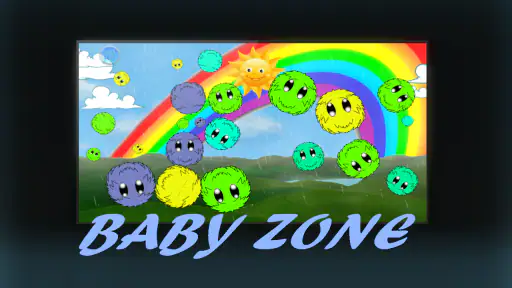
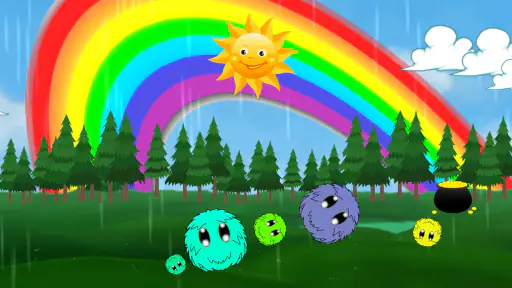
- Colorful visuals help keep young children engaged.
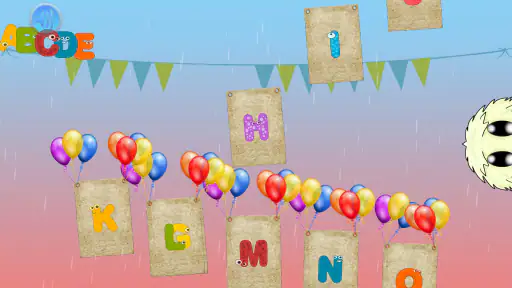
- Activities can support early learning through play.
- Useful for quiet time at home or while traveling.
Cons
- Some content may feel repetitive after frequent use.
- A few activities require active supervision from a parent.
- The interface may be too basic for older preschoolers.
- Certain features or activities may require in-app purchases.
- Screen-based play should be balanced with hands-on activities.

- Category
- Parenting
- Version
- 1.56











