

Baby Sleep Sounds: White Noise
- 26.00
- 4.1
- Installs
- 50.00K
- Price
- Free
Screenshots
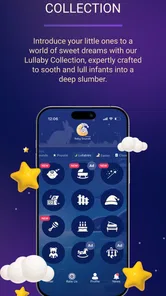
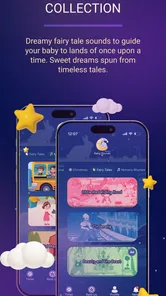
Analysis by Reviewed
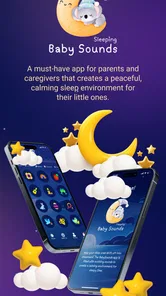
When a baby keeps waking at every small household sound, the problem is often not that the room is completely quiet, but that its sound changes too suddenly. Baby Sleep Sounds: White Noise approaches that problem with one focused capability: creating a steady audio background for naps, bedtime, and those difficult moments when a child is already overtired. I found that narrow purpose more useful than an app trying to become a complete parenting planner.
This is a free parenting app from OddLabs, available for Everyone and compatible with devices running Android 5.0 or later. It has reached over 50 thousand installs and holds a 4.1 average from more than a hundred ratings, with dozens of written reviews. Those figures suggest a modest but real user base rather than a huge platform, which fits the app’s character: it is a simple sleep aid, not a social service or a large collection of baby-care tools.
The central idea is easy to understand. Instead of playing a song with a beginning, middle, and end, the app provides continuous white noise and sleep sounds that can make sudden changes in the surrounding environment less noticeable. In my experience, that distinction matters. A lullaby can be comforting, but its melody eventually changes or stops. A consistent background is better suited to covering a closing door, a conversation in the hallway, or the ordinary movement of a home.
How Baby Sleep Sounds works when bedtime is not going smoothly
When bedtime starts to unravel, I find it helps to treat the sound as a steady backdrop rather than keep changing it in search of an instant fix. This section looks at how a simple, consistent choice can support a calmer routine, while keeping expectations grounded: audio may soften interruptions, but it cannot solve every reason a baby is unsettled.
A steady soundscape rather than another distraction
The most important thing to understand is that this app is not designed to make a child actively listen. Its role is closer to setting the acoustic atmosphere of the room. I would place the phone where the sound can travel gently through the space, start the chosen sleep sound before settling the baby, and then keep the volume restrained. The goal is not to overpower every noise. It is to soften the contrast between quiet and interruption.
That makes the app especially practical for parents who live in apartments, share a home with older children, or cannot control every sound around nap time. It can also help during travel, when a child is sleeping in an unfamiliar room and the normal household cues are missing. I would not treat it as a guaranteed sleep solution, because sound cannot fix hunger, discomfort, illness, an unsuitable temperature, or a disrupted routine. Its value is more specific: it can make the audio environment more predictable.
A useful way to test it is to begin with the lowest comfortable volume and observe the result over several naps rather than judging it after one difficult evening. If the child settles more easily when the sound is present, keep the setup consistent. If the baby becomes more alert, irritated, or interested in the phone, the sound is not serving its purpose. The best result comes from making the audio almost boring.
More From Our News Desk

 Gmail
GmailGmail in a Busy Inbox: Who Benefits Most?
From first account to crowded workday, Gmail earns its place through dependable search and flexible sorting—but its best fit depends on how much inbox maintenance you can tolerate.

 Prime Video
Switching to Prime Video: What Changes in Your Viewing Routine
Prime Video can make a compelling second home for streaming, but switching means learning a different catalog, rental layer, and route from browsing to playback.

 Universal TV Remote Control
Universal TV Remote Control Works Best as a Reliable Backup
A phone remote earns its place through quick setup and reliable habits. Here is how to get more from Universal TV Remote Control—and where its limits show.

 Weather - By Xiaomi
Weather by Xiaomi Review: Clear at a Glance, Less Clear Up Close
Xiaomi’s weather app makes everyday forecasts quick to scan, but its calm surface can leave useful details and recovery paths harder to find than they should be.

 X
XX Under Pressure: Can It Recover When Posting Goes Wrong?
A resilience-focused review of X, examining setup, mistaken posts, interruptions, weak connections, and the gaps that matter when recovery needs to be dependable.

 Clash of Clans
Clash of Clans Is Won Between the Battles
Its raids are quick; its community is a long-term project of coordination, teaching, rivalry, and shared responsibility—with all the friction that entails.
Latest News



Using it as part of a repeatable routine
I think the app works best when it becomes one small step in an existing bedtime sequence. For example, a parent might dim the room, change the baby, read a short book, start the same sound, and then leave without adding more stimulation. The repeated order gives the sound a practical role: it becomes a cue that sleep is approaching, rather than a last-minute attempt to stop crying.
That distinction is important for families who expect an app to do the whole job. Baby Sleep Sounds cannot replace a calming routine, and I would not use it as a reason to keep a bright screen beside the crib. The phone is only the playback source. Once the sound is running, the screen should be out of the baby’s attention, and the device should be positioned safely away from the child.
Another useful workflow is to prepare the sound before the room is fully dark. That avoids handling the phone after the baby has nearly fallen asleep. It also reduces the temptation to change sounds repeatedly. Parents often experiment too much when they are tired, but a consistent choice is easier to evaluate. I would try one sound for a few nights, note whether settling improves, and only then compare another option.
What the app can and cannot answer for you
One question many parents have is whether white noise is suitable for every baby. My answer is no. Some children relax with a continuous sound, while others prefer a quiet room, a familiar voice, or a soft musical pattern. The app gives you a tool to test, not a universal formula. A baby who sleeps well without background noise does not need it simply because it is available.
Another question is whether it is better than a separate sound machine. The answer depends on your household. A phone is convenient because it is already available and can be moved between rooms. A dedicated machine may be preferable if you want a device with no notifications, calls, or other distractions nearby. Baby Sleep Sounds is therefore strongest for convenience and experimentation, while a purpose-built device can offer a more focused long-term setup.
It is also worth remembering that a phone can introduce its own interruptions. Incoming calls, notifications, low battery warnings, or someone picking up the device can disturb the room. Before relying on the app for a long nap, I would check the phone’s sound settings, battery level, and placement. These are not flaws in the audio itself, but they are real parts of using a phone as a nursery sound source.
The most convincing everyday scenario
The situation where I see the clearest benefit is a daytime nap in a busy home. Imagine one parent has finally settled a baby after lunch, while another child is playing in the next room and normal household activity continues. Total silence is unrealistic, so every isolated sound stands out. Starting Baby Sleep Sounds at a gentle level can create a stable layer behind those noises, making the environment feel less abruptly changing.
In that scenario, I would not turn the volume up whenever someone speaks. I would first choose a comfortable level, keep the phone in a safe location, and leave the room as normally as possible. The app is more useful when it supports ordinary living rather than forcing everyone to tiptoe. That is the practical effect I noticed: not necessarily instant sleep, but fewer sharp contrasts between quiet and interruption.
The same approach can help during a visit to relatives or a stay in a new room. A familiar sound can make the setting feel less different, especially when the baby’s usual sleep space is unavailable. Still, I would test the setup at home before depending on it elsewhere. A child may respond differently to a new sound, and travel is already a poor time for major experiments.
Where the simple approach becomes a limitation
The app’s focused design is also its main limitation. Parents looking for feeding logs, nap tracking, developmental guidance, or a complete sleep-training program will need other tools. This is not an all-in-one parenting companion. I prefer that honesty of purpose, but it means the app will feel too narrow if your main need is organization rather than sound.
There is also a difference between having access to sound and having precise control over a nursery setup. If your routine depends on very specific scheduling, automation, or hardware controls, a dedicated sound machine or a broader smart-home solution may suit you better. Baby Sleep Sounds is most comfortable when a parent is willing to start it manually and keep the environment simple.
The free price makes trying it easy, but in-app purchases range from under a dollar to around twenty dollars per item. That is worth keeping in mind before treating the free download as a complete promise of every available option. I would explore the basic experience first and only consider spending money if the sound approach genuinely helps your family. A purchase should solve a clear need, not be made out of bedtime desperation.
Parents should also be realistic about the limits of masking sound. A continuous background may soften minor disturbances, but it will not make a loud television, construction work, or a barking dog disappear. Turning up the volume to compete with those noises is not a sensible solution. If the environment is genuinely loud, changing the room or reducing the source is better than asking the app to do more than it should.
Small habits that make the capability more useful
Use the same sound for several sleep attempts before deciding whether it works. Constantly switching choices makes it difficult to tell what actually helped.
Start playback before the final settling step, so the sound becomes part of the transition rather than an emergency response after the baby is already upset.
Keep the phone away from the crib and out of reach. The app should provide background audio, not become an object for the child to handle.
Check for phone interruptions before a nap. A notification or call can defeat the consistency that makes the sound useful.
Use a lower volume and adjust the room first. Curtains, doors, and moving the sleeping space away from activity may help more than increasing playback.
These habits may sound obvious, but they change the experience substantially. The app itself is only one part of the result. Placement, timing, and consistency determine whether it feels like a calming layer or just another noise in the room. That is why I would judge it as a routine aid, not as a button that produces sleep on demand.
Who is most likely to benefit
I would recommend Baby Sleep Sounds most readily to new parents who want a low-commitment way to test continuous sleep audio. It is also a good fit for families with variable daytime noise, parents who move between rooms, and anyone who wants something lighter than buying a separate device immediately. The free entry point makes it practical to try without first investing in hardware.
It may be particularly helpful when the problem is inconsistent surroundings rather than complete inability to settle. If your baby falls asleep easily in a quiet room but wakes at every small change, a steady sound may address the specific weak point in the routine. That is a more realistic expectation than assuming it will transform every bedtime.
I would be less enthusiastic for parents who want detailed sleep analysis, automatic routines, or a broader parenting dashboard. I would also point families toward a dedicated sound machine if the phone’s notifications, battery, or household use create too much friction. And if a child reacts negatively to the sound, there is no reason to insist. A quiet room or another soothing method may simply be the better match.
My conclusion after using it as a focused sleep aid
Baby Sleep Sounds: White Noise succeeds because it concentrates on one understandable job: giving a baby’s sleep environment a steady audio background. In my experience, that can be genuinely useful during naps in active homes, bedtime in unfamiliar places, and moments when sudden noises keep interrupting an otherwise workable routine.
OddLabs has positioned it as a straightforward parenting app rather than a complete sleep-management system. The current version is 7.2.4, and the app remains free to start, with optional in-app items priced from $0.99 to $19.99. I would approach those purchases carefully, test the basic routine first, and remember that the sound is support rather than treatment or training.
My final recommendation is simple: try it if unpredictable household noise is the issue you are trying to solve, and use it with a calm routine, modest volume, and safe phone placement. Skip it if you need tracking, automation, or a dedicated nursery device. For the right family, the real strength is not making the room louder; it is making small changes in the room less noticeable.
Baby Sleep Sounds: White Noise Frequently Asked Questions
What devices can run Baby Sleep Sounds: White Noise?
Baby Sleep Sounds: White Noise is a parenting app for Android devices running Android 5.0 or later. It is available for free, and its age rating is Everyone. If you use an iPhone or iPad, check its relevant app store for availability and compatibility before downloading, since device requirements and availability can vary by platform.
Who makes Baby Sleep Sounds: White Noise, and is it popular?
The app is developed by OddLabs and has an average rating of 4.1 from 123 ratings, with 26 written reviews and over 50,000 installs. Those figures offer a general snapshot of how people have responded to it, but individual experiences with sleep sounds can differ. Its store summary describes a focus on white noise, sleep sounds, and a calm nursery environment.
What is Baby Sleep Sounds: White Noise used for?
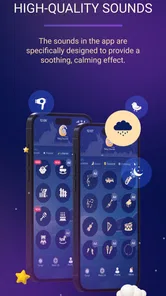
Baby Sleep Sounds: White Noise is designed to create a calm, consistent background environment that may help babies and young children settle down for naps or nighttime sleep. It typically offers soothing sounds such as white noise, gentle rain, lullabies, or nature audio. The app is intended as a sleep aid, not as a treatment for medical or sleep disorders.
Does Baby Sleep Sounds: White Noise work without an internet connection?
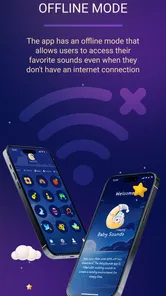
Many sound apps allow users to play downloaded or built-in audio while offline, but availability can depend on the specific version of Baby Sleep Sounds: White Noise and the sound selected. Before relying on it during travel or at bedtime, open the app, check whether the desired tracks can be used offline, and test playback with airplane mode enabled.
Is Baby Sleep Sounds: White Noise free to download and use?
The app is free to download, but it offers in-app purchases priced from $0.99 to $19.99 per item. Some sounds or features may therefore require an additional purchase. Check the purchase options in the app before buying so you know what is included at no cost and which extras you want.
Pros
- Wide range of soothing sounds for naps
- bedtime
- and calming routines.
- Simple interface makes it easy to start audio quickly.
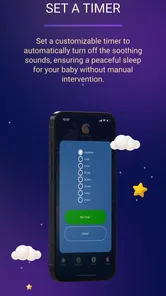
- Timer options help prevent sounds from playing all night.
- Useful for masking household noise and sudden disturbances.
- Portable sleep aid that works without needing physical sound machines.
Cons
- Some sound selections or features may require in-app purchases.
- Continuous playback can noticeably reduce battery life.
- Audio may stop if the device aggressively limits background apps.
- Limited personalization compared with dedicated sleep-training tools.
- White noise may not appeal to babies or parents sensitive to repetitive sounds.












