

AirPlay - Cast Screen
- 251.00
- 3.7
- Installs
- 100.00K
- Price
- Free

Screenshots
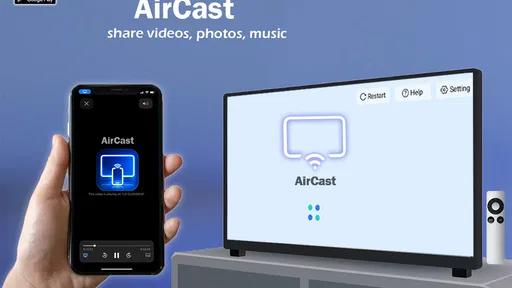
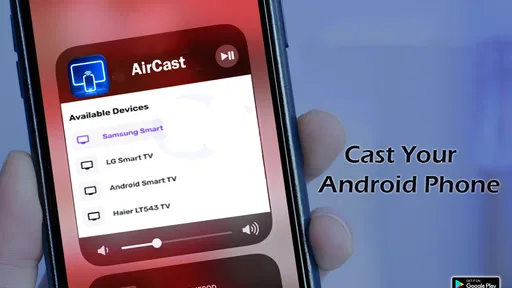
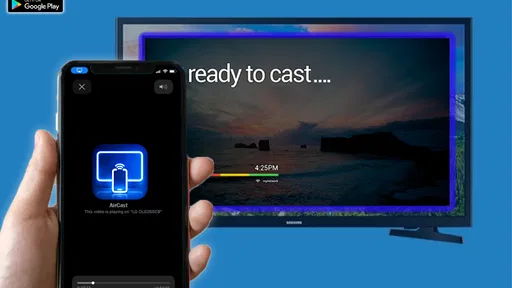
Analysis by Reviewed
I’d treat AirPlay - Cast Screen as a practical way to try viewing phone content on a television, rather than a guarantee that every screen and device will connect effortlessly. The app sits in the libraries and demo space, is made by Masivapp, and is free. It has an Everyone age rating, a 3.7 average from around 3,100 ratings, and over 100,000 installs. Those figures suggest that plenty of people have tried it, but I’d still judge it by how well it works with your own TV and home network.
What to expect when you open it
The central idea is straightforward: send content from an Android device to a television using Google Cast or DLNA. The short store label says “AirPlay,” but the fuller description names those two casting routes, so I wouldn’t assume that every AirPlay-compatible setup will work in the same way. If your TV or streaming device supports one of the named methods, it may be a useful bridge; if it doesn’t, installing the app alone can’t add that capability to the television.
Start with the TV, not the phone
Before tapping through the app, check which casting option your TV actually supports. That small bit of preparation can save a frustrating round of searching: Google Cast and DLNA are different routes, and the right choice depends on the equipment at the other end. I’d also put the phone and TV on the same home network where possible, then open the app and look for the receiver it can find. If nothing appears, checking the TV’s casting setting and reconnecting both devices to the network is a sensible first troubleshooting step.
The app is currently at version 9.0 and requires Android 7.0 or later. That makes it a reasonable candidate for many Android phones, but the version requirement is only one part of compatibility; the TV or receiver still needs to accept a supported casting method. The listing also uses the word AirPlay, so iPhone users should be especially careful to verify that the app’s actual workflow fits their device before relying on it. I wouldn’t read that label by itself as proof of universal Apple-device support.
Make the first cast a simple one
For a first test, I’d choose a photo or a short video already on the phone rather than starting with a long film or a complicated presentation. It’s an easy way to tell whether discovery and playback work before settling in. A useful everyday example is showing vacation pictures to family: select a few, get them onto the living-room screen, and keep the phone in hand to move through them. If playback stutters, I’d first try a shorter clip and check the network before assuming the app or TV is at fault.
One practical trade-off is that casting depends on more than the app: the phone, receiver, network, and chosen media all have a part in the result. A smooth start with still photos doesn’t necessarily prove that every video will behave identically. For a meeting or class, I’d test the exact material and connection ahead of time rather than discovering a compatibility snag in front of everyone.
Where it fits beside familiar options
Compared with casting built into a TV’s own interface or a dedicated streaming-device app, this gives you another route to try from your phone, especially when your setup uses Google Cast or DLNA. The convenience is having a single place to initiate a cast; the trade-off is that a third-party app cannot make an unsupported receiver compatible. If your television already has a reliable native casting option, that may be simpler. If you regularly need dependable playback for long sessions, a dedicated receiver or the TV maker’s own tools may be a better fit.
More From Our News Desk

 Gmail
GmailGmail in a Busy Inbox: Who Benefits Most?
From first account to crowded workday, Gmail earns its place through dependable search and flexible sorting—but its best fit depends on how much inbox maintenance you can tolerate.

 Prime Video
Switching to Prime Video: What Changes in Your Viewing Routine
Prime Video can make a compelling second home for streaming, but switching means learning a different catalog, rental layer, and route from browsing to playback.

 Universal TV Remote Control
Universal TV Remote Control Works Best as a Reliable Backup
A phone remote earns its place through quick setup and reliable habits. Here is how to get more from Universal TV Remote Control—and where its limits show.

 Weather - By Xiaomi
Weather by Xiaomi Review: Clear at a Glance, Less Clear Up Close
Xiaomi’s weather app makes everyday forecasts quick to scan, but its calm surface can leave useful details and recovery paths harder to find than they should be.

 X
XX Under Pressure: Can It Recover When Posting Goes Wrong?
A resilience-focused review of X, examining setup, mistaken posts, interruptions, weak connections, and the gaps that matter when recovery needs to be dependable.

 Clash of Clans
Clash of Clans Is Won Between the Battles
Its raids are quick; its community is a long-term project of coordination, teaching, rivalry, and shared responsibility—with all the friction that entails.
Latest News



Keep expectations practical
I’d recommend it to someone who wants to experiment with sharing phone content on a compatible TV and is comfortable checking a couple of settings if the receiver doesn’t show up right away. I’d skip it if you need guaranteed compatibility across unknown televisions, or if you want a casting app to replace a full streaming service. The listing describes screen casting, not a library of films or channels, so the content still needs to come from your device or another source you use.
There’s also a useful distinction between mirroring what’s on a phone and sending media to a receiver: the experience can depend on the app’s casting path and the content being shared. I’d avoid assuming that every protected video service or every on-screen activity will behave like a locally stored photo. For important viewing, test the specific content first; that’s a better guide than judging compatibility from the app name alone.
My take after considering the first-use path
For a low-commitment trial, the free price makes it easy to see whether the app works with your particular combination of phone, TV, and network. Masivapp’s entry in this category has attracted around 251 written reviews as well as its broader rating count, but individual results will still hinge on the receiving device. I’d approach the first session as a quick compatibility check: identify the TV’s supported method, connect both devices to the same network, and try a simple photo or short clip.
That’s the most reassuring way to decide whether it belongs in your routine. If the first test succeeds, it can be handy for sharing pictures or suitable phone content without crowding around a small display. If discovery fails after checking the receiver and network, using the TV’s built-in casting feature or a dedicated device is a reasonable alternative. I like the idea of having another option, but I’d choose it for a compatible setup rather than expecting it to solve every screen-sharing problem.
Make a second test useful, not just successful
Once a basic photo or clip appears on the television, I’d use a second test to learn what the setup is actually good for. Try the kind of content you expect to share most often, and note whether it is stored on the phone or opened through another app. That distinction matters because one successful cast only demonstrates that one combination of receiver, network, and media worked. A quick trial with a short video can tell you more about everyday suitability than repeatedly sending the same still image.
If you are preparing to show something to other people, keep the first session low-pressure: connect before guests arrive, choose the material in advance, and leave the phone available for control. For a family photo visit, that might mean selecting a small set of pictures rather than scrolling through an entire camera roll on the TV. For a work discussion, I’d rehearse the exact screen or clip and have a backup way to present it. The app is most useful when it removes a little friction, not when the whole event depends on an untested connection.
What to do when the receiver is missing
A receiver that does not appear is a frustrating first obstacle, but I would troubleshoot the connection in a deliberate order instead of reinstalling immediately. Confirm that the TV or streaming device is switched on and ready to receive a cast, check that both devices are on the same home network, and then verify whether the receiver uses Google Cast or DLNA. If the TV has separate network bands or guest-network settings, make sure the phone and receiver can see each other rather than assuming that internet access alone guarantees local discovery.
After that, close and reopen the casting app and try the search again. If the receiver still does not show, testing the TV’s own casting controls can help distinguish a receiver problem from an app problem. This is a useful point to pause: repeatedly tapping connect will not make an unsupported television appear. The practical question is whether the equipment offers a route the app can use, not whether the phone can see the internet.
Choose the right source for the job
For locally saved pictures and suitable videos, a phone-based casting tool can be more convenient than moving files to another device. It also suits casual sharing, such as putting a recipe photo on the kitchen screen or showing a short clip to relatives. But if the content already lives in a streaming service, opening that service directly on a smart TV or using its own cast control may be more dependable and avoid an extra step through a general-purpose app.
That is the main trade-off against the usual alternatives: this app offers a central place to try sharing phone content, while native TV controls and dedicated streaming apps are often more direct for their own supported sources. I would not install it expecting a universal remote, a replacement for subscription services, or a way to make every screen compatible. It is a useful experiment when your equipment matches its casting routes, not a shortcut around the limits of the receiver.
Who is likely to get the most from it
I think the best fit is someone with an Android phone and a television or receiver already set up for Google Cast or DLNA, who wants to share occasional content without turning the task into a technical project. It can also be worth trying if you are comfortable doing a quick compatibility check and accept that the result may vary by media type. The free price keeps that trial low-commitment, although your time is still better spent checking the TV before you plan a presentation or a long viewing session.
I’d steer away if you need a guaranteed presentation tool for a time-critical meeting, if your household uses several different televisions and expects the same process on each, or if you primarily want to watch services that are better handled by their official TV apps. iPhone owners should be particularly cautious about assuming that the AirPlay label means the Android-focused casting routes will translate directly to their setup. In those situations, a native option or a receiver designed for your devices is the safer place to start.
A sensible next step
Masivapp’s app is now at version 9.0, and its place in the libraries and demo category reflects its role as a tool to explore rather than a content destination. I’d install it only after checking the receiver, then use one short, ordinary test to decide whether it earns a place on the phone. If that test is reliable with the material you actually share, keep the workflow simple and repeat it. If not, move to the TV’s built-in option or a dedicated device rather than spending an evening trying to force a mismatch.
For me, the appeal is practical and limited: it may help bring suitable phone content to a larger screen when the network and receiver cooperate. The key is to treat compatibility as something to verify, not something promised by the app name. With that expectation, a first-time user can get to a meaningful test quickly and make a grounded choice about whether this particular casting route suits their home.
Hey there! So, I've been playing around with this app called AirPlay - Cast Screen, and let me tell you, it’s like having a magic wand for your media needs. If you're someone who loves sharing content from your phone to a bigger screen, this app is definitely something you'll want to check out.
Seamless Connection
First off, connecting your device with AirPlay - Cast Screen is as smooth as butter. You don't have to be a tech whiz to get it going. Just a couple of taps, and boom! You’re streaming your favorite shows or flipping through photos from your latest vacation on your TV. I mean, who doesn’t love seeing their Instagram-worthy shots on a big screen?
User-Friendly Experience
The interface is super friendly. It’s intuitive, so you don’t have to spend ages trying to figure out what to do next. Everything is laid out clearly, making the whole experience hassle-free. Even if you’re using it for the first time, you’ll feel like a pro in no time.
Compatibility Galore
One of the things I really appreciate about this app is its wide compatibility. Whether you’re using an Android or iOS device, AirPlay - Cast Screen has got you covered. Plus, it supports a ton of TV brands, so chances are, it’ll work with whatever setup you have at home.
High-Quality Streaming
Now, let’s talk about streaming quality. The app offers high-definition streaming, so you’re not compromising on quality. Whether you’re watching a blockbuster movie or a home video, the clarity is top-notch. I noticed hardly any lag or buffering, which is a huge plus in my book.
And the sound? Crisp and clear. It’s like having a mini cinema experience right in your living room!
Final Thoughts
All in all, AirPlay - Cast Screen is a fantastic app that simplifies the whole casting process. It’s reliable, easy to use, and offers great quality streaming. So, if you’re tired of squinting at your phone screen and want to enjoy your content on a bigger scale, give this app a whirl. You’ll be casting like a champ in no time!
So, what are you waiting for? Go on and give AirPlay - Cast Screen a try. You’ll wonder how you ever lived without it!
AirPlay - Cast Screen Frequently Asked Questions
Can I use AirPlay - Cast Screen to show photos or videos on a TV?
Yes. AirPlay - Cast Screen is intended to make Android content available on a larger screen, including TVs that support Google Cast or DLNA. It can be useful for sharing photos, watching videos, or showing other content with people in the room. The receiving TV or device needs to support a compatible casting method, and both devices should be connected to the same Wi-Fi network.
Is AirPlay - Cast Screen free, and which Android versions can run it?
AirPlay - Cast Screen is free to download and is rated for everyone. It requires Android 7.0 or later, so check your device’s software version before installing. The app is developed by Masivapp and is listed in the Libraries & Demo category. If your phone meets the operating-system requirement, you can try its casting features without paying to download the app.
What is AirPlay - Cast Screen and how does it work?
AirPlay - Cast Screen is a versatile app that allows users to wirelessly mirror their device's screen onto other compatible screens such as TVs or projectors. It works by establishing a connection over a shared Wi-Fi network, enabling users to display videos, photos, presentations, and more, making it ideal for both personal and professional use. Its store description also identifies Google Cast and DLNA as ways to stream Android content to TVs.
Is AirPlay - Cast Screen compatible with all devices?
While AirPlay - Cast Screen is designed to work seamlessly with a variety of devices, compatibility depends on the specific hardware and software versions. Most iOS devices with AirPlay functionality and Android devices with casting capabilities can use the app, but it is recommended to check the app's official compatibility list before downloading. On Android, the app’s description specifically mentions streaming to TVs via Google Cast and DLNA, so the receiving device needs to support a compatible option.
Does using AirPlay - Cast Screen require an internet connection?
Although AirPlay - Cast Screen primarily uses a local Wi-Fi network to connect devices, an internet connection is not necessarily required for basic screen mirroring. However, if you wish to stream online content, such as videos or music, a stable internet connection will be necessary to ensure a smooth viewing experience. For casting to a TV, make sure the phone and receiving device can communicate over the same local network.
Pros
- Easy integration with Apple devices
- High-quality video streaming
- User-friendly interface
- Reliable connection stability
- Supports multiple device casting
Cons
- Limited compatibility with non-Apple devices
- Requires strong Wi-Fi for best performance
- Occasional lag with high-res videos
- Setup can be complex for beginners
- Some features require in-app purchases










