

AI Voice Changer Sound Effects
- 172.00
- 4.7
- Installs
- 5.00M
- Price
- Free
Screenshots
Analysis by Reviewed
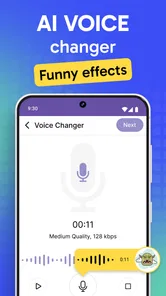
If you’re trying a voice-effects app for the first time, it helps to approach it as a playful recording tool rather than a complete audio studio. AI Voice Changer Sound Effects is aimed at changing how a voice sounds with effects, and that basic idea is easy to understand: record or choose audio, try an effect, then decide whether the result is worth sharing or keeping. I’d start with a short, casual test rather than planning a polished project around it.
That expectation matters because a funny voice can be enjoyable without sounding natural, and an effect that works for one sentence may not suit a longer clip. I find this kind of app most rewarding when the goal is a quick surprise, a playful character voice, or a small creative experiment. If you need detailed control over a finished production, a dedicated audio editor is usually a better fit.
What the app is best suited to
This is a music and audio app from GeniusTools Labs, and its focus is entertainment through voice effects. Its audience is broad: the age rating is Everyone, and it is free to install. The app has an average rating of 4.3 from around 13,000 ratings, with more than a million installs. Those figures suggest that many people have tried it, but I’d still judge it by whether its effects suit the kind of clip you want to make.
The most useful way to think about it is as a fast idea generator. You might record a silly message for a friend, make a character voice for a casual video, or compare a few treatments of the same line just to see which one gets a laugh. That’s different from using a full recording suite, where the point is often precise editing, careful mixing, and control over every stage of production. Here, the appeal is trying an effect without turning a small idea into a technical project.
A reassuring first run
After installing it, I’d begin somewhere quiet and record one short sentence in my normal speaking voice. Pick a line with clear consonants and a little variation in pitch, such as a greeting or a mock dramatic announcement. Then listen to the untreated recording before changing it. That gives you a simple reference: if the original is hard to hear, an effect is unlikely to fix the problem.
Next, try an effect on that same line instead of recording a different sentence for every option. This small comparison makes it easier to tell what the effect itself changes. A low, dramatic treatment may make a short announcement funnier, while a more extreme sound might bury the words. I’d keep the first clip brief, since short tests are easier to compare and redo if you dislike the result.
Once you find a version you like, save or share it only if the app’s available controls make that possible in your workflow. I wouldn’t assume that every effect is right for every recording or that a transformed voice will sound convincing in a real conversation. The satisfying first success is simpler: make a clear clip, hear a noticeable change, and decide whether it serves the joke or idea.
More From Our News Desk

 Weather - By Xiaomi
Weather by Xiaomi Review: Clear at a Glance, Less Clear Up Close
Xiaomi’s weather app makes everyday forecasts quick to scan, but its calm surface can leave useful details and recovery paths harder to find than they should be.

 X
XX Under Pressure: Can It Recover When Posting Goes Wrong?
A resilience-focused review of X, examining setup, mistaken posts, interruptions, weak connections, and the gaps that matter when recovery needs to be dependable.

 Clash of Clans
Clash of Clans Is Won Between the Battles
Its raids are quick; its community is a long-term project of coordination, teaching, rivalry, and shared responsibility—with all the friction that entails.

 Android Auto
Android Auto Makes the Case for Quieter Car Software
The car interface is no longer judged by how much it can do, but by how quietly it helps. Android Auto shows what drivers now expect—and what still gets in the way.

 MobiOffice: Word, Sheets, PDF
MobiOffice: Transforming Mobile Productivity with Seamless Integration
MobiOffice: Word, Sheets, PDF is redefining mobile productivity with a surprising blend of functionality and innovation.

 EA SPORTS FC Soccer Mobile 26
EA SPORTS FC™ Mobile Soccer: Redefining Mobile Sports Gaming
Dive into EA SPORTS FC™ Mobile Soccer, where immersive gameplay and strategic depth transform mobile sports gaming.
Latest News



Getting Better Results Without Overcomplicating It
Recording conditions can make a bigger difference than people expect. If you’re testing a voice in a busy room, background sounds may compete with the words and make the altered clip harder to understand. Try moving away from a fan, television, or nearby conversation, and hold the phone in a steady position while speaking. You don’t need special equipment to make a useful comparison; consistency is the important part.
Small recording choices that help
Speak at your ordinary volume and leave a little space before and after the sentence. That makes the clip easier to judge and avoids rushing straight into the effect. If you shout, whisper, or move the phone while recording, it becomes harder to tell whether a result sounds different because of the selected treatment or because the source audio changed. For a fair test, keep the words, distance, and delivery similar each time.
There’s also a practical reason to use a short test phrase before recording a longer message: it limits wasted effort. If an effect makes your words muddy, you can move on quickly instead of reworking a full paragraph. I’d choose a phrase with a mix of vowels and crisp consonants, then listen for intelligibility, not just novelty. The best result is often the one that stays understandable while still changing the mood.
Where it fits among voice tools
Compared with a basic recorder, this app offers the fun of changing the sound rather than simply capturing speech. Compared with a conventional audio editor, it is better approached as a quick effects playground than as a place for detailed production work. That distinction helps set a fair expectation: use it when you want a fast transformation or a humorous clip, and look elsewhere when you need precise trimming, layered tracks, or a carefully mastered result.
It can also complement, rather than replace, the tools you already use. I might record a rough idea here, decide which voice treatment fits, and then use another app if the final project needs editing beyond the effect itself. For a social post or a private joke, that extra step may be unnecessary. For a podcast, presentation, or other work where consistent sound matters, a purpose-built editor gives more room to refine the whole recording.
Common misunderstandings and sensible boundaries
The phrase “AI voice changer” can suggest that the app will produce a lifelike imitation or automatically turn every recording into studio-quality audio. I would not make that assumption. The reliable reason to try it is to experiment with voice effects and hear how they change a clip, not to impersonate a real person or guarantee a professional finish. Treat the result as an effect, and be clear with other people when a recording is altered.
I’d also separate changing a recorded clip from changing what other people hear during a phone call. The published description centers on recording and voice effects, so I would test the app for that purpose rather than build a plan around live call integration. If your main goal is to alter your voice inside a particular call, game, or streaming service, check that service’s own compatibility and choose a tool designed for that exact setup.
For a first-time user, another likely question is whether payment is required. The app is free to install, while optional in-app purchases range from $0.99 to $99.99 per item. I’d explore the basic experience before spending anything and check the purchase screen carefully so you know what an item includes. The app is rated Everyone, but anyone making or sharing recordings should still use ordinary judgment about privacy and consent, especially when other people’s voices are involved.
Who should try it—and who may prefer another option
I’d recommend giving it a try if you enjoy making quick jokes, trying character voices, or adding a playful twist to a short recording. It may also suit someone who wants an approachable first step into audio effects without learning a complicated editing interface. The current version is 3.0.3, and it requires Android 7.0 or later, so that requirement is worth checking before installing on an older Android device.
I’d skip it if your main need is precise audio editing, dependable live processing inside another app, or a polished voice track for professional use. In those cases, a dedicated editor or a tool confirmed to work with your recording setup is a more sensible choice. Your best first test is still a small one: record a sentence, compare a few effects, and keep the result only if it stays clear and fits your purpose.
The app has enough reach to be familiar to many Android users, but popularity does not tell me whether a particular effect will match your taste. I’d treat the 4.3 average as useful context, not a promise about your own recordings. A quick trial tells you more: does the interface let you get to an effect without fuss, and do the altered words remain easy to understand?
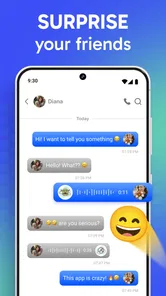
One everyday use I can picture is recording a playful voice note before sending a birthday message to a friend. I’d write the line first, record it once normally, then make a second version with a more exaggerated delivery. Listening to both before sharing is a good safeguard: if the joke depends on understanding every word, clarity matters more than choosing the most dramatic effect. That small routine also gives you a clean original to fall back on.
For a simple video, the same approach helps avoid a common mismatch: a voice effect can sound funny in isolation but distract from what is happening on screen. I’d test the voice against the clip before deciding it works. If the effect draws attention away from the message, a natural recording may be the better choice. The app is most useful when the altered voice adds something specific rather than being included just because it is available.
Make the effect serve the idea
When comparing options, I’d listen for three things: whether the words remain understandable, whether the effect suits the mood, and whether the result still sounds acceptable at the volume where I plan to play it. A treatment can seem amusing through headphones but become unclear through a phone speaker. Checking playback on the device you expect your audience to use is a low-effort way to avoid a disappointing surprise.
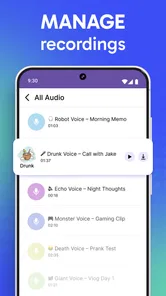
It’s also worth keeping one unchanged recording until you know you like the altered version. That gives you a reference and makes it easy to return to the original idea without trying to recreate the same performance. If you record several takes, label or organize them in a way that makes sense to you, rather than relying on memory to distinguish one effect from another. This is a practical habit, not a special feature, but it makes experimenting less chaotic.
Another useful trade-off is performance style. A voice effect cannot make a quiet, mumbled delivery automatically engaging; often, a clear and slightly expressive source recording gives the treatment more to work with. I’d speak as if I were telling the line to a person, not trying to force a funny voice before applying the effect. The contrast between an ordinary delivery and an altered result can be part of the humor.
For group use, agree on the joke before recording someone else. A transformed voice may feel harmless to the person making it but less amusing to the person whose voice is involved. I’d ask before recording or sharing another person’s speech, and avoid using effects to mislead someone about who is speaking. That boundary keeps a lighthearted tool from turning into an uncomfortable prank.
What to check before committing to a project
If you are making something longer than a quick message, test the full workflow on a small sample first. Check whether the result is easy to review, whether you can get it into the next app you intend to use, and whether the finished sound remains clear after that move. Those checks matter more than the novelty of the effect when a clip has to fit into a larger project.
For a casual recording, I wouldn’t overthink technical perfection. A funny announcement for a group chat or a character line for a personal video does not need the same polish as narration that represents a business or public project. But if listeners need to understand every word, or the recording must match other audio consistently, choose a tool built for editing and quality control rather than expecting a simple effects app to do all the work.
The app is free to start, but the range of optional purchases means I’d pay attention as I explore. You do not need to buy anything just to decide whether the idea appeals to you; first see whether the available experience gives you a result you would actually use. If a purchase is presented, read what it unlocks and consider whether that specific addition solves a real need, rather than buying simply because you are curious.
My take after setting expectations
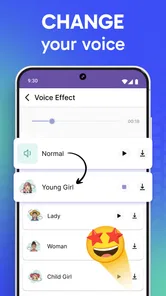
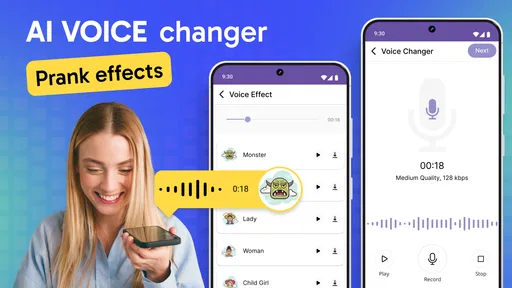
When I first downloaded AI Voice Changer Sound Effects, I didn’t know what to expect. But wow, was I in for a surprise! The app offers a plethora of voice effects that let you sound like anything from a chipmunk to a deep-toned movie trailer narrator. It’s like having a sound studio in your pocket. The voice modulation capabilities are quite impressive, and the variety ensures that you’ll never run out of options to experiment with.
Features That Stand Out
One of my favorite features has to be the real-time voice changing. Imagine being able to modify your voice as you speak during a call or a recording—it's hilarious and quite useful for those prank calls. The app also supports pre-recorded audio, which means you can alter existing clips. This can lead to some pretty creative outputs if you’re into audio editing.
The user interface is straightforward and very user-friendly. Even if you’re not tech-savvy, you’ll find it easy to navigate through the different options. The app developers did a fantastic job of making sure everything is intuitive, so you can focus on having fun rather than figuring out how to use the app.
Performance and Usability
What’s great about this app is that it performs smoothly without any noticeable lag, which is crucial when you’re trying to use it in real-time scenarios. I didn’t experience any crashes, and the audio quality remains high, which is something I really appreciate. The app is also light on resources, so it doesn’t drain your battery or hog your phone’s memory.
Endless Fun Awaits
Overall, AI Voice Changer Sound Effects is a fun and engaging app that delivers exactly what it promises. Whether you’re looking to have a few laughs with friends, enhance your audio projects, or just explore the possibilities of changing your voice, this app has got you covered. It’s a must-try for anyone who loves to experiment with sound. So, go ahead, give it a whirl, and unleash your creativity!
AI Voice Changer Sound Effects Frequently Asked Questions
Does AI Voice Changer Sound Effects work on my phone?
AI Voice Changer Sound Effects is an Android app that requires Android 7.0 or later. Before downloading, check your device’s operating system version in its settings to make sure it meets that requirement. The app is free to download, though some optional purchases are available, so it is worth checking the purchase details before you decide whether its features suit your needs.
Who makes AI Voice Changer Sound Effects, and is it popular?
The app is made by GeniusTools Labs and is listed in the Music & Audio category. It has an average rating of 4.3 from around 13,000 ratings, with roughly 99 written reviews and over 1 million installs. Those figures offer a sense of its reach, but individual experiences can vary, so reading recent reviews may help you decide whether the app matches what you are looking for.
What is AI Voice Changer Sound Effects and how does it work?
AI Voice Changer Sound Effects is a mobile application designed to alter and enhance your voice using advanced artificial intelligence algorithms. It works by processing your recorded voice and applying various sound effects and modifications to create a transformed audio output. The app offers a range of voice filters and effects, allowing users to experiment with different voices and sounds for entertainment or creative purposes.
Is AI Voice Changer Sound Effects free to use?
AI Voice Changer Sound Effects offers a freemium model, where users can access a basic set of features and voice effects for free. However, to unlock premium features, additional voice effects, and an ad-free experience, users may need to make in-app purchases or subscribe to a paid plan. In-app purchases range from $0.99 to $99.99 per item, so check the purchase options in the app before buying.
What are the key features of AI Voice Changer Sound Effects?
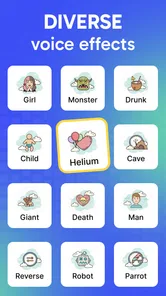
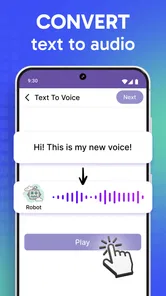
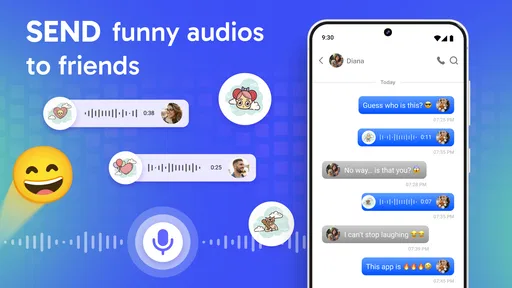
The app boasts several key features including a wide variety of voice effects, real-time voice transformation, easy-to-use interface, and high-quality sound processing. Users can choose from effects like robot, alien, cartoon, and more. Additionally, the app may offer recording and sharing functionalities, enabling users to create and share fun audio clips with friends and on social media platforms.
Pros
- Wide variety of voice effects
- Easy-to-use interface
- Real-time voice changing
- Compatible with most apps
- Regular updates
Cons
- Requires internet connection
- Limited free features
- May lag on older devices
- Occasional ads
- Large app size













