

AI Video Generator - OpenVideo
- 55.00
- 4.4
- Installs
- 50.00K
- Price
- Free

Screenshots
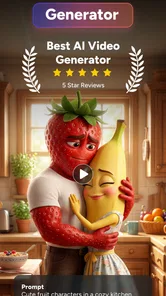
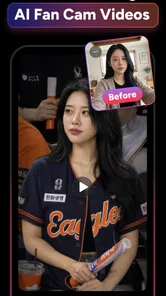

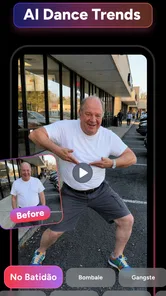
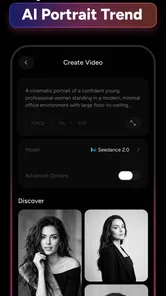

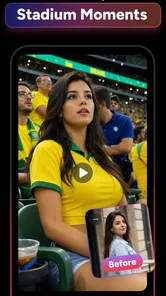
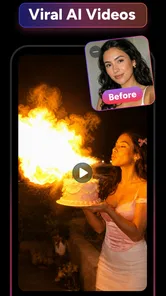
Analysis by Reviewed
I found AI Video Generator - OpenVideo most useful when I treated it as a quick creative assistant rather than a complete video-production studio. It belongs to the Art & Design category and focuses on turning a written idea or an image into a short visual result. That makes it interesting for everyday household use: one person can create a visual greeting, another can experiment with a photo, and someone else can prepare a simple concept for social media without opening a complex desktop editor.
The app is free to install, and its developer is 88 Tech. Its average rating is 4.4 from around three thousand ratings, with more than fifty thousand installs. Those figures suggest that it has attracted a real audience, although I would still approach it as an evolving creative tool. The current version is 3.3.0, and it runs on Android 8.0 or later. In my experience, the most important question is not whether it can make a video at all, but whether its particular AI style suits the job I have in mind.
How OpenVideo fits into a shared household
A realistic use case is a shared tablet or family phone during a quiet afternoon. A parent might want to turn a child’s drawing into a playful visual idea, while another household member wants to animate a holiday photo or test a scene for a personal project. OpenVideo is well suited to this kind of informal experimentation because the starting point is simple: describe what you want, or provide an image, and let the app generate a video concept.
I like this workflow for moments when the goal is to get something interesting quickly, not to control every frame. A written prompt can be more approachable than a timeline full of tracks, transitions and keyframes. Someone who has never used a traditional editor can begin with a visual idea such as a moving landscape, a stylized portrait or a short atmosphere piece. The result can then serve as inspiration, a message to share privately, or a rough visual draft.
That convenience also creates a useful household distinction. OpenVideo is a good shared creative tool when everyone understands that generated results may need selection and refinement. It is less suitable when several people expect a polished, consistent production from the same device. AI generation can produce an appealing clip while still missing the exact mood, movement or subject details the user imagined.
For example, I would use it to make a quick visual invitation for a small gathering, but I would not rely on it alone for a formal presentation where text must remain perfectly readable or where a person’s appearance must stay consistent from beginning to end. A conventional editor is slower at the beginning, yet it gives me much more predictable control once the project becomes specific.
Why the text-to-video route is approachable
The text-to-video option lowers the barrier to trying an idea. Instead of searching through stock footage, I can start with the scene itself. The best results come from treating the prompt like a compact creative brief: identify the subject, describe the setting, mention the movement and then state the general visual mood. I avoid packing every possible detail into one sentence because an overloaded instruction can make the intended subject less clear.
More From Our News Desk

 Gmail
GmailGmail in a Busy Inbox: Who Benefits Most?
From first account to crowded workday, Gmail earns its place through dependable search and flexible sorting—but its best fit depends on how much inbox maintenance you can tolerate.

 Prime Video
Switching to Prime Video: What Changes in Your Viewing Routine
Prime Video can make a compelling second home for streaming, but switching means learning a different catalog, rental layer, and route from browsing to playback.

 Universal TV Remote Control
Universal TV Remote Control Works Best as a Reliable Backup
A phone remote earns its place through quick setup and reliable habits. Here is how to get more from Universal TV Remote Control—and where its limits show.

 Weather - By Xiaomi
Weather by Xiaomi Review: Clear at a Glance, Less Clear Up Close
Xiaomi’s weather app makes everyday forecasts quick to scan, but its calm surface can leave useful details and recovery paths harder to find than they should be.

 X
XX Under Pressure: Can It Recover When Posting Goes Wrong?
A resilience-focused review of X, examining setup, mistaken posts, interruptions, weak connections, and the gaps that matter when recovery needs to be dependable.

 Clash of Clans
Clash of Clans Is Won Between the Battles
Its raids are quick; its community is a long-term project of coordination, teaching, rivalry, and shared responsibility—with all the friction that entails.
Latest News



One practical habit is to begin with a simple prompt and only change one important element on the next attempt. If I change the subject, camera movement, lighting and style simultaneously, it becomes difficult to understand why the second result is better or worse. This makes the app more useful for learning through comparison rather than randomly pressing generate until something looks acceptable.
The photo-to-video route has a different strength. It gives a still image a new role, which can be handy for a personal memory, a visual mood board or a quick social post. I would choose an image with a clear main subject and enough visual separation from the background. A crowded photograph gives the generator more competing information, so the result may feel less coherent than a simple portrait, object or landscape.
Setting boundaries before several people use it
Because this kind of app invites experimentation, I would establish a few household rules before passing the device around. The first is to decide who is allowed to submit personal photos. A shared device can make it easy for one person to upload another person’s image without thinking about consent. That is especially important with portraits, school projects and photographs that include people outside the household.
The second boundary concerns expectations. I would explain that a generated clip is not automatically private, accurate or suitable for every audience simply because it began with a family photo. Before sharing anything, the person who created it should watch the complete result and check faces, hands, text, backgrounds and any unexpected changes. An amusing mistake inside a private experiment can become embarrassing when it reaches a group chat.
The app carries a Teen content rating, so I would not treat it as an unsupervised children’s toy. That does not mean every generated result will be unsuitable, but it does mean age and context deserve attention. On a shared device, I would keep the creative activity visible and discuss what kinds of prompts and images are appropriate. This is more sensible than assuming an AI video tool will automatically understand a family’s standards.
There is also a financial boundary worth considering. The app is free, but in-app purchases range from $4.99 to $379.99 per item. I would check the purchase flow before letting other household members use the device, particularly if the phone or tablet is connected to a payment method. A free installation does not mean every creative attempt will remain free, so the person managing the device should make the purchasing decision deliberately rather than leaving it to whoever happens to be experimenting.
Coordinating ideas without losing track of them
OpenVideo works better in a shared setting when people agree on a small workflow. I would have each person say what they want to make before starting, then keep the first attempt focused on one purpose. One person might be exploring an animated photograph, while another is testing a fictional scene. Mixing those goals together makes it harder to judge the results fairly.
A useful approach is to write prompts outside the app first, even if only in a basic note. This creates a simple record of what was attempted and makes it easier to improve a promising idea. It also avoids the common household problem of one person replacing another person’s text before the first experiment has been reviewed. The note can include the subject, action, setting and mood, giving everyone a shared starting point without pretending that the generation will follow every word exactly.
I would also agree on a naming habit for saved results if the device is used by several people. A short description such as “garden portrait” or “night city idea” is more useful than leaving several anonymous clips together. This is a small organizational step, but it matters when a family member wants to find a particular result later or compare two versions of the same concept.
Another non-obvious trade-off is that shared use can improve the creative process while reducing privacy. A second person can quickly notice an awkward transition or an altered detail that the original creator overlooked. At the same time, not every personal image should be treated as communal material. I would separate casual group experiments from private projects and ask before opening someone else’s source image or generated result.
Trusting the result instead of trusting the label
The word “AI” can make a result feel more authoritative than it is. I found it better to regard each clip as an interpretation, not as a faithful record of the prompt or the original photo. This matters most when the subject is a real person, a meaningful memory or anything that could be misunderstood if visual details change.
For household projects, I would inspect the generated video for three things before sharing it. First, does the main subject remain recognizable? Second, does the movement look natural enough for the intended audience? Third, has the app introduced a detail that changes the meaning of the image? A short review prevents a surprising result from being presented as though it were an accurate depiction.
This is also why I would be cautious with schoolwork or factual communication. OpenVideo can help visualize an idea, but it should not replace checking the underlying information. A generated scene may look convincing while still being unsuitable as evidence. For a creative assignment, it can be a useful visual component; for a report that depends on accuracy, a conventional presentation tool is the safer choice.
The Teen rating is another reason I would keep age context visible. A teenager may understand that an AI result is artificial, while a younger child may interpret a realistic-looking clip differently. Adults sharing the device should explain that the app creates images and motion from instructions, and that the output can contain mistakes. That conversation is more valuable than simply praising a successful result.
Where it beats ordinary video apps
Compared with a standard mobile video editor, OpenVideo is faster at moving from an abstract idea to a visual draft. A traditional editor expects me to supply footage, choose a timeline structure and manually add motion or transitions. OpenVideo is more appealing when I have a concept but no suitable footage. It can turn the blank page into something I can react to.
Compared with a photo editor, it adds a sense of movement rather than concentrating on retouching, cropping or color correction. That makes it a better first step for someone who wants to explore animation around a still image. However, a photo editor remains the better choice when the main goal is precise correction, clean typography or careful control over the original picture.
Compared with a full desktop video suite, the app is easier to approach but less dependable for detailed production. I would not choose it when I need a carefully timed sequence, repeatable character continuity, exact audio editing or extensive manual revisions. Its appeal is the speed of visual exploration, not the depth of a professional timeline.
The most effective combination is often to use OpenVideo for the initial concept and a conventional editor for the finishing work. I can generate a visual direction, select the most useful result and then place it into a larger project where titles, voice-over, music and timing are under direct control. That division of labor avoids asking one tool to do everything.
Practical friction I noticed while judging its value
The biggest limitation is predictability. A prompt can be clear to a person and still be interpreted differently by an AI system. I would expect to make several attempts when the idea involves a particular pose, a precise relationship between objects or a consistent identity. This is not a reason to dismiss the app, but it changes how I budget time and patience.
There is also a quality-versus-speed trade-off. The app’s attraction is that it can produce a visual idea in seconds, yet a fast first result may need further attempts before it feels worth sharing. If I only need a simple moving image for a casual message, that trade-off is acceptable. If every detail matters, the time saved at the beginning may be lost during selection and correction.
Household use adds another layer of friction because different people judge success differently. One person may enjoy an unexpected visual change, while another may see it as an error. I would agree on the purpose of the clip before deciding whether it worked. A playful experiment should be judged for imagination; a family announcement should be judged for clarity; a personal memory should be judged for respectful handling of the original image.
The purchase range also means I would not describe the free version as the whole financial story. Anyone considering repeated use should look carefully at the purchase screen and decide whether the app fits the household budget. I would be especially cautious on a shared device, where several small experiments can create a decision-making problem if nobody knows which person initiated them.
Who should try it and who should pass
I would recommend OpenVideo to curious creators who want to turn an idea into a visual experiment without learning a complex editor first. It is particularly appealing for social content drafts, mood boards, personal greetings, imaginative scenes and animated treatments of selected photographs. It can also be useful for a household that enjoys trying creative tools together and is comfortable reviewing results before sharing them.
I would suggest skipping it if the main requirement is exact control. People making client work, educational diagrams with precise labels or sensitive personal videos may be better served by tools that keep the source material and editing decisions more predictable. I would also hesitate to recommend it to anyone who expects every prompt to produce a polished, publication-ready result on the first attempt.
For younger users, I would only consider it within an age-appropriate setting with an adult aware of the activity. The Teen rating makes that a sensible part of the decision, especially when the device is shared by siblings or used without a separate creative account. I would not assume that a family environment automatically makes every prompt or image appropriate.
My household verdict
After using it as a fast idea generator, I see AI Video Generator - OpenVideo as a convenient bridge between imagination and a watchable clip. Its strongest moment is the first spark: I have a sentence or a still image, and the app gives me something visual to discuss, refine or pass into another editing workflow.
It is not the app I would choose for complete production control, strict factual accuracy or sensitive images that must remain unchanged. The need to review outputs, manage shared-device boundaries and pay attention to the purchase flow is real. Still, those limitations are manageable when the household treats the app as an experimental creative space rather than an automatic replacement for editing judgment.
My final advice is to start with a low-stakes idea, use a clearly chosen image, change one prompt detail at a time and watch the entire result before sharing it. Keep personal photos within the boundaries agreed by the people in them, and make sure the person responsible for the device understands the possible in-app costs. With that approach, the app offers a quick and approachable way to explore AI video creation while keeping expectations realistic.
AI Video Generator - OpenVideo Frequently Asked Questions
What devices and operating systems can run AI Video Generator - OpenVideo?
AI Video Generator - OpenVideo is an Art & Design app from 88 Tech, and its listed minimum operating system is Android 8.0. If you are considering it on another platform, check the relevant app store for compatibility with your device before downloading. The app is intended for making videos from text or photos, so also make sure your device has enough free storage for the app and any videos you save.
What is AI Video Generator - OpenVideo and what can I use it for?
AI Video Generator - OpenVideo is designed to help users create videos from written prompts, ideas, or other supplied content with the assistance of artificial intelligence. It can be useful for producing short social media clips, promotional concepts, visual stories, presentations, and creative experiments. The final result depends heavily on the clarity of your prompt, the selected style, and the quality of the source material.
Is AI Video Generator - OpenVideo free to download and use?
The application is free to download, but some features, generation credits, export options, or advanced tools can require payment. In-app purchases range from $4.99 to $379.99 per item, so check the pricing page and purchase details shown inside the app before creating multiple videos. Pay attention to trial periods, renewal terms, credit limits, and whether unused credits expire, as these conditions can vary between Android and iOS versions.
Does AI Video Generator - OpenVideo require an internet connection?
Yes, users should generally expect an active internet connection because AI video generation is normally processed on remote servers rather than entirely on the phone. A stable Wi-Fi or mobile data connection helps prompts upload correctly and allows generated videos to download without interruption. Processing time may increase when servers are busy, and longer or higher-quality videos can consume more data and take additional time.
Can I create professional-quality videos with AI Video Generator - OpenVideo?
The app can produce attractive and useful results for social posts, storyboards, marketing drafts, and personal projects, but it should not automatically be considered a replacement for professional video software. Output quality can vary depending on the prompt, subject, motion, duration, and chosen format. AI-generated scenes may occasionally contain visual inconsistencies, so reviewing, editing, and exporting several versions may be necessary.
Pros
- Turns text prompts into short videos with minimal editing effort.
- Useful for quickly creating social media content and visual concepts.
- AI-generated scenes can provide inspiration for creative projects.
- Simple workflow is approachable for users without video-editing experience.
- Cloud-based generation reduces the need for powerful device hardware.
Cons
- Results may vary noticeably depending on prompt quality and detail.
- Generated videos can include visual glitches or inconsistent elements.
- Longer or higher-quality generations may require extra credits or time.
- Creative control is more limited than with a traditional video editor.
- Uploading prompts or media may raise privacy concerns for some users.












