Words of Wonders: Search
- 1.25K
- 4.9
- Installs
- 10.00M
- Price
- Free
Screenshots

Analysis by Reviewed
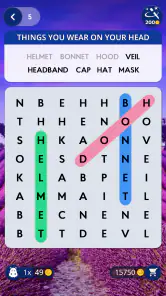
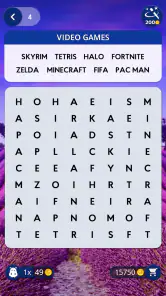
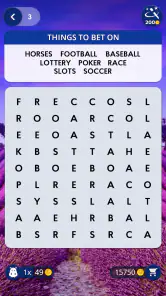
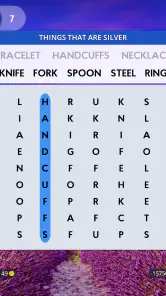
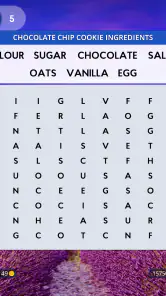
When I want a word game that asks for a little attention without turning into a serious study session, Words of Wonders: Search is an easy one to pick up. Its basic appeal is clear: each board gives me letters to work with, and I search for words hidden in that arrangement. The pleasure comes from spotting a pattern that was right in front of me, then moving on before the game starts to feel like homework.
A travel theme that gives the puzzles a sense of place
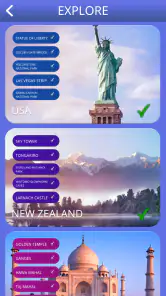
The world-wonders setting gives the game a recognizable mood rather than leaving each puzzle as a bare grid. The visual presentation feels bright and welcoming, and the destination theme helps frame a session as a small trip through places rather than a stack of unrelated word tasks. I like that framing, though the scenery is more of an inviting backdrop than a substitute for varied puzzle mechanics. If you come mainly for rich exploration or a story, this is not that kind of game.
The theme also changes how I approach a puzzle. I sometimes use the destination as a gentle prompt to think of related vocabulary, but I try not to assume every answer will be a place name or a travel term. That distinction matters: the setting adds flavor, while the core challenge remains finding words from the letters on the board. It is a useful expectation to have before you start, especially if you are choosing between this and a trivia game built around geography.
A Blend of Adventure and Learning
When I first launched Words of Wonders: Search, the vibrant and inviting interface greeted me with a promise of adventures to come. The game takes you on a journey through various wonders of the world, each level designed to enhance your vocabulary and test your linguistic prowess. It’s like taking a mini world tour right from your couch!
Gameplay That Keeps You Hooked
The mechanics of the game are straightforward yet addictive. You’re presented with a series of letters, and your task is to form words by connecting them in the right order. Each puzzle is themed around a particular wonder, adding a layer of intrigue as you discover new words associated with each destination. I found myself getting lost in the game, eager to unlock the next wonder and see what new challenges awaited me.
A practical way to play is to scan the letters for short, familiar words first, then revisit the remaining combinations instead of swiping randomly. When I get stuck, I pause and look for a different starting letter; that small reset is often more useful than repeating the same guess. The trade-off is that this kind of word search rewards patience and pattern recognition more than deep vocabulary knowledge. It can be satisfying, but players who want open-ended crosswords, spelling lessons, or a tougher strategic puzzle may prefer those formats.
Small sessions suit the game best
This is a good fit for a commute, a quiet wait, or a few minutes between chores: I can focus on one board, put the phone away, and return later without needing to remember a complicated plot. For example, if I have a short break after lunch, I can try a handful of letter combinations and stop when the break is over. The format is less suited to someone looking for a long, uninterrupted adventure or a head-to-head word contest as the main attraction.
More From Our News Desk

Weather by Xiaomi Review: Clear at a Glance, Less Clear Up Close

X Under Pressure: Can It Recover When Posting Goes Wrong?

Clash of Clans Is Won Between the Battles

Android Auto Makes the Case for Quieter Car Software

MobiOffice: Transforming Mobile Productivity with Seamless Integration

EA SPORTS FC™ Mobile Soccer: Redefining Mobile Sports Gaming
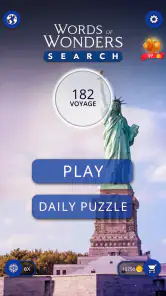
One of the features I absolutely adore is the daily puzzle challenge. It’s a neat little addition that keeps the game fresh and engaging. Plus, it’s a fantastic tool for those who enjoy a little daily brain exercise. I mean, who doesn’t love a good mental workout?
For a daily routine, I’d treat that challenge as a quick extra rather than a commitment to a streak: it works best when it adds a small change of pace, not when it becomes another task to keep up with. If you tend to play several rounds in one sitting, the recurring board can also give you a natural stopping point. That makes the game easier to fit into spare moments than word apps built around long passages or lengthy crossword clues.
Visuals and sound set a relaxed pace
Aside from its engaging gameplay, the app is visually stunning. The graphics are crisp, and the design is user-friendly, making it easy for anyone to navigate through the game. The soothing background music adds to the overall experience, creating a perfect ambiance for a relaxed gaming session.
I find the calm presentation helpful when I want a low-pressure game, but it also signals what the experience is not: there is no need to expect dramatic sound design or an intense atmosphere. If I am playing somewhere quiet, I can keep the sound low and still focus on the letters; the board itself carries the activity. That balance between a gentle setting and a simple task is one reason I would recommend it for casual play rather than for someone chasing constant surprises.
What to expect from access and value
The game is free to start, and its age rating is Everyone, so it is an approachable choice for a range of players. It is made by Fugo Games, and it has reached over 10 million installs with a 4.9 average from around 145,000 ratings. The current version is 3.0.7, and it supports Android 7.0 or later. Optional in-app purchases range from $0.99 to $49.99 per item, so I would check the purchase prompts carefully if I were handing the device to a child or trying to keep spending controlled.
That pricing setup makes it sensible to try the basic experience before deciding whether anything else is worth buying. If you only want occasional word puzzles, you may be perfectly content playing without spending. If you strongly dislike in-app purchase prompts or want a completely purchase-free app, a paid word game with a one-time price may be a better match. The game’s broad appeal is reflected in its 1.2 thousand reviews, but ratings alone cannot tell you whether its relaxed pace suits your habits.
Who will enjoy this kind of word hunt?
What makes Words of Wonders: Search even more enjoyable is the sense of community it fosters. You can connect with friends, challenge them, or just share your achievements. It’s a great way to engage with fellow word enthusiasts and maybe even learn a thing or two from them.
I would point a casual player toward it if they enjoy spotting words, like a light travel-inspired presentation, and want a game that can be played in short bursts. It may also work as a shared activity: taking turns suggesting possible words can make a board feel more social without requiring anyone to be an expert. On the other hand, someone who wants a deep dictionary tool, a competitive league, or a puzzle that demands multi-step planning should look elsewhere. Compared with crosswords, the emphasis here is on finding words in a letter arrangement, not interpreting clues; compared with anagrams, the board gives the search a more visual, spatial feel.
A relaxed choice, with clear limits
In conclusion, if you’re on the hunt for a game that combines fun, learning, and a touch of adventure, look no further than Words of Wonders: Search. It’s a wonderfully crafted app that promises hours of entertainment while subtly enhancing your vocabulary. So, why not give it a try? You might just find yourself pleasantly surprised by how much you enjoy it.
My recommendation comes with one qualification: it is strongest when I want a calm, familiar word hunt, not when I expect every session to teach something substantial or introduce a new mechanic. The destination theme and gentle audio help create a coherent mood, while the letter-search task keeps the play readable and quick. If that combination sounds appealing, it is worth trying; if you need more variety, tougher clues, or a fully hands-off purchase experience, another word game may fit you better.
Making a board easier to read
When a puzzle stops yielding answers, I find it useful to change the way I inspect it rather than simply spend longer staring at the same letters. I look first for letter pairs that commonly begin or end words, then test a few likely paths from those points. This gives the search a method without turning it into a rigid checklist. The small but important trade-off is that a visual word hunt can tempt me to swipe quickly; slowing down often reveals more than making a larger number of guesses.
I also try to separate “I don’t see it yet” from “I don’t know the word.” The first is a pattern problem, so shifting attention to another part of the board can help. The second is a vocabulary gap, and the travel backdrop may suggest a useful association, but it cannot guarantee the answer. That distinction keeps the game pleasant: I can treat a difficult moment as a prompt to search differently instead of assuming I need specialist knowledge.
Choosing the right moment to play
A realistic use for me is a short wait in a café or a few quiet minutes before an appointment. I can open a board, focus on the letter arrangement, and stop when my name is called without losing track of a complex narrative. At home, it can also work as a low-key shared pastime: one person can scan from the top while another looks for possible endings, then you can compare ideas. That sort of casual cooperation suits the puzzle better than turning it into a competition with someone who expects a formal score challenge.
For children or a mixed-age family, the Everyone rating makes it an easy title to consider, but I would still supervise any device used for purchases. The game’s word-finding task can be approachable for a range of abilities, while the optional purchase range is a practical reason to use the device’s usual spending controls. If I am recommending it to someone who only wants a no-cost distraction, I would explain that the game is free to begin and that they can decide for themselves whether any purchase is worthwhile.
How it differs from other word games
Among casual word games, this one sits closer to a visual search than to a clue-solving exercise. A crossword asks me to interpret definitions and fit answers into crossings; a spelling or vocabulary app may prioritize instruction; an anagram game asks me to rearrange a set of letters. Here, I keep my eyes on the board and trace possible words through its arrangement. That makes it especially suitable when I want a quick recognition task, but less appealing if I want to learn through explanations or work through clues with several layers of meaning.
The destination presentation helps distinguish the experience from a plain letter grid, though I would not choose it as a substitute for a geography guide or a story-driven travel game. Its setting is best understood as atmosphere and a nudge for the imagination. If the scenery and gentle tone make a familiar mechanic more inviting for you, that is a real benefit; if you need the theme itself to change how every puzzle works, you may find the core loop too consistent.
What the routine does—and does not—offer
The daily puzzle can be a handy reason to return, but I would not treat it as a promise of a deep daily lesson. A brief round may encourage attention to spelling and word patterns, yet the experience is still primarily play, not structured language study. Someone learning a new language or trying to build a specific vocabulary would be better served by a tool designed to teach and explain words. For a fluent reader who simply wants to keep noticing letter combinations, the lighter approach is the point.
Likewise, the game’s simple presentation is a strength when I want calm, but it can become a limitation over a long session. The same basic activity does not offer the variety of formats I would look for in a collection of crosswords or a broader puzzle app. I would play it in short visits and switch to another genre when I want fresh rules, stronger challenge, or a more demanding sense of progression. Knowing that boundary makes it easier to enjoy what this word search does well.
My closing recommendation
For me, the best reason to try it is the way a readable letter puzzle, a travel-inspired setting, and a relaxed soundscape fit together without asking for a large block of attention. Fugo Games’ word game is free, has an Everyone age rating, and its 4.9 average across over 145,000 ratings suggests that many players have responded well to its approach. It has been available since October 17, 2019, and the current version is 3.0.7; on Android, it requires version 7.0 or later.
I would choose it for spare moments, an informal word hunt with a family member, or a calmer alternative to clue-heavy puzzles. I would skip it if I were looking for a rigorous vocabulary course, substantial story exploration, deep strategic play, or a purchase-free experience with no optional spending. The most satisfying way to approach it is to enjoy each board as a small exercise in noticing: search patiently, use the setting for atmosphere rather than as a rulebook, and stop when the familiar rhythm has given you enough.
Words of Wonders: Search Frequently Asked Questions
Can I play Words of Wonders: Search in short sessions?
Yes. Words of Wonders: Search is built around finding hidden words on a board of letters, so it is easy to start a puzzle when you have a little free time. You can also spend longer working through the challenges if you prefer. Its simple central task makes it approachable for casual play without requiring you to learn complicated controls.
Is Words of Wonders: Search suitable for someone who is new to word games?
The basic idea is easy to understand: look at a board of letters and find the hidden words. That makes Words of Wonders: Search a reasonable option for someone trying a word puzzle game for the first time, as well as for experienced players who enjoy vocabulary challenges. Its accessible format lets you focus on spotting words rather than learning a complex set of rules.
Can Words of Wonders: Search help build vocabulary?
Finding hidden words gives you a reason to pay attention to letter combinations and recognize words as you play. Words of Wonders: Search is designed around vocabulary challenges, so it can offer an enjoyable way to engage with words while solving puzzles. It is still a game first, but its word-focused activity may appeal to players who like combining casual entertainment with language practice.
Is Words of Wonders: Search a good choice for family play?
Words of Wonders: Search is rated for everyone and centers on finding words, which makes its theme broadly suitable for family members. Players can take turns looking at the letter board or try puzzles individually, depending on how they like to play. The straightforward objective can also make it easier for different ages to enjoy the same basic challenge.
What devices can run Words of Wonders: Search?
Words of Wonders: Search is a word game for Android and iOS. On Android, it requires version 7.0 or later, so it is worth checking your device’s software before downloading. The game’s simple letter-board format is suited to quick puzzle sessions, whether you want to play for a few minutes or spend longer working through its word challenges.
Pros
- Engaging word puzzles
- Beautiful graphics
- Multilingual support
- Offline play available
- Frequent updates
Cons
- Ads can be intrusive
- Some levels too easy
- In-app purchases costly
- Occasional bugs
- Limited hints without pay
- Category
- Word
- Version
- 3.0.7













