Word Search
- 35.71K
- 4.7
- Installs
- 10.00M
- Price
- Free

Screenshots
Analysis by Reviewed
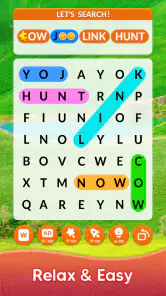
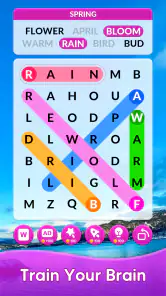
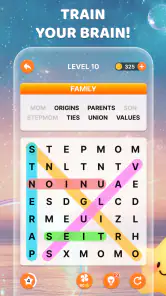
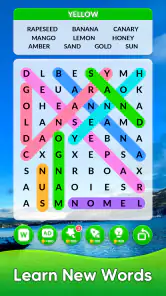
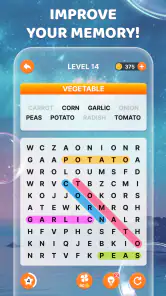
I like word searches most when I can pick them up without planning a whole gaming session. Italic Games’ Word Search is built around that simple appeal: scan a grid, spot a word, and get a small, satisfying puzzle break. It suits the pauses that crop up during the day better than games that demand a long stretch of attention, though it won’t offer much to someone looking for a story or elaborate mechanics.
A familiar puzzle that works in short bursts
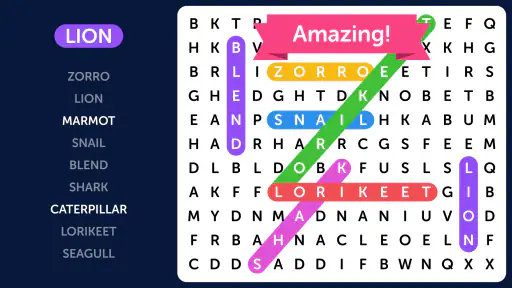
The central pleasure is visual: I look across rows and columns, notice a promising letter pattern, then trace the word through the grid. The rules are familiar enough that there’s little to learn before playing. That makes it easy to start a round while waiting for a bus or taking a break, then put the phone away when the moment passes. The game is free and rated for Everyone, which also makes it an approachable option for a shared family device.
For a realistic everyday use, I’d keep it in mind for a short, interrupted wait rather than a packed commute where I need to watch every stop. If I’m called away, the main benefit is that the puzzle itself doesn’t require me to remember a plot or a complicated sequence of moves. I can return to the basic task of searching the letters. That low mental overhead is the strongest reason I’d choose this over a more demanding mobile game.
How I’d make each puzzle feel less like a hunt
A practical way to approach a grid is to work systematically instead of letting my eyes jump around at random. I scan one line at a time, then check likely directions for familiar letter combinations. If a word list is visible, I use it as a set of targets rather than repeatedly rereading the whole list; crossing off the words I’ve already found mentally helps me keep track. This small habit makes the search feel calmer, especially when a word is hiding in a less obvious direction.
Word searches also make a useful low-pressure activity with another person: one player can scan from the top while the other checks the lower half, then compare discoveries. That’s a simple way to turn a quiet moment into a friendly challenge without needing a separate ruleset. I wouldn’t assume every player will enjoy the same pace, though. Someone who prefers direct competition, shared scorekeeping, or a structured multiplayer mode may be happier with a game designed specifically around those features.
Where it fits among word games
Compared with crosswords, this is more about visual recognition than clues, general knowledge, or constructing an answer from scratch. Compared with word-building games, it asks me to find words already laid out in a grid rather than create them from a rack of letters. That makes it easier to dip into, but it also means less variety in the core thinking task. If I want a tougher language workout, a crossword or an anagram game is likely to hold my attention longer.
The distinction matters when choosing a game for a particular mood. On a tired evening, I may prefer scanning letters to wrestling with a clue whose answer I can’t recall. On a day when I want to learn new vocabulary or solve something with several steps, a word search is not my first pick. Its strength is uncomplicated pattern spotting, not depth for its own sake.
More From Our News Desk

Weather by Xiaomi Review: Clear at a Glance, Less Clear Up Close

X Under Pressure: Can It Recover When Posting Goes Wrong?

Clash of Clans Is Won Between the Battles

Android Auto Makes the Case for Quieter Car Software

MobiOffice: Transforming Mobile Productivity with Seamless Integration

EA SPORTS FC™ Mobile Soccer: Redefining Mobile Sports Gaming
Getting Started with Word Search
Diving into Word Search is like stepping into a world of letters just waiting to be unraveled. The app is super intuitive, so you don’t need to be a tech whiz to get started. I found myself immersed in the game within minutes of downloading it. The interface is clean and straightforward, making it easy to focus on the puzzles without any distractions.
Gameplay and Features
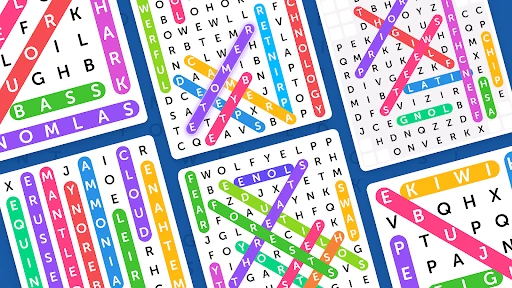
The core of the app is its endless collection of word search puzzles, which range from basic to brain-bending. Whether you’re in the mood for a quick game or a challenging marathon, there’s something for everyone. What I particularly love is the variety of categories available, from animals and food to geography and movies. It keeps things fresh and interesting.
One standout feature is the ability to play offline. I’ve been in situations where my internet connection was sketchy at best, and having the option to continue playing without a hitch was a lifesaver. Plus, the app doesn’t bombard you with ads, which is a huge relief. You can focus on finding words without unwanted interruptions.
Why It's Worth Your Time
Aside from the obvious entertainment factor, Word Search is a fantastic way to keep your mind sharp. It’s like a mini workout for your brain, honing your pattern recognition skills and expanding your vocabulary. Trust me, after a few rounds, you'll start seeing words in the most unexpected places!
The social aspect is another bonus. You can challenge your friends and family, turning it into a friendly competition. It’s a great way to stay connected, especially when you’re apart. Plus, who doesn’t love a bit of bragging rights when you find that elusive word first?
Final Thoughts
In a world filled with complex games and apps, Word Search stands out for its simplicity and effectiveness. It’s perfect for those moments when you need a quick mental escape or a way to pass the time. Whether you’re a word aficionado or just looking for a new hobby, this app is worth checking out. So next time you find yourself with a few spare minutes, why not give it a go? You might just get hooked like I did!
There are a few practical questions I’d consider before settling into it. Because it can be played offline, it’s a handy choice for travel or places with unreliable reception; I’d still open it before leaving home if I wanted to avoid surprises during a connection-free stretch. And while the puzzles suit quick sessions, the same visual search can become repetitive if I play for a long time. I’d treat it as a small break rather than expect it to keep changing the rules or challenge from round to round.
Making a short session work for you
One useful way to make the game fit a busy day is to decide in advance what a satisfying stopping point looks like. I might finish the puzzle I have open, or simply play until I’m called back to something else. Since the appeal is the search itself rather than a long chain of decisions, I don’t need to reserve a full evening or keep a complicated plan in mind. That makes it a better waiting-room companion than a game that punishes me for leaving halfway through.
It can also work as a gentle shared activity when people have different levels of patience. Instead of turning every round into a race, I’d take turns choosing where to scan or make a cooperative search of the grid. That keeps the mood easy for younger players or anyone who finds timed competition stressful. The Everyone age rating makes it suitable to consider for a family device, but the best experience still depends on whether the people sharing it enjoy letter spotting.
What to expect from offline play
Offline access is particularly practical for a flight, a waiting area with poor reception, or a trip where I want to save mobile data. I’d launch the game while connected before relying on it away from a network, then check that I can reach the puzzle I plan to play. That simple preparation is worthwhile for any app I intend to use on the move, and it avoids making assumptions about what will be available after connectivity disappears.
There’s a trade-off to that convenience: a word search is naturally self-contained. It doesn’t depend on live opponents or a changing online world, which is exactly why it can work without a connection, but players who want fresh social activity or a continuously evolving challenge may find it quiet. I see offline play here as a way to make a small puzzle more dependable, not as a substitute for an online word-game community.
Choosing it over another word puzzle
If I’m deciding between this and a crossword, I ask what kind of effort I want. A crossword asks me to interpret clues and retrieve knowledge; this game asks me to recognize letter sequences and trace them through a grid. An anagram game puts more emphasis on rearranging letters, while word-building games ask me to construct options. Those alternatives can feel more mentally demanding, but they’re also better when I want to work through a problem instead of scan for a match.
That difference is useful when choosing for someone else, too. A player who gets frustrated when a clue depends on unfamiliar trivia may find a word search more welcoming. Someone who already finds visual scanning tiring, or who wants a stronger sense of progress and variety, may be better served elsewhere. I wouldn’t treat one format as universally superior: the right choice depends on whether recognition, recall, or word construction sounds enjoyable at that moment.
Small habits that help when the grid gets busy
When I lose track of where I have looked, I pause rather than sweep the entire board again. I pick a row or a section, search it deliberately, and then move on. For longer targets, checking the first letter and looking for likely neighboring letters can narrow the search before I trace a full sequence. This is not a shortcut that changes the rules; it simply keeps my attention organized and reduces the feeling that I’m staring at the same letters without making progress.
I also try not to turn every missed word into a test of skill. Some words are easy to overlook because the eye keeps favoring familiar horizontal patterns. Changing the direction of my scan or taking a brief visual pause can help more than rushing. The practical trade-off is that this remains a visual task: if I’m tired, distracted, or playing in a situation where I need to watch my surroundings, I’m better off stopping and returning when I can focus safely.
Who gets the most from it
This is a good fit for casual players who enjoy spotting patterns, families looking for a simple shared activity, and anyone who wants a word game that doesn’t require a clue-solving routine. Its 4.7 average from around 389,000 ratings and more than 10 million installs suggest it has found a broad audience, though popularity alone won’t make its steady pace right for everyone. It was released in 2019, and version 2.1.9 is listed for devices running Android 4.0 or later.
I’d also recommend it to someone who wants a low-pressure way to fill small gaps in the day, especially if they prefer a familiar puzzle they can begin without instruction. The categories help give the word lists a theme, which can make a session feel more focused than scanning a completely arbitrary jumble. If you’re using it to practice a language, though, I’d treat it as exposure to written words rather than a full learning tool: finding a word doesn’t necessarily teach its meaning or how to use it in conversation.
For a parent or relative choosing a game for a shared device, the simple rules are a plus because people can take turns without a tutorial. I’d still consider the player’s eyesight and comfort with on-screen letter grids; small text or sustained visual searching can be tiring for some people. A paper puzzle book may be the more comfortable alternative for someone who prefers a larger printed page, while this app is easier to carry and ready for a spare moment.
I’d skip it if I wanted a deep progression system, a narrative, or a demanding vocabulary test; a crossword, anagram challenge, or another more layered puzzle would serve those moods better. For straightforward letter hunting, though, this free word game from Italic Games is easy to recommend. I’d keep it for waiting-room pauses, quiet breaks, and offline moments when I want something engaging that I can start and stop without fuss.
Word Search Frequently Asked Questions
Is Word Search free to download, and what should I know before installing it?
Word Search is a free word game from Italic Games, so you can try its puzzles without paying to download it. It is rated for Everyone, making it an option for a broad range of players. Before installing, check that your device runs Android 4.0 or later. The game is described as an addicting word search experience, centered on finding words in letter grids.
Who developed Word Search, and how popular is it with players?
Word Search is developed by Italic Games and has attracted a large audience of word-puzzle fans. It has over 10 million installs, with an average rating of 4.7 from around 389,000 ratings and about 36,000 reviews. Those figures suggest that many players have tried it, though individual experiences can differ. If you enjoy straightforward letter-grid puzzles, its broad reach may make it worth considering.
What is Word Search and how does it work?
Word Search is a classic puzzle game where players are tasked with finding hidden words in a grid of letters. Words can be oriented in any direction: horizontally, vertically, or diagonally. The objective is to locate all the specified words as quickly as possible. It's a great way to challenge your vocabulary skills and improve your focus.
Is Word Search suitable for all ages?
Yes, Word Search is designed to be accessible and enjoyable for players of all ages. The game’s difficulty can vary, offering simpler puzzles for younger players and more challenging grids for adults. It’s a fun and educational way for children to expand their vocabulary, while also providing a relaxing and engaging experience for adults.
Does Word Search require an internet connection to play?
No, Word Search can be played offline, making it an excellent choice for on-the-go entertainment. Once downloaded, you can access all the puzzles without needing an internet connection. This feature allows you to enjoy the game anywhere, whether you’re commuting, traveling, or simply relaxing at home.
Pros
- Engaging and educational gameplay
- Simple and intuitive user interface
- Wide variety of word categories
- Offline play is available
- No intrusive ads
Cons
- Limited free levels available
- Occasional lag in older devices
- Repetitive music and sound
- In-app purchases can be expensive
- Lacks multiplayer mode
- Category
- Word
- Version
- 2.1.9













