Netflix Playground: Kids Games
- 65.00
- 4.3
- Installs
- 1.00M
- Price
- Free
Screenshots
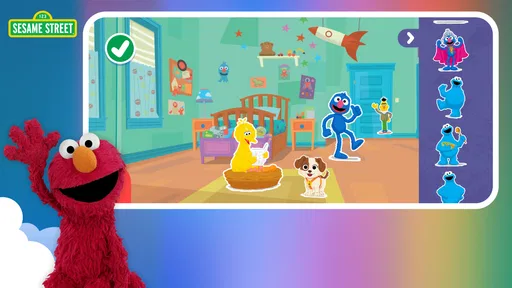
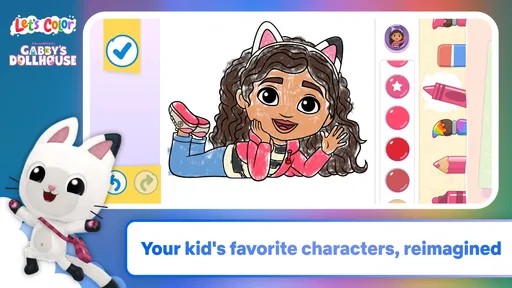
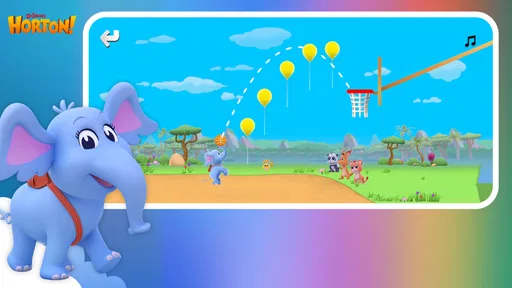
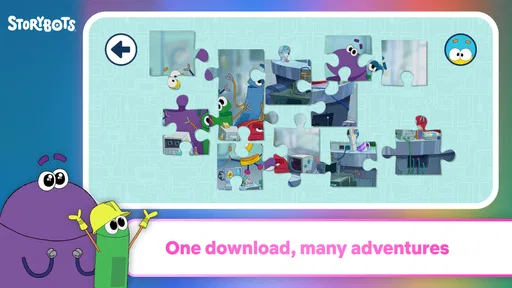

Analysis by Reviewed
Before installing a children’s game, I’d ask a simple question: will the theme make my child want to try it, or will the screen just become another thing to negotiate? With Netflix Playground: Kids Games, the clearest reason to give it a chance is its character-led approach to play. It is an educational game collection from Netflix, Inc., aimed at children who may be more willing to explore an activity when it comes wrapped in a familiar world. That is a useful starting point, not a guarantee that every child will stay interested.
I’d treat it as a casual option for short stretches, not as a complete learning plan or a substitute for an adult’s involvement. It is free and rated Everyone, and it has a 4.3 average from around 2,600 ratings, with over a million installs. Those figures show that families have tried it, but they cannot tell you whether its particular style will suit your child. The more useful question is whether character-led play is the nudge your household needs.
Familiar characters make learning easier to approach
The defining idea is not simply that the activities are educational; it is that children encounter them through characters they may already recognize. In my view, that can lower the initial barrier to participation. A child who hesitates when presented with an unfamiliar learning app may be more curious when the experience feels connected to a favorite character. Recognition can create an opening, though it cannot guarantee that every activity will hold attention.
That distinction matters when choosing among children’s games. Some educational apps lead with drills, progress markers, or a school-like structure. Netflix Playground takes a more playful route, with its focus on children’s games featuring familiar characters. I see that as a better fit for a child who responds to imaginative context than for one who specifically wants spelling practice, a structured maths course, or a clearly measurable curriculum.
The benefit is practical as much as emotional: a parent can offer a game without first explaining why it is useful. The child’s interest does the work of getting the activity started, while the educational framing gives the play a little more intention. Familiarity can open the door, but it is not a promise of deep learning; I would treat the game as an enjoyable supplement rather than assume that time spent playing automatically teaches a particular skill.
What that focus means for parents
If you are deciding whether to install it, start with your child’s preferences. The character connection is likely to matter most for kids who enjoy returning to familiar fictional worlds. A child who prefers open-ended toys, physical activities, or very specific academic challenges may not find that same hook compelling. This is not a weakness unique to the app; it is the trade-off built into making character-led play the main point of entry.
It is also worth setting expectations about the word “educational.” That label can cover many kinds of experiences, from gentle problem-solving to focused instruction. I would not choose this app on the assumption that it will replace a teacher, a reading routine, or a dedicated subject-learning tool. I would choose it when I want a child to have a playful digital activity that is framed as enriching, while keeping the activity itself part of a broader mix of play.
More From Our News Desk

Weather by Xiaomi Review: Clear at a Glance, Less Clear Up Close

X Under Pressure: Can It Recover When Posting Goes Wrong?

Clash of Clans Is Won Between the Battles

Android Auto Makes the Case for Quieter Car Software

MobiOffice: Transforming Mobile Productivity with Seamless Integration

EA SPORTS FC™ Mobile Soccer: Redefining Mobile Sports Gaming
How I would fit it into an ordinary day
A realistic use is the awkward pause before dinner: a child has finished one activity, the meal is not ready, and you want a short distraction that is more interactive than putting on a show. I would offer the game as a defined play break, then check in afterward. Asking what the child enjoyed or which character they noticed turns a solitary screen moment into a small conversation without pretending that the game needs to become homework.
That approach also helps a parent judge whether the app is earning its place. Watch for whether the child chooses to engage with the activities or mainly treats the characters as decoration. If interest fades quickly, there is little reason to insist; another game, a book, or hands-on play may be a better fit that day. If the character connection reliably helps your child settle into an activity, it may be a useful option to keep available for transitions and brief downtime.
I would avoid making it the default answer to every restless moment. Rotating between screen-based play, reading, conversation, and physical activity keeps the game in perspective and makes it easier to notice whether it is genuinely useful. This is especially relevant with a collection format: the appeal may come from having different character-led activities to explore, but a child can still tire of a familiar style if it becomes the only choice on offer.
Where it sits beside other children’s games
Compared with a video, a game asks the child to take part rather than simply watch. Compared with a conventional educational app, the emphasis here is on character familiarity rather than an explicitly school-like pitch. Those are meaningful differences when you are trying to choose an activity for a particular mood. For a child who wants a story or a quiet viewing experience, a show may be more relaxing; for one who wants clear instruction and a structured sequence, a dedicated learning app may be more suitable.
The collection approach also has a different appeal from a single-purpose game. It can make sense for a household where several children have different character preferences, or where one child likes variety. The trade-off is that a broad collection may feel less focused than a game built around one subject or one long-running challenge. If your goal is to work on a specific skill, I would look for an option that states that purpose clearly and lets you judge progress in a way that matters to your family.
There is a further practical point: familiar characters can help a child start playing, but they can also shape what the child expects from the experience. A child drawn mainly by a particular character may be disappointed if the activity itself is not what they hoped for. I would frame the first session as a chance to explore rather than promise that every game will match their favorite show or character perfectly.
Trade-offs and sensible expectations
The main limitation I see is the risk of confusing an educational theme with a guaranteed educational outcome. Enjoyment and learning can go together, but a parent should still pay attention to what the child is doing and whether the activity feels worthwhile. If you need a reliable routine for practising a specific subject, this is not the choice I would make solely on the basis of its category.
Another trade-off is that character recognition is personal. A child who does not know or care about the characters may have less reason to try the activities, so the central draw can become irrelevant. In that case, a game with a theme the child already loves—or one built around a clear puzzle or creative task—could be a better match. I would let the child’s reaction decide rather than assume that a recognizable brand will work for every family.
Parents should also consider the household’s own boundaries around screens. A game can be a more active form of screen time than watching a video, but it is still screen time. I would use it deliberately: choose a moment when a digital activity is welcome, keep expectations modest, and make room for offline alternatives. That is a more realistic way to judge its value than expecting a single app to solve boredom or support every kind of learning.
The game is free, which makes trying it an easy decision from a price standpoint. It is rated Everyone, and its current version is 9.85.0; the stated minimum operating-system requirement is version 9. It was released on March 31, 2026. These details are useful when checking whether it is suitable for a family device, but they do not change the core decision: the strongest reason to try it is the combination of playful activities and characters the child already enjoys.
Who is most likely to enjoy it
I would recommend giving it a try if you want a child-friendly game for occasional downtime and your child is motivated by familiar characters. It may suit parents who prefer an interactive alternative to putting on another video, provided they are comfortable treating the educational aspect as enrichment rather than formal instruction. The audience figure—over a million installs—shows that many people have downloaded it, while the 4.3 average gives a broad snapshot of user response, not a guarantee of a perfect fit at home.
I would skip it, or at least look elsewhere first, if your priority is a structured curriculum, measurable practice in one subject, or a game that does not rely on licensed characters for its appeal. It may also be a poor choice for a child who would rather build, draw, read, or move around than play on a device. Those preferences are good reasons to choose something else; an educational label does not make every digital activity the right one for every child.
My recommendation
Netflix Playground: Kids Games makes the most sense as a convenient, character-led way to invite children into playful digital activities. Its strongest advantage is the familiar entry point: for the right child, that can make trying a game feel natural instead of instructional. I would keep it in the rotation for brief, intentional breaks, ask what the child liked, and judge its usefulness by their actual engagement rather than the promise implied by the category.
For a family seeking focused lessons, I would choose a more specialised learning tool. For a child who wants a story, a show may be the calmer option; for a child who enjoys familiar characters and wants to do something interactive, this game is a reasonable place to start. That is the honest balance: approachable and potentially enriching, but best used as one small part of a child’s play rather than the whole plan.
A low-pressure way to test the fit
For a first try, I would keep the setup simple: tell your child they can explore, rather than promising a particular lesson or a long session. Then pay attention to what actually draws them in. Do they move from curiosity about a character to interest in an activity, or do they lose interest once the initial recognition wears off? That small distinction can help you decide whether the game belongs in your family’s rotation without turning the trial into a test.
If more than one child shares a device, I would also watch how they handle choosing what to do. A collection may make different preferences easier to accommodate, but shared play can still mean negotiating turns and deciding whose choice comes first. Keeping the game for a moment when one child is ready to play, rather than expecting it to settle a sibling disagreement, is a more realistic use of its appeal.
Practical checks before downloading
One question families often have is whether the app will run on an older device. Its minimum operating-system requirement is version 9, so I would check the device’s software before planning to use it. The game is listed as version 9.85.0, a detail that can help identify the release on a device, though the important first check for a parent is still basic compatibility.
Another question is whether “free” means the right choice for a household’s budget and habits. There is no purchase price to get started, which makes a trial easier to consider, but free access alone does not establish how a child will respond or how much the family will use it. I would decide based on whether the character-led activities fill a real need—such as a brief, interactive pause—rather than downloading it simply because it costs nothing.
Parents may also wonder whether the game can stand in for a show when a child needs to wind down. Sometimes an interactive activity is a welcome change from watching, but it still asks the child to participate and look at a screen. If the goal is a quieter moment, a familiar story, reading together, or another calm activity may suit better. If the child is ready to engage, the game offers a different kind of break, not an automatic replacement for every screen-time choice.
Netflix Playground: Kids Games Frequently Asked Questions
What is Netflix Playground: Kids Games?
Netflix Playground: Kids Games is a collection of child-friendly games based on familiar characters and worlds from Netflix children’s shows. It is designed for young players, with simple activities that can include puzzles, creative play, and other easy-to-learn challenges. The available games and characters may change over time, so check the app’s current listing and in-app catalog to see what is offered in your region.
Does Netflix Playground require a Netflix subscription?
Access to Netflix Playground is generally tied to a Netflix membership, rather than being a separate one-time game purchase. A parent or guardian may need to sign in with an eligible Netflix account before a child can play. Subscription plans, eligibility, and availability can vary by country, so confirm the latest requirements in Netflix’s official app-store listing or help information before downloading.
Is Netflix Playground safe and appropriate for children?
The app is intended for children and offers games built around family-friendly Netflix properties, but parents should still review it before handing over a device. Check the age guidance, privacy information, and any parental controls available for your account and device. As with any children’s app, supervise younger players and make sure device settings and account access are configured appropriately.
Can children play Netflix Playground offline?
Some games may be playable without an internet connection after they have been downloaded, but offline access can depend on the specific game, account status, and app version. Netflix may also require connectivity to sign in, verify a membership, or refresh content. If you plan to use the app during travel, try the games in advance and check their behavior in offline mode.
Which devices support Netflix Playground, and how much storage does it need?
Netflix Playground is offered for supported mobile devices, but compatibility depends on the operating system version, device model, and country. The app and its games also need storage space, and the amount can vary as content is installed or updated. Before downloading, check the current Google Play or Apple App Store listing for supported devices, minimum software requirements, and the latest file-size information.
Pros
- Games are included with a Netflix membership
- with no separate game purchases.
- Kid-focused activities make the collection approachable for younger players.
- A variety of game styles can keep play sessions from feeling repetitive.
- Profiles help keep children’s activity separate from adult viewing.
- Games are designed for mobile play on compatible phones and tablets.
Cons
- A Netflix subscription is required to access the games.
- Availability and game selection can vary by country and over time.
- Some activities may feel too simple for older children.
- Touch controls may be less comfortable on smaller screens.
- Parents may need to review profile and device settings before handing over a device.













