Masha and the Bear Educational
- 1.05K
- 4.4
- Installs
- 100.00M
- Price
- Free

Screenshots
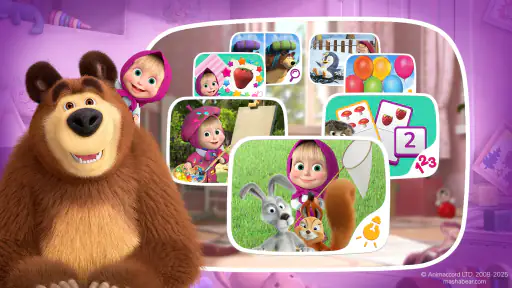
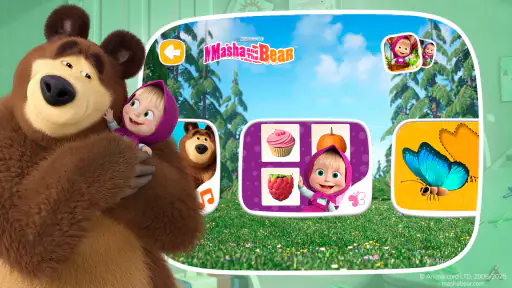
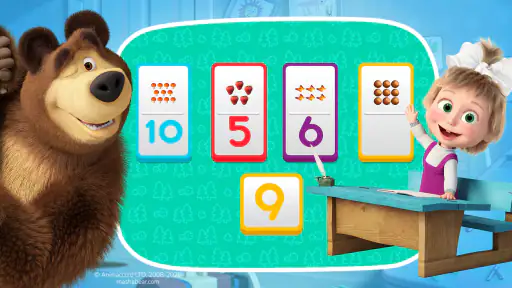
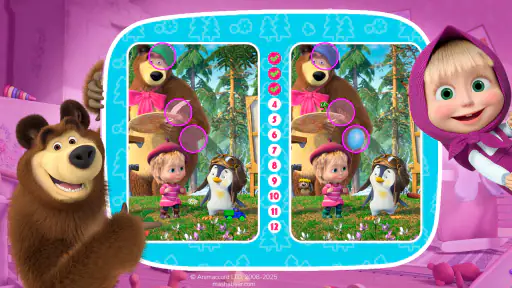

Analysis by Reviewed
When I first open Masha and the Bear Educational, I’d want a child beside me rather than treating it like a lesson to hand over and forget. The familiar characters give a young player an inviting starting point, and the activities are designed to make learning feel playful. My first-session goal would be simple: let the child choose an activity, try it together, and notice whether the format holds their attention. That small test is more useful than expecting an app to replace a teacher or a real-world activity.
What to expect from the game
This is a free educational game from DTC Lab, aimed at children and rated for Everyone. It has a 4.4 average from around 309,000 ratings, and has been installed over 100 million times. Those figures suggest that it has reached a broad audience, though popularity alone cannot tell you whether its style will suit your child. The game’s core appeal is its combination of familiar animated characters and short learning activities, rather than a deep curriculum or a substitute for adult guidance.
The app’s description points to learning through play, and the experience is best approached in that spirit. A child who enjoys tapping through colorful scenes may be happy to explore, while a child who needs a quiet, highly structured lesson could prefer a more focused learning tool. I would use it as a light activity between other parts of the day, not as the sole way to practice a subject.
Make the first session easy
Before handing over the device, I’d open the game with the child and take a moment to look around together. The familiar characters can make the first screen feel less intimidating, but a young user may still benefit from hearing, “Let’s pick one thing and see what happens.” Keeping that first visit short also makes it easier to tell whether the child is interested in the activities, the characters, or simply the bright presentation.
The game is free to download, with in-app purchases listed from $1.99 to $64.99 per item. I’d check the purchase settings on the device before a child plays independently, and explain that buying something is an adult decision. That is a practical first step with any children’s game that offers purchases, especially when the child is enthusiastic and tapping quickly through screens.
Find a first small win
Rather than trying to sample everything at once, I’d invite the child to complete one activity and describe what they did afterward. A short turn can become a useful moment to count aloud, name an object, or talk through a choice. This keeps the adult involved without turning play into a quiz. It also gives you a clearer sense of whether the activity is genuinely engaging or whether the child is just tapping to move on.
For an everyday example, it could fit while a parent is preparing a meal and a child wants a brief, supervised activity nearby. I’d agree on one short play session, stay within earshot, then transition to something away from the screen. That routine helps keep the game in its proper place: a convenient bit of entertainment with an educational angle, rather than an open-ended babysitter.
More From Our News Desk

Weather by Xiaomi Review: Clear at a Glance, Less Clear Up Close

X Under Pressure: Can It Recover When Posting Goes Wrong?

Clash of Clans Is Won Between the Battles

Android Auto Makes the Case for Quieter Car Software

MobiOffice: Transforming Mobile Productivity with Seamless Integration

EA SPORTS FC™ Mobile Soccer: Redefining Mobile Sports Gaming
The Magical World of Masha and the Bear
The moment you open the app, you’re greeted by the charming characters from the beloved animated series. Masha and the Bear Educational takes kids on a learning journey through various mini-games and activities tailored to enhance their cognitive skills. The app’s interface is so intuitive that even the tiniest tot can navigate it with ease. It’s like stepping into a virtual playground where learning meets fun.
Interactive Learning Experience
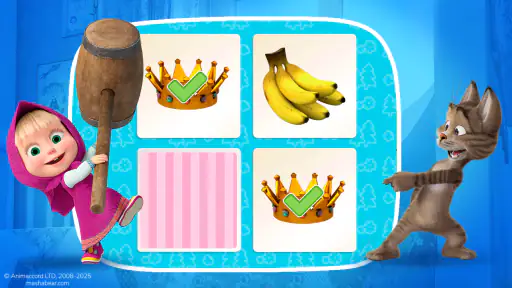
The app is packed with a variety of educational games that cover everything from counting and math to language and creativity. Kids can join Masha in solving puzzles, playing memory games, and even engaging in simple math challenges. What I loved most is how the app cleverly integrates educational content into the gameplay, making learning seem like a natural part of the fun.
One standout feature is the app’s language learning game. It offers basic vocabulary lessons in multiple languages, which is a fantastic way to introduce young learners to new languages. The audio support is clear and friendly, making it easy for kids to pick up new words and phrases.
Visually Appealing and Kid-Friendly
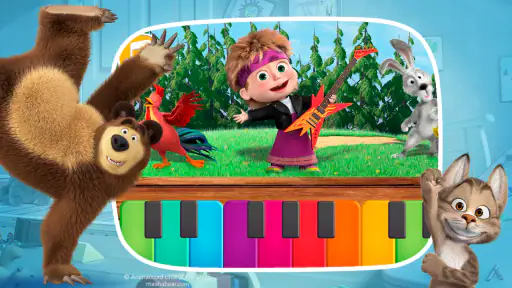
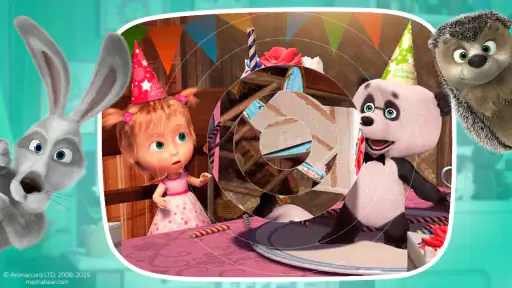
Visually, the app is a treat. The graphics are vibrant and delightful, capturing the essence of the animated series perfectly. The animations are smooth, and the characters are as lively as ever. It’s clear that a lot of effort has gone into making the app engaging and visually appealing for young users.
Moreover, the sound effects and background music are perfectly in tune with the games, adding an extra layer of enjoyment. The app also ensures that all content is age-appropriate, which is a huge relief for parents who are cautious about what their kids are exposed to online.
User-Friendly for Both Kids and Parents
The app’s user interface is straightforward and user-friendly. Kids can easily tap and swipe their way through the various activities without needing constant parental guidance. And for parents, there’s a neat dashboard that tracks progress, allowing you to see which areas your child excels in and where they might need a little more practice.
Another great aspect is the parental controls, which allow you to customize the app’s settings according to your child’s needs. You can set limits on screen time, ensuring that your little one doesn’t spend too long glued to the screen.
Choosing it over other learning games
Compared with a conventional number-practice or alphabet app, this game’s advantage is its character-led presentation: a child already fond of Masha and Bear may be more willing to begin an activity. A more structured learning app may be the better choice when you need a clear sequence of lessons or a specific skill to practice consistently. I’d treat this one as a way to spark interest and vary a routine, then reinforce anything useful through conversation, books, or hands-on play.
One practical tip is to let the child choose between a couple of activities instead of browsing indefinitely. Choice can make the session feel personal, while a small boundary keeps it from turning into aimless screen time. If an activity prompts a response, pause before helping; giving the child a chance to work it out is often more valuable than rushing to the next screen. For a child who becomes frustrated by trial and error, sit alongside them and keep the focus on exploring rather than getting every answer right.
Who will enjoy it, and where it may not fit
I can see this working especially well for preschool-age children who enjoy animated characters, brief interactive tasks, and having an adult nearby to talk through what they see. It may also suit families looking for an occasional shared activity during travel or a quiet moment at home. It is less compelling for older children who want deeper challenges, or for parents looking for a carefully staged teaching program with a particular academic goal. In those cases, a focused subject app, a physical puzzle, or a book may serve the need better.
Although the age rating is Everyone, I would still make the first few sessions a shared experience. Age ratings are a useful starting point, not a guarantee that every child will find the controls or activities equally easy. If a child gets absorbed in repeating one game, that can be enjoyable, but it is also a good cue to suggest a break or switch to a different kind of play.
What to check as you go
The current version is 9.5.8, and it runs on Android 8.0 or later. If the game does not install, checking the device’s operating system is a sensible first step. Since the game includes optional purchases, I’d also keep purchase approval under adult control instead of relying on a child to distinguish a game action from a paid choice. That small bit of preparation can prevent an otherwise pleasant session from becoming confusing.
Parents may also wonder whether it is a good fit for independent play. In my view, it can be easy for a child to navigate, but independent use depends on the child and the family’s device rules. I would start together, see how the child handles the activities and transitions, and then decide whether short solo sessions make sense. The most useful follow-up is not whether the child can operate the game, but whether the time spent in it leaves them curious enough to talk, count, or play away from the screen afterward.
Small habits that make play more useful
I would make the end of a session as deliberate as the beginning. Before opening the game, say what will happen afterward, such as putting the device away before snack time or moving to a toy on the table. For a young child, that clear next step can make stopping less abrupt. It also helps you judge whether the game fits naturally into the family’s routine instead of becoming the default answer whenever there is a quiet moment.
After play, ask one concrete question about what the child noticed rather than asking whether they learned something. “Which part did you want to try again?” or “What did Masha do?” invites a more natural answer and can reveal what held their attention. If the child cannot explain much, that does not automatically mean the activity failed; the useful signal may simply be that the character or interaction made them curious. I would follow that interest with a related real-world activity, such as sorting objects or drawing a character, rather than extending screen time just to make the session feel educational.
Keeping expectations realistic
A character-led game can be a helpful invitation, but I would not judge its value by how long a child stays on it or how quickly they answer. Young children often learn through repetition, conversation, and movement away from the screen as much as through tapping. The app is most convincing as one small part of that mix. If a child is tired, overstimulated, or already struggling to switch activities, a screen-based game may be the wrong choice at that moment, even if they usually enjoy it.
It is also worth separating “easy to operate” from “useful without an adult.” A child may quickly learn where to tap, yet still benefit from a grown-up who helps them slow down, put words to what they see, and move on when play is finished. I would start with shared sessions, then make any move toward independent use gradually and in line with the child’s habits. The best arrangement is the one that leaves both the game and the rest of the day feeling manageable.
Wrapping it Up: Is It Worth the Download?
So, is Masha and the Bear Educational worth a spot on your device? Absolutely! It’s more than just a game; it’s a gateway to a world of learning and exploration for kids. With its engaging content and educational value, this app is a brilliant tool for parents looking to supplement their child’s learning outside of the classroom.
Whether it’s the captivating graphics, the range of educational games, or the user-friendly design, this app ticks all the right boxes. So, if you’re on the hunt for a fun and educational app for your kids, give Masha and the Bear Educational a try. You might just find yourself joining in on the fun!
Masha and the Bear Educational Frequently Asked Questions
What kind of game is Masha and the Bear Educational?
Masha and the Bear Educational is a children’s game centered on learning through play. Its familiar characters give the activities a playful theme, while the educational focus makes it an option for families looking for game time with a learning element. It is free to download, and optional in-app purchases are available.
What devices and operating systems can run Masha and the Bear Educational?
Masha and the Bear Educational is available for Android and iOS devices, including smartphones and tablets. On Android, it requires version 8.0 or later, so checking the device’s operating system before downloading can help avoid compatibility surprises. Families can choose a supported device that is comfortable for a child to use.
Is Masha and the Bear Educational free to download?
Masha and the Bear Educational is free to download, so families can try the game without paying upfront. It also offers optional in-app purchases, with prices ranging from $1.99 to $64.99 per item. Parents may want to review purchase settings on the device before handing it to a child, especially if the child can access the game independently.
What age group is Masha and the Bear Educational suitable for?
Masha and the Bear Educational is designed for children between the ages of 3 and 6. The app features engaging activities aimed at early learning skills, including basic math, reading, and problem-solving. It provides a safe and fun environment for young users to explore and learn at their own pace. Its Everyone age rating also makes it a family-friendly option for young players.
Is Masha and the Bear Educational available on both Android and iOS?
Yes, Masha and the Bear Educational is available for download on both Android and iOS platforms. Users can find it on the Google Play Store and the Apple App Store, ensuring compatibility with a wide range of devices, including tablets and smartphones. On Android, the game requires version 8.0 or later, so it is worth checking the device’s operating system before downloading.
Pros
- Engaging educational content for kids.
- Colorful and interactive graphics.
- Simple and intuitive interface.
- Offline mode available for travel.
- Age-appropriate challenges and games.
Cons
- Limited content in free version.
- In-app purchases can be pricey.
- Some ads may be distracting.
- Occasional performance lags.
- Requires frequent updates.
- Category
- Educational
- Version
- 9.5.8











