Solitaire
- 3.81K
- 4.7
- Installs
- 5.00M
- Price
- Free
Screenshots
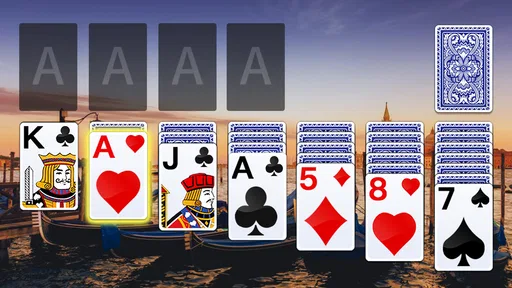
Analysis by Reviewed
When I want a card game that asks for a little attention but not a big time commitment, Solitaire is an easy one to reach for. This is a mobile version of classic solitaire from LinkDesks - Jewel Games Star, and its appeal is its straightforward purpose: settle in for a round, think through the cards, and stop when you’re ready. It is a card game rather than a collection of unrelated activities, so it suits players who already know the basic rhythm of solitaire or want a familiar place to start.
Who will get the most from a solo card game
I’d start by asking what you want a phone game to do in the gaps of your day. If you want a self-contained activity that does not depend on finding an opponent, a focused solitaire game makes sense. It is particularly suited to people who enjoy noticing patterns, weighing small choices, and being able to pause their attention when something else needs doing.
That can be a very ordinary situation: I might have a few minutes before an appointment, open a deal, and use the wait to concentrate on something more engaging than scrolling. If my name is called, the game has not asked me to coordinate with anyone or finish a shared match. On the other hand, if I am looking for a game to play with a friend or family member, this solo format is not a substitute for taking turns together.
What to consider before choosing it
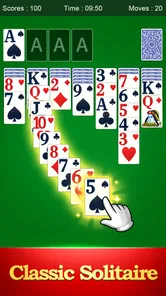
The first question is whether you enjoy making small decisions at your own pace. Solitaire gives you a quiet puzzle to work through: you look for useful moves, uncover cards, and try to keep your options open. It is a better fit for a short break than a game that demands quick reactions, a long tutorial, or a group of other players.
It is also worth deciding how much variety you expect. If you want a focused solitaire session, this app’s central idea is a strength. If you are hoping for a broad card-game hub, a competitive multiplayer experience, or a campaign with a strong sense of progression, a different kind of game will probably suit you better. I would choose this one for the familiar card-table routine, not for a stream of new modes or surprises.
Solitaire is free and rated for Everyone, which makes it approachable as a casual game to keep on a phone. Its average rating is 4.7 from around 70,000 ratings, and it has passed 5 million installs. Those figures suggest that many players have found the basic proposition appealing, but they don’t tell you whether its particular style will match your tastes. The useful test is simpler: do you like taking a few minutes to plan moves without needing to be online or coordinate with anyone?
A familiar game for small pockets of time
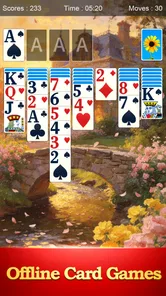
The app’s store summary emphasizes offline play, and that matters in a practical way. A card game that works without a connection can be handy during a commute, while waiting for an appointment, or somewhere with unreliable reception. I like this kind of game best when I can open it, play at my own pace, and put it away without turning a brief pause into a larger commitment.
More From Our News Desk

Weather by Xiaomi Review: Clear at a Glance, Less Clear Up Close

X Under Pressure: Can It Recover When Posting Goes Wrong?

Clash of Clans Is Won Between the Battles

Android Auto Makes the Case for Quieter Car Software

MobiOffice: Transforming Mobile Productivity with Seamless Integration

EA SPORTS FC™ Mobile Soccer: Redefining Mobile Sports Gaming
That offline focus also shapes what the game is good for: it is a personal pastime rather than a social destination. You don’t need to arrange a match or keep up with another player. For an everyday routine, I might open a round while waiting for a kettle to boil, then leave the phone aside when the task is done. That is a more natural fit than starting a game that penalizes interruption or expects continuous attention.
Why the simple format works
Solitaire’s best quality is that the rules and the decisions can stay in the foreground. There is a satisfying mental loop in scanning the layout, spotting a move that reveals something useful, and reconsidering the plan when a new card changes the picture. Even a familiar deal can ask for patience rather than speed. That makes it suitable when I want to focus lightly without taking on a complicated system.
One useful habit is to pause before making an obvious move and ask whether it opens a card or preserves a choice for later. In solitaire, a move that looks productive can sometimes narrow your next options. Treating each turn as a small trade-off makes the game feel more thoughtful and can help avoid playing automatically. This is the kind of practical value I get from a straightforward card game: the challenge comes from attention, not from learning layers of menus.
Another approach is to use a round as a deliberate reset rather than a way to fill every spare second. I find that suits solitaire better than rapidly starting one deal after another while distracted. If you are interrupted, the important question is whether the app’s actual controls make it convenient to return to your place; I would check that during an early session rather than assume every version handles pauses identically. The game’s offline nature is a clear convenience, but the feel of its controls is personal, so a short trial is more informative than its popularity alone.
Where this version has an edge
Compared with card apps built around opponents, tables, or social competition, this is the quieter choice. You can concentrate on the cards without waiting for someone else’s turn or feeling that you need to perform for a leaderboard. Compared with puzzle games that introduce elaborate mechanics, its familiar format has a lower learning barrier. If you already know solitaire, you can focus on the deal; if you are new, the standard card logic is a gentler starting point than a game with several systems to master.
The other practical advantage is its modest mental footprint. I would recommend it to someone who wants a game that can sit alongside ordinary life rather than take it over. A short session during a break is the obvious use, but it can also work as a low-pressure wind-down when a fast action game feels too stimulating. The trade-off is that the experience depends on liking repetition and incremental decisions. Players who need a strong narrative hook or constant novelty may find the same simplicity limiting.
There is also a useful distinction between “offline” and “everything I might want is guaranteed offline.” The confirmed appeal here is that the core game is presented as playable without a connection. If you rely on online extras, cloud continuity, or account-based features in other games, don’t choose Solitaire on the assumption that it provides those services. For a basic solo card session, offline availability is enough; for connected progression, a different category is a more sensible place to look.
When another kind of card game is better
If you want direct competition, a multiplayer card game is the more natural alternative. It gives you opponents and social interaction, while Solitaire keeps the challenge between you and the layout. If you want variety across several familiar games, a card-game collection may be a better download than an app centered on solitaire. And if your goal is a deep strategic contest, a dedicated strategy game may offer more layered choices than a relaxed solo deal.
These alternatives are not automatically improvements; they serve different moods. Multiplayer adds the possibility of waiting, distraction, or pressure to stay engaged. A large game collection can mean more choice but less focus. A complex strategy title can reward long sessions while being a poor match for a two-minute pause. I would pick this app precisely when I want one recognizable activity without needing to learn a new format or recruit another player.
It may also be the wrong choice if you dislike card-based repetition, prefer games with clear chapters and goals, or want a strong sense of advancement from one session to the next. A simple solitaire loop can remain pleasant because each layout asks you to think again, but that variation is not the same as a campaign or a broad progression system. Knowing that difference helps avoid downloading it for the wrong reason.
Practical checks before settling in
Since the rules are familiar, the main adjustment is not learning a new game system; it is deciding whether this particular phone version feels comfortable enough to use repeatedly. I would try it in the setting where I expect to play most: one-handed during a wait, for example, or with both hands when I want to study the layout. That quick check can reveal whether the screen and controls suit your habits before the game becomes part of your routine.
A small but useful test is to play one deal without rushing, then another while allowing yourself to pause between moves. The first tells you whether the card logic holds your interest; the second shows whether the pace still feels pleasant when you are not fully absorbed. If you tend to tap quickly, deliberately looking for moves that uncover cards can make a round feel more considered. If that extra planning feels like work rather than fun, the app’s core appeal may not be for you.
Trying it without making a big commitment
Because it is free, trying a few rounds is a straightforward way to judge whether the pace works for you. I’d pay attention to three things: whether the card layout is comfortable to read on your device, whether the controls feel natural when moving through a deal, and whether you enjoy thinking ahead instead of making moves quickly. Those are more useful personal checks than deciding from the rating alone.
The current version is 5.13.1, and the game runs on Android 6.0 or later. It was released on March 8, 2021, and has accumulated around 3,800 written reviews. LinkDesks - Jewel Games Star is the developer. These details make it easier to judge whether the app is relevant to your device and whether you want to explore what other players have said, while the actual experience still comes down to its basic card-game rhythm.
Switching away later should be simple in concept: solitaire is built around a familiar format, so trying another solo version or moving to a different card-game category does not require learning a connected world or carrying a complicated strategy forward. The real cost is preference, not commitment. If this version feels comfortable and gives you the quiet sessions you want, there may be little reason to switch. If you keep wishing for opponents, more variety, or deeper progression, that recurring wish is a good signal to try an alternative rather than force yourself to like a focused solo game.
My recommendation
I’d recommend Solitaire to anyone who wants a familiar, low-pressure card game that can fit into spare moments and remain useful without an internet connection. It is especially suitable for players who enjoy planning a few moves ahead and don’t need a story, competition, or a rotating set of activities to stay interested. Its large audience and 4.7 average rating are reassuring signs of broad appeal, though they are not a substitute for trying the pace yourself.
I would skip it if your ideal mobile game depends on multiplayer, frequent novelty, or a substantial progression system. For those needs, a competitive card game, a multi-game card collection, or a deeper strategy title is likely to be a better match. But if what you want is a calm solo deal you can start during a short wait and leave when life interrupts, Solitaire makes a sensible choice. Its strength is knowing what kind of game it is—and being useful when that is exactly the kind of game you want.
Solitaire Frequently Asked Questions
What is Solitaire, and how do you play it?
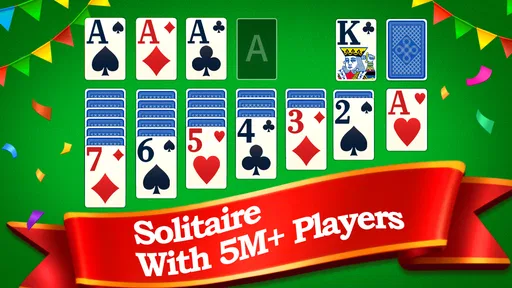
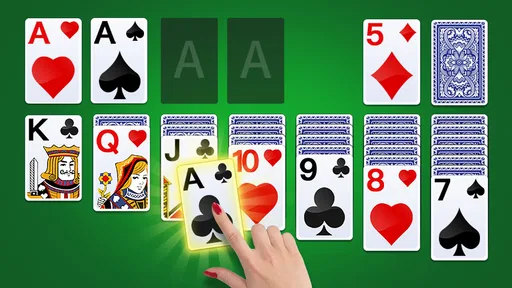
Solitaire is a single-player card game, usually referring to the Klondike version. The aim is to move all cards into four foundation piles, sorted by suit from Ace to King. On the tableau, build descending sequences with alternating red and black cards, and draw from the stock when you need more options. Rules and available variants can differ between apps, so check the selected game mode before starting.
Is Solitaire free to download and play?
Many Solitaire apps are free to download and let you play without paying, but their business models vary. A free version may show advertisements, offer optional in-app purchases, or reserve features such as extra themes and ad removal for paid upgrades. Review the app’s store listing and purchase details before installing, especially if you want an uninterrupted experience or plan to let a child use the device.
Can I play Solitaire offline?
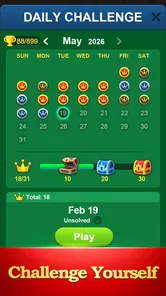
Many Solitaire games offer offline play, making them convenient for travel or places with limited internet access. However, features such as daily challenges, leaderboards, cloud saves, or rewarded advertisements may require a connection. Offline availability can also depend on the specific app and game mode. If playing without internet is important, check the listing or test the game before relying on it during a trip.
Does Solitaire have different game modes and difficulty levels?
Solitaire apps commonly include Klondike draw-one and draw-three modes, while some also offer variations such as Spider or FreeCell. You may find options for scoring, timed rounds, hints, or undo moves, but the selection depends on the app. Beginners can usually start with easier settings and use guidance features, while experienced players may prefer stricter rules or more challenging deals.
What should I check before downloading a Solitaire app?
Before downloading, confirm that the app supports your device and operating system, and review recent user feedback for information about performance and intrusive ads. Check its privacy disclosures and requested permissions; a basic card game generally should not need access unrelated to its features. Also look at whether it includes the variants you want, works offline, and offers optional purchases that fit your preferences.
Pros
- Easy to learn
- even for players new to solitaire.
- Quick rounds make it easy to play in short breaks.
- Undo and hint options can help when you get stuck.
- A familiar card game that doesn’t require an internet connection.
- Simple gameplay is suitable for a wide range of ages.
Cons
- Repeated deals can start to feel predictable over time.
- Hints may reveal moves rather than teach strategy.
- Undo options can make wins feel less rewarding.
- Small cards may be difficult to see on compact screens.
- Ads or optional purchases may interrupt the experience.