Zoom for Chromebook
- 1.62K
- 3.9
- Installs
- 5.00M
- Price
- Free

Screenshots



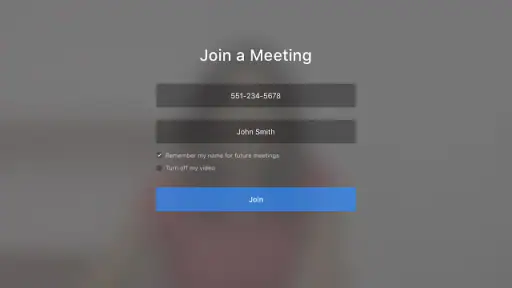
Analysis by Reviewed
Let me dive into the world of Zoom for Chromebook, an app that has become a lifeline for many, especially in these times when remote communication is more important than ever. As someone who has used this app extensively, I’m here to give you a firsthand account of my experience. So, grab a cup of coffee and let’s chat about it!
Getting Started with Zoom on Chromebook
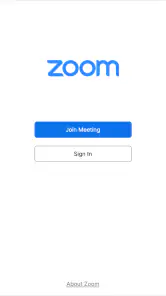
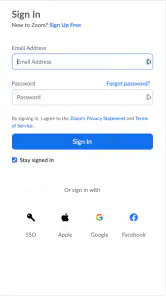
First things first, installing Zoom for Chromebook is a breeze. Head over to the Google Play Store, search for Zoom, and within minutes, you’re ready to set up your account. Once you’re in, the interface is quite intuitive. Whether you’re tech-savvy or a complete newbie, navigating through the app is as easy as pie. The clean layout ensures that you find what you need without any hassle.
The first week: easy to pick up, easy to test
That quick start is the app’s strongest first impression. If a meeting invitation arrives while I’m already working on a Chromebook, I can use the same device rather than reach for a phone or switch to a separate computer. That convenience matters most when calls are occasional: I want to open the invitation, get connected, and return to my work without turning setup into a project.
Zoom is a free business app from zoom.com, and its Chromebook focus makes it worth distinguishing from simply using a familiar video service in a browser. The Android app has a 3.9 average from around 10,000 ratings, with about 1,600 written reviews and over 5 million installs. Those figures suggest a well-established option, but they are not a guarantee that every Chromebook will behave the same way. The app is rated for Everyone, and its current release is version 6.5.5; it supports Android 4.4 and later.
For a first test, I’d join a low-stakes call before relying on it for a class or client meeting. Check that the camera and microphone work, try switching between listening and speaking, and see whether the Chromebook’s built-in controls feel comfortable. This simple rehearsal reveals more than browsing settings: it shows whether the app fits the way you actually use the device, especially if you depend on headphones or share a room with other people.
Features That Stand Out
Now, let’s talk about the features. One of the standout features of Zoom on Chromebook is its seamless integration with other apps in the Google ecosystem. This means you can easily schedule and join meetings directly from your Google Calendar. And for someone who’s always on the go, this integration is a game-changer.
The practical benefit is less about having another calendar and more about avoiding small handoffs. When an invitation is already on my schedule, I can use it as the starting point instead of searching through messages for a meeting link. I’d still check that the invitation is complete and that I’m joining the intended session, particularly when a workday includes several calls. Calendar convenience helps with routine, but it does not replace a quick glance at the details.
You May Like

Clash of Clans Is Won Between the Battles

Android Auto Makes the Case for Quieter Car Software

MobiOffice: Transforming Mobile Productivity with Seamless Integration

EA SPORTS FC™ Mobile Soccer: Redefining Mobile Sports Gaming

How Microsoft OneDrive Became a Mobile Productivity Giant

How Google Translate Breaks Language Barriers Effortlessly
The video and audio quality? Top-notch. I’ve been on countless Zoom calls, and rarely have I faced any lag or distortion. The app optimizes the quality based on your internet connection, which is a lifesaver during those crucial meetings. Plus, the background noise suppression feature is a blessing, especially if you’re working from a bustling environment.
On a Chromebook, it is sensible to treat call quality as a shared responsibility between the app, connection, and surroundings. If a picture becomes choppy, I would first stop other network-heavy tasks and move closer to the router if possible, rather than assume the app itself is at fault. If voices sound muffled, a headset may help more than repeatedly changing video settings. These are useful habits because they address common causes without adding complicated setup.
Month-to-month value: where it earns a place
The app’s lasting value depends on whether the people I need to reach already use Zoom. If colleagues, tutors, or clients send Zoom invitations, having the app ready can remove friction every week. If my calls are rare and everyone I speak with prefers another service, the convenience fades quickly. I would not keep it open just because it is installed; I would keep it available because it solves a recurring communication problem.
A realistic example is a student who uses a Chromebook for coursework and receives a weekly group-project invitation. They can join from the same device they use for notes, keep the calendar entry as a reminder, and use breakout rooms when the organizer divides a larger discussion into smaller groups. That is a coherent workflow, not a reason to assume every class uses the same tools. Before a graded session, I’d confirm the meeting details and test audio so a last-minute device issue does not become the focus.
For a small team, the app can also be useful when some conversations need more than a voice call: seeing faces, sharing a discussion with a larger group, or splitting participants for focused work. The trade-off is that a Chromebook remains a compact work device, and managing a call while taking notes or referring to documents can feel cramped. I’d keep notes in a separate window only if the device handles that comfortably; otherwise, writing down decisions after the call may be less distracting.
Zoom competes with browser-based meeting tools and other video-calling apps, so I would choose based on the invitation ecosystem rather than assume one option is universally better. A browser meeting can be more convenient when I do not want to install an app, while a service already built into a school or workplace account may reduce account switching. Zoom makes more sense when it is the service my contacts actually use and I value its meeting-oriented workflow. Switching everyone to it for a single occasional call is usually not worth the extra coordination.
Personal Experience
From hosting webinars to attending virtual family gatherings, Zoom has become my go-to app. The breakout rooms feature is fantastic for group activities, making it feel like you’re in a physical room with different groups of people. It’s perfect for educators and team leaders who need to split participants into smaller groups for discussions.
Breakout rooms are most useful when the organizer has a clear reason to divide people and enough time to bring everyone back together. In a workshop, for example, a facilitator can use smaller discussions to give quieter participants room to contribute, then gather the group again to compare ideas. For a casual catch-up, that structure may feel unnecessary. I would not treat the feature as a benefit in every meeting; it earns its place when a large conversation would otherwise leave some people sitting silently.
One useful habit is to decide what I need from a call before joining: listen, contribute, present, or help coordinate. That small choice can prevent the common mistake of arriving without notes or a clear question, particularly in a meeting with many participants. When I am hosting, I would also plan how the group should use smaller discussions before opening them. A tool can make a workflow possible, but it cannot make an unfocused meeting worthwhile.
Security is another aspect where Zoom shines. End-to-end encryption ensures that your calls remain private and secure. With the recent updates, Zoom has enhanced its security features, giving users peace of mind.
For sensitive conversations, I would still be careful about who receives an invitation and what information is shared aloud. A security label is not a substitute for good meeting habits: verify participants, avoid posting private details in the wrong place, and follow the rules of the organization hosting the call. That caution is especially relevant on a shared household Chromebook, where signing in and out thoughtfully helps keep work and personal use separate.
Maintenance without turning calls into a chore
For an app used repeatedly, maintenance should be simple enough to become routine. I’d keep the app updated through the Play Store and check it shortly before an important meeting if it has been a while since I last opened it. I would also make sure the Chromebook itself has enough charge and that the camera and microphone are available to the app. These are modest checks, but they are more useful than discovering a device problem after the meeting begins.
It is also worth keeping the calendar tidy. A meeting entry that clearly identifies the purpose and includes the correct joining details is easier to trust than a vague reminder surrounded by old invitations. If I regularly move between work and personal calls, separating those commitments in my own schedule can reduce the chance of joining the wrong conversation. This is not a special Zoom feature; it is a practical way to get more out of the calendar connection.
The maintenance burden is low for someone who already has a steady stream of invitations. For a person who uses video calls only once in a while, the app may simply occupy space and need attention at inconvenient moments. In that case, joining through a browser or using whichever option the organizer recommends may be less effort. I would not install multiple meeting apps just in case unless my work or studies genuinely require them.
Who will appreciate it—and who may not
I’d recommend it to Chromebook owners who regularly attend Zoom meetings for work, education, community groups, or family events. It is particularly useful when invitations arrive through Google Calendar and when group organizers make use of breakout rooms. People who prefer a familiar app-based meeting routine may also appreciate having a dedicated option ready rather than relying on a browser tab they could accidentally close.
I’d be less enthusiastic for someone whose contacts use a different service, who rarely joins video calls, or who expects a Chromebook app to turn the device into a full conference-room system. The app is a meeting tool, not a reason to buy extra equipment or reorganize a workflow that already works. If a workplace has standardized on another platform, using that platform is often the simplest choice, even if Zoom is perfectly capable of handling meetings.
It may also be a poor fit for people who need to multitask heavily on a small screen. Keeping faces visible while reading a document, writing notes, and checking a calendar can make the display feel crowded. I would test that layout before committing to a long call. If the call is mostly listening, the experience may be comfortable; if it requires constant document work, a larger screen or a separate device may be more suitable.
Sources of fatigue after the novelty fades
Video meetings can become tiring even when the app works well. Long sessions demand attention, and a camera-facing conversation can feel more formal than a quick phone call. Zoom cannot fix meetings that should have been a short message, nor can it guarantee that everyone will speak clearly or stay on topic. I get the most value when the call has a purpose and a reasonable structure, rather than being added to the calendar by default.
Another source of friction is the gap between joining and being ready. A person may have to find a quiet spot, adjust their position, check audio, and locate relevant notes. Planning those steps before the call makes the experience calmer, but repeated calls can still interrupt focused work. I would group meetings where possible and preserve blocks of uninterrupted time instead of letting every invitation fragment the day.
There is also a social trade-off. For a family catch-up, video can make a distant conversation feel more present, but not everyone enjoys appearing on camera or dealing with a busy background. I would let participants choose what feels comfortable and avoid treating video as mandatory when audio would do. For a team discussion, a clear agenda and pauses for questions can make the screen feel less like a row of faces and more like an actual conversation.
Final Thoughts
In conclusion, Zoom for Chromebook is more than just a video conferencing app. It’s a versatile tool that caters to both personal and professional needs. Whether you’re connecting with colleagues or catching up with loved ones, Zoom delivers a reliable and high-quality experience. So, if you haven’t tried it yet, I’d say it’s high time you do!
My longer-term recommendation is conditional rather than automatic: keep it if Zoom is a recurring part of your calendar, and let it go if it rarely solves a problem the alternatives do not. Its strongest everyday case is straightforward—joining the meetings your school, team, or family already schedules, with calendar access and group tools available when needed. It is not the best choice simply because it is popular, and an app’s install count cannot tell you whether your own contacts use it.
If you are deciding whether to try it, start with one upcoming call rather than changing your whole routine. Make sure the invitation is clear, test your Chromebook’s audio and camera, and note whether handling the call alongside your normal work feels comfortable. After a few weeks, ask whether it has saved time or made communication easier often enough to justify keeping it. That is the standard I would use: not novelty, but dependable recurring value.
Zoom for Chromebook Frequently Asked Questions
Is Zoom for Chromebook free, and what should I expect when I install it?
Zoom for Chromebook is a free business app built for Chrome OS. Its store summary is simply “Zoom built for Chrome OS,” so it is intended for Chromebook users who want to access Zoom on that platform. The app is rated for Everyone, making it suitable for a broad audience. You can install it without paying for the app itself.
Will Zoom for Chromebook work on my device?
Zoom for Chromebook is designed for Chrome OS, and the listed minimum operating system is Android 4.4. Before downloading, check that your Chromebook supports the app and that its software meets this requirement. The app’s current version is 6.5.5, so keeping it updated can help you use the latest release available for your device.
What is Zoom for Chromebook, and how does it differ from other Zoom applications?
Zoom for Chromebook is a specialized version of the popular video conferencing app, designed specifically to work seamlessly on Chromebook devices. While offering the core functionalities of Zoom, it is optimized for Chrome OS, ensuring smooth performance, efficient processing, and better integration with Chromebook features, unlike its counterparts on Windows, Mac, or mobile devices.
How do I install Zoom on my Chromebook?
Installing Zoom on a Chromebook is straightforward. You can download it from the Chrome Web Store. Simply search for 'Zoom', click on 'Add to Chrome', and follow the prompts to install the app. After installation, you'll find Zoom in your app launcher, ready for use with your Google account.
Are all Zoom features available on the Chromebook version?
While Zoom for Chromebook includes most essential features like video conferencing, screen sharing, and breakout rooms, some advanced features available on desktop versions might be limited. Zoom continually updates the app to include more functionalities, so it's advisable to check the latest updates for new feature additions specific to Chromebooks.
Pros
- Seamless integration with Chrome OS
- User-friendly interface
- High-quality video calls
- Screen sharing capabilities
- Frequent updates
Cons
- Limited features compared to desktop
- Occasional connectivity issues
- Higher data usage
- Requires good internet connection
- Can be resource-intensive

- Category
- Business
- Version
- 6.5.5













