YouTube TV: Live TV & more
- 57.44K
- 3.9
- Installs
- 10.00M
- Price
- Free

Screenshots





Analysis by Reviewed
Hey there! Today, we're diving into the world of YouTube TV: Live TV & more, a streaming service that's been making waves lately. If you're like me, you've probably spent countless hours flipping through channels or scrolling through various streaming apps trying to find something worth watching. Well, let's see if YouTube TV can make our lives a little easier and more entertaining.
What is YouTube TV?
So, what exactly is YouTube TV? In a nutshell, it's a subscription-based streaming service that offers live TV, on-demand video, and cloud-based DVR from more than 85 television networks. Think of it as a hybrid between traditional cable TV and the modern streaming experience. It's available on a variety of devices, including smartphones, tablets, smart TVs, and even gaming consoles.
Features That Stand Out
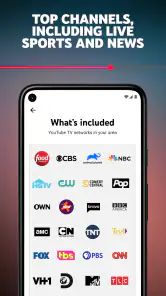
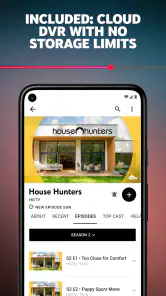
One of the first things that caught my eye about YouTube TV is the sheer number of channels available. From major networks like ABC, NBC, and CBS to specialized channels such as ESPN and AMC, there's something for everyone. Plus, the unlimited DVR feature is a game-changer. You can record as many shows as you want and keep them for up to nine months. Say goodbye to storage anxiety!
Another cool feature is the ability to watch on multiple devices simultaneously. YouTube TV allows up to three streams at once, meaning you can catch the game while your partner watches their favorite drama, and the kids enjoy cartoons. It's like everyone gets their own personal TV, without the extra cost.
User Experience
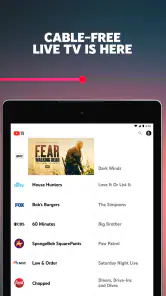
Navigating through YouTube TV is a breeze. The interface is clean, intuitive, and feels familiar if you're a regular YouTube user. Finding your favorite shows or discovering new content is straightforward, thanks to its smart search and personalized recommendations. Plus, the app's performance is smooth with minimal buffering, even during peak times.
Is It Worth the Price?
Now, the big question: is it worth the subscription fee? Well, it depends on your viewing habits. If you're someone who enjoys a wide range of channels and values the flexibility of watching on different devices, then YouTube TV might just be the perfect fit. It's slightly on the pricier side compared to some other streaming services, but the live TV aspect and DVR capabilities could justify the cost.
For those who are primarily interested in on-demand content, there are other alternatives that might be more budget-friendly. However, if live sports, news, and a variety of channels are what you're after, YouTube TV offers a comprehensive package that's hard to beat.
In conclusion, YouTube TV: Live TV & more is a robust streaming service that blends the best of both worlds – live TV and on-demand content. It's a versatile option for households looking to cut the cord without losing access to their favorite channels. Whether you're a sports fanatic, news junkie, or a casual viewer, YouTube TV has something to offer. So why not give it a try and see if it fits your entertainment needs?
Pros
- User-friendly interface
- Wide variety of channels
- Cloud DVR with no storage limits
- Multiple device support
- No cable box required
Cons
- Expensive subscription plans
- Limited availability outside US
- Occasional streaming lags
- Local channels may be missing
- Ads on some on-demand content

- Category
- Entertainment
- Version
- Varies with device