

XME TRIGGERS
- 16.00
- 4.8
- Installs
- 10.00K
- Price
- Free
Screenshots
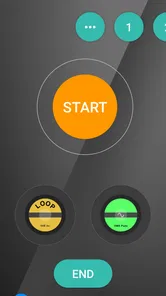
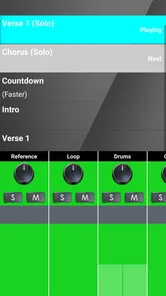
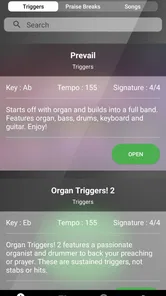
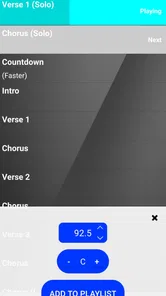
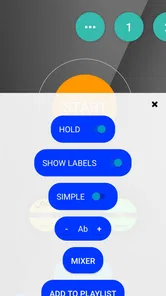
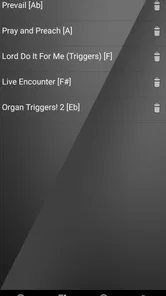
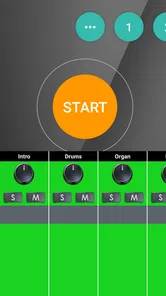
Analysis by Reviewed
When I first looked at XME TRIGGERS, I did not treat it like another general music player. Its purpose is much narrower and more practical: it is a worship-focused audio app from XME Inc. that aims to help people manage musical moments during a service. That difference matters. If you want a huge personal music library, discovery tools, or casual listening on the bus, this is probably not where I would start. If you help lead worship, run sound, support a church service, or need a more deliberate way to handle audio cues, the app makes more sense.
The basic appeal is easy to understand. Instead of relying only on a normal media player, a worship team can use a tool designed around triggers and service flow. In my experience, that kind of focused design can reduce the mental effort involved in moving from one moment to the next. It also changes what I look for in the app: quick access, confidence during a live service, and a workflow that does not distract from the people in the room.
What to consider before choosing a worship trigger app
The first decision is whether you need a specialized worship tool or simply an audio player. A standard player is usually better for listening to albums, playlists, podcasts, or individual tracks. It is familiar and often offers broader library management. XME TRIGGERS is aimed at a different job. Its value depends on whether your service includes prepared audio moments that need to be started at the right time.
I would also think about who will operate it. A worship leader may want to stay focused on the platform, while a sound volunteer may be responsible for launching cues. Those are different workflows. The app is more useful when one person can prepare the sequence and another person can operate it without needing to understand every musical detail. Before adopting it, your team should agree on who controls the triggers and how the service order will be rehearsed.
Another important criterion is simplicity under pressure. A feature can look impressive during a quiet setup session and still be awkward when the room is full, the band is ready, and everyone is waiting for the next moment. I pay attention to whether an app encourages a clear sequence rather than making the operator search through unrelated content. A trigger-based approach is promising for that reason, but it also means the team needs to organize its material carefully before the service.
The app is free to install, which makes testing less intimidating. It is listed for Everyone and works on devices running at least Android ten, so the practical question is less about an upfront purchase and more about whether its workflow fits your team. Optional in-app purchases range from about ten dollars to over one hundred dollars per item, so I would not assume that every useful capability is included at no cost. I would test the free experience with a real rehearsal before spending anything.
Its current version is 2.0.4, and the app was released in October 2023. Those details tell me that it is not an old abandoned listing, but they do not replace hands-on testing. A live-service tool deserves a rehearsal process of its own. I would install it on the actual device intended for services, prepare a small set of cues, and run through a complete transition rather than judging it after opening the app once.
More From Our News Desk

 Gmail
GmailGmail in a Busy Inbox: Who Benefits Most?
From first account to crowded workday, Gmail earns its place through dependable search and flexible sorting—but its best fit depends on how much inbox maintenance you can tolerate.

 Prime Video
Switching to Prime Video: What Changes in Your Viewing Routine
Prime Video can make a compelling second home for streaming, but switching means learning a different catalog, rental layer, and route from browsing to playback.

 Universal TV Remote Control
Universal TV Remote Control Works Best as a Reliable Backup
A phone remote earns its place through quick setup and reliable habits. Here is how to get more from Universal TV Remote Control—and where its limits show.

 Weather - By Xiaomi
Weather by Xiaomi Review: Clear at a Glance, Less Clear Up Close
Xiaomi’s weather app makes everyday forecasts quick to scan, but its calm surface can leave useful details and recovery paths harder to find than they should be.

 X
XX Under Pressure: Can It Recover When Posting Goes Wrong?
A resilience-focused review of X, examining setup, mistaken posts, interruptions, weak connections, and the gaps that matter when recovery needs to be dependable.

 Clash of Clans
Clash of Clans Is Won Between the Battles
Its raids are quick; its community is a long-term project of coordination, teaching, rivalry, and shared responsibility—with all the friction that entails.
Latest News



Why the focused approach works
The strongest idea here is that worship audio is often about timing and attention, not just playback. A normal player presents tracks as items in a library. A trigger-oriented app suggests that the important question is what should happen next in the service. That shift can be useful when audio supports a prayer, transition, response, announcement, or other planned moment.
One practical tip is to name and arrange cues according to the service order rather than according to the music folder on your device. A label such as “opening transition” is more useful during a busy service than a vague filename. I would also keep the active set intentionally short. Loading every possible sound or track into one operating view may feel safe during preparation, but it can slow down decisions when the service is underway.
A second useful habit is to rehearse the operator’s handoff. If one person prepares the material and another runs the service, the second person should practice finding each trigger without verbal explanation. This exposes confusing labels and awkward ordering before they become a public problem. The app cannot solve a poorly planned service sequence by itself; its benefit depends on the discipline around it.
A third insight is that a trigger app should be treated as part of the team’s communication system. Decide whether a cue is launched on a spoken signal, a visual signal, or a planned musical transition. That small agreement can prevent hesitation. In my view, the best use of XME TRIGGERS is not simply pressing buttons faster, but making the responsibility for each audio moment obvious.
Where XME TRIGGERS is most convincing
The app’s clearest advantage is specialization. XME Inc. is not presenting this as a broad entertainment platform; the store positioning is built around elevating worship through triggers. For a church team that regularly uses prepared audio, that focus is more relevant than a long list of general music features. I would rather have a smaller tool that matches the service workflow than a powerful player filled with options nobody needs during a transition.
It can be especially useful for smaller teams. A large production may already have dedicated playback hardware, a trained technician, and a detailed show-control system. A smaller congregation may depend on one volunteer who handles several responsibilities at once. In that setting, a purpose-built mobile app can be a reasonable middle ground between manually starting files and investing in a much more elaborate setup.
Consider a typical Sunday morning. The worship set is ending, the room is moving into a reflective moment, and a prepared audio bed needs to begin after the final chord. With a conventional player, the operator may need to locate the correct file, check that the right item is selected, and start it while watching the service. A trigger-based workflow has the potential to make that moment more deliberate. The real gain is not dramatic technology; it is reducing the number of unrelated actions between the musical ending and the next audio cue.
I also see value in repeatable services. If your church runs the same basic structure each week, preparing a consistent trigger sequence can help volunteers become comfortable with the process. New operators can learn a defined order instead of improvising with a general-purpose player. That consistency is one of the less obvious benefits of a specialized category: the app becomes part of a routine rather than another piece of software to explore every Sunday.
The public response is encouraging without being overwhelming. XME TRIGGERS holds a 4.8 average from 126 ratings, with 16 written reviews and over 10K installs. I read that as a positive signal that the concept is connecting with its intended audience, while still remembering that a focused worship app naturally appeals to a narrower group than a mainstream music service. The rating supports trying it, but your own rehearsal remains the better test.
Another strength is the low barrier to experimentation. Because the app is free to download, a worship coordinator can evaluate it without committing the whole team immediately. I would begin with one service segment rather than rebuilding the entire audio workflow. Use it for a single transition, observe how the operator handles it, and ask whether the process felt calmer or more complicated. That limited trial gives you useful evidence without disrupting the full service.
Limitations that deserve attention
The same focus that makes the app attractive can make it unsuitable for people who want a complete music ecosystem. I would not choose it as my main everyday listening app. Someone looking for artist discovery, a broad streaming catalog, social listening, or a polished personal library should compare it with conventional music services instead. XME TRIGGERS is easier to justify when worship cues are the central task.
There is also an operational risk with any live audio app: the weakest point may be preparation rather than playback. If files are poorly named, the order changes at the last minute, or nobody knows who is responsible for launching a cue, a specialized interface will not remove confusion. The team should keep a simple backup plan, such as knowing which audio player or manual method can take over if the planned workflow fails.
I would be cautious about assuming that the free installation represents the complete long-term setup. The presence of in-app purchases from around ten dollars to more than one hundred dollars per item means teams should review the purchase path before building their entire process around an advanced capability. This is not automatically a problem, but it affects budgeting. A church should decide whether the app will be used by one operator, multiple volunteers, or a broader production team before approving purchases.
Device choice matters too. The minimum operating system is Android ten, so older hardware may not be suitable. Even on a compatible phone or tablet, I would avoid making the smallest available screen the service device if the operator must read several cues quickly. A larger display can make ordering and confirmation easier, although the best setup depends on the room, the stand, and the person operating it.
Finally, a trigger workflow may feel excessive for a very simple service. If you only play one occasional track and nobody needs a sequence of prepared moments, a standard player may be faster to maintain. Specialized tools earn their place when they remove repeated friction. If your team rarely uses triggered audio, the extra preparation may outweigh the benefit.
How it compares with the usual alternatives
The most obvious alternative is a regular music player. That option wins on familiarity and general-purpose listening. Volunteers already know how to browse tracks, and there is little category-specific learning. It may be the better choice for a single recording or an informal gathering. XME TRIGGERS becomes more compelling when the service contains several planned cues and the operator needs to think in terms of sequence rather than library browsing.
A streaming music service is another alternative, but it solves a different problem. Streaming is useful for discovering and accessing music, while live worship often requires predictable preparation. Depending on a search-based workflow during a service can introduce distractions, even if the service itself is convenient for finding content. I would prepare audio in advance for important moments and use a trigger-focused workflow when timing matters more than catalog size.
At the other end are professional playback and show-control systems. They may suit larger churches, touring teams, or venues with dedicated production staff. Those systems can be a better fit when the service involves complex lighting, multiple operators, detailed automation, or strict technical demands. The trade-off is that they usually require more training and a more involved setup. XME TRIGGERS appears more sensible for teams seeking a focused mobile approach rather than a full production environment.
There is also the manual method: a volunteer starts files from a phone or computer as needed. It costs nothing beyond the equipment already on hand, and it can work surprisingly well for occasional use. Its weakness is inconsistency. Searching, selecting, and starting the wrong item becomes more likely when the operator is also watching the service. A trigger-based arrangement can earn its keep by making repeated moments easier to reproduce.
My decision rule is simple. Choose the ordinary player when your audio needs are occasional and unstructured. Consider a larger production system when your services demand complex coordination. Choose XME TRIGGERS when you want a worship-specific middle option that puts prepared audio moments closer to the service order without turning the church’s setup into a full technical operation.
The real cost of changing your workflow
Switching tools is not only a download decision. Someone must prepare the cues, decide on naming, test the sequence, and teach the operator. That time is the hidden cost. I would not introduce the app on the morning of an important service. Start during a rehearsal, document the sequence in plain language, and let another volunteer repeat it without coaching.
It also helps to separate content decisions from technical decisions. First decide which moments actually benefit from a trigger. Then prepare only those moments in the app. This prevents the common mistake of importing everything simply because it is available. A smaller, purposeful set is easier to review and less likely to create hesitation.
Before paying for anything, ask what the team needs for its first complete service. Since purchases can range from about ten dollars to over one hundred dollars per item, I would treat each purchase as a workflow decision rather than an impulse upgrade. Test the basic process, identify the exact point where the free setup stops being sufficient, and make sure the added capability solves a problem that occurs regularly.
Keep the old method available during the transition. That does not mean operating both systems at once; it means having a known fallback and ensuring the audio files can still be accessed another way. After the first service, ask three practical questions: Did the operator find the next cue quickly? Did the sequence match the actual service? Did the app reduce stress or add another layer of attention? Those answers are more valuable than enthusiasm during setup.
My recommendation for different kinds of users
I recommend XME TRIGGERS to worship teams that use recurring audio cues and want a more intentional alternative to manually browsing a general music player. It is particularly worth testing for small or medium-sized teams where one volunteer needs a focused workflow but a larger production system would be unnecessary. The free entry point makes a controlled rehearsal easy, and the strong average rating suggests that many users find the concept useful.
I would recommend skipping it if your main goal is everyday music listening, streaming discovery, or managing a large personal collection. I would also look elsewhere if your church already has a mature professional playback system and the mobile trigger workflow would create duplication. In those cases, the usual alternative may be more efficient because it already matches your team’s habits and technical responsibilities.
For someone deciding today, my approach would be to install it on the intended Android device, prepare one short service sequence, and run it several times with the person who will operate it. Check the device requirement first, avoid assuming that every advanced need is covered by the free installation, and agree on a backup method. If the app makes the next cue obvious and repeatable, expand gradually. If it makes a simple service feel more technical, return to the simpler player.
Overall, I see XME TRIGGERS as a focused tool rather than a universal audio solution. Its best quality is the attempt to align playback with worship flow, and its main limitation is that this benefit only appears when a team is willing to prepare and rehearse. For the right church, that trade-off is worthwhile. For everyone else, a normal music player may remain the cleaner choice. My recommendation is positive, but specific: try it when prepared worship triggers are a regular part of your service, not merely because you need an app that plays music.
XME TRIGGERS Frequently Asked Questions
Is XME TRIGGERS suitable for someone who wants to improve their worship experience?
XME TRIGGERS is presented as a Music & Audio app for elevating the worship experience. Its store summary highlights a monthly option, so it may be worth considering if that is what you are looking for. The app is developed by XME Inc. and is free to download, but check the available features and purchase details before deciding whether it suits your needs.
What does XME TRIGGERS cost, and can I try it before paying?
XME TRIGGERS is free to download, with in-app purchases ranging from $9.99 to $109.99 per item. Its store summary also highlights an option described as just $10 per month. Review the purchase screen carefully before confirming anything, including what each purchase includes and whether it is a recurring subscription. The download being free does not mean every feature or service is free.
What is XME TRIGGERS and what can I use it for?
XME TRIGGERS is designed to help users create or manage automated actions based on selected triggers. Depending on the version and connected services, these triggers may respond to events such as time schedules, device conditions, notifications, location changes, or other supported inputs. Before downloading, check the app’s current feature list because available triggers and actions can vary by device, Android or iOS version, and account configuration.
Is XME TRIGGERS compatible with my Android or iPhone?
Compatibility depends on the operating system, device model, and the services that XME TRIGGERS needs to access. The current version is 2.0.4, and the minimum operating-system requirement is version 10. Some automation features may require permissions that are handled differently on Android and iOS, while older phones may not support every function. It is best to confirm your device supports the required notifications, location, Bluetooth, or background activity permissions.
What permissions does XME TRIGGERS request, and are they safe?
An automation app may request access to notifications, location, Bluetooth, background activity, storage, or connected accounts so it can detect events and perform actions reliably. These permissions can be useful, but you should grant only what is necessary for the triggers you plan to use. Read the privacy policy, review each permission prompt carefully, and disable access that is not required. Avoid connecting sensitive accounts unless you understand how their data is handled.
Pros
- Works with many XME-compatible alarm and security systems.
- Provides quick access to alarm status from a mobile device.
- Can help reduce the need for physical control panels.
- Useful for checking security remotely while away from home.
- Designed for straightforward control of connected XME devices.
Cons
- Requires a compatible XME system to provide any practical functionality.
- Remote features depend on a stable internet connection.
- Initial setup may require technical knowledge or installer assistance.
- Features can vary depending on the connected alarm system model.
- Notifications may be delayed by network or device background restrictions.













