Volaris
- 3.20K
- 4.1
- Installs
- 10.00M
- Price
- Free

Screenshots




Analysis by Reviewed
Have you ever dreamt of having a flight booking experience that’s as smooth as butter? Well, let me introduce you to the Volaris app. It’s a travel companion that promises to revolutionize the way you book flights, check-in, and even manage your travel itinerary. Let’s dive into what makes this app a handy tool for travelers.
Booking Flights Made Easy
The Volaris app is like having a personal travel agent in your pocket. From the moment I launched it, I was impressed by its sleek and user-friendly interface. The app allows you to search for flights effortlessly. Just input your destination and dates, and voilà! A list of available flights appears, complete with prices and schedules. It’s almost like magic, but better because it’s real.
Check-In and Boarding Pass
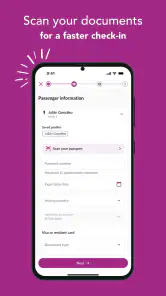
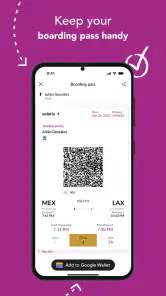
No one likes the hassle of standing in long lines at the airport. With the Volaris app, you can kiss those days goodbye. The check-in process is straightforward; it only took me a few taps to complete. What’s even cooler is that you can save your boarding pass directly on your phone. No more fumbling through papers or worrying about losing that tiny piece of cardboard.
Managing Your Itinerary
One of the features I absolutely love is the itinerary management. The app keeps all your travel details organized and easily accessible. Whether you need to check your flight time or add an extra service, it’s all there at your fingertips. This feature is particularly useful for frequent travelers who juggle multiple trips at once.
Extra Perks and Notifications
Now, let’s talk about the extras. The app offers various services like seat selection and extra baggage, which you can add with just a few clicks. Plus, the notification system is a lifesaver. Get timely alerts about gate changes, delays, and even boarding times. It’s like having a personal assistant who’s always on the ball.
In conclusion, the Volaris app is a must-have for anyone who values convenience and efficiency. It’s not just an app; it’s a travel companion that makes your flying experience more enjoyable. Whether you’re a frequent flyer or planning your first trip, this app will ensure your journey is as smooth as possible. So, next time you’re thinking about booking a flight, give the Volaris app a try. You might just find that your travel hassles disappear into thin air.
Pros
- User-friendly interface for easy booking
- Multiple payment options available
- Real-time flight status updates
- Frequent flyer program with rewards
- 24/7 customer support
Cons
- Limited international destinations
- No in-flight entertainment
- Additional fees for baggage
- Occasional app crashes
- Limited offline functionality

- Category
- Travel & Local
- Version
- 2.10.36