

VideoDownloader
- 6.00
- 2.8
- Installs
- 100.00K
- Price
- Free

Screenshots
Analysis by Reviewed
I approached VideoDownloader as a practical utility rather than a full editing suite: something you open when a video needs to be saved for later and played without relying on a browser. That narrow purpose is important, because the app’s appeal depends less on creative tools and more on whether its download workflow feels clear, predictable, and comfortable to use.
Developed by Dituo Technology, this free app sits in the video players and editors category, although its everyday role is closer to a downloader with an integrated player. It is aimed at people who want a quick route from an online video to local playback. I found that positioning easy to understand, but it also sets a high standard: a downloader has to make each step obvious, avoid unnecessary friction, and give the user confidence about what is being saved.
The public response is mixed, with an average rating of 2.8 from roughly three dozen ratings and six written reviews. It has passed the 100K-install mark, so it is not an entirely unknown utility, yet the modest rating tells me to recommend a measured trial rather than blind enthusiasm. It is free to install, rated for Everyone, and the current release is version 1.14. The app requires Android 8.0 or later, while optional purchases range from $0.99 to $9.99 per item.
How VideoDownloader feels when trust matters
I judge a downloader less by how quickly it starts and more by whether I can understand each decision it asks me to make. In this section, I focus on keeping the process deliberate: choosing material I’m entitled to save, checking what will be stored, and deciding how long a local copy should remain on my device. That trust-first approach also makes it easier to build a repeatable routine without giving the app more access or attention than the task requires.
A focused tool with a deliberately narrow promise
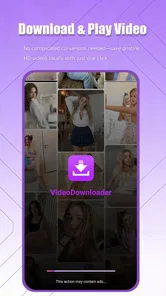
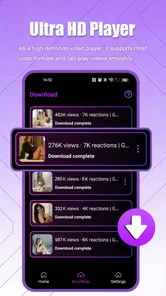
The strongest part of the experience is the straightforward idea behind it. Instead of presenting itself as a complicated production workspace, VideoDownloader concentrates attention on obtaining video and watching it in HD. That makes sense for a commuter saving a permitted tutorial, a student keeping a reference clip available during unreliable connectivity, or a family member who wants simpler playback than a crowded web page provides.
At the same time, a downloader is not automatically trustworthy just because it is simple. I pay attention to every point where the app asks me to choose a source, confirm a download, select a quality, or open a saved file. Those moments are where a user should be able to tell what will happen next. A useful app should not make the difference between streaming and storing feel mysterious.
My cautious view comes from the combination of a limited public rating history and the nature of the task. Saving online video can involve copyright restrictions, platform rules, mobile storage, and potentially sensitive viewing habits. That does not make the app unsuitable, but it does mean I would use it for content I am allowed to save and would avoid treating it as a universal solution for every video service.
More From Our News Desk

 Instagram
Instagram’s Power Comes From Its Place in Your Phone
A close look at how Instagram turns Meta’s reach, recommendation systems and everyday camera habits into durable platform power—and what that costs users.

 Gmail
GmailGmail in a Busy Inbox: Who Benefits Most?
From first account to crowded workday, Gmail earns its place through dependable search and flexible sorting—but its best fit depends on how much inbox maintenance you can tolerate.

 Prime Video
Switching to Prime Video: What Changes in Your Viewing Routine
Prime Video can make a compelling second home for streaming, but switching means learning a different catalog, rental layer, and route from browsing to playback.

 Universal TV Remote Control
Universal TV Remote Control Works Best as a Reliable Backup
A phone remote earns its place through quick setup and reliable habits. Here is how to get more from Universal TV Remote Control—and where its limits show.

 Weather - By Xiaomi
Weather by Xiaomi Review: Clear at a Glance, Less Clear Up Close
Xiaomi’s weather app makes everyday forecasts quick to scan, but its calm surface can leave useful details and recovery paths harder to find than they should be.

 X
XX Under Pressure: Can It Recover When Posting Goes Wrong?
A resilience-focused review of X, examining setup, mistaken posts, interruptions, weak connections, and the gaps that matter when recovery needs to be dependable.
Latest News



What the developer and listing tell me
Dituo Technology presents the product as a fast video downloader and HD player. That description is useful for understanding the intended workflow, but it does not replace careful attention inside the app. Speed is only valuable if the destination, file type, and quality choice are visible before I commit. A fast download that is difficult to locate later is not a good result.
The Everyone content rating makes the app approachable for a broad audience, but parents should still explain the difference between an app being age-rated for everyone and the material a user might choose to download. The rating describes the application’s general classification, not every video reachable through an external source.
I also treat the in-app purchase range as a reason to pause before confirming anything paid. Since the app is free to install, I would first explore the basic workflow and identify which actions remain available without payment. I would not assume that every quality option or convenience is included, and I would read each purchase screen rather than tapping through it quickly.
Permissions and data-sensitive moments deserve attention
The most sensitive moments are not necessarily the download itself. They include selecting a destination, granting access to files, pasting or opening a video source, and deciding whether a saved item should remain on the device. These are the points where I would slow down and check the wording presented on screen instead of approving requests automatically.
I would also avoid entering personal account credentials into a downloader unless there were a clear, necessary reason and a clearly explained sign-in flow. For ordinary public or openly accessible material, a request for unrelated account information would be a warning sign for me. The safest workflow is the one that lets me complete a legitimate download while sharing as little personal information as possible.
Another practical concern is local storage. HD files can consume space quickly, and a downloader can make it easy to forget what has accumulated. I recommend checking the available storage before starting a large file, then reviewing the saved folder afterward. If the app offers a destination choice, I would use a location that is easy to inspect and clean rather than allowing files to disappear into an unfamiliar directory.
There is also a privacy habit worth adopting: do not download sensitive personal footage to a shared device unless you understand who can access local media. A separate folder, a promptly deleted file, or playback from a less exposed device may be more appropriate. This is not a special feature of VideoDownloader; it is a consequence of turning online viewing into a local copy.
A realistic everyday workflow
Imagine I am leaving home for a train journey and want to keep a permitted instructional video available offline. I would begin by checking that I have enough free storage, open the source through the app’s supported workflow, and identify the exact video before starting. I would choose a sensible quality rather than automatically selecting the highest option, especially if the screen is small and storage is limited.
After the download finishes, I would play a few seconds immediately. This small check catches several annoyances early: an incomplete file, an unexpected resolution, missing sound, or a file that is saved somewhere inconvenient. I would then rename or organize it if the app and device allow that, and remove it once the trip is over. That routine gives me more control than downloading repeatedly and hoping the files remain easy to find.
The trade-off is clear. Higher definition can make a video more pleasant to watch, but it also increases storage use and may take longer over a limited connection. For spoken tutorials, lectures, or demonstrations, a moderate setting may be the better choice. For detailed visual material, HD may justify the extra space. The right answer depends on the screen, the journey, and how long I expect to keep the file.
Where user control should begin and end
I like tools that let me decide when a download starts, where it goes, and when it is removed. Those choices reduce surprises and make the app feel like a utility rather than an automatic collector of media. Before confirming a download, I would look for a visible indication of the selected quality, file name, destination, and progress. If any of those are unclear, I would cancel and investigate rather than assume.
Notifications are another area where restraint helps. A downloader may need to show progress, but I prefer temporary status information over a constant stream of alerts. If Android offers notification controls for the app, I would keep completion notices if they are useful and disable anything that adds noise. The same principle applies to storage: keeping only the files I intentionally chose makes the device easier to manage.
When a purchase prompt appears, I would ask whether it changes a real limitation in my workflow or merely adds convenience. The available purchase range runs from $0.99 to $9.99 per item, so the amounts are not identical and should not be treated as one flat fee. I would confirm the exact item, billing wording, and whether the benefit is one-time or ongoing before paying.
Comparison with ordinary alternatives
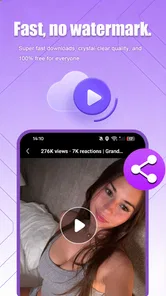
Compared with watching through a normal browser, VideoDownloader can be more convenient when I need local playback and do not want to keep a web page open. The integrated player also keeps the task in one place. That is the clearest reason to try it: it combines obtaining a video with watching the resulting file instead of forcing me to move between several apps.
Compared with official offline features offered by some video services, however, a dedicated downloader may be less predictable. Official tools usually explain availability within the service’s own rules and manage playback through the account or subscription that provided access. VideoDownloader is more appealing when I need a general-purpose local file workflow, but an official option is often the better choice when it is available and meets my needs.
Compared with a full mobile editor, this app should not be chosen for trimming, captions, transitions, color work, or publishing polished content. Its value is before the editing stage: getting a permitted video onto the device and playing it. If my goal is to create a finished clip, I would use a dedicated editor after obtaining the source lawfully.
Compared with a file manager plus a separate media player, VideoDownloader may reduce the number of steps, but the separate-app approach can offer more control over organization and playback. Someone who already has a reliable file workflow may not gain much from adding another utility. The app makes more sense for a user who wants the download and viewing steps joined together.
Who should try it, and who should skip it
I would recommend trying VideoDownloader if you regularly need to save openly available, permitted videos for personal offline viewing and you prefer a focused tool over a larger media package. It can also suit users who want an HD player attached to the download process instead of managing files manually from the start.
I would be more cautious if your videos are mainly tied to subscription services, private accounts, or platforms with strict offline rules. In those cases, the service’s own download function is usually easier to understand and less likely to create confusion about access. I would also skip this app if you need advanced editing, automatic media organization, or a highly mature ecosystem with extensive user feedback.
People with limited storage should not dismiss it outright, but they should adopt a strict cleanup routine. Download only what is needed, choose quality based on the actual viewing device, and test playback before leaving a reliable connection. Those habits matter more than simply choosing the highest available setting.
My verdict after weighing convenience against control
VideoDownloader has a sensible purpose and a potentially useful combination of downloading and HD playback. I can see its value in a short, deliberate workflow: choose a lawful source, select an appropriate quality, save the file, verify playback, and remove it when finished. The app is free to start with, supports Android 8.0 and newer, and its Everyone rating makes it approachable for general use.
My reservation is confidence. An average rating of 2.8 is not strong enough for me to recommend it without qualification, particularly when the app handles local copies of video and may present optional purchases. I would install it only from the official app channel, review each permission and payment screen, and test it with non-sensitive material before relying on it for an important trip or project.
The best reason to use VideoDownloader is controlled, occasional offline viewing—not unrestricted downloading without checking rights, storage, or account safety. If that matches your needs, a careful trial may be worthwhile. If you want guaranteed service integration, extensive editing, or a more established reputation, an official offline feature or a dedicated media workflow will probably suit you better.
In my final assessment, I see a useful but cautious recommendation rather than an automatic one. Dituo Technology has made a focused app for a recognizable problem, yet the mixed public response means I would keep expectations realistic. Start small, watch what the app asks you to approve, keep your files organized, and pay only when the exact benefit is clear. Used with that level of attention, it can be a practical addition for the right kind of Android user.
VideoDownloader Frequently Asked Questions
Does VideoDownloader need much storage space on my phone?
The space VideoDownloader uses depends on the videos you choose to save and their quality. Downloaded files can take up more room than the app itself, so it is sensible to check your available storage before starting a large download. You can also remove videos you have finished watching to make room for other files.
Is VideoDownloader free to download and use?
VideoDownloader is free to download, but it also offers in-app purchases priced from $0.99 to $9.99 per item. Before using paid features, review the purchase details shown in the app and check whether any optional items are relevant to you. The app is listed for everyone, and its current version is 1.14.
What is VideoDownloader and what can I use it for?
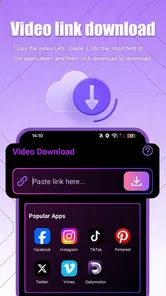
VideoDownloader is an app designed to help users save online videos for later viewing on a mobile device. Depending on the supported website and the app version, it may allow you to paste a video link, browse compatible content, and download available files in different qualities. Its main appeal is offline playback, although supported platforms and features can vary.
Is VideoDownloader available for both Android and iOS?
Availability depends on the specific VideoDownloader version and the store listing in your region. Android versions are commonly distributed through Google Play or an official developer page, while iOS availability may be more limited because Apple applies stricter rules to apps that download content from third-party services. Always check the official listing, developer name, permissions, and recent reviews before installing.
Can VideoDownloader download videos from every website?
No, VideoDownloader should not be expected to work with every website or social platform. Some services use encryption, authentication, copyright protection, or technical restrictions that prevent downloading. Supported sources can also change after website updates. Before relying on the app, test it with the specific platform you intend to use and review its current compatibility information rather than assuming that every video link will work.
Pros
- Downloads videos for offline viewing with a straightforward workflow.
- Supports saving content directly to your device’s local storage.
- Built-in preview helps confirm the video before starting a download.
- Useful for watching saved videos when mobile data is unavailable.
- Simple interface is accessible to users with limited technical experience.
Cons
- Downloaded content may use considerable storage
- especially at higher quality.
- Some websites or formats may not be supported consistently.
- Download speeds depend heavily on the source site and network connection.
- Advertising may interrupt navigation or make the interface feel cluttered.
- Users must respect copyright rules and each platform’s terms of service.












