Type Machine
- 172.00
- 4.2
- Installs
- 10.00K
- Price
- $2.49

Screenshots
Analysis by Reviewed
If you’ve ever lost a text or struggled to recall what you typed in an app just moments ago, you’re in for a treat. Let me introduce you to Type Machine. I’ve been using this app for a while now, and I must say, it’s almost like having a little superhero in your pocket, ready to save the day when you’re in a pinch.
What is Type Machine?
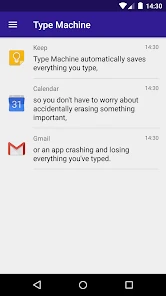
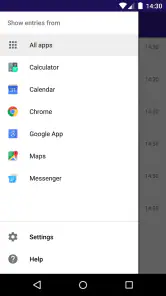
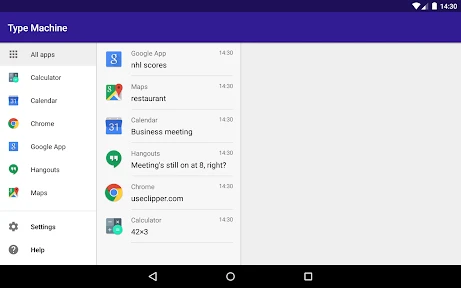
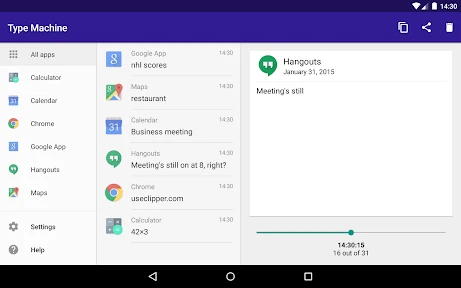
So, what exactly is Type Machine? Imagine an app that quietly sits in the background of your phone, shadowing every word you type. It doesn’t matter if you’re on WhatsApp, Facebook, or any other app; Type Machine is saving every keystroke. The idea here is simple yet genius—never lose anything you type again!
Design and Usability
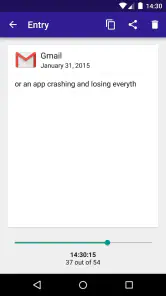
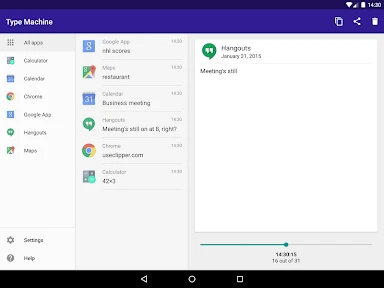
One of the first things I noticed about Type Machine is its clean and straightforward design. It’s not cluttered with unnecessary features, which is something I genuinely appreciate. The user interface is intuitive, making it super easy to navigate through your saved text history. It’s like browsing through a well-organized library of your thoughts.
Setting it up is a breeze. Once installed, you just need to grant it the necessary permissions, and you’re good to go. It’s all about simplicity and efficiency here, folks.
Privacy Concerns
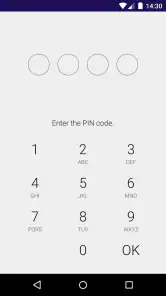
Now, I know privacy can be a big concern, especially with an app that logs everything you type. But fret not! Type Machine doesn’t require an internet connection, meaning your data isn’t being sent or stored on external servers. Everything is kept locally on your device. Plus, you can set a pin lock to prevent unauthorized access to your log. It’s like having a diary with a lock and key.
Performance and Reliability
In terms of performance, Type Machine is a champ. It doesn’t hog your phone’s resources or drain the battery, which is a relief because who needs another app slowing down their device? It runs smoothly in the background, doing its job without any hiccups.
I’ve tested it across various apps and haven’t encountered any issues. It’s reliable, and that’s what matters most when you’re dealing with something as critical as your data.
Final Thoughts
Overall, Type Machine is one of those apps you didn’t know you needed until you start using it. It’s like having a backup for your thoughts, ensuring that nothing gets lost in the digital abyss. Whether you’re a writer, a social media enthusiast, or just someone who values their typed words, this app is a game-changer.
So, if you’re tired of losing your thoughts to the void, give Type Machine a try. It’s simple, effective, and respects your privacy. Honestly, it’s one of those apps where you wonder how you ever lived without it!
Pros
- User-friendly interface enhances experience
- Auto-backup protects data from loss
- Supports multiple languages
- Efficiently tracks app usage
- Minimal battery consumption
Cons
- Limited cloud storage options
- No cross-device sync
- Occasional app crashes
- Paid app without free trial
- Interface lacks customization

- Category
- Productivity
- Version
- 2.1.1