

TrueBond -Al Video Editor&Hug
- 91.00
- 4.6
- Installs
- 50.00K
- Price
- Free

Screenshots
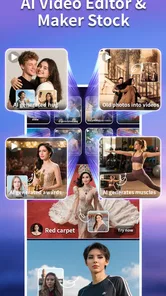

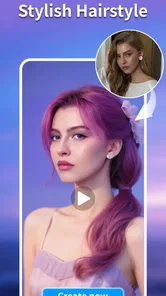
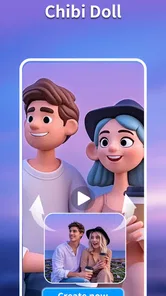
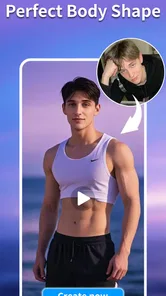


Analysis by Reviewed
TrueBond -Al Video Editor&Hug is an AI-focused art and design app from KL Technology Limited that turns a simple idea into a short visual result on a phone. I found its appeal less in traditional timeline editing and more in the speed of moving from a concept to something shareable. You begin with an intention—an affectionate message, a playful visual, or a small story—and the app is designed to help shape that idea into an AI video.
That difference matters. If you are looking for a full replacement for a desktop editor, this is not the experience I would choose first. If you want to experiment with AI-assisted video creation without opening a complicated editing suite, it is much easier to understand. The app is free to install, carries a Teen content rating, and supports devices running Android 7.0 or later. Its current version is 1.6.1, so compatibility is broad enough for many older Android phones, although the quality of the experience will still depend heavily on the phone, connection, and the complexity of what you ask it to create.
What the creative workflow feels like on a phone
The first thing I noticed is that TrueBond is built around immediacy. It is not asking me to spend a long time arranging clips before I see an outcome. The useful mindset is to treat each attempt as a visual draft: describe the feeling or scene I want, provide the material the app requests, and then judge whether the generated result matches the idea in my head.
That approach works especially well for personal messages. I can imagine using it to make a birthday greeting, a romantic visual, a lighthearted clip for a group chat, or a quick concept for a social post. The “hug” emphasis in the name gives the app a warmer, more personal identity than a general-purpose editor. It feels aimed at moments where the emotional effect matters more than exact cuts, professional color correction, or a carefully controlled soundtrack.
The most useful way to approach TrueBond is as an idea-to-video tool, not as a precision editing workstation. That distinction prevents disappointment. Traditional mobile editors give me direct control over trimming, transitions, text placement, and timing. An AI video app gives me speed and surprise, but the result may need another attempt before it feels natural. I would use TrueBond for the first creative leap, then move to a conventional editor if the final clip needed detailed polishing.
Where the app fits into an everyday routine
A realistic use case would be a family member living in another city. I could choose a suitable photo or visual prompt, create a short affectionate clip, review the result, and send it in a message before a call. That workflow is more personal than forwarding a static image, yet it does not require me to learn a complex animation program. The value is in reducing the distance between “I have an idea” and “I have something I can show someone.”
It can also be useful for small creative tests. A café owner might want to explore a friendly social post, a student could turn a visual concept into a presentation accent, and a casual creator could try several moods before deciding which direction deserves more work. In each case, I would keep the first prompt focused. A short description with one clear subject and one clear emotion is more practical than trying to describe an entire movie in one request.
More From Our News Desk

 Gmail
GmailGmail in a Busy Inbox: Who Benefits Most?
From first account to crowded workday, Gmail earns its place through dependable search and flexible sorting—but its best fit depends on how much inbox maintenance you can tolerate.

 Prime Video
Switching to Prime Video: What Changes in Your Viewing Routine
Prime Video can make a compelling second home for streaming, but switching means learning a different catalog, rental layer, and route from browsing to playback.

 Universal TV Remote Control
Universal TV Remote Control Works Best as a Reliable Backup
A phone remote earns its place through quick setup and reliable habits. Here is how to get more from Universal TV Remote Control—and where its limits show.

 Weather - By Xiaomi
Weather by Xiaomi Review: Clear at a Glance, Less Clear Up Close
Xiaomi’s weather app makes everyday forecasts quick to scan, but its calm surface can leave useful details and recovery paths harder to find than they should be.

 X
XX Under Pressure: Can It Recover When Posting Goes Wrong?
A resilience-focused review of X, examining setup, mistaken posts, interruptions, weak connections, and the gaps that matter when recovery needs to be dependable.

 Clash of Clans
Clash of Clans Is Won Between the Battles
Its raids are quick; its community is a long-term project of coordination, teaching, rivalry, and shared responsibility—with all the friction that entails.
Latest News



One non-obvious trade-off is that speed can encourage careless repetition. Because generating a new version feels easier than refining an old one, it is tempting to keep pressing ahead without deciding what was wrong with the previous result. I get better value when I change one element at a time: the subject, the mood, the setting, or the relationship between people. That makes the experiments easier to compare and helps me learn what kind of input produces the look I want.
Why connectivity shapes the experience
AI video creation is naturally tied to network-dependent moments. When an app has to interpret a request and produce a generated result, the waiting period becomes part of the creative process. A strong connection makes the interaction feel immediate enough to stay playful. A weak or unstable connection changes the mood completely: the app can feel hesitant, and a quick experiment becomes a task that requires patience.
I would therefore avoid starting an important creation while moving between unreliable networks, especially if I need the video for a birthday message or a scheduled post. The best time is when I can leave the app open, keep the phone connected, and review the result without rushing. This is not just a technical preference. AI tools work best when I have enough attention to inspect the outcome rather than accepting the first version automatically.
Network conditions can also affect how willing I am to experiment. When every attempt feels smooth, I am happy to try a softer prompt, a different image, or a new emotional direction. When each attempt is interrupted, I become conservative and settle too quickly. My practical tip is to prepare several concise ideas before opening the generation flow. That way, a delayed attempt does not leave me staring at a blank screen wondering what to try next.
Using it comfortably in mobile contexts
TrueBond makes the most sense in short sessions. I would use it on a phone during a quiet break, at home before sending a message, or while collecting ideas for a social clip. The mobile format is convenient because the source material is already likely to be on the device. I do not need to transfer a photo to a computer simply to test a personal concept.
At the same time, a small screen changes how carefully I review generated video. Details that look acceptable in a preview may feel strange when watched again, particularly around faces, expressions, hands, or transitions involving more than one person. I would always replay the complete result before sharing it. A clip can have the right general emotion while still containing an awkward moment that is easy to miss when I only watch the opening seconds.
Battery and heat are also practical considerations for mobile AI work, even when the editing interface itself feels light. I would not begin a long series of experiments with a nearly empty battery, and I would avoid treating the phone as if it were a desktop workstation. The app is more enjoyable when I use it for focused creative bursts rather than trying to produce a large batch of finished videos in one sitting.
Another useful habit is to keep the source material simple and intentional. Before starting, I would choose the image or concept that communicates the subject clearly, remove distractions where possible, and decide what emotion the video should carry. This preparation does more for the final result than adding a long, complicated description after the fact. It also makes it easier to recognize whether the app improved the idea or merely produced something visually busy.
What happens when a generation goes wrong
AI output is not always predictable, so failure and recovery are central to the experience. A result may be technically attractive but emotionally wrong. A loving idea can come out too dramatic, a playful prompt can feel stiff, or the movement can distract from the person or message I wanted to highlight. I would not judge the app from one unsuccessful attempt, but I also would not assume that repeated generation automatically fixes the underlying problem.
My preferred recovery method is to simplify. If the first request includes several people, multiple actions, a detailed setting, and a specific style, I would remove half of those instructions and focus on the one moment that matters. Then I would compare the new result with the earlier version. This gives me a clearer sense of whether the issue came from the concept itself or from too many competing directions.
It is also worth saving a satisfactory version before continuing to experiment. Creative tools often make it easy to chase an even better result, only to lose the version that already worked. I would treat each acceptable output as a checkpoint. If a later attempt feels more polished but less sincere, the earlier one may still be the better choice for sharing.
When a request takes longer than expected or appears not to complete, I would first check the connection and give the process a little time rather than repeatedly tapping the same control. Repeated actions can create confusion about whether a request is still processing or whether several attempts have been started. If I need to try again, I would change the prompt or source material slightly instead of submitting an identical request over and over.
That recovery mindset is important for new users. TrueBond is most rewarding when I accept that AI creation is iterative. It is less satisfying if I expect the first result to be a finished, perfectly directed video. The app can shorten the path to an idea, but it does not remove the need for taste, selection, and review.
Being sensible with data and spending
Because the workflow may involve personal images or emotionally meaningful content, I would think carefully before selecting material. I would use images I am comfortable processing through a creative service and avoid casually choosing sensitive photographs simply because they are convenient. This is especially important when the image includes other people. Asking whether they would be comfortable with the image being used is a good personal rule.
I would also keep the first experiments modest. The app is free to download, but it includes in-app purchases ranging from $1.99 to $104.99 per item. That wide range makes it especially important to understand what I am using before paying for anything. I would test the basic workflow, decide whether the generated style genuinely suits my needs, and only then consider a purchase. Someone who expects occasional playful clips may have a very different view of value from a frequent creator.
A data-conscious workflow also means avoiding unnecessary retries. Every new generation can consume time, connection capacity, and possibly any usage allowance associated with the app’s paid options. I would write a short plan first: the subject, the emotion, the setting, and the one change I want to test. This is more efficient than sending vague prompts and hoping the next result happens to be better.
The Teen rating is another reason I would use judgment when creating and sharing content. I would keep the app’s role focused on appropriate personal, artistic, and social ideas, and I would review every result before sending it to someone else. AI-generated visuals can communicate a tone differently from what I intended, so the responsibility for the final share remains with me, not with the tool.
How it compares with familiar alternatives
Compared with a standard mobile video editor, TrueBond offers less direct control but a faster creative starting point. A conventional editor is better when I already have the clips and know exactly how the finished video should look. I can trim precisely, arrange scenes in a fixed order, and adjust the presentation by hand. TrueBond is more useful when I have a feeling or a rough concept but not yet a complete sequence.
Compared with a design app built around templates, it appears more personal and experimental. Templates are efficient for predictable formats such as announcements, posters, or branded social posts. TrueBond is more appealing when I want the result to feel like a generated interpretation of a relationship, mood, or visual idea rather than a familiar layout with new text.
Compared with advanced desktop software, the advantage is accessibility. I can explore an idea without committing to a large project file or a long editing session. The compromise is control. Professionals who need frame-accurate timing, dependable repeatability, layered audio work, or detailed compositing will probably be more comfortable elsewhere. I would use TrueBond to discover a direction, not to replace a serious production pipeline.
That comparison also clarifies who should skip it. If you dislike AI-generated variation, need every visual element to behave exactly as instructed, or mainly edit existing footage, the app may feel like an unnecessary detour. If you enjoy trying visual ideas quickly and can tolerate a little unpredictability, its strengths become much easier to appreciate.
Who will get the most from TrueBond
I would recommend it to casual creators, people making personal greetings, and anyone curious about AI-assisted video without wanting to study a complicated editor first. It is particularly suitable for users who value emotional impact and speed over exact manual control. The app can also help someone who feels stuck at the blank-page stage, because a generated draft gives the imagination something concrete to react to.
I would be more cautious recommending it for professional client work. A client may need consistency across several videos, predictable character appearance, and a clear revision process. Unless the generated result can meet those expectations reliably, a conventional editor or a more specialized production tool is safer. TrueBond can still contribute ideas to that process, but I would not make it the only tool responsible for the final delivery.
The app’s reception suggests that it has found an audience: it holds a 4.6 average from around 460 ratings, with more than 50 thousand installs. Those figures do not tell me whether every generated result will fit my taste, but they do indicate that the concept is attracting real interest. Since it was released on January 18, 2025, I also see it as a relatively young product whose appeal will depend on how well its creative workflow continues to develop.
My final view on the connected creative experience
After looking at the complete workflow, I see TrueBond as a friendly entry point into AI video creation rather than a universal editor. Its best moments happen when I have a simple emotional idea, a suitable image or prompt, and a reliable connection. The app then gives me a quick visual draft that can feel more expressive than a static message.
Its limitations are equally clear. Results may need several attempts, mobile review requires attention, and network interruptions can turn a playful experiment into a frustrating wait. The in-app purchase range also deserves careful consideration before spending. I would keep my prompts focused, review every generated clip, avoid unnecessary retries, and protect the privacy of people shown in the source material.
My recommendation is positive for personal, lightweight experimentation, but conditional for serious editing. Choose TrueBond when you want to transform a feeling or rough concept into a shareable AI video quickly. Choose a traditional editor when precision, repeatability, and detailed control matter more than surprise. Used with that expectation—and with a little patience around connectivity—it can be a genuinely enjoyable addition to a mobile creative toolkit.
TrueBond -Al Video Editor&Hug Frequently Asked Questions
What devices and operating systems can run TrueBond - AI Video Editor & Hug?
TrueBond is an Art & Design app for Android, with a minimum operating-system requirement of version 7.0. Before downloading, check your device’s software version and available storage so installation and media editing can go smoothly. The app is developed by KL Technology Limited and is rated for Teen audiences, so younger users should consider that age guidance before installing.
Is TrueBond suitable for beginners who have never edited a video?
TrueBond is aimed at casual creators who want to make AI-assisted videos without learning complicated professional editing software. Its focus on effects and ready-made creative options may make it approachable for someone starting out, though the result still depends on choosing suitable media and settings. If you prefer detailed manual control over every edit, a dedicated professional editor may be a better fit.
What is TrueBond - AI Video Editor & Hug, and what can I use it for?
TrueBond - AI Video Editor & Hug is designed for creating short, emotional videos with artificial-intelligence-powered effects. It can help turn photos or video clips into personalized edits, including affectionate “hug” style animations and social-media-ready content. The app is mainly aimed at casual creators who want quick results without learning complicated professional editing software.
Is TrueBond - AI Video Editor & Hug free to download and use?
The application is free to download, but some editing tools, AI effects, templates, exports, or other premium features can require payment. In-app purchases range from $1.99 to $104.99 per item. Before confirming a subscription or purchase, review the in-app payment screen carefully, including renewal terms and trial conditions.
How do I create a video with the AI hug effect in TrueBond?
After opening the app, you generally select a suitable photo or video from your device, choose the AI hug or related animation template, and allow the app to process the media. The quality of the result depends on factors such as clear faces, good lighting, and an appropriate pose. Processing can take some time, especially when the effect is generated online.
Pros
- AI tools make it easy to create polished videos with minimal editing experience.
- Hug effects add a playful
- personal touch to photos and short clips.
- Templates help speed up content creation for social media posts.
- The interface is approachable for casual users and quick edits.
- Useful for creating shareable romantic or friendship-themed content.
Cons
- Some AI effects may look unnatural or inconsistent on certain photos.
- Export quality and available formats may depend on the selected plan.
- Many templates or advanced features may require in-app purchases.
- Processing can take longer when applying complex AI effects.
- Privacy concerns may arise when uploading personal photos to AI servers.











