tinyCam Monitor PRO for IP Cam
- 6.03K
- 4.0
- Installs
- 500.00K
- Price
- $3.99
Screenshots
Analysis by Reviewed
I find tinyCam Monitor PRO for IP Cam most useful when I want one place to view cameras from different manufacturers rather than opening a separate app for each. It’s an Android video-viewing tool from Tiny Solutions LLC, aimed at people who already have network cameras and want a more flexible way to check them. The app has been around since 2010, and its long-running presence makes it a familiar option in a category where camera compatibility can matter more than a flashy interface.
Choosing it for a particular camera mix
I’d consider this app first if I had cameras from more than one maker, or a camera that connects through a standard such as ONVIF or RTSP. That is a different need from simply wanting to see one doorbell camera in the app its manufacturer recommends. With a mixed setup, reducing the number of viewing apps can make routine checks simpler; with a single device, an extra viewer may add setup work without much payoff.
Before buying, I would write down each camera’s model and connection method, then check what access details I can retrieve. The name of a manufacturer alone does not guarantee that every model uses the same stream or connection process. This quick inventory is especially useful if a camera was installed by someone else: you may need its login or local network details, and discovering that before trying to build a multi-camera screen saves a frustrating first session.
Where it fits in a camera setup
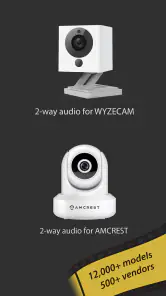
The app supports Wyze, Yi, Eufy, Arlo, ONVIF, RTSP and P2P IP cameras. That range is its clearest practical advantage: if your cameras come from different brands or use different connection standards, a single viewer may be easier than keeping several manufacturer apps in rotation. The trade-off is that broad compatibility can make setup less automatic. Before paying, I’d check how each specific camera connects and whether its required access details are available; a camera appearing to be in the same brand family does not guarantee every model or configuration will behave identically.
The app currently has a 4.0 average from around 36,000 ratings, with more than 500,000 installs. Those figures suggest it has found a substantial audience, but they don’t tell me whether it will work smoothly with your exact cameras or network. It costs $3.99 and is rated for Everyone. I’d think of the purchase as paying for a consolidated viewing tool, not as buying cameras, a monitoring service or a replacement for careful setup.
Why tinyCam Monitor PRO Stands Out
One of the first things you’ll notice about tinyCam Monitor PRO is its killer interface. It’s clean, intuitive, and doesn’t take a tech genius to navigate. Whether you’re a newbie or a seasoned pro, you’ll find your way around in no time. Plus, the app supports a crazy amount of camera brands, which is pretty awesome if you’ve got a mixed setup.
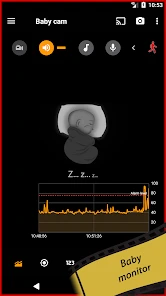
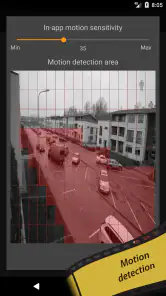
Now, let’s talk features. This app gives you live camera feeds, audio support, and even two-way audio, which is perfect if you need to shout at someone sneaking around your property. I was particularly impressed with the motion detection alerts. You can customize them to your liking, so you get notified only when it really matters. No more annoying false alarms!
More From Our News Desk

Clash of Clans Is Won Between the Battles

Android Auto Makes the Case for Quieter Car Software

MobiOffice: Transforming Mobile Productivity with Seamless Integration

EA SPORTS FC™ Mobile Soccer: Redefining Mobile Sports Gaming

How Microsoft OneDrive Became a Mobile Productivity Giant

How Google Translate Breaks Language Barriers Effortlessly
Setting Up and Getting Started
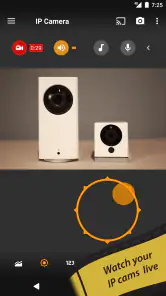
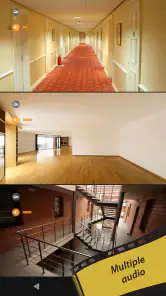
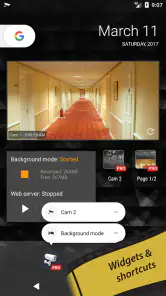
Setting up tinyCam Monitor PRO is a breeze. Just install the app, add your cameras, and you’re good to go. The app walks you through each step, so there’s no guesswork involved. I love how the app provides different layouts depending on how many cameras you’ve got. You can go full screen or have multiple feeds on one screen like a mini control center.
For a less frustrating first session, I’d add one camera at a time and confirm that its live view works before building a multi-camera layout. If a feed fails, that simple test helps separate a camera login or network problem from a layout issue. Once the basics are working, a grid is handy for a quick sweep of several rooms, while full screen makes more sense when you need to inspect one view closely. That small bit of organization can make a mixed setup feel manageable instead of cluttered.
A useful habit is to label cameras by location rather than relying on model names or default labels. When you are checking several views quickly, “back door” or “garage” is easier to recognize than a device identifier. I’d also keep a simple private record of each camera’s connection details. That is less about the app itself than about making future troubleshooting or a phone change less dependent on memory.
Another cool aspect is the cloud integration. You can save recordings to your favorite cloud service. So, whether it’s Google Drive or Dropbox, you’re covered. This feature is a life-saver for those who want to keep their footage safe without filling up their device storage.
Everyday monitoring and practical trade-offs
A realistic use for me would be checking the front door and a pet’s room during a lunch break. I’d open the multi-feed view for a quick glance, then switch to the relevant camera if I needed a closer look. That’s where a dedicated viewer can be more convenient than jumping between brand-specific apps. It is still a viewer, though: I wouldn’t treat a phone notification or a live feed as a guaranteed substitute for a properly configured security system, nor would I assume the app itself provides a staffed monitoring service.
For someone who wants a DIY DVR-style setup, the appeal is having camera viewing and recording options in the same place. The useful decision is where recordings should live: cloud storage can spare local device space, while any recording workflow still depends on a stable camera connection and a destination you can access. I’d test a short recording and check that it can be found again before relying on it for something important. A live picture proves the stream works; it doesn’t by itself prove that recording and playback are configured as intended.
For a small home or shop, I’d treat camera placement and the viewing layout as separate decisions. A grid can help with a quick overview, but it is not automatically the best way to watch every location: a busy scene may deserve a full-screen check, while a hallway that rarely changes may only need occasional glances. Starting with the views you actually use keeps the screen useful instead of turning it into a wall of feeds you never inspect.
There are situations where I’d choose the camera maker’s own app instead. If you only own one camera and mainly want the simplest guided setup, its official app may involve fewer choices and can be a more direct starting point for brand-specific controls. tinyCam makes more sense when consolidating cameras is the point, or when you want a viewer that works across supported standards. Its flexibility is valuable, but it also means you may need to understand camera addresses, credentials or connection methods rather than expecting every device to appear automatically.
It is also worth separating viewing from the rest of a camera system. A unified screen is convenient, but it does not automatically settle how each camera stores footage, which account controls it, or how you will retrieve an important clip later. I would keep using a manufacturer’s app when it is the clearest place to manage a camera-specific setting, and use this viewer for the repeated task of checking several feeds. That division can be more practical than insisting that one app handle every part of the setup.
Performance and Reliability
Performance-wise, the app is pretty solid. I didn’t experience any crashes or major bugs during my time with it. The video quality is top-notch, and streaming is smooth as butter. It’s clear that the developers put a lot of work into ensuring the app runs flawlessly, even on older devices.
Those impressions shouldn’t be read as a promise that every phone, camera or Wi-Fi network will deliver the same result. Several feeds at once put more demands on a connection than checking a single camera, and a weak or busy network can make a perfectly compatible setup feel unreliable. If a grid stutters, I’d first try viewing one feed at a time and check the camera connection before blaming the app. For regular remote checks, I’d also test from outside the home network; a view that works only while connected to home Wi-Fi may not meet the reason you installed a remote viewer.
If remote viewing is the main reason for installing it, I’d test that exact situation early rather than waiting until I am away from home. A successful view on the same Wi-Fi network is a useful first check, but it does not prove that remote access is ready. I’d also try the cameras individually before opening multiple streams, since that makes it easier to spot whether the issue is one camera, the network path or the combined view.
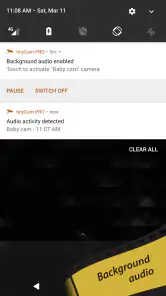
Battery consumption was surprisingly low, which is a huge plus if you’re using this app on your smartphone. You can leave it running in the background without worrying about draining your battery life.
What to expect as the app evolves
tinyCam Monitor has been available since December 9, 2010, so it is not a new experiment in camera viewing. That history may reassure existing users who have built a routine around it, but age alone does not tell me how a particular camera model or phone will behave today. I would keep camera credentials and connection details recorded somewhere safe before changing devices, then verify each feed after moving to a new phone rather than assuming the setup will transfer perfectly.
Its established role is clearest as a flexible viewer for people who already have cameras, not as a promise that every future model will connect in the same way. For current users, the most useful measure of continued fit is straightforward: do the feeds you rely on still open, and can you still find recordings when you need them? I would check those basics after a camera, network or phone change, rather than assuming a familiar setup will remain identical without testing.
The practical question for a long-time user is whether the app still fits the cameras and habits they have now. A changing mix of camera brands is a strong reason to value a consolidated viewer; a move to one camera with a polished manufacturer app may make that flexibility less important. If you are deciding whether to rely on it for recordings, check that your chosen storage destination is available and that playback works before treating it as an archive. Those are sensible checks for any DIY camera workflow, not a reason to expect a particular future feature.
When choosing a camera viewer, I would watch for compatibility with the exact camera models I own, not just broad brand names, and for changes in the way those cameras expose their streams. I would also keep my own checklist of the connections and recording destinations I depend on. Those checks help existing users make a grounded decision about whether to keep their current workflow, use a manufacturer app for a specific task, or try a different viewer if their camera setup changes.
Final Thoughts
Overall, tinyCam Monitor PRO is a fantastic app for anyone looking to keep an eye on their property or loved ones. It’s packed with features, easy to set up, and reliable. Whether you’re tech-savvy or just getting started, this app has got you covered. So, if you’re on the fence about which security app to get, I’d say give this one a shot. It’s like having a security guard in your pocket, ready to spring into action whenever you need it!
My recommendation is more specific: I’d consider it when you have several compatible IP cameras, want one viewing workspace, and are comfortable testing the connections and recording path yourself. I’d skip it if you expect a one-tap, fully managed security service or only need the most straightforward way to use a single camera. For the right setup, the flexibility is the point; for everyone else, a manufacturer’s app may be the simpler fit.
tinyCam Monitor PRO for IP Cam Frequently Asked Questions
What camera streams can I add to tinyCam Monitor PRO?
tinyCam Monitor PRO is a camera-viewing app for systems including Wyze, Yi, Eufy, and Arlo, as well as cameras that use ONVIF, RTSP, or P2P. If you already own a camera, check its model and connection method before purchasing, since support can vary between devices. This is particularly useful when you have cameras from more than one brand.
Is tinyCam Monitor PRO free to download, or is it a paid app?
tinyCam Monitor PRO is a paid app priced at $3.99. It is intended for people who want to view supported IP-camera feeds and use advanced camera-monitoring features from their phone. Before buying, it is sensible to make sure your camera setup is compatible and that the app’s approach to monitoring suits your needs.
Can I use tinyCam Monitor PRO to view cameras while I’m away from home?
Yes. tinyCam Monitor PRO is designed for remote viewing, so you can use it to check supported IP-camera feeds when you are away from the camera’s location. The app’s usefulness depends on having your cameras set up and reachable through their supported connection method. It is a practical option for keeping an eye on home or other camera locations from your phone.
Which camera connection standards and brands does tinyCam Monitor PRO support?
The app is built to work with a range of IP-camera systems, including Wyze, Yi, Eufy, and Arlo, as well as ONVIF, RTSP, and P2P cameras. Compatibility can still depend on the specific camera and how it is configured, so check that your model and connection method are supported before buying. This is especially worthwhile if you rely on a less common camera setup.
What is tinyCam Monitor PRO and how does it work?
tinyCam Monitor PRO is a versatile app designed for remotely monitoring and controlling your IP cameras. It supports a wide range of camera models and allows users to view live feeds, record videos, and take snapshots. The app also includes features like motion detection, cloud storage, and support for PTZ (Pan-Tilt-Zoom) controls, making it an essential tool for home security and surveillance.
Pros
- Supports various camera models
- Allows remote access to cams
- User-friendly interface
- High-quality video streaming
- Regular software updates
Cons
- Requires stable internet connection
- Initial setup can be complex
- Limited free features
- Battery drain on mobile devices
- Occasional app crashes
- Category
- Video Players & Editors
- Version
- Varies with device












