Tiny Fax - Send Fax from Phone
- 10.95K
- 4.6
- Installs
- 500.00K
- Price
- Free
Screenshots
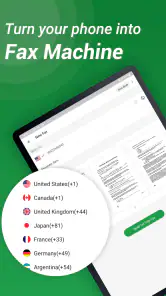
Analysis by Reviewed
I think a phone fax app makes the most sense when a fax is an occasional obstacle, not a daily part of your job. You might have a signed form ready to go but no fax machine nearby, and the deadline is still today. Tiny Fax - Send Fax from Phone is built for that kind of moment: it turns a phone into a way to handle a document exchange without first finding an office with fax equipment. I’d consider it most useful for people who deal with paperwork now and then, rather than teams that need a fully managed fax operation.
Start with the document, not the fax machine
The practical workflow begins with whatever you already have: a paper document, a photo, a receipt, or a digital file. Tiny Fax is a business app from TinyWork Apps, and its purpose is refreshingly narrow. You prepare the material on your phone, enter the destination, and send it. That focus is helpful when the need is immediate, although it also means I wouldn’t treat the app as a general document-management system.
If the paper is in front of you, photographing it in good light and checking the crop before sending are worthwhile habits. A slightly crooked page or a shadow across a signature can make a document harder for the recipient to use. I’d also review every page in order before transmitting, especially if the paperwork includes a form and supporting receipts. Fixing a small capture mistake first is easier than explaining it after the fax has gone out.
From phone capture to a useful handoff
Scan and Fax in a Jiffy
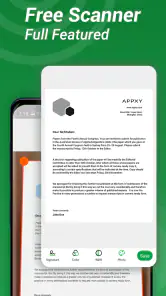
One of the standout features of Tiny Fax is its ability to scan documents directly from your phone. You just snap a picture of the document, crop it to your liking, and the app takes care of the rest. The quality of the scan is surprisingly good, making it hard to tell it wasn’t done with a dedicated scanner. The app supports a range of file formats, so whether you’re working with PDF, JPG, or PNG, you’re covered.
A useful way to avoid last-minute confusion is to make a quick pre-send check: confirm that the recipient’s number is correct, that the pages are legible, and that no unrelated image ended up in the document set. This matters more with faxing than with a casual photo share, because once a document reaches an office, it may be handled by someone other than the person you have been speaking with. If the contents are sensitive, I’d be especially careful about choosing the right destination.
Send Faxes Anywhere
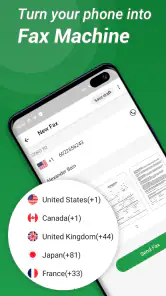
Once your document is scanned, sending it off is as simple as entering the recipient’s fax number and hitting send. Tiny Fax allows you to send faxes to over 30 countries, making it incredibly versatile for both personal and business use. I found this particularly handy when I needed to send documents internationally without any hassle.
That international reach is convenient, but it doesn’t remove the need to check the destination’s requirements. A clinic, insurer, landlord, or government office may have its own preferred cover details or routing instructions. If you’re sending several pages, take a moment to ensure they belong together and are in the intended order. A clear, complete packet is more useful to the person receiving it than a fast transmission that needs a follow-up call.
More From Our News Desk

Clash of Clans Is Won Between the Battles

Android Auto Makes the Case for Quieter Car Software

MobiOffice: Transforming Mobile Productivity with Seamless Integration

EA SPORTS FC™ Mobile Soccer: Redefining Mobile Sports Gaming

How Microsoft OneDrive Became a Mobile Productivity Giant

How Google Translate Breaks Language Barriers Effortlessly
When the recipient is part of the workflow
Faxing is rarely just a send button; it is a handoff. For example, imagine you’re at home with a signed form that an office needs before it can process a request. You can capture the form, check the image, enter the office’s fax number, and send it without travelling to a copy shop. The other side still has to receive and route it, so I’d keep the original paper until the recipient confirms it is usable.
That last step is important for anyone asking whether a phone fax is enough for time-sensitive paperwork. The app can make sending more convenient, but the recipient’s process still determines what happens next. If a document is urgent, I’d call or otherwise contact the office to verify receipt rather than assuming that tapping send means the task is finished. For routine paperwork, that extra check may be unnecessary; for a deadline or a missing signature, it is sensible follow-through.
Keep Track of Your Faxes
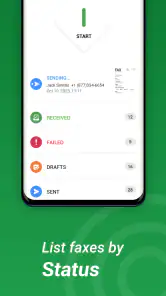
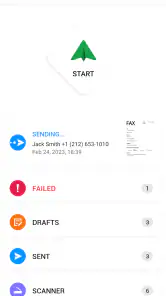
Tiny Fax also does a fantastic job of keeping your fax history organized. All sent and received faxes are neatly categorized, so you can easily refer back to any documents if needed. This is especially useful for keeping track of important business correspondence.
For occasional users, a history can be more than a convenience: it helps you remember whether you already sent a form and gives you a place to look when someone asks about earlier correspondence. I’d still keep important originals and any separate case or account details in the system you normally use. A fax record can support your own follow-up, but it shouldn’t become the only filing method for documents you may need to retrieve much later.
Security and Privacy
In a world where data breaches are all too common, security is a big deal. Tiny Fax ensures that your documents are sent securely, with encrypted connections to keep your information safe. It’s reassuring to know that my sensitive documents aren’t floating around in cyberspace unprotected.
Even with that reassurance, I’d use the same care I would with any document-sending service: check the number, avoid including pages the recipient does not need, and be thoughtful about what you send from a shared device. The main trade-off is convenience versus control. If your organization has strict rules about where confidential records can be processed, follow those rules first; a personal phone app may not be the right route for that material.
Flexibility and Cost
Now, onto the big question: how much does it cost? Tiny Fax operates on a pay-per-fax basis, which is great if you only need to send faxes occasionally. You buy credits within the app, and each fax you send costs a certain number of credits depending on its length and destination. It’s a flexible system that doesn’t tie you into a subscription, making it cost-effective for light users.
The app is free to download, but it also offers in-app purchases ranging from $0.99 to $89.99 per item. I’d treat that as a reason to check the current purchase options before sending a long document or using the service regularly, rather than assuming every fax is included at no cost. Someone who sends only a form once in a while may prefer paying as needed; a business with steady fax volume should compare the ongoing expense and workflow with a dedicated fax service before settling on this approach.
Where a phone fax is a good fit
The usual alternative is a physical fax machine or a copy shop, both of which can add a trip and depend on equipment being available. Email is simpler when the recipient accepts it, but it is not a substitute when an office specifically asks for a fax. Tiny Fax fills that narrow gap well: it is a practical choice for freelancers, small business owners, and people handling occasional administrative forms. If you fax constantly, need several staff members to share a controlled workflow, or must follow formal document-handling rules, a dedicated business solution may be a better fit.
Its audience is also reflected in its broad reach: it has a 4.6 average from around 24,000 ratings and more than 500,000 installs. It is rated for Everyone, and the current version is 6.6.6, with Android 5.0 as the minimum operating system. Those details make it accessible to many users, but they don’t change the basic decision: the app is most compelling when you need a quick, occasional fax, not when faxing is the backbone of a shared office process.
Some Handy Extras
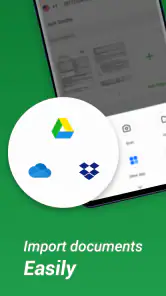
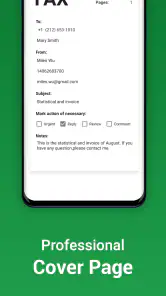
Aside from its core functionality, Tiny Fax offers a few extras that make it even more appealing. For instance, you can add a cover page to your faxes, complete with your contact information and a personal message. Plus, there’s a handy option to import documents from cloud services like Dropbox and Google Drive, streamlining the process even further.
A cover page is useful when the recipient needs context, especially if the document may be routed through a front desk. I’d keep the note concise and identify what follows, rather than using it for details that belong in the document itself. Importing a file can also save a step when the final version is already stored online; just open it first and make sure it is the signed or complete copy, not an earlier draft.
Make the final handoff easier
For a small business owner, a useful routine is to prepare the complete packet before opening the send screen. Put the signed form and any supporting pages together, check the order, and make sure the recipient can tell what the documents concern. That reduces the chance of sending a second fax just to supply a page you overlooked. It also makes a brief cover note more effective, because it can identify the packet without trying to explain every detail.
If someone else must act on the paperwork, tell them what to expect and when you sent it. That simple handoff is particularly helpful when a fax goes to a shared office line rather than directly to a named contact. I would keep a note of the date and recipient alongside the relevant case or appointment information, instead of relying on memory alone. This is a personal workflow habit rather than a replacement for an organization’s official recordkeeping.
Who should choose another route
I would skip Tiny Fax if the recipient accepts a secure email or portal and you have no reason to fax; those channels may be easier to track or better suited to the office’s process. I’d also look elsewhere if several people need shared access, approvals, or a consistent company record. On the other hand, when a form is ready on your phone and fax is specifically required, the convenience is hard to beat. The best result comes from treating the app as one link in the process: prepare carefully, send to the verified destination, then confirm receipt when the stakes justify it.
For someone wondering whether it can replace a scanner, I’d say it can be a practical stand-in for occasional paperwork, provided the page is flat, well lit, and readable on screen before sending. It is less suitable when a document must meet a particular scanning standard or when a large batch needs careful quality control. Likewise, if you need a fax only once, the free download makes it easy to try the phone-based route, but the in-app purchase choices mean it is worth checking the cost of the specific job before committing.
In conclusion, Tiny Fax - Send Fax from Phone is a stellar app for anyone who finds themselves needing to send faxes without the hassle of a traditional fax machine. It’s easy to use, secure, and adaptable to your needs. Whether you’re a business professional or someone who occasionally needs to send a fax, Tiny Fax is definitely worth checking out.
Tiny Fax - Send Fax from Phone Frequently Asked Questions
Is Tiny Fax free to download?
Tiny Fax is free to download, so you can install it and explore the app before deciding whether its paid options suit your needs. In-app purchases are available, with prices ranging from $0.99 to $89.99 per item. Consider how often you expect to send faxes and review the purchase options in the app before paying.
What kinds of documents can I send with Tiny Fax?
Tiny Fax is intended for sending documents, photos, receipts, and other texts from your phone. That makes it useful for common paperwork as well as image-based material, whether you are handling a business task or a personal errand. You can prepare a document on your device and send it through the app rather than relying on a traditional fax machine.
Who is Tiny Fax designed for?
Tiny Fax is a business app for people who need to send documents without using a traditional fax machine. It can also suit personal tasks such as sending receipts or photos, since its stated purpose includes sending and receiving documents, photos, receipts, and other texts. The app is rated for Everyone, so its audience is not limited to business users.
How does Tiny Fax work?
Tiny Fax allows users to send faxes directly from their smartphones without needing a traditional fax machine. By using your phone's camera, you can scan documents and send them as a fax to any fax number. The app supports various document formats, making it convenient for both personal and professional use.
Is Tiny Fax secure for sending sensitive documents?
Yes, Tiny Fax prioritizes security by using encryption protocols to protect your documents during transmission. While it offers a secure way to send faxes, users should still exercise caution when handling sensitive information and ensure that the recipient's fax number is correct to avoid unintentional sharing.
Pros
- User-friendly interface
- easy navigation.
- Supports multiple document formats.
- Fast and reliable fax transmission.
- Affordable pricing plans available.
- No need for a physical fax machine.
Cons
- Requires stable internet for optimal use.
- Limited free faxes per month.
- Ads in free version can be intrusive.
- Subscription needed for premium features.
- May not support all countries.
- Category
- Business
- Version
- 6.6.6












