

The Original Baby Shusher App
- 114.00
- 3.0
- Installs
- 10.00K
- Price
- $1.99

Screenshots

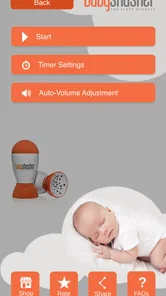
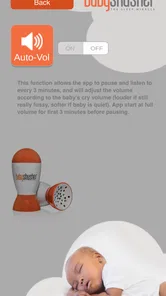
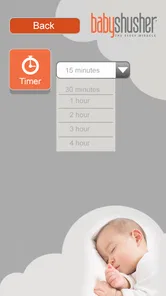

Analysis by Reviewed
When a baby is overtired, even a simple bedtime routine can feel surprisingly difficult. I tried The Original Baby Shusher App with that situation in mind: not as a complete sleep-training method, but as a small parenting tool built around one steady sound. Its approach is intentionally narrow. Instead of offering a large library of music, stories, or nature effects, it focuses on a gentle “shhh” intended to help settle a baby.
That simplicity is both the app’s appeal and its main limitation. I can imagine reaching for it during a late-night wake-up, a short nap in a stroller, or a restless car journey when a parent needs something predictable rather than entertaining. At the same time, parents expecting detailed sleep guidance, a broad sound mixer, or a modern all-in-one baby monitor will probably find it too basic.
It belongs to the parenting app category and comes from Shusher. The app costs $1.99, carries an Everyone age rating, and has reached over 10K installs. Its average rating is 3.0 from more than 300 ratings, which gives me a useful warning: this is a focused tool with mixed reception, not a universally convincing solution. I would treat it as a practical aid worth trying, rather than something guaranteed to change a child’s sleep.
How the sound fits into a real bedtime routine
The most sensible way to use this app is as one part of a familiar sequence. I would dim the room, finish feeding or changing, hold the baby safely, and start the sound at a low, comfortable level. The goal is not to replace contact, reassurance, or a consistent routine. The sound works better as a steady background cue while the parent handles the rest of the settling process.
A realistic example would be a baby waking shortly after midnight. Rather than turning on a bright screen, searching through a streaming service, or playing a song that changes every few minutes, I could start the shushing sound and keep the environment calm. That removes one small decision at a moment when both parent and child may already be tired.
I also found the narrow focus useful during short daytime naps. A baby who is already familiar with the sound may associate it with winding down, especially when the same routine is repeated. That does not mean every child will respond, and I would not assume the sound itself creates a sleep association immediately. Its value is more practical: it gives the parent a consistent audio cue that does not demand much attention.
The best result comes from consistency, not loudness. Turning the volume up to compete with crying is not a sensible strategy. A gentle sound used early, before the baby becomes fully upset, is more appropriate than treating the app as an emergency button after prolonged crying has begun.
More From Our News Desk

 Gmail
GmailGmail in a Busy Inbox: Who Benefits Most?
From first account to crowded workday, Gmail earns its place through dependable search and flexible sorting—but its best fit depends on how much inbox maintenance you can tolerate.

 Prime Video
Switching to Prime Video: What Changes in Your Viewing Routine
Prime Video can make a compelling second home for streaming, but switching means learning a different catalog, rental layer, and route from browsing to playback.

 Universal TV Remote Control
Universal TV Remote Control Works Best as a Reliable Backup
A phone remote earns its place through quick setup and reliable habits. Here is how to get more from Universal TV Remote Control—and where its limits show.

 Weather - By Xiaomi
Weather by Xiaomi Review: Clear at a Glance, Less Clear Up Close
Xiaomi’s weather app makes everyday forecasts quick to scan, but its calm surface can leave useful details and recovery paths harder to find than they should be.

 X
XX Under Pressure: Can It Recover When Posting Goes Wrong?
A resilience-focused review of X, examining setup, mistaken posts, interruptions, weak connections, and the gaps that matter when recovery needs to be dependable.

 Clash of Clans
Clash of Clans Is Won Between the Battles
Its raids are quick; its community is a long-term project of coordination, teaching, rivalry, and shared responsibility—with all the friction that entails.
Latest News



What to expect when starting it
Perceived speed is straightforward here because the app’s purpose is so limited. I would expect the useful part to begin quickly after opening and starting the sound, without needing to browse through a complicated catalog. That matters during a night waking: a parent should not have to make several choices before getting to the calming audio.
Still, “quick to start” should not be confused with “quick to work.” The app can begin producing its sound promptly, but a baby’s response depends on age, mood, tiredness, hunger, surroundings, and familiarity with the noise. If the child is uncomfortable or overstimulated, no sound machine should be expected to solve the underlying problem.
One practical tip is to prepare the phone before the most difficult part of the routine. Keep the device nearby but out of the baby’s reach, set the volume before lowering the lights, and avoid repeatedly waking the screen to adjust it. This makes the app feel faster in actual use, even though the improvement comes from the workflow rather than from a special feature.
The app’s age rating is Everyone, but that should not be interpreted as permission to place a phone or speaker beside a baby’s head. I would keep the device at a sensible distance, use a comfortable volume, and make sure the phone is not covered by blankets or positioned where it could be pulled down.
Heavy-use moments reveal the real trade-offs
The demanding moments for a sound app are not usually complex menus. They are repeated use across naps, bedtime, and night waking, often when the phone is also needed for calls, messages, a baby monitor, or other household tasks. A parent may start the sound and then need to lock the screen, change rooms, or use another app. That is where a focused tool can be convenient, but also where expectations need to stay realistic.
I would not choose this as my only sleep aid for a long overnight routine without first checking how it behaves in my particular setup. A dedicated sound machine has an obvious advantage: it leaves the phone available and avoids turning a personal device into part of the nursery. A physical machine may also be easier to position safely and consistently.
On the other hand, the app is easier to carry. If I am visiting family, staying in a hotel, or trying to settle a baby in a stroller, I may not want to pack another device. That portability is one of the strongest reasons to pay for this particular type of app. The trade-off is that the phone’s battery, notifications, calls, and general availability become part of the bedtime equation.
I would also avoid running it during moments when the phone is already under heavy strain from navigation, video calls, or other demanding activity. The sound itself is not necessarily resource-intensive, but the overall device context matters. A parent who depends on the phone for an urgent call should think carefully before making it the primary overnight sound source.
For travel, I would use the app as a backup rather than assume it replaces every familiar sleep item. A child may settle more easily when the sound is combined with the same blanket, lighting pattern, and bedtime words used at home. The app is most useful when it supports those cues instead of carrying the entire routine by itself.
Stability and recovering from interruptions
Reliability matters more than variety in a baby-soothing app. A sound that stops unexpectedly can be more disruptive than helpful, particularly if a parent has finally managed to put the baby down. My view is that this app should be tested during an ordinary daytime nap before being trusted during a difficult night. That gives a parent a chance to learn how it behaves when the screen locks, the phone receives an interruption, or the app is left running for a while.
I would also make a simple recovery plan. If the sound stops, restart it without turning on bright lights or beginning a long search for settings. Keep a quiet backup available, such as a familiar spoken cue or a separate sound machine if the app is being used regularly. This is not an indictment of the app; it is sensible preparation for any phone-based tool used around sleep.
The app’s current version is 2.2.11, and it requires Android 6.0 or later. That makes compatibility an important first check before paying for it. A parent with an older phone should not assume that a simple sound app will work just because the device can handle basic audio. The operating-system requirement is part of the decision.
Because the app was released on October 11, 2013, I would approach it as an established, focused utility rather than a newly designed sleep platform. That can be reassuring for someone who wants a straightforward concept, but it also means I would not expect the polished ecosystem or extensive customization found in newer parenting products. The experience should be judged by whether the core sound fits the family’s routine, not by the number of modern extras it lacks.
Recovery also includes what happens when the baby does not respond. If several attempts produce no improvement, I would stop increasing the volume and look at the basics: hunger, temperature, a wet diaper, discomfort, illness, or simply the need for physical reassurance. A sound machine is not a diagnostic tool, and this app should never delay attention to a baby who seems unwell or unusually distressed.
Device limits and safe everyday use
The phone itself creates constraints that are easy to overlook. Battery life can matter during overnight use, particularly if the device is older or already low on charge. Heat, charging cables, incoming calls, and notifications can all make a phone less convenient than a dedicated nursery device. I would place it on a stable surface away from the crib and keep the charging arrangement safely out of reach.
There is also a privacy and attention trade-off that comes with using a personal phone in a sleep space. Even without opening another app, the glowing screen can tempt a tired parent into checking messages. I prefer to start the sound, lock the screen if the app permits the routine comfortably, and put the phone down. The less visual stimulation involved, the more closely the tool serves its intended purpose.
Parents should also consider the room itself. In a quiet bedroom, a gentle shushing sound may be enough. In a busy home, near traffic, or during travel, it may be masked by other noise. Raising it aggressively is not the right answer. A dedicated machine with stronger physical controls may be better for families who need dependable sound in a larger or noisier space.
The minimum Android requirement is especially relevant for families using hand-me-down phones. Before purchasing, I would check the operating system rather than rely on the device’s age alone. If the phone meets the requirement, the app’s modest purpose may suit an older device better than a feature-heavy sleep platform, but I would still test it under the exact conditions in which it will be used.
Another limitation is personal preference. Some babies calm down with a rhythmic vocal sound, while others prefer silence, a fan-like noise, music, or a parent’s voice. This app’s focused design means there is little reason to keep using it if the baby consistently reacts negatively or ignores it. The low price makes experimentation easier, but it does not remove the need to observe the child’s response.
Who will find it worthwhile?
I think this is best suited to a parent who wants a portable, uncomplicated baby sleep sound and already understands that soothing involves more than pressing play. It can be useful for short naps, travel, brief night waking, and moments when a predictable cue helps a parent avoid improvising while tired.
It is also a reasonable choice for someone who dislikes music-based sleep apps. Songs have beginnings, endings, melodies, and changes in volume or mood. A sustained shushing sound is less distracting and may fit a quiet bedtime better. The app’s simplicity is a strength for parents who want one familiar sound rather than a menu of choices.
I would skip it if I needed a full parenting resource with sleep schedules, tracking, developmental guidance, or monitoring tools. I would also choose a dedicated sound machine if the app would need to run all night, if the phone must remain available for work or emergencies, or if the household wants physical controls and a device permanently stationed in the nursery.
Families who frequently use iOS should also confirm platform compatibility before planning around it, since the stated system requirement is for Android. More broadly, anyone considering the purchase should make sure the phone they intend to use meets Android 6.0 or later. That check is more useful than assuming the app will run on every modern-looking handset.
The mixed average rating of 3.0 suggests that the focused idea will not satisfy everyone. I see that as consistent with the product’s narrow purpose: parents who want a single shushing sound may appreciate the directness, while those expecting customization or flawless integration with every phone routine may be disappointed. The fact that it has passed 10K installs shows that the concept has found an audience, but popularity alone is not a reason to ignore its limits.
My performance verdict after weighing speed, load, and recovery
My overall impression is that Shusher is a lightweight idea aimed at a very specific parenting moment. It should feel quick to use because there is little to navigate, and its audio purpose is unlikely to demand the same attention as a video or music service. The more important performance question is not raw speed; it is whether the app remains convenient when the phone is locked, interrupted, low on battery, or needed for something else.
The $1.99 price is reasonable for parents who want to try a dedicated shushing tool without committing to a larger sleep subscription or buying another physical device. I would still treat the purchase as a practical experiment, not a promise of better sleep. The app can remove one small source of friction, but it cannot replace a routine or explain why a baby is unsettled.
After using it, I would recommend a short trial with a repeatable routine: start at a low volume, position the phone safely, observe whether the baby settles more easily, and test recovery from an interruption during the day. If the sound becomes a helpful cue, its portability may justify keeping it. If it is ignored, the better choice may be silence, a different sound, a parent’s voice, or a dedicated machine.
My recommendation is cautious but positive for the right household. The app is most convincing when speed means “few steps,” resource demands mean “a simple audio task,” and portability matters more than advanced controls. It is not the right answer for every nursery, but for a parent seeking one gentle, repeatable sound during naps or occasional night waking, it is a focused tool that deserves a fair, practical test.
The Original Baby Shusher App Frequently Asked Questions
Does The Original Baby Shusher App cost money, and what should I know before buying it?
The Original Baby Shusher App is a paid parenting app priced at $1.99. Before downloading, check that your device meets its minimum operating-system requirement and that you are selecting the intended app, listed under the name Baby Shusher. Its content rating is Everyone, so the purchase is for a general-audience app designed around a soothing sound for babies.
What is The Original Baby Shusher App, and how does it work?
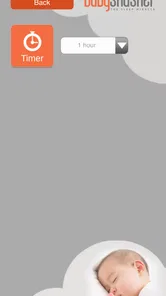
The Original Baby Shusher App is designed to help calm fussy babies and support a more relaxing bedtime routine. It plays a rhythmic human “shushing” sound that imitates the soothing noise many parents naturally make. After opening the app, parents can start the sound, adjust the playback settings where available, and place the device safely away from the baby while monitoring the child.
Can The Original Baby Shusher App help my baby sleep?
The app may help some babies settle by providing a consistent, repetitive sound that masks sudden household noises and creates a familiar sleep cue. However, results vary from one child to another, and it should not be considered a guaranteed sleep solution. It works best as part of a broader routine that may include feeding, burping, dim lighting, swaddling when appropriate, and a calm sleeping environment.
Is The Original Baby Shusher App safe to use around babies?
The app can be used safely when parents follow basic sound and sleep-safety precautions. Keep the phone or tablet well away from the baby’s head and crib, use a moderate volume, and avoid placing the device inside the sleeping area. Parents should also follow current safe-sleep guidance, supervise their baby, and never rely on the app to replace attentive care or medical advice.
Does The Original Baby Shusher App require an internet connection or a subscription?
Whether an internet connection, in-app purchase, or subscription is required can depend on the version available in the Google Play Store or Apple App Store. Users should check the current store listing before downloading, especially for information about advertising, premium features, and offline playback. Store policies and app updates may change these details over time.
Pros
- Uses a real human voice rather than repetitive electronic sounds.
- Simple interface makes it easy to start soothing sounds quickly.
- Can help establish a consistent bedtime routine for babies.
- Works well as a portable sleep aid during travel or naps.
- Provides a focused sound option without music or visual distractions.
Cons
- The shushing voice may not suit every baby's preferences.
- Extended playback can drain your phone's battery.
- Limited sound variety compared with white-noise sleep apps.
- Requires safe phone placement away from the baby's sleeping area.
- Some features or versions may require an in-app purchase.











