Sweet Home 3D Mobile
- 34.00
- 3.6
- Installs
- 100.00K
- Price
- Free

Screenshots
Analysis by Reviewed
Hey there, fellow home design enthusiasts! Today, I’m diving into the world of interior design with Sweet Home 3D Mobile. If you've ever dreamt of redesigning your living space without all the heavy lifting, this app might just be your virtual ticket to a home makeover.
Getting Acquainted with the App
First things first, let's talk about accessibility. Sweet Home 3D Mobile is available on both Android and iOS platforms, making it super easy to get started, no matter what device you're using. The app's interface is refreshingly intuitive. From the moment you open it, you're greeted with a user-friendly dashboard that guides you through the process of creating your dream home layout. It's like having a personal interior designer at your fingertips!
Features Galore
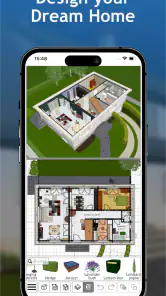
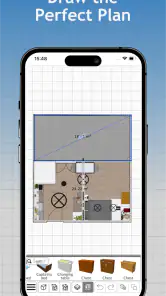
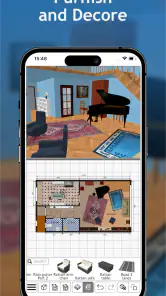
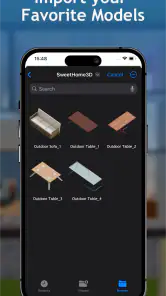
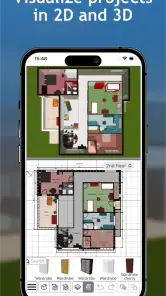
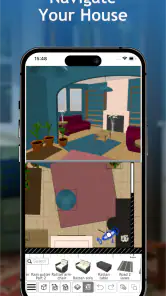
Diving deeper, the app offers an impressive array of features. You can create detailed floor plans using drag-and-drop functionality, which is incredibly satisfying. Plus, the app provides a vast library of furniture and decor options to choose from. Whether you’re into minimalist designs or something more eclectic, there's something for everyone. The real magic, though, lies in the 3D visualization feature. You can toggle between 2D and 3D views with a simple tap, allowing you to see your designs come to life in real-time. It’s a whole new level of immersive experience!
Why You'll Love It
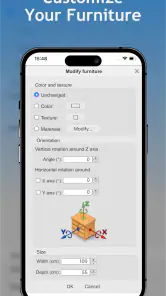
One of the standout aspects of Sweet Home 3D Mobile is its attention to detail. The app allows you to fine-tune every aspect of your design, from wall colors to furniture placement. It even offers sunlight simulation, which helps you understand how natural light will interact with your space throughout the day. This is a game-changer for those looking to optimize their home lighting.
Some Points to Ponder
While the app is a powerhouse of features, it's worth mentioning that it might feel a bit overwhelming at first. The plethora of options can be a tad daunting for beginners, but with a bit of patience and exploration, it's easy to get the hang of it. Also, the app performs best on newer devices, so if you're using an older model, you might experience some lagging.
In conclusion, if interior design is your passion or you're just looking to dabble in it for fun, Sweet Home 3D Mobile is definitely worth checking out. It's a delightful blend of creativity and practicality, offering a sandbox for design dreams to flourish. Happy designing, folks!
Pros
- User-friendly interface for easy navigation
- Wide range of furniture options for customization
- 3D visualization enhances design accuracy
- Available on both Android and iOS platforms
- Regular updates for new features and fixes
Cons
- Limited offline functionality
- Some features require in-app purchases
- Occasional crashes on older devices
- High battery consumption during use
- Large app size may require significant storage

- Category
- House & Home
- Version
- 7.6.2