Swann Security
- 4.43K
- 4.6
- Installs
- 1.00M
- Price
- Free

Screenshots

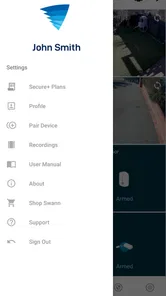
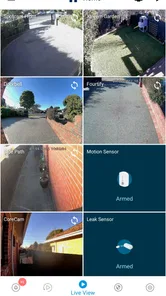
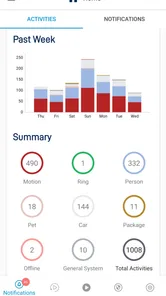
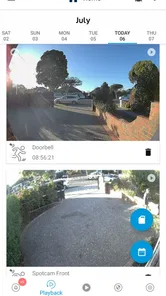
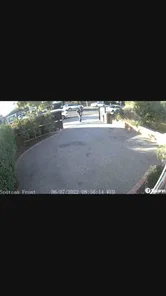

Analysis by Reviewed
Swann Security is the kind of app that seems most impressive during the first few days, when every camera view feels new and every notification invites a quick check. After that novelty fades, its real value depends on something less exciting: whether it helps me keep an eye on a home or business without becoming another chore. In my experience, that is the right way to judge this productivity app. It is not simply about watching live video; it is about building a routine around security information and deciding which alerts deserve my attention.
Developed by Swann Communications, the app is free to install and is aimed at people using Swann security equipment. Its store summary presents it as a smarter approach to home and business security, but I found the more useful question is narrower: does it make an existing Swann setup easier to check every day? For many owners, the answer is yes. For someone who has no compatible Swann equipment, however, there is little reason to choose it as a general-purpose camera app.
What feels useful at first, and what lasts
I find the first appeal of Swann Security is the ease of checking a familiar place from my phone, but that convenience lasts only when I give each camera a clear job. A useful next step is to decide what question each view should answer before building a checking routine. That distinction makes it easier to judge whether the app is supporting a real security need or simply encouraging more screen time.
The first-week appeal is immediate but equipment-dependent
The first week with Swann Security is mainly about reducing the distance between an event and my response. Instead of being tied to a monitor or needing to inspect a recorder manually, I can use the phone as the place where security checks begin. That is especially convenient when I am away from home, arriving late, or responsible for a small workplace outside normal hours.
The app makes the most sense when I already have a clear reason to check in. A camera facing a front door, driveway, stockroom, or reception area gives the app a practical job. I can look at a live view when something seems unusual, use the phone as a quick status check, and decide whether an event requires action. The experience feels less like browsing an app and more like carrying a remote window into a place I need to monitor.
That convenience should not be confused with complete protection. A phone app can help me see information from a security system, but it does not replace sensible camera placement, reliable equipment, good account practices, or a plan for what to do when something actually happens. I would treat Swann Security as the control and viewing layer of a wider setup, not as a standalone security solution.
One useful first-week habit is to avoid reacting to every alert immediately. I prefer to watch how the system behaves across normal routines first. Passing cars, pets, family members, deliveries, and changing light can all make notifications feel more urgent than they are. Learning the normal pattern before changing settings helps me distinguish genuinely useful activity from background noise.
More From Our News Desk

Weather by Xiaomi Review: Clear at a Glance, Less Clear Up Close

X Under Pressure: Can It Recover When Posting Goes Wrong?

Clash of Clans Is Won Between the Battles

Android Auto Makes the Case for Quieter Car Software

MobiOffice: Transforming Mobile Productivity with Seamless Integration

EA SPORTS FC™ Mobile Soccer: Redefining Mobile Sports Gaming
A realistic everyday scenario
Imagine leaving home for a long workday while a delivery is expected. A notification arrives while I am in a meeting. Rather than calling someone at home or repeatedly checking a camera, I can review the relevant view when I have a moment. If the event is ordinary, I move on. If it looks unusual, I have an earlier opportunity to contact a neighbor, colleague, or the appropriate local service.
The same workflow can help a small business owner checking a storefront after closing. The value is not that I stare at the screen continuously. The value is that the app gives me a practical way to investigate a question without returning to a dedicated monitor. That is where a mobile security app earns its place: it turns occasional checks into something I can do from the device already in my hand.
There is also a quieter benefit for households. If more than one person is responsible for checking a property, a mobile interface can make security less dependent on whoever happens to be near the recorder. Still, I would agree in advance about who responds to alerts. Without that simple rule, several people may assume someone else has checked, or everyone may react to the same event.
Where it sits beside ordinary alternatives
Compared with checking a dedicated recorder or monitor, Swann Security is more flexible because the phone travels with me. Compared with a generic camera viewer, its main advantage is that it belongs to the Swann ecosystem rather than trying to be a universal tool for every brand. That specialization can make the experience more sensible for an existing Swann owner, but it also limits its usefulness for anyone starting from scratch.
Some people may prefer a basic camera system with fewer controls and fewer decisions. Others may want a broader smart-home platform that combines cameras with lights, locks, alarms, and other devices. I would not choose Swann Security simply because it is free; the relevant purchase decision is the equipment and ecosystem around it. The app is most convincing when it complements hardware I already trust, not when I am looking for a camera service independent of brand.
The app has reached a 4.6 average from around 130 thousand ratings, with more than a million installs. Those figures suggest that it has found a substantial audience, but they do not remove the need to check compatibility with my particular Swann setup before relying on it. Security software is one area where a pleasant first impression is not enough; the connection between the app and the hardware has to fit my real use.
Month-to-month value comes from routine
After the first week, the novelty of remote viewing disappears. That is healthy. I do not want a security app demanding constant attention. The lasting value comes from a small number of repeatable actions: checking a property before bed, reviewing an unexpected notification, looking in on a vacant location, or confirming that an area is quiet after closing.
I find the app more useful when I assign those checks to specific moments instead of opening it randomly. A morning glance at a business entrance, an evening check of a side gate, or a quick look before leaving for a trip creates a habit that is easier to maintain. The app then supports a routine rather than becoming a source of anxiety.
For a home, the recurring value is strongest when the cameras cover places that are difficult to see from inside, such as a garage approach or rear entrance. For a business, it may be more useful around opening and closing procedures than during the busiest part of the day. The right use depends on what I need to verify, and placing cameras everywhere does not automatically make the app more valuable.
I also appreciate the distinction between checking and responding. A quick view may answer my question without requiring a long investigation. If I receive an alert while traveling, I can decide whether it is routine activity or something worth escalating. That decision-making layer is more valuable than simply having another live video feed, because it helps me use attention carefully.
Small workflows that improve the experience
One of my favorite practical approaches is to create a short “check order” and follow it every time. I start with the location most likely to explain the alert, then move to a nearby view only if the first image raises another question. This prevents me from jumping randomly between cameras and losing track of what I was trying to verify.
A second useful habit is to review the app after changing the physical environment. Moving a plant, adding outdoor lighting, rearranging boxes, or changing a doorway can alter what the camera sees. If notifications become less useful afterward, the cause may be the scene rather than the app. I would rather correct the camera’s view or the surrounding conditions than endlessly adjust phone settings.
A third trade-off concerns shared responsibility. If several people use the same security arrangement, agreeing on a simple response process matters more than having everyone open the app. One person can verify the event, another can contact someone on site, and everyone else can avoid duplicating the same check. This turns the app from a stream of interruptions into part of a manageable household or workplace procedure.
These habits also reveal when the app is not earning its space. If I rarely check the cameras, ignore most notifications, or cannot remember which view answers which question, the system may be too complicated for my needs. A simpler arrangement with fewer cameras or a different type of alert may serve me better.
Maintenance is the real long-term test
Security apps are unusual because their best performance is often invisible. I may use them only briefly, yet I expect them to be ready when something matters. That creates a maintenance burden that is easy to overlook. I need to keep the phone available, understand which alerts deserve attention, and periodically confirm that the camera views still match the property.
Swann Security itself is currently at version 4.9.3 and requires an operating system at least as old as version 9. Keeping the app and phone environment in reasonable condition is part of responsible use. I would not wait until a trip or emergency to discover that the app needs attention. A short monthly check is more sensible: open the important views, verify that the images make sense, and confirm that the people responsible still know what to do.
Maintenance also includes the physical side of the system. A dirty lens, a moved camera, seasonal lighting changes, or new objects in the scene can make a perfectly functional app less helpful. I would schedule a quick walk around the property rather than assuming that a familiar camera angle remains useful forever. This is one reason the app’s lasting value depends on behavior outside the screen.
Another point worth considering is cost. The app is free, but it includes in-app purchases ranging from $1.99 to $199.99 per item. That does not make the basic app a poor choice, but it means I would examine exactly what any optional purchase adds before committing. For a security product, recurring or higher-cost extras can influence the total ownership decision more than the download price.
Because the content rating is Everyone, the app is presented as suitable for a general audience. I would still be thoughtful about who can access security views. A family may want shared visibility, while a business may need tighter control over who can see sensitive areas. The practical question is not merely whether the app is easy to open, but whether access matches the responsibilities of the people using it.
Where fatigue begins
The most likely source of fatigue is alert overload. When too many ordinary events arrive, I start treating all notifications as background noise. That is dangerous for any security workflow. I would rather receive fewer, more meaningful interruptions than a constant stream that trains me to dismiss everything.
Visual checking can also become tiring when I am responsible for several areas. A phone is convenient, but it is still a small screen, and repeatedly moving between views takes attention. The app works best when I know the purpose of each camera. If I cannot explain what a view is supposed to tell me, it may not deserve a permanent place in my daily routine.
There is a psychological cost as well. People who feel compelled to check cameras every few minutes may find that remote access increases worry instead of reducing it. In that situation, I would set defined checking times and reserve immediate attention for genuinely important events. A security app should support confidence, not turn ordinary household sounds into a continuous investigation.
Business users face a different kind of fatigue. Watching a workplace remotely can blur the line between useful oversight and excessive monitoring. I would establish clear internal rules about who checks the app, why they check it, and how incidents are handled. The software can make access easier, but it cannot decide the right policy for a team or protect a business from poor judgment.
Another limitation is ecosystem dependence. If I am comparing several camera brands, Swann Security is not automatically the most flexible option. Its strongest case is for someone already invested in Swann equipment and looking for a mobile companion. Someone who wants one app to bring together devices from many manufacturers may be better served by a broader platform, even if that option involves a different setup or more configuration.
Who should use it, and who should skip it
I would recommend Swann Security to a Swann equipment owner who wants practical remote checks and is willing to maintain a modest routine. It suits homeowners who travel, families sharing responsibility for a property, and small businesses that need occasional visibility outside opening hours. It is particularly useful when the question is simple: “What is happening at this location right now?”
I would be more cautious about recommending it to someone who has not chosen security hardware yet. The app should not be the only reason to select an ecosystem. I would first decide where cameras are needed, how alerts will be handled, who needs access, and whether optional purchases fit the budget. Then I would assess whether Swann’s equipment and mobile experience match those requirements.
I would also suggest looking elsewhere for a person who wants a highly integrated smart-home system, a single interface across many brands, or a minimal setup with almost no ongoing attention. Swann Security can make a Swann installation more reachable, but it does not eliminate the decisions and upkeep that come with owning a security system.
My long-term verdict
After the first-week excitement, Swann Security earns its place through quiet usefulness rather than constant entertainment. I like it most when it supports a defined routine: a few purposeful checks, sensible responses, and occasional maintenance. That approach makes the app feel like a tool I can depend on instead of another notification-heavy service competing for my attention.
Its strengths are clear for the right owner: mobile access to a Swann security setup, a practical way to investigate events, and enough flexibility to support both home and small-business routines. Its weaknesses are equally important: the experience depends on compatible hardware, alerts can become tiring, and free installation does not tell the whole cost story when optional purchases are involved.
Swann Communications has built an app that makes the most sense as part of an existing security habit. I would keep it installed if it helps me answer real questions quickly and if I am willing to review the system from time to time. I would remove it from consideration if I wanted a brand-neutral smart-home hub or knew I would ignore its alerts. Its lasting value comes from disciplined, occasional use—not from watching everything all the time.
For me, that is a positive but qualified recommendation. Swann Security is a useful companion for the right Swann installation, and its free entry point makes trying the mobile side straightforward. Just remember that the app is only one part of the decision: the equipment, alert habits, access rules, and monthly maintenance determine whether it remains genuinely helpful long after the first-week appeal has gone.
Swann Security Frequently Asked Questions
Do I need a Swann security device to use the app?
Yes. Swann Security is a companion app for compatible Swann cameras, doorbells, and surveillance systems, rather than a standalone security service. You will need supported Swann equipment to access camera feeds and other device features. Before downloading, identify your device model and check that it works with this app; the available tools and controls depend on the equipment you own.
Can I set up Swann Security without technical experience?
The app is intended to help you manage compatible Swann security equipment from a phone, but setup still involves connecting the equipment and following the instructions for your particular model. The steps and options can differ between cameras, doorbells, and recorders. Having your device details and product instructions nearby can make setup easier, and a reliable internet connection is useful for remote access and notifications.
Can I use Swann Security with more than one camera or security device?
Swann Security is designed to work with compatible Swann security equipment, which may include cameras, video doorbells, and surveillance systems. The devices you can manage and the controls available depend on their models and compatibility with the app. If you plan to use several products, check that each one is supported before downloading or setting up the app, rather than assuming that every Swann device will appear.
What phones and operating systems can I use with Swann Security?
Swann Security is available for Android and iOS phones, so you can use it on a compatible device to access supported Swann security equipment. On Android, the app requires version 9 or later. Before downloading, check that your phone’s operating system meets this requirement and that the device has a reliable internet connection for features such as remote viewing and notifications.
Who develops Swann Security, and is it intended for home or business use?
Swann Security is developed by Swann Communications and is designed to help manage compatible security equipment for both homes and businesses. Its store summary describes complete home and business security made smarter. The app itself is free to download, while the equipment and functions available to you depend on the Swann products you use and whether they support the features you want.
Pros
- Live video feeds make it easy to check cameras from anywhere.
- Motion alerts help you respond quickly to activity around your property.
- Two-way audio supports convenient communication through compatible cameras.
- Cloud recording options make important footage easier to review later.
- Multi-camera support provides a broader view of your home or business.
Cons
- Some features require a compatible Swann camera or security system.
- Cloud storage and advanced services may require a paid subscription.
- Video quality and performance depend heavily on your internet connection.
- Notifications can become frequent when motion sensitivity is set too high.
- Initial camera pairing and system setup may take time for new users.











