Slideshow Maker Photo Video
- 87.00
- 4.4
- Installs
- 5.00M
- Price
- Free

Screenshots


Analysis by Reviewed
Have you ever wanted to turn your photos and videos into a stunning slideshow? Well, let me introduce you to Slideshow Maker Photo Video. This app is like having a mini editing studio right in your pocket. It’s designed for those who want to create memorable slideshows without needing to be a tech wizard.
Getting Started with Ease
First things first, downloading and installing Slideshow Maker Photo Video is a breeze. It's available on both Android and iOS, so no one’s left out. Once you open the app, you’re greeted with a super friendly interface. Seriously, even if you’re not a tech-savvy person, you’ll find this app intuitive. Everything is laid out clearly, and it guides you step-by-step through the slideshow creation process.
Features That Shine
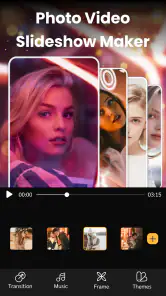
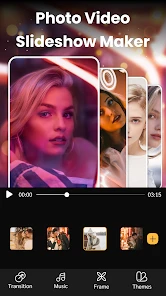
Now, let’s talk about the features because this is where the app really shines. You get to choose from a variety of themes and templates, which is awesome if you’re in a hurry or if you’re looking for some inspiration. The app allows you to add music, and trust me, nothing beats a slideshow with some good tunes in the background. You can either use the app’s music library or add your own tracks.
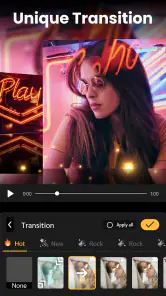
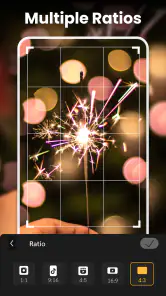
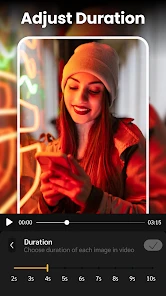
One thing that stood out to me is the editing tools. You can crop, trim, and adjust your photos and videos to fit just right in your slideshow. Plus, the transitions between slides are smooth and visually appealing. The app also lets you add text and stickers, which is perfect for adding that personal touch to your slideshows.
Performance and User Experience
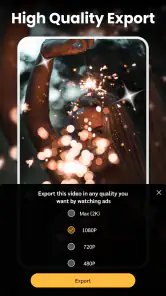
Performance-wise, the app runs smoothly without any hiccups. I’ve used it to create a couple of slideshows, and it never crashed or lagged, which is a big plus in my book. The export options are flexible too. You can save your slideshows in different resolutions, making it perfect for sharing on social media or keeping as a personal keepsake.
Another thing worth mentioning is the support for multiple languages, which is great for non-English speakers. Plus, the app doesn’t bombard you with ads, which is a common annoyance with free apps.
Wrapping It Up
All in all, Slideshow Maker Photo Video is a fantastic app for anyone looking to create beautiful slideshows with minimal effort. It’s packed with features that cater to both beginners and more experienced users. The easy-to-use interface, combined with powerful editing tools, makes it a must-have app if you love creating and sharing slideshows.
So, if you’re in the market for a slideshow maker that’s simple yet powerful, give this app a try. It’s like having a creative toolkit right on your phone, ready to transform your media into something memorable.
Pros
- User-friendly interface for easy navigation.
- Wide range of music and effects available.
- High-quality video export options.
- Supports various photo and video formats.
- Customizable templates for unique slideshows.
Cons
- Contains in-app purchases and ads.
- Limited free features available.
- Occasional app crashes reported.
- Requires significant storage space.
- Some features need internet connection.

- Category
- Video Players & Editors
- Version
- 2.3.3