

Silly Smile Live Wallpaper 4K
- 309.00
- 4.3
- Installs
- 10.00M
- Price
- Free

Screenshots
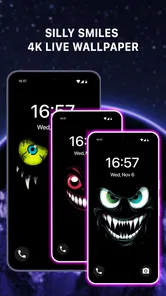
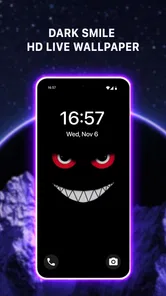
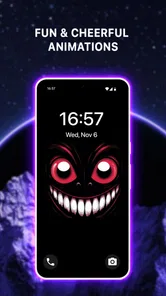
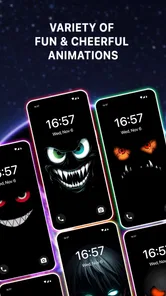
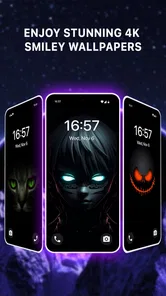
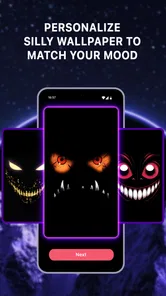
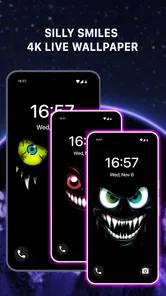
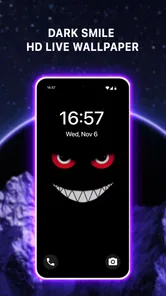
Analysis by Reviewed
I like phone personalization best when it changes the mood of a screen without turning setup into a project. Silly Smile Live Wallpaper 4K takes a deliberately playful route: animated smiley faces bring movement and color to a background that would otherwise stay still. It is a simple idea, but that can be exactly what you want when a phone feels a little too plain.
A focused wallpaper, not a full makeover
This is a personalization app from moboco, and its appeal is focused rather than broad: it gives your home screen a cheerful animated look instead of trying to cover every kind of theme or icon change. The app is free, rated for Everyone, and has reached over 10 million installs. Its average rating is 4.3 from around 47,000 ratings, which suggests plenty of people have found the concept appealing, though a rating can’t tell you whether this particular style will suit your taste.
The current version is 1.1.1, and the app was released on January 10, 2025. Those details give a useful snapshot of where it stands, but they don’t establish a history of specific changes. I would treat it as a focused wallpaper choice rather than assume it has a long record of expanding features. It runs on Android 7.0 and newer, so it can be considered on a wide range of Android phones, including older ones that still meet that requirement.
How it fits into an everyday phone
The smiley design makes the most sense if you want a quick visual lift every time you check your phone. I can imagine setting it before a busy week, then seeing the moving faces during small in-between moments: while waiting for a message, checking a calendar, or glancing at the home screen before heading out. It gives the background a bit of personality without asking you to reorganize the rest of your phone.
That focused approach is also the main trade-off. A playful pattern will not match every wallpaper mood, and repeated animation may feel distracting if you prefer a quiet, minimal screen. The 4K label points to image quality, but a crisp picture is only part of the decision: motion, color, and how busy the design looks against your icons matter just as much. I’d try it with the apps you use most visible on the home screen and decide whether the faces add charm or compete for attention.
Bringing Your Screen to Life
First off, let’s talk about what Silly Smile Live Wallpaper 4K actually does. It’s not just about slapping a generic moving image on your screen. Oh no, this app steps it up by offering a collection of animated wallpapers that are both colorful and cheeky. Imagine a collage of smiley faces bouncing around your screen, each one with its own personality, and you’ll get the idea.
One of the features I absolutely love is the customization options. You can tweak the speed, the size of the smiles, and even the background colors to suit your mood. Feeling a bit blue? Maybe a slower pace and a darker hue will match your vibe. Want to jazz things up? Crank up the speed and let those silly smiles dance away.
More From Our News Desk

 Gmail
GmailGmail in a Busy Inbox: Who Benefits Most?
From first account to crowded workday, Gmail earns its place through dependable search and flexible sorting—but its best fit depends on how much inbox maintenance you can tolerate.

 Prime Video
Switching to Prime Video: What Changes in Your Viewing Routine
Prime Video can make a compelling second home for streaming, but switching means learning a different catalog, rental layer, and route from browsing to playback.

 Universal TV Remote Control
Universal TV Remote Control Works Best as a Reliable Backup
A phone remote earns its place through quick setup and reliable habits. Here is how to get more from Universal TV Remote Control—and where its limits show.

 Weather - By Xiaomi
Weather by Xiaomi Review: Clear at a Glance, Less Clear Up Close
Xiaomi’s weather app makes everyday forecasts quick to scan, but its calm surface can leave useful details and recovery paths harder to find than they should be.

 X
XX Under Pressure: Can It Recover When Posting Goes Wrong?
A resilience-focused review of X, examining setup, mistaken posts, interruptions, weak connections, and the gaps that matter when recovery needs to be dependable.

 Clash of Clans
Clash of Clans Is Won Between the Battles
Its raids are quick; its community is a long-term project of coordination, teaching, rivalry, and shared responsibility—with all the friction that entails.
Latest News



The User Experience
Downloading and setting up the app is as straightforward as it gets. Within a few taps, you’ve got your new wallpaper up and running. The interface is intuitive, which means you won’t be stuck in a labyrinth of settings just to find what you need.
What’s more, the app is surprisingly light on your device’s resources. You know how some live wallpapers can drain your battery faster than you can say "low power mode"? Well, this isn’t one of them. It runs smoothly without putting a noticeable dent in your battery life, a major plus in my book.
Fine-tuning for readability
For a less distracting result, I’d start by lowering the animation speed and keeping the smiles modest in size, then adjust the background shade so app labels remain easy to read. If the screen feels crowded, changing one setting at a time makes it easier to tell what helped. That’s a more useful way to judge a live wallpaper than choosing the most animated option at once and deciding the whole idea is too busy.
There is also a practical difference between a wallpaper that looks fun in a preview and one that works with your actual layout. Try it on the screen where you keep your everyday shortcuts, and check whether bright faces sit behind text or icons in a way that makes them harder to pick out. If you use a clean, carefully arranged home screen, a still background or a subtler animated design may be a better fit. If you enjoy a little visual movement, this one has a clearer point of view than the usual abstract gradients or scenic images.
Who will enjoy the smiley style
I’d recommend it to someone who likes cheerful graphics, wants a personal touch without redesigning the phone, or enjoys seeing a small bit of motion during routine checks. It may also suit a shared family device, provided the person using it likes the smiley style; the Everyone age rating makes it broadly suitable, but taste still matters. On the other hand, anyone who relies on a restrained work layout, dislikes animation, or wants a wallpaper that blends into the background should probably choose a static image instead.
If you’re deciding whether to keep it, test it through an ordinary day rather than judging only from the setup screen. Notice whether the movement still feels pleasant after repeated unlocks and whether your icons stay readable in bright and dim settings. If you use a battery-saving mode or have a phone that already feels sluggish, pay attention to how the device behaves with the wallpaper active rather than assuming every phone will respond the same way. Those checks make the choice personal and practical.
A small lift during ordinary routines
A realistic test is to set the wallpaper before a work or school day, when you will unlock your phone repeatedly for practical reasons rather than just to admire it. The first few checks may make the motion feel novel; later, the more useful question is whether it stays in the background while you read notifications and find your usual apps. I’d use the adjustable speed as a way to tune that balance, not simply as a novelty slider. A slower scene can preserve the cheerful look while leaving the screen feeling less restless.
It is also worth thinking about where your eyes land first. If you keep a clock widget, folders, or several rows of app icons on the home screen, test the wallpaper behind that exact arrangement. A vivid smile placed under a label can reduce contrast even when the wallpaper itself looks crisp. Moving frequently used shortcuts to a clearer part of the layout—or choosing a calmer background color—may make the design easier to live with without abandoning it.
Why You’ll Love It
So, why should you consider giving this app a spin? It’s simple: it’s all about adding a touch of joy to your daily routine. Every time you unlock your phone, you’re greeted with a playful scene that’s guaranteed to make you smile. It’s like having a pocket-sized party that’s just for you.
Another reason to love this app is its high-quality 4K resolution. The images are crisp, and the animations are smooth, making it a feast for the eyes. It’s the little details that really elevate the experience, and Silly Smile gets it right.
And the best part? No ads interrupting your fun. That’s right, the developers have kept it clean, which means you can enjoy all the silliness without those pesky pop-ups.
Where it sits among alternatives
Compared with a static wallpaper, this app gives you movement and an unmistakably lighthearted look, but the still option has a clear advantage when you want a quiet screen or the sharpest possible separation between icons and background. Compared with broad theme apps, it asks less of you: you can change the wallpaper without turning the rest of the phone into a coordinated makeover. That is useful if your icon arrangement and widgets already work well and you only want to change the atmosphere behind them.
The trade-off is that a focused smiley design offers less flexibility in overall style than a collection of nature scenes, abstract backgrounds, or a full theme pack. I would choose this one when the cheerful faces are the point, not just because I happen to be looking for any live wallpaper. If you want seasonal variety, a subdued professional look, or a background that disappears behind your apps, another kind of wallpaper is likely to serve you better.
What the version tells existing users
With version 1.1.1 as the current release, I’d look at the app as a ready-to-try personalization choice, not as a promise of particular future additions. If you already use it, the practical question is whether its present look and controls continue to suit your screen; if you are new, judge the experience on the wallpaper you can set now. I would watch for future version notes before expecting new animation styles or controls, rather than treating them as guaranteed.
People often wonder whether this kind of wallpaper replaces a full theme, whether the motion can be toned down, and whether the visual style stays readable. My answer is that it is best understood as one focused layer of personalization, not a system-wide redesign. The speed, size, and color controls described here give you room to make the scene calmer, but the smiley theme remains the central identity. If that is not what you want on your screen, a static wallpaper collection or a broader theme app is likely a better alternative.
What to check before settling in
For someone already using it, I’d judge any future change by the everyday details that matter: whether the controls still let you balance motion and legibility, whether the look continues to suit your layout, and whether the wallpaper behaves comfortably on your particular phone. A version number alone does not tell me what has changed, so I would not assume a new release means a different collection or a new control set. The useful evidence is what the installed version actually offers and how it feels in routine use.
If you are deciding whether this is the right kind of personalization, ask yourself whether you want the background to be noticed. This design is intentionally visible; it is not meant to imitate a plain color or disappear behind a tidy grid. That makes it a strong pick for someone who enjoys a playful home screen, but a poor match for a person who prefers their phone to feel calm, formal, or visually consistent with a restrained theme.
At the end of the day, there’s something wonderfully refreshing about having a live wallpaper that doesn’t take itself too seriously. Silly Smile Live Wallpaper 4K is all about fun and whimsy, and in a world that can often be a bit too serious, it’s a welcome change of pace.
If you’re in the market for a live wallpaper that’s both entertaining and easy on the eyes, I’d say give this one a try. It’s a small download with a big impact, and you just might find yourself wondering how you ever did without it.
Silly Smile Live Wallpaper 4K Frequently Asked Questions
Does Silly Smile Live Wallpaper 4K work on iPhones or only Android devices?
Silly Smile Live Wallpaper 4K is an Android personalization app, so it is intended for compatible Android phones rather than iPhones. If you use an iPhone, look for a wallpaper app made for iOS instead. Android users should also check their operating-system version and whether their device supports live wallpapers before downloading.
What kind of wallpaper experience does Silly Smile Live Wallpaper 4K offer?
The app centers on cheerful, silly-smile imagery presented as a live wallpaper, giving your phone screen a more playful look than a plain static background. Its short description is “Silly Smile,” while its broader theme is described as cheerful and fun. It is best suited to people who enjoy animated personalization and want their screen to feel brighter and more expressive.
Who developed Silly Smile Live Wallpaper 4K, and is it a general personalization app?
Silly Smile Live Wallpaper 4K is developed by moboco and belongs to the personalization category. That means its main purpose is to change the look of your device, rather than provide messaging, social networking, or gameplay features. If you are choosing an app specifically to give your phone a cheerful animated background, its focus is clear and straightforward.
Is Silly Smile Live Wallpaper 4K free, and what should I know before installing it?
Silly Smile Live Wallpaper 4K is a free personalization app from moboco, so you can try it without paying to download it. Its cheerful live-wallpaper theme is intended for people who want a more playful phone screen. Before installing, check that your Android version is 7.0 or later and that you are comfortable using an animated wallpaper rather than a static background.
Is Silly Smile Live Wallpaper 4K suitable for children?
The app has an Everyone content rating, which makes its stated age classification suitable for a general audience. Its focus is on silly smile imagery and cheerful animated wallpaper, rather than a game or messaging service. Parents can still review the app on the device and decide whether its appearance and any available settings are a good fit for their child.
Pros
- Stunning 4K visuals enhance device aesthetics.
- Smooth performance without lag or crashes.
- Customizable features for personalized experience.
- Battery-friendly design conserves power.
- Frequent updates with new animations.
Cons
- Limited free features
- many behind paywall.
- Ads can be intrusive and disrupt usage.
- Not compatible with older Android versions.
- Requires internet for some functionalities.
- Large app size may impact device storage.












