Ringtones Music for Phone
- 42.00
- 3.8
- Installs
- 5.00M
- Price
- Free

Screenshots


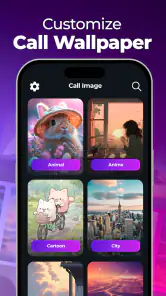
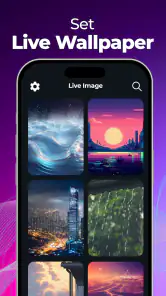
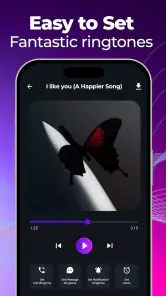

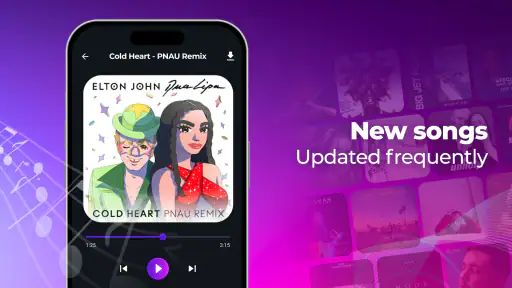
Analysis by Reviewed
If you’re setting up a new phone or simply tired of hearing the same default alert, choosing a ringtone can be a small but satisfying way to make the device feel more personal. Ringtones Music for Phone is a free music and audio app from moboco, built around browsing sounds and making them fit your phone. I’d approach it as a customization tool rather than a full music player: the useful result is a tone you recognize and enjoy, not a replacement for your regular listening apps.
What to expect from the app
The app is aimed at Android users who want a selection of ringtone sounds and a straightforward way to choose one. It has an Everyone age rating, and its current version is 1.6.2. Its average rating is 3.8 from around 3,600 ratings, while more than 5 million installs suggest that many people have tried it. Those figures are a useful snapshot, not a promise that every phone or personal taste will be a perfect match.
There is no need to make a big project of choosing a tone. I’d start by listening for something that stays recognizable at a glance—or, more accurately, at a ring—without being irritating after repeated calls. A short, clear sound can work better in a busy room than a favorite song with a slow opening. If you tend to keep your phone on silent, the appeal may be smaller; the app is most useful when you actually hear incoming alerts.
Setting the Tone
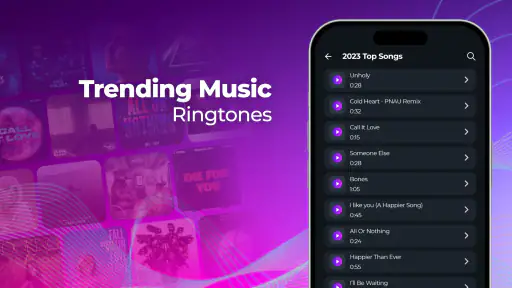
Imagine having an endless playlist of ringtones at your fingertips! That’s exactly what Ringtones Music for Phone offers. I was genuinely thrilled with the vast selection available. From classic tunes to the latest chartbusters, this app covers it all. You can easily browse through categories like pop, rock, jazz, and even some quirky sounds that are sure to make you smile. The user interface is super intuitive, making it a breeze to navigate through different sections and find the perfect sound for any occasion.
Features That Sing
One thing I really appreciate about this app is the customization feature. Not only can you choose from the preloaded tones, but you can also create your own! Talk about putting a personal stamp on your ringtone. The app allows you to trim songs and set the exact start and end points, ensuring you get the perfect snippet as your ringtone. Plus, the sound quality is top-notch, which is something I’m pretty picky about.
Another fun feature is the ability to assign specific ringtones to different contacts. This means you can instantly know who’s calling without even looking at your phone. It’s a small touch, but one that makes a big difference in terms of user experience. Oh, and did I mention it’s compatible with both Android and iOS? Major win!
First setup, without fuss
For a first-time user, I’d keep the initial setup simple: pick one sound, listen to it all the way through, then try it as a ringtone before spending time customizing several alerts. That gives you a quick test of whether the tone is easy to recognize at your usual volume and in your everyday surroundings. If you are choosing a song snippet, favor a section that starts decisively; a gentle introduction can be lovely in headphones but easy to miss when the phone is across the room.
More From Our News Desk

Weather by Xiaomi Review: Clear at a Glance, Less Clear Up Close

X Under Pressure: Can It Recover When Posting Goes Wrong?

Clash of Clans Is Won Between the Battles

Android Auto Makes the Case for Quieter Car Software

MobiOffice: Transforming Mobile Productivity with Seamless Integration

EA SPORTS FC™ Mobile Soccer: Redefining Mobile Sports Gaming
One practical trade-off is that a sound that feels distinctive today can become tiring when heard repeatedly. I’d reserve a favorite track for a contact or alert you hear less often, and use a simpler tone for frequent calls. That keeps personalization useful rather than turning a song you like into one you eventually want to avoid.
Before settling on a sound, I’d also think about where the phone usually is when it rings. A tone that seems clear in a quiet room may blend into conversation or kitchen noise. Try listening from a few steps away rather than judging it only through headphones; the point is to recognize a call in the setting where you actually need to notice it. If you share a space with other people, a distinctive sound that is not excessively loud can be a better everyday choice than the most dramatic option in the collection.
Tuning In
Now, let's talk about my personal experience using Ringtones Music for Phone. I spent a good couple of hours exploring all the features and customizing my phone’s sound alerts. It was surprisingly fun! Setting a unique ringtone for my morning alarm proved to be a game-changer. Waking up to a favorite song instead of the standard blaring alarm noise makes getting up a little less dreadful.
Downloading new tones was quick and seamless. I didn’t face any annoying ads popping up every five seconds, which is a huge plus in my book. The app seems to be well-optimized and doesn’t hog too much of your device’s resources either.
Getting a first useful result
A realistic first win is choosing one ringtone that you can identify without checking the screen. For example, if you often miss calls while cooking or carrying groceries, try a clear, attention-catching sound and test it from where your phone usually sits. Then keep it for a few days before changing anything else. This little trial helps separate “I like how it sounds once” from “I’m happy hearing this every week.”
Contact-specific tones can also help when you need to distinguish a small number of important callers. I wouldn’t assign a different sound to everyone straight away: too many tones are difficult to remember, and the feature is most useful when each sound has a clear purpose. A few deliberate choices are easier to recognize than a whole collection that blurs together.
A useful way to try that without making the phone confusing is to start with one caller whose calls you genuinely want to recognize quickly. Choose a sound that is noticeably different from your main ringtone, then ask yourself after a few days whether you remember which person it belongs to before looking at the screen. If not, simplify the choices rather than adding more. This turns contact tones into a small practical signal, instead of a novelty that you have to learn all over again.
Common points of confusion
It’s worth separating ringtone customization from streaming or owning a music library. An app focused on phone tones is for choosing sounds and setting alerts; it is not a substitute for a service where you browse albums and listen for hours. Likewise, trimming a song does not automatically mean every track you listen to elsewhere can be used. I’d check what audio the app actually makes available during use before planning around a particular song.
There’s also a platform detail to keep in mind. The listing describes this as an app for Android phones, so I would not choose it on the assumption that the same setup works on iOS. On Android, the exact steps for assigning a sound can depend on the phone’s own settings and software. If a tone is selected but you still hear the old one, check the device’s ringtone settings and confirm that the intended sound is assigned there.
The app is free to install, with in-app purchases ranging from $4.99 to $99.99 per item. I’d explore the free experience first and only consider paying if a specific option you want is clearly marked and worth the cost to you. The listed minimum operating system is 9, so it’s sensible to check your phone’s compatibility before installing rather than assuming an older device will run it.
Another small point that can save frustration is to treat choosing and applying a tone as two separate checks. First listen to the sound in the app and decide whether it suits you; then make a test call or otherwise check the phone’s own ringtone settings to confirm the change took effect. If you have changed a contact’s individual tone, check that contact separately as well. Keeping the first test to one sound makes it much easier to spot whether the issue is the choice itself or the phone’s assignment settings.
Who will get the most from it
I think this suits someone who wants to change the standard phone sound without turning the job into a complicated editing project. It can be a good fit if you enjoy trying different tones, want a recognizable alert for selected contacts, or like the idea of shaping a song snippet into a personal sound. It’s less compelling if you rarely use audible alerts, already have a ringtone you love, or mainly want a full-featured music player.
Compared with the usual alternatives, the phone’s built-in sounds are often quicker and simpler if you only need one basic alert. A general music app is better for discovering and playing complete tracks, while a dedicated ringtone app makes more sense when browsing tones and setting them for calls is the main task. The trade-off is that an extra app may involve exploring its options and checking the phone’s own settings, whereas built-in choices need no separate discovery step.
For a first-time user, I’d decide based on the result you want rather than on how many sounds you might browse. If you only need a clean, dependable ring, start with the phone’s built-in choices and avoid adding another app unless those options feel stale. If you want a tone that feels more personal, or a few carefully chosen caller alerts, this app gives you a reason to explore beyond the defaults. People who keep their devices muted most of the day may get little value from that extra choice, while anyone who relies on audible calls at work or at home has a more practical reason to try it.
There is a difference between a ringtone that is enjoyable and one that is useful, and the best choice often balances the two. A song excerpt may feel personal but can take too long to become recognizable; a short, distinctive tone may be easier to notice but less meaningful. I’d use the trimming option, where it is available, to focus on the part that identifies the sound quickly rather than simply choosing a section because it is a favorite. That is a more reliable way to make a custom tone work as an alert.
A realistic routine might be to install the app when setting up a phone, pick one sound for ordinary incoming calls, and leave it in place for a few days while using the phone as usual. If it is easy to recognize but not tiring, keep it. If a particular person’s calls deserve a separate signal, add just one contact tone next. This gradual approach gives you a useful outcome quickly and avoids spending the first session sorting through choices you may never use.
Wrapping Up
Overall, if you’re someone who loves to add a touch of personality to your smartphone, then you might want to check out Ringtones Music for Phone. With its rich library of tones and easy-to-use interface, it’s a handy tool for anyone looking to personalize their device. Whether you’re a fan of classic melodies or modern hits, this app has something for everyone.
So, go ahead and give it a try – you might just find yourself changing your ringtone more often than you thought!
My recommendation is to start with one practical choice, test it in the places where you usually receive calls, and only then branch out into contact tones or more personal edits. That approach keeps the first setup reassuring and helps you decide whether the app earns a place on your phone. If you want a quick route to a more recognizable ring, it’s a reasonable option to explore; if the phone’s built-in sounds already do the job, there’s no need to add another layer.
Ringtones Music for Phone Frequently Asked Questions
Is Ringtones Music for Phone available for my device and operating system?
Ringtones Music for Phone is an app in the Music & Audio category, and its current version is 1.6.2. It requires Android 9 or later, so check your phone’s Android version before downloading. The app is rated for Everyone. If you use an iPhone, confirm that the app is available for your device before relying on it, as its listed description is focused on Android phones.
What is Ringtones Music for Phone and how does it work?
Ringtones Music for Phone is an app designed to offer a wide variety of ringtones for your smartphone. Users can browse and select from a vast library of tones, including popular songs, classic ringtones, and unique sound effects. Once downloaded, these ringtones can be easily assigned to different contacts or notifications, allowing users to personalize their phone experience. The app is user-friendly and provides high-quality audio options for both Android and iOS devices.
Is Ringtones Music for Phone free to use?
Ringtones Music for Phone is free to download, though in-app purchases are available. The app’s listed purchase range is $4.99 to $99.99 per item, so review any purchase details shown in the app before confirming. Whether a particular ringtone or feature is available without payment may depend on the options presented in the app.
How can I set a ringtone from the app on my phone?
Setting a ringtone using Ringtones Music for Phone is straightforward. Once you've downloaded a ringtone from the app, navigate to the settings on your device. For Android users, go to 'Sound & Vibration' and select 'Ringtone,' then choose the downloaded tone. On iOS devices, head to 'Settings,' then 'Sounds & Haptics,' and select 'Ringtone' to choose your new tone. The app may also provide direct instructions or shortcuts to simplify this process for users.
Are there any device compatibility issues with Ringtones Music for Phone?
Ringtones Music for Phone is compatible with most Android and iOS devices. However, users should ensure their device has the latest operating system updates to avoid any potential compatibility issues. The app's description on the app store will typically list any specific device requirements or limitations. If users encounter any issues, they can contact customer support for assistance or refer to the app's FAQ section for troubleshooting tips.
Pros
- Wide variety of ringtone options
- Easy-to-use interface
- High-quality sound options
- Regularly updated content
- Customizable notification sounds
Cons
- Contains ads during use
- Limited free features
- Requires internet for downloads
- Occasional app crashes
- Subscription needed for premium content
- Category
- Music & Audio
- Version
- 1.6.2












