Setanta Sports: Sports TV App
- 69.00
- 4.6
- Installs
- 1.00M
- Price
- Free

Screenshots

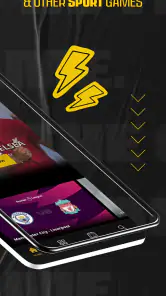
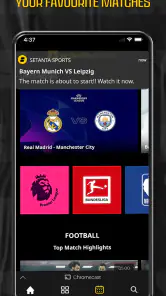
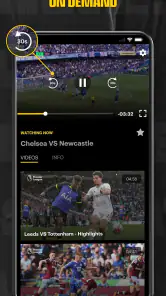

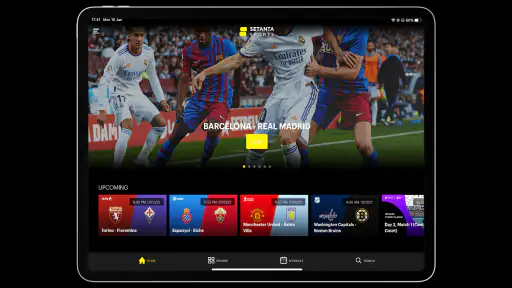
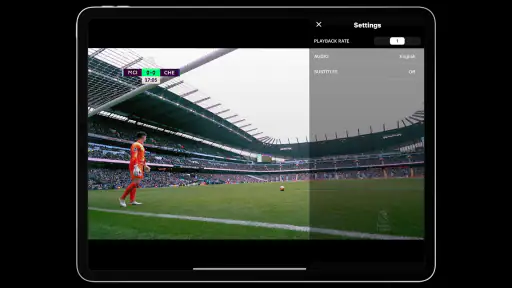
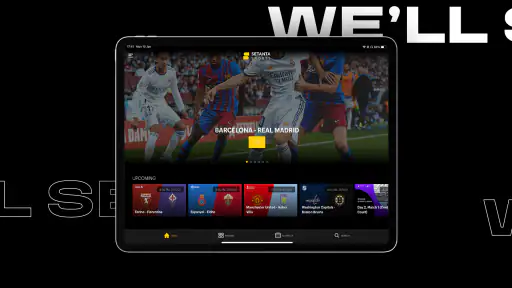
Analysis by Reviewed
I found Setanta Sports useful when I wanted a more focused way to follow live sport without treating my phone like a general entertainment hub. It is a free sports app from SetantaSport, built around live soccer, UFC, tennis, and television sports coverage. My overall impression is positive, especially for viewers who already know what competitions they want to watch and prefer opening one dedicated place instead of searching through several services.
The important qualification is that the free download is not the same thing as unlimited free viewing. The app includes in-app purchases priced from $3.99 to $38.99 per item, so I would check the available viewing plan and regional options before assuming that every event is included at no cost. That distinction matters more here than it might with a simple scores app, because the main value is watching sport rather than merely reading results.
How Setanta Sports feels to use in everyday viewing
Readable navigation for finding live sport
During my testing, the clearest benefit was the app’s single-purpose design. I could approach it with a simple question—what is live, what is coming next, or which sport do I want—and stay inside a sports-focused environment. That is less distracting than browsing a broad streaming service where sport may sit beside films, shows, and unrelated recommendations.
The main challenge is that sports apps can become busy when several events are happening at once. A football fan may see matches, channels, upcoming fixtures, and other sports competing for attention. I found it easier to decide what I wanted before opening the app, then use the sport or event context rather than scrolling without a plan. This is a small habit, but it makes the experience much more manageable for people who find dense screens tiring.
Setanta Sports has earned a 4.6 average from around 49 thousand ratings, and its reach has grown past one million installs. Those figures suggest that it is not an obscure experiment, although popularity does not automatically guarantee that its layout will suit every viewer. I would still recommend spending a few minutes exploring the home screen before a major match, when there is less pressure to find a stream quickly.
For readability, I would use the phone’s own display settings to enlarge text or improve contrast when needed. The practical trade-off is that larger system text can make a compact sports interface require more scrolling. That is not a reason to avoid the app, but it means viewers with low vision may need to balance comfortable text size against how much information fits on screen at once.
Controls, touch accuracy, and sensory comfort
Watching sport is usually a low-movement activity, which makes this app easier to use than an app that demands repeated gestures or rapid physical input. I could browse with ordinary taps and settle into viewing without needing complicated controls. That suits someone using one hand, holding a phone in a stand, or switching between the app and another task.
More From Our News Desk

Clash of Clans Is Won Between the Battles

Android Auto Makes the Case for Quieter Car Software

MobiOffice: Transforming Mobile Productivity with Seamless Integration

EA SPORTS FC™ Mobile Soccer: Redefining Mobile Sports Gaming

How Microsoft OneDrive Became a Mobile Productivity Giant

How Google Translate Breaks Language Barriers Effortlessly
There is still a difference between being easy to tap and being fully comfortable for every motor ability. Small event cards, navigation controls, or playback actions can require precision, particularly on a compact phone. I would avoid trying to select a stream while walking or in a moving vehicle. In a calmer setting, using a stable surface and taking a moment to confirm each selection reduces accidental taps.
Sensory needs also vary widely. Live sport naturally contains fast movement, bright broadcast graphics, crowd noise, commentary, and sudden changes in volume. Someone sensitive to flashing visuals or loud audio may prefer watching with the device brightness reduced and the volume kept moderate. I would also choose a quieter viewing environment rather than relying on the app to make a broadcast less intense.
People who are hard of hearing should consider how much they depend on spoken commentary. The app is designed around televised sport, so the broadcast’s own audio and visual treatment become important. If captions or alternative audio are essential to your viewing, I would check the individual event and device playback options before subscribing. I would not treat a general sports-streaming app as a guaranteed substitute for a service built specifically around accessibility controls.
Using it in real situations
A realistic example is a commuter who leaves work shortly before a football match. With Setanta Sports already installed, that person can open a dedicated sports service instead of searching across several entertainment apps. If the connection is stable and the relevant viewing access is active, the phone becomes a convenient second screen while waiting for a train or sitting at home away from the television.
I found the app most comfortable in situations where I could control the environment: at a desk, on a sofa, or with the phone supported at a useful angle. It is less suitable when the screen is competing with sunlight, travel movement, background noise, or a weak connection. Those conditions affect any live video service, but they are particularly frustrating when an event cannot simply be restarted without missing the action.
For family viewing, the Everyone age rating makes the app broadly approachable from a content-rating perspective. That does not mean every sports broadcast will feel suitable for every child, since live competition can include intense contact, strong reactions, or adult-level sporting drama. I would still choose events according to the viewer’s age and sensitivity rather than relying on the rating alone.
The app can also work for a viewer who has limited time. Instead of committing to a full television schedule, I could open it for a particular match, UFC bout, or tennis session and leave when finished. That flexibility is valuable for people with changing routines, but it depends on the event being available through the chosen access plan and on having enough battery and connectivity for live video.
Where it compares well with ordinary alternatives
Compared with a general television app, Setanta Sports feels more direct for a sports-first viewer. I do not have to move through unrelated entertainment categories before reaching the reason I opened the service. Compared with a scores or news app, it offers a more immersive experience because the point is live viewing rather than checking a number and leaving.
Its weakness is the same as its strength: the focus is narrow. If I wanted a broad mixture of films, drama, documentaries, and sport under one subscription, a larger streaming platform would probably be more convenient. If I only wanted fixture times and quick updates, a lightweight sports-results app could be faster and less demanding on data and battery.
The best fit is therefore not “anyone who likes sport.” It is someone who regularly watches the competitions covered by the service and values a dedicated viewing destination. A casual viewer who watches one occasional event may find the purchase decision less attractive, especially if another existing subscription already includes the same broadcast.
Practical trade-offs before paying
The first thing I would do is separate installation from access. The app itself is free to download, while individual in-app purchases range from $3.99 to $38.99 per item. Before paying, I would look at the exact plan, the sports included, the duration of access, and whether the event I care about is part of it. This prevents the common disappointment of installing a free app and discovering that the desired live coverage requires a purchase.
The second useful habit is to test the complete viewing routine before an important event. I would sign in, inspect the available sports, check the relevant listing, and play something early enough to identify problems with sound, screen brightness, or network stability. That preparation is especially helpful for viewers who need larger text, a particular seating position, lower volume, or assistance with touch controls.
The third trade-off concerns attention. A phone is portable, but portability can make live viewing less comfortable than a television or larger tablet. On a small screen, score graphics and fast action may be harder to follow, particularly for viewers with limited vision or anyone sitting farther away. I would use the app on a larger compatible screen when available, but I would not assume that every viewing setup will provide the same clarity.
Another consideration is shared use. A sports-focused app is convenient when one person controls the viewing choice, but it may be less straightforward for a household with different preferences. One person may want football while another wants tennis, and the small-screen format can make switching feel more personal than putting on a shared television channel. Setanta Sports works best when the household agrees on the event or when the viewer mainly watches alone.
Barriers that still affect inclusion
The main barriers are not about whether the app has a sports purpose; they are about the conditions required for live streaming. A viewer needs a suitable device, a reliable connection, enough battery, and a viewing plan that covers the desired content. Someone with limited data, an older phone, or an unpredictable routine may find the experience less dependable than watching scheduled television or following text-based updates.
Cost can also become a barrier even though the initial download is free. The purchase range is wide enough that the right choice deserves attention rather than a quick tap. I would be especially cautious if I only follow one sport occasionally. A dedicated subscription makes more sense for a regular viewer than for someone who watches only when a major event happens.
There is a human barrier too: live broadcasts move at their own pace. If I miss a key moment while adjusting settings, answering a message, or dealing with a difficult screen, the excitement cannot always be recreated. That makes the app less forgiving than an on-demand library. Viewers who need frequent pauses, slower information presentation, or highly predictable navigation may prefer a service whose main strength is recorded content rather than live sport.
Regional availability can affect the usefulness of any sports service, and I would verify that the competitions I follow are offered where I live before building my routine around the app. I would also check the purchase details in the relevant app store account. These steps are more useful than assuming that a familiar sport automatically means every match or tournament is available.
Who should install it
I would recommend Setanta Sports to a committed sports viewer who wants soccer, UFC, tennis, and television sport gathered in one focused app. It is particularly practical for people who watch on a phone or tablet, move between rooms, or need a dedicated option for live coverage away from a traditional television. The free installation makes it easy to explore, while the in-app purchase structure means the real decision comes after checking the available viewing plan.
I would be more cautious about recommending it to someone who needs guaranteed captions, alternative audio, exceptionally simple controls, or a highly predictable low-stimulation interface. The app may still be usable, but those viewers should test the actual broadcast and playback experience before paying. I would also steer a viewer toward a general streaming service if sport is only a small part of what they watch.
My inclusive verdict
Setanta Sports is a focused and useful sports app rather than a universal answer for every kind of viewer. I like its direct purpose, its suitability for mobile live viewing, and the way it brings several sports interests into one place. The developer, SetantaSport, has created something that feels most valuable when I already know which event I want and can prepare my viewing environment.
Its inclusive value depends on context. A viewer with a stable connection, comfortable display settings, and a suitable purchase plan can get a convenient experience with little physical effort. A viewer who needs extensive accessibility controls, has limited data, or wants broad on-demand entertainment may encounter more friction. The smartest approach is to test the navigation and one complete viewing setup before committing to paid access.
For me, that makes it worth trying, particularly if live soccer, UFC, or tennis is a regular part of my week. I would not install it simply because it is free or assume the store rating settles the question. I would first identify the sport I actually watch, confirm the relevant access option, adjust the phone for comfortable reading and sound, and then decide whether the dedicated experience earns a place in my routine.
Setanta Sports: Sports TV App Frequently Asked Questions
Can I watch Setanta Sports on a television, or is it only for phones and tablets?
Setanta Sports is a sports app, and viewing options can depend on the devices supported in your region and by your subscription. If you want to watch on a larger screen, check whether your television or streaming device supports the app, or whether casting is available from your phone. Confirm compatibility before subscribing if TV viewing is important to you.
Can I use Setanta Sports with mobile data, and how can I avoid using too much?
You can watch streams over a mobile connection when one is available, but live video can use a substantial amount of data. If your mobile plan is limited, Wi-Fi is usually the safer choice for watching matches. Where playback settings are available, selecting a lower video quality may reduce data use, though the picture may appear less sharp.
Is Setanta Sports available in my country?
Setanta Sports availability and the sports you can watch depend on your location, since broadcasting rights vary between markets. The app focuses on live sports and related viewing, but a competition shown in one country may not be available in another. Check the app’s offerings for your region before downloading if you have a particular league, event, or sport in mind.
How much does Setanta Sports cost, and are there in-app purchases?
The app is free to download, but watching premium sports content generally requires a paid subscription. In-app purchases are available, with prices ranging from about $3.99 to $38.99 per item. The cost and package options may vary by location, so review the current terms shown in the app before purchasing and make sure the plan suits the content you want to watch.
What is Setanta Sports: Sports TV App, and what content does it offer?
Setanta Sports is a streaming application focused on live sports and on-demand programming. Depending on your country and subscription package, it may provide access to competitions such as football, basketball, tennis, motorsports, and other sporting events. The available channels, leagues, highlights, and replay options can vary by region because broadcasting rights differ between markets.
Pros
- Live coverage of major football leagues and sporting events
- Clear video quality with adaptive streaming on mobile networks
- Match replays and highlights are available on demand
- Supports multiple devices for viewing at home or on the go
- Useful schedules and notifications help track upcoming matches
Cons
- Content availability varies by country and subscription plan
- Some premium events require an additional paid package
- Streaming can consume significant mobile data
- Occasional buffering may occur during high-demand matches
- Limited offline viewing options for recorded content

- Category
- Sports
- Version
- Varies with device