OneFootball: All Soccer Scores
- 16.08K
- 4.6
- Installs
- 50.00M
- Price
- Free

Screenshots

Analysis by Reviewed
I use a soccer app most when I want a quick answer without opening several team pages: what is the score, what else is happening, and whether there is a useful story behind the result. OneFootball: All Soccer Scores aims to bring those habits together. It is a free sports app from Onefootball GmbH, and its focus on scores and news makes it most useful to fans who follow more than one club or competition.
Choosing a setup that fits your routine
Before relying on any live-score app, I like to decide what I actually want it to do: give me a score while I am away from a screen, help me follow several matches, or give me enough context to join a conversation later. Those are different jobs, and trying to make one feed serve all of them can create clutter. With this app, I would begin with the clubs and competitions I follow most closely, then expand only when I have a reason to explore further.
That small bit of selectivity matters on a packed football weekend. If I am interested in one Premier League match and a Champions League fixture later, I do not need every headline from every competition competing for my attention. A narrower routine makes the app more useful as a personal match companion; a broad routine makes it more like a football news desk. Neither is inherently better, but the choice affects how often I open it and whether the feed feels helpful or noisy.
Where a broader football app earns its place
The clearest use case is a fan whose attention is split across teams, leagues, and kick-off times. A dedicated club app can be more direct when I want official information about that one club, while a basic scoreboard can be faster when all I need is a result. OneFootball sits between those approaches: its appeal is combining match information with coverage that can help me move from “what happened?” to “why are people talking about it?”
That middle ground is particularly handy when I follow a league casually as well as a team closely. I can use the team I care about as my anchor, then check a rival’s result or a major match elsewhere without starting a separate search. The trade-off is that a broader destination has more material to browse. If I want a quiet utility that opens straight to a single score and nothing else, a minimalist results app is probably the better fit.
What I would check before sharing or buying
Trust is not something I would infer from a polished screen or a large audience. I would look at the choices the app presents directly: what it asks me to decide during setup, what controls are available later, and whether I can keep my use limited to the parts I value. I would avoid granting or sharing anything casually, and I would revisit the choices if the way I use the app changes.
The same deliberate approach applies to spending. The app is free to install, while optional in-app purchases have listed prices from $0.29 to $149.99 per item. That range makes it worth pausing at the purchase screen and checking what a particular item provides before confirming anything. I would not assume that a purchase is necessary just because it appears in the app, and I would keep the decision separate from the simple task of checking a match.
More From Our News Desk

Weather by Xiaomi Review: Clear at a Glance, Less Clear Up Close

X Under Pressure: Can It Recover When Posting Goes Wrong?

Clash of Clans Is Won Between the Battles

Android Auto Makes the Case for Quieter Car Software

MobiOffice: Transforming Mobile Productivity with Seamless Integration

EA SPORTS FC™ Mobile Soccer: Redefining Mobile Sports Gaming
A practical match-day workflow
Imagine I am heading home while two games are in progress and cannot watch either one. I can check the score of the match I care about most, look at the other fixture if the result affects a team I follow, and save the longer reading or video for when I have time. That is a more controlled way to use a live feed than opening it every few minutes just because something may have changed.
For a friend group chat, I would also treat the app as a quick orientation tool rather than an automatic source of certainty for every claim. A score answers a straightforward question; a developing news item or transfer discussion needs more care before I repeat it as settled fact. The useful habit is to separate match status from interpretation: check the former quickly, then read the relevant coverage if the context matters.
What it is like to follow a match
The practical advantage is having match updates alongside news and video, rather than treating each as a separate destination. If I have a few minutes during a commute, I can check a score, then look for a report or highlights to understand what I missed. That is a different experience from a basic results app, which may be quicker for a single score but offers less of a joined-up route into the wider story.
For a more useful routine, I would decide which teams and competitions matter before trying to follow everything. A busy football feed can become noisy when every headline competes for attention. Checking the score first and opening the related coverage only when I want context keeps the app from turning a short break into an endless scroll. Fans who mainly want fixtures in a minimal format may prefer a simpler scoreboard; people who enjoy reading around the match are more likely to appreciate this broader approach.
Trust, controls, and attention
My cautious rule with any live-sports app is to review the choices it presents during setup and in its settings rather than assuming every alert or personalization option is essential. Keep only the match or news prompts you genuinely want, and revisit those choices if they start interrupting work or family time. I would also be deliberate about account and privacy choices before sharing personal details. These are sensible habits, not a claim about particular permissions or data practices.
There is a trade-off between immediacy and calm. A live match can make frequent updates valuable, but constant notifications and a rolling news feed can pull attention away from the game itself. If you are watching with friends, I would use the app to check a specific detail rather than follow every update; if you are away from a screen, a score check can be a handy substitute. For a fan who dislikes news feeds or prefers to avoid phone interruptions, a team’s official channel or a basic score service may suit better.
All-In-One Soccer Hub
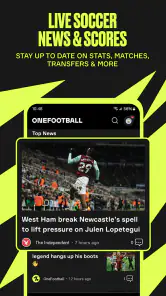
The first thing you'll notice about OneFootball is its sleek, user-friendly interface. It's super intuitive, making it easy for anyone to navigate through the various features. Whether you're checking live scores, reading the latest news, or watching video highlights, everything is just a tap away. The app brings together all the latest updates from leagues around the world, which is perfect for someone who wants to keep tabs on multiple teams and tournaments.
Live Scores and Match Updates
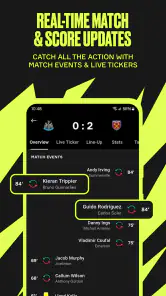
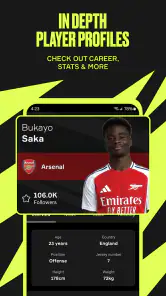
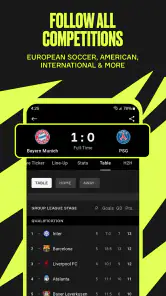
One of the standout features of this app is its comprehensive live score tracking. You get real-time updates, which means you can follow the progress of your favorite matches as they happen. And it’s not just the scores – you can see detailed match statistics, lineups, and even player ratings. This feature alone makes it a must-have for any soccer fan.
For everyday use, I find the strongest case is not simply watching one match score change. It is following a weekend with overlapping games: check a lineup before kick-off, glance at another fixture while the first is on, then return for a quick summary when I cannot watch the full match. That workflow helps a multi-team fan keep context without juggling a browser, a news app, and a separate highlights destination. It is also a good reason to be selective: follow the competitions you care about most, and use the broader coverage when curiosity takes you beyond them.
News and Analysis
Beyond scores, OneFootball offers a rich feed of news articles and analysis pieces. Whether it's transfer gossip, injury updates, or expert opinions, the app covers it all. The news section is updated constantly, so you're always in the loop with the latest happenings in the soccer world.
The feed is best treated as a starting point, not the final word on every story. Transfer talk and analysis can vary in certainty and viewpoint, so I would distinguish a confirmed team update from speculation before sharing it as fact. For a reader who wants a single club’s official statements, the club’s own channels are the more direct source; this app is stronger when you want a wider view across football and do not mind editorial coverage sitting beside match information.
Video Highlights
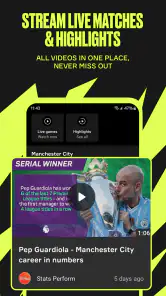
Missed the game? No worries! OneFootball has got you covered with video highlights. This feature is perfect for catching up on the best moments from matches you couldn’t watch live. The quality of the videos is top-notch, ensuring you don’t miss any action.
Highlights are a useful catch-up option, though they are not the same as watching a full match or hearing a complete tactical breakdown. I would use them to see the decisive moments, then read match coverage if I want more explanation. Video also makes the experience less convenient when I have little time or would rather avoid using mobile data, so checking the viewing context before pressing play is a sensible small habit.
To sum it up, OneFootball: All Soccer Scores is a powerhouse of an app that every soccer lover should have on their device. It brings the excitement of the game right to your fingertips, ensuring you never miss a beat. If you're passionate about soccer and want to stay updated with everything happening in the world of football, give this app a try. You won’t regret it!
Who should try it, and what to expect
The app has a 4.6 average from around 1.6 million ratings, with over 50 million installs, and it is rated for everyone. It has been available since 2011, is free to install, and offers in-app purchases ranging from $0.29 to $149.99 per item. I would treat those purchases as optional choices rather than a reason to install: the core appeal here is following football, while anyone considering a purchase should check the exact item and price shown in the app first.
OneFootball suits fans who want scores, coverage, and highlights gathered in one place, especially when their interest spans several leagues. It is less compelling if you only need a bare score, want exclusively club-published information, or prefer not to have sports news competing for your attention. My recommendation is to start with a few favorite teams, tune the experience to your actual routine, and judge whether the mix of live match detail and wider coverage saves you time. If it does, it earns a place on your phone; if you only need an occasional result, a simpler option may be enough.
OneFootball: All Soccer Scores Frequently Asked Questions
Can I use OneFootball without following a particular club?
Yes. OneFootball can be useful even if you do not have one main club to follow. It covers soccer scores and news from competitions such as the MLS, Premier League, and Champions League, so you can check a range of results and stories. If you do have favorite teams or competitions, its personalized approach can help make the coverage more relevant to you.
Does OneFootball cover competitions beyond the biggest European leagues?
OneFootball’s coverage includes the MLS as well as the Premier League and Champions League, along with other competitions. That makes it relevant to fans with different interests, not only people following one major European tournament. The app centers on soccer scores and news, giving you a place to check match results and related developments across its coverage.
Is OneFootball free to download, and what should I know about its purchases?
OneFootball is free to download, and it also offers in-app purchases. Those purchases are optional, so you can decide whether any available paid items suit your needs. The listed purchase range runs from $0.29 to $149.99 per item, so it is worth checking the purchase details in the app before confirming a transaction.
Can I follow particular teams, leagues, or competitions in OneFootball?
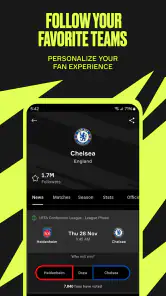
OneFootball is intended to make soccer coverage relevant to your interests, with updates and content about teams and competitions you care about. Its coverage includes major leagues and tournaments, and the app’s personalized approach can help you focus on favorites rather than browsing every story. This can be useful if you mainly want to keep up with a small set of clubs or competitions.
What kind of soccer coverage can I expect from OneFootball?
OneFootball focuses on live soccer scores and news, including coverage of the MLS, Premier League, Champions League, and other competitions. The app is built for following matches and keeping up with soccer developments, so it can serve as a single place to check results and read related news. Its emphasis is on soccer rather than general sports coverage.
Pros
- Comprehensive coverage of soccer leagues worldwide.
- Real-time match updates and live scores.
- User-friendly interface for easy navigation.
- Customizable notifications for favorite teams.
- In-depth analysis and expert commentary.
Cons
- Ads can be intrusive at times.
- Some features require premium subscription.
- Occasional lag in loading content.
- Limited coverage for lesser-known leagues.
- No offline access to news and updates.
- Category
- Sports
- Version
- Varies with device





