Securly Home
- 224.00
- 4.5
- Installs
- 100.00K
- Price
- Free

Screenshots

Analysis by Reviewed
Hey there, fellow parents! Today I'm diving into an app that's been a real game-changer in my household: Securly Home. Now, if you're like me, trying to juggle parenting in the digital age, you know the struggle is real. That's where Securly Home comes in, offering a little peace of mind when it comes to our kids' online safety.
What Makes It Tick?
At its core, Securly Home is all about keeping our kids safe online. It's designed to give parents control over their children's internet activity, which is becoming more crucial every day. The app offers a variety of features that let you monitor and manage what your kids are doing on their devices. From blocking unwanted websites to setting time limits, it's packed with tools that make parenting just a tad easier.
Features That Stand Out
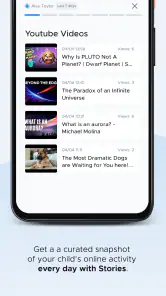
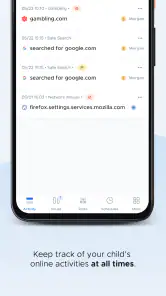
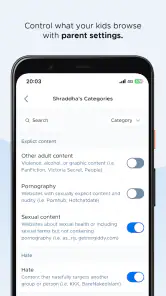
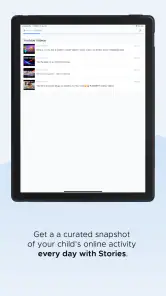
One of the standout features has to be the real-time activity feed. Imagine being able to see what your child is up to online, right as it happens. Pretty neat, right? This feature lets you stay informed and intervene if necessary. Plus, the app's filtering technology helps block inappropriate content, so you can rest a bit easier knowing your kids aren't stumbling onto anything they shouldn't be.
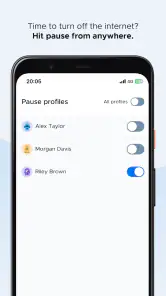
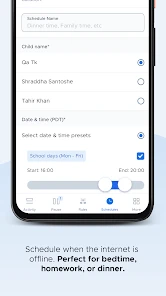
Another cool aspect is the scheduling feature. You can set specific times for when the internet is accessible, which is perfect for enforcing bedtime or homework time without having to be the bad guy. It's like having a virtual assistant that helps manage your kids' screen time without constant nagging.
Setting It Up
Getting started with Securly Home is a breeze. The app is available on both Android and iOS, so no matter your device, you're covered. Installation is quick, and the user interface is super intuitive. Even if you're not the most tech-savvy person, you'll find it easy to navigate through the settings and customize them to fit your family's needs.
Once set up, you can manage everything from the dashboard. Whether you're at home or on the go, you'll have control at your fingertips. It's this level of accessibility that truly sets Securly Home apart from other parental control apps out there.
Final Thoughts
In today's digital world, keeping our kids safe online is more important than ever. With Securly Home, you get a robust suite of tools that help you do just that. It's not just about restriction; it's about empowering you as a parent to create a safe digital environment for your kids to explore and learn. So, if you're looking for a reliable way to manage your child's internet activity, I highly recommend giving Securly Home a try. It's been a lifesaver for me, and I'm sure it'll be the same for you.
Pros
- User-friendly interface for easy navigation
- Real-time alerts for suspicious activities
- Customizable settings for individual needs
- Comprehensive activity reports
- Compatible with multiple devices
Cons
- Limited free features
- Occasional false alerts
- Requires stable internet connection
- May impact device performance
- Subscription can be expensive

- Category
- Parenting
- Version
- 5.3.1