ScanBizCards Premium
- 350.00
- 4.2
- Installs
- 10.00K
- Price
- $0.99

Screenshots
Analysis by Reviewed
Today, I’m diving into an app that’s a total game changer for anyone who collects business cards like they’re going out of style. We’re talking about ScanBizCards Premium, a nifty little tool that could very well replace that ever-growing stack of cards on your desk.
The Ultimate Business Card Solution
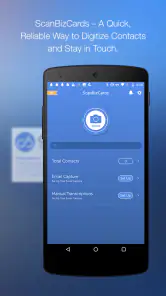
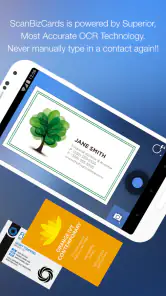
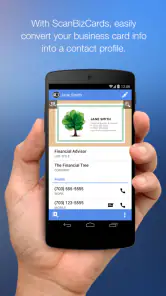
Let’s face it, keeping track of all those business cards can be a real hassle. Enter ScanBizCards Premium, an app that makes managing your contacts as easy as pie. Right off the bat, I was impressed with its sleek, intuitive design. The app lets you scan business cards directly into your phone using your camera, and it’s surprisingly accurate. I mean, who knew that technology could read those tiny fonts so well?
Features That Stand Out
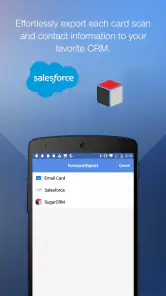
One of the standout features is its ability to sync with popular CRMs like Salesforce and SugarCRM. It’s like having your own personal assistant who never sleeps. Plus, the app supports multiple languages, which is a huge plus if you’re dealing with international contacts. Another cool feature is the ability to add notes to each card, so you’ll never forget where you met that important contact.
For the organizationally challenged, the app’s contact management system is a godsend. You can create custom folders and even set reminders to follow up with new contacts. It’s like having a digital Rolodex that fits in your pocket.
Seamless Integration
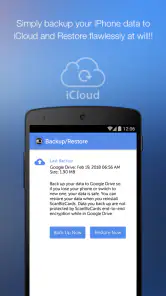
What really blew my mind was how well ScanBizCards Premium integrates with email platforms. You can send a quick "nice to meet you" follow-up directly from the app, making networking a breeze. And speaking of breezes, the app’s cloud backup ensures you’ll never lose your contacts, no matter what happens to your phone.
But wait, there’s more! The app also offers a web-based interface, so you can manage your contacts from your computer. It’s perfect for when you need to do some serious contact organizing without squinting at your phone screen.
Final Thoughts
In a world where networking is key, ScanBizCards Premium is a must-have for professionals. It takes the grunt work out of managing business cards, freeing you up to focus on what really matters: building those connections. Whether you’re a seasoned entrepreneur or a newbie at your first conference, this app is a solid investment.
So, if you’re tired of rifling through a drawer full of business cards or if you simply want a more efficient way to manage your contacts, give ScanBizCards Premium a try. It’s a little slice of tech heaven for the modern networker.
Pros
- Integrates with major CRMs
- Accurate card scanning
- Easy contact sharing
- Cloud backup available
- Batch scanning feature
Cons
- Premium version is pricey
- Occasional scan errors
- Limited customization
- No offline mode
- Steep learning curve

- Category
- Business
- Version
- 7.5.5











