

Royal Caribbean International
- 29.07K
- 4.7
- Installs
- 5.00M
- Price
- Free

Screenshots
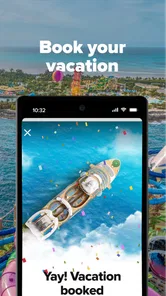






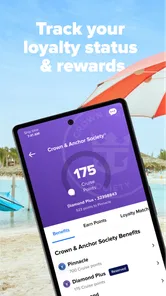
Analysis by Reviewed
When I plan a Royal Caribbean cruise, I want the practical details to be easy to find before I travel and useful once I’m on board. The Royal Caribbean International app is built for that specific job: it brings cruise planning and ship information together in one place. I find it most worthwhile when I already have a sailing booked, rather than as a general guide to choosing a vacation.
Getting past the first setup hurdles
My first advice is to install the app and look around before travel day, while you have time to sort out any sign-in or booking details. Cruise apps are most useful when they can connect you with the right sailing, and a typo or mismatched booking information can make the first screen feel like a dead end. If your trip does not appear, I would recheck the details you entered and make sure I am using the account associated with the reservation before assuming the app is broken.
It is a free travel app from Royal Caribbean Cruises Ltd., with a 4.7 average from around 106,000 ratings and over 5 million installs. It is rated for everyone, and version 1.71.2 supports Android 9 and later. Those figures suggest that plenty of travelers find a reason to keep it, but they do not guarantee every part will feel equally smooth on every phone or for every sailing.
Navigating the Seas of Features
First off, let's talk about the features. The Royal Caribbean International app is packed with everything you need to streamline your cruising experience. From the moment you download it, you're greeted with a clean and intuitive interface. It's like the app is saying, "Welcome aboard!"
One of the standout features is the ability to check-in online. No more endless queues at the port; just a few taps on your phone, and you're ready to sail. Plus, the app provides a detailed deck map of the ship. I can't stress enough how handy this is when you're trying to navigate those massive floating cities. You don’t want to end up in the engine room when you’re looking for the pool!
Entertainment and Dining at Your Fingertips
Now, let’s dive into the entertainment and dining options. The app lets you explore all the available activities and shows on your cruise. Whether you want to book a front-row seat at the evening show or check out the daily activities schedule, it’s all there. And the best part? You can even reserve your dining times and specialty restaurants. Just imagine skipping the line for that gourmet dinner while everyone else is still deciding.
The app also has a feature where you can create a personalized calendar. This way, you won't miss out on any of the action-packed activities or your favorite show. It’s like having a personalized cruise concierge right on your phone.
More From Our News Desk

 Weather - By Xiaomi
Weather by Xiaomi Review: Clear at a Glance, Less Clear Up Close
Xiaomi’s weather app makes everyday forecasts quick to scan, but its calm surface can leave useful details and recovery paths harder to find than they should be.

 X
XX Under Pressure: Can It Recover When Posting Goes Wrong?
A resilience-focused review of X, examining setup, mistaken posts, interruptions, weak connections, and the gaps that matter when recovery needs to be dependable.

 Clash of Clans
Clash of Clans Is Won Between the Battles
Its raids are quick; its community is a long-term project of coordination, teaching, rivalry, and shared responsibility—with all the friction that entails.

 Android Auto
Android Auto Makes the Case for Quieter Car Software
The car interface is no longer judged by how much it can do, but by how quietly it helps. Android Auto shows what drivers now expect—and what still gets in the way.

 MobiOffice: Word, Sheets, PDF
MobiOffice: Transforming Mobile Productivity with Seamless Integration
MobiOffice: Word, Sheets, PDF is redefining mobile productivity with a surprising blend of functionality and innovation.

 EA SPORTS FC Soccer Mobile 26
EA SPORTS FC™ Mobile Soccer: Redefining Mobile Sports Gaming
Dive into EA SPORTS FC™ Mobile Soccer, where immersive gameplay and strategic depth transform mobile sports gaming.
Latest News



Making plans that work for your group
I would use the calendar as more than a list of things to do: it can help a family or group spot clashes before the day gets busy. If dinner and a show sit close together, checking the schedule ahead of time makes it easier to choose what matters most instead of making a rushed decision later. For a first-time cruiser, that small planning habit can make a large ship feel less overwhelming.
There is a trade-off, though. A schedule is only useful if you keep checking it, and plans may need adjustment as the trip unfolds. I would treat the app as a handy organizer, not as a promise that every preferred time or activity will always be available. Travelers who prefer to decide spontaneously can still browse, but they may not get as much value from planning and reservations.
Stay Connected, Even at Sea
Worried about staying connected while you’re in the middle of the ocean? The app has you covered. With Royal Caribbean’s VOOM, the fastest internet at sea, you can keep in touch with your loved ones, post your cruise selfies, and even stream your favorite shows. It’s a game-changer for those who can’t unplug entirely.
Another fantastic feature is the chat option. You can communicate with other guests or your family members on board without needing an internet package. It’s perfect for coordinating meet-ups or just sharing your excitement about the day’s adventures.
When the app seems stuck
If something does not load, I would first separate a connection issue from an account or booking issue. Check that the phone has a working connection, then close and reopen the app and try again. If the problem concerns one part of the trip, such as a reservation, I would confirm the sailing and sign-in details before repeating the action. Avoid making the same booking request over and over while a screen is still processing; checking the itinerary first can help prevent confusion about whether the change went through.
Ship navigation also has a practical limit: a deck map helps you orient yourself, but it cannot replace paying attention to signs and the actual layout around you. I use the map to plan where I am headed, then look for onboard directions when I arrive. That is especially useful when traveling with children or anyone who may need a clear meeting point. Agreeing on a recognizable location before splitting up is more dependable than assuming everyone will be watching messages constantly.
Where it fits among travel tools
For the cruise itself, this app is more relevant than a general travel planner because it focuses on Royal Caribbean check-in, ship information, onboard activities, dining, and communication. A calendar app can still be better for combining plans from several people or trips, while a map app is the natural choice for exploring a port beyond the ship. I would keep those tools for their strengths rather than expect one cruise app to cover every part of a vacation.
It is also a targeted choice: if you are not sailing with Royal Caribbean, its ship-specific tools are unlikely to be useful. Even for a Royal Caribbean guest, someone who wants to stay offline and handle plans in person may prefer not to rely on a phone throughout the trip. The app makes the most sense for travelers who want a central place to check their onboard plans and coordinate with companions.
Make the app useful before departure
I would use a quiet moment at home to learn where the sailing details, schedule, and ship map are, rather than trying to explore everything in a crowded terminal. That small orientation makes the app easier to use when there are people moving around and several travel tasks competing for attention. It also gives you a chance to notice whether you can sign in and find the correct trip before those details become urgent.
For a family, one person can review the day’s choices with everyone before leaving the cabin, then agree on a few priorities instead of trying to coordinate every decision in real time. For two adults with different interests, the schedule can help identify a shared meal or activity while leaving other hours flexible. I would avoid turning the calendar into a minute-by-minute itinerary: the useful trick is to note the commitments that matter and leave room for plans to change.
Small habits that prevent avoidable confusion
When a reservation or schedule item matters, I would check the itinerary after making a change rather than relying only on a button press or a momentary confirmation. If the phone has a weak connection, wait for the screen to settle and verify the result before trying again. This is a sensible general habit for any travel app, but it is especially helpful when several people are discussing plans and nobody is sure whether a change has been saved.
I would also make sure companions know the plan in a way that does not depend on everyone noticing a message immediately. The onboard chat can be convenient, but a simple agreed meeting place and time gives the group a backup if someone’s phone is away or they are not checking it. That is not a reason to avoid the chat; it is a reminder that a digital tool works best alongside an uncomplicated human plan.
Who will get the most from it
The strongest fit is a traveler who has a Royal Caribbean booking and wants to handle several cruise-specific tasks from one place. First-time guests may appreciate having the ship layout and daily options close at hand, while experienced cruisers may value the convenience of checking plans without searching through separate notes. It can also help a group make decisions together before the day gets busy, particularly when dining and entertainment choices compete for the same stretch of time.
By contrast, I would not install it expecting a broad destination guide or a replacement for every travel tool. Someone comparing cruise lines, arranging flights and hotels across multiple providers, or planning detailed port visits will still need other resources. And if your preference is to leave the phone behind and ask staff about each step, the app may add little to your trip. Its value depends on wanting Royal Caribbean’s own sailing information close by, not on using an app for its own sake.
When a problem is outside the app
Not every missing detail or slow screen points to a software fault. A sign-in mismatch, an incorrect booking entry, a poor connection, or an action that is still processing can look similar at first. I would check those basics one at a time: confirm the account and sailing, test the connection, reopen the screen, then verify whether the itinerary reflects the change. If the issue continues after those checks, seeking help through the appropriate Royal Caribbean support channel is more useful than repeatedly tapping the same control.
It is also worth remembering that the app is an organizer, not the authority for every real-world decision on a ship. Follow onboard instructions and signs if they differ from what you expected, and ask crew members when you need immediate guidance. For port navigation, a general maps app may be more appropriate than a ship-focused deck map. Knowing which tool is meant for which job keeps a minor app hiccup from becoming a bigger travel headache.
A focused companion, not a complete travel kit
Compared with a generic trip planner, the advantage here is its focus on the Royal Caribbean sailing: the ship, onboard schedule, dining, check-in, and guest communication are the reasons to open it. The trade-off is that its usefulness narrows when you move beyond that setting. A regular calendar is often easier for combining appointments from different sources, and a standard map is better suited to walking around a port. I would use the cruise app as the onboard hub and keep those familiar alternatives for the parts of travel they handle better.
That division of labor is particularly helpful for travelers who share responsibilities. One person can keep an eye on ship activities while another uses a separate itinerary for transport or shore plans. There is no need to force every detail into one place; the practical win is having the cruise-specific information easy to find while keeping broader travel arrangements in tools designed for them.
All in all, the Royal Caribbean International app is a must-have for anyone embarking on a cruise with Royal Caribbean. It’s like having a digital travel companion that ensures your journey is as smooth as possible. Whether you’re a seasoned cruiser or a first-timer, this app enhances your experience from start to finish. So, why wait? Dive into the world of cruising with this app and let your sea adventures begin!
Royal Caribbean International Frequently Asked Questions
Is the Royal Caribbean International app suitable for first-time cruisers?
Yes. The Royal Caribbean International app is designed to help travelers organize and make more of their cruise vacation, including people who have not sailed with Royal Caribbean before. Its planning tools and onboard information can make it easier to keep track of trip details. The app is free to download, so first-time cruisers can explore it before deciding how they want to use it.
Can I use the app to plan activities before my cruise begins?
The app can help you prepare for your cruise by bringing trip-planning options together in one place. You can use it to review activities and make plans for dining, entertainment, and shore excursions, as well as check your cruise calendar. Planning ahead can help you organize the experiences you are interested in rather than trying to arrange everything once your vacation is underway.
Is the Royal Caribbean International app free to download, and what devices can run it?
The Royal Caribbean International app is free to download and is available for Android and iOS devices. On Android, it requires version 9 or later. It is a travel and local app from Royal Caribbean Cruises Ltd., intended to help you make more of your cruise vacation. The app is rated for Everyone, so its store age rating does not restrict it to adult users.
What is the Royal Caribbean International app and what does it offer?
The Royal Caribbean International app is a comprehensive tool designed to enhance your cruise experience. It offers features like pre-cruise check-in, daily itineraries, ship maps, and activity planners. You can also book shore excursions, dining, and entertainment directly through the app, making it a must-have for a seamless and enjoyable cruise.
Is the Royal Caribbean International app available for both Android and iOS devices?
Yes, the Royal Caribbean International app is available for download on both Android and iOS platforms. This ensures that all passengers, regardless of their smartphone preference, can access the app's features and enjoy a smooth cruising experience. Simply visit the Google Play Store or Apple App Store to download it before your trip.
Pros
- User-friendly interface for easy navigation.
- Offers exclusive onboard deals and discounts.
- Provides real-time itinerary updates.
- Comprehensive travel planning tools included.
- Access to customer support via chat.
Cons
- Requires internet for most features.
- Limited offline functionality.
- Occasional app crashes reported.
- High data usage during updates.
- Some features may be region-locked.












