

Celebrity Cruises
- 6.38K
- 4.6
- Installs
- 1.00M
- Price
- Free

Screenshots



Analysis by Reviewed
Before sailing, I’d treat the Celebrity Cruises app as a planning companion rather than a replacement for every travel document or conversation with crew. I’d install it while I still have time at home, sign in, and check that the trip details appear as expected. That simple check matters: the app is most useful when it is ready before the busy moments of embarkation, not when I’m trying to sort things out in a queue.
On a typical cruise day, I’d use it in short visits: check what is happening, decide whether an activity fits, then look at dining plans before the day fills up. That is a better rhythm than constantly watching a screen. I’d also keep an eye on the ship’s own announcements and staff guidance; an app can organize information, but it should not become the only source I rely on when plans change.
Getting from booking to boarding day
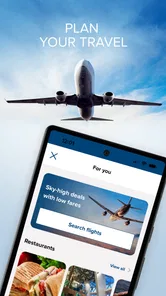
I’d make one more check before leaving home: confirm that I can reach the account and see the cruise details, then keep essential travel documents somewhere I can access independently. This is a small but useful distinction. The app can help me move from pre-trip preparation into onboard planning, but I wouldn’t make it the only place I keep information I may need at an airport, hotel, or port.
For a first-time cruiser, that separation prevents a common kind of last-minute confusion: mixing up what belongs to the ship with what belongs to the journey to the ship. I’d use my regular email, calendar, and travel organizer for flights and hotels, then turn to this app for the cruise-specific part. If a travel companion handles the booking, I’d agree in advance who will check the app and share any plans the rest of the group needs.
Making plans that survive a change of pace
The practical advantage is not simply seeing options; it is being able to adjust when the day turns out differently than expected. If a shore excursion leaves me tired, I can reconsider the evening’s plans instead of treating the original schedule as fixed. For a family or a group traveling together, checking the day’s choices before everyone heads in different directions can also make it easier to agree on a meeting plan.
I would still avoid filling every hour. A cruise has plenty of competing choices, and a schedule packed with activities can make the app feel like a task list. I’d pick one or two things I genuinely care about, leave room for a slow meal or an unplanned break, and use the app to confirm details when needed. That approach keeps the screen helpful without letting it dictate the holiday.
Who will get the most from it
This is a natural fit for guests who want to coordinate onboard plans, keep dining arrangements straight, and stay aware of daily events. It is especially handy if you like to decide between several options rather than ask around each time. On the other hand, if you prefer a very low-tech trip and are happy to get information directly from crew or printed materials, you may not need to open it often.
More From Our News Desk

 Weather - By Xiaomi
Weather by Xiaomi Review: Clear at a Glance, Less Clear Up Close
Xiaomi’s weather app makes everyday forecasts quick to scan, but its calm surface can leave useful details and recovery paths harder to find than they should be.

 X
XX Under Pressure: Can It Recover When Posting Goes Wrong?
A resilience-focused review of X, examining setup, mistaken posts, interruptions, weak connections, and the gaps that matter when recovery needs to be dependable.

 Clash of Clans
Clash of Clans Is Won Between the Battles
Its raids are quick; its community is a long-term project of coordination, teaching, rivalry, and shared responsibility—with all the friction that entails.

 Android Auto
Android Auto Makes the Case for Quieter Car Software
The car interface is no longer judged by how much it can do, but by how quietly it helps. Android Auto shows what drivers now expect—and what still gets in the way.

 MobiOffice: Word, Sheets, PDF
MobiOffice: Transforming Mobile Productivity with Seamless Integration
MobiOffice: Word, Sheets, PDF is redefining mobile productivity with a surprising blend of functionality and innovation.

 EA SPORTS FC Soccer Mobile 26
EA SPORTS FC™ Mobile Soccer: Redefining Mobile Sports Gaming
Dive into EA SPORTS FC™ Mobile Soccer, where immersive gameplay and strategic depth transform mobile sports gaming.
Latest News



It also has a narrower purpose than a general travel planner. A maps app, email, or calendar may still be better for organizing flights, hotel stays, and plans before or after the cruise. I see this app as the cruise-specific layer: useful for the onboard experience, while the usual travel tools remain better for the rest of the journey.
Celebrity Cruises is a free Travel & Local app from Royal Caribbean Cruises Ltd. It has a 4.6 average from around 24,000 ratings, with over 1 million installs, and is rated for Everyone. Version 1.71.2 is listed for devices running Android 9 or later; it first appeared in 2017. Those figures suggest an established audience, though popularity alone does not tell me whether every feature will suit an individual traveler.
Ahoy, fellow travelers! If you're a fan of cruising and have an itch for adventure, then let me take you on an exciting journey through the Celebrity Cruises app. This app is like having your own personal concierge, right in your pocket, ready to enhance every moment of your cruise vacation.
Setting Sail with Ease
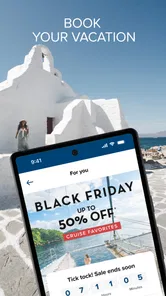
Once you’ve booked your trip with Celebrity Cruises, the app becomes an indispensable tool. First things first, the app’s onboarding experience is as smooth as a serene sea breeze. With a few taps, you’ve got your cruise details loaded up, ready to explore. It's like having a boarding pass that never gets lost in your luggage.
Your Cruise Companion
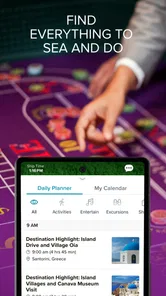
The app acts as your trusty sidekick, keeping you informed about daily activities, shore excursions, and all the exciting events happening onboard. Whether you're planning to indulge in a wine tasting or attend a Broadway-style show, the app ensures you won't miss a beat. It’s like having a personal cruise director who never sleeps.
For me, the strongest use case is making a small decision at the right time, not planning the entire voyage in one sitting. Imagine finishing lunch and deciding whether to attend an activity later or take a quiet break. I’d check the day’s options, choose what suits my energy, and leave the rest open. That is more practical than trying to build a rigid itinerary before I know how the day feels.
There is also a useful handoff between the person who likes to plan and the person who prefers to go with the flow. One traveler can look over activities and dining, then tell the others the few details that matter: where to meet, what time to aim for, or which reservation is already arranged. I would not assume everyone needs to manage the trip on a phone for the app to be helpful.
Dining Delights
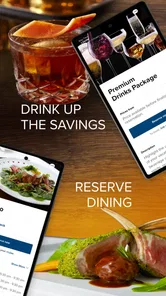
Foodies, rejoice! With the Celebrity Cruises app, booking a table at any of the specialty restaurants is a breeze. From gourmet dining to casual bites, the app makes sure your culinary dreams set sail without a hitch. Plus, it’s always fun to browse menus and get a taste (pun intended) of what’s to come.
The app also helps you keep track of your dining reservations and even allows you to make adjustments as you go. So, if you decide to swap your sushi night for a steakhouse, it’s as simple as a few taps. No more waiting in line or dealing with last-minute changes.
A practical tip is to use dining plans as anchors rather than filling the whole evening around them. If a reservation is the one thing the group has settled on, I’d share that time and meeting plan clearly, then leave room for everyone to choose how to spend the hours before it. This reduces the chance that a handy booking tool turns a relaxed day into a sequence of appointments.
I’d also distinguish between browsing and committing. Looking at dining choices can help a group decide what sounds appealing, but I’d confirm the actual arrangement in the app rather than rely on a conversation or memory. When plans change, I’d check that the adjustment is reflected before telling everyone the new plan. That extra glance is a simple way to avoid a mismatch between what one person thinks was changed and what the group is expecting.
Stay Connected
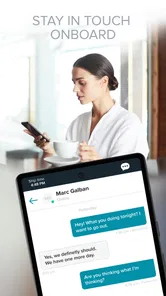
One of the great features of the app is its ability to keep you connected with fellow travelers. You can chat with new friends, organize group activities, or simply share your unforgettable moments through the app’s social feature. It’s like having a floating social network that enhances your cruise experience.
That social side is most useful when people are not standing together and need to coordinate a simple next step. For instance, if a family splits up for different activities, a message can help bring everyone back to a shared plan. I’d still set expectations before separating—such as where to regroup—because a chat tool is less useful if someone is not checking their phone or has chosen not to use the app.
Push notifications can be helpful when I’m occupied and would otherwise forget to look at the schedule, but I’d treat them as prompts rather than a complete account of what is happening. I would keep alerts that genuinely help me act, and avoid letting every update interrupt a meal or conversation. If a change affects something important, I’d confirm it in the app or with crew instead of assuming a notification contains every detail I need.
This is one of the key trade-offs compared with relying only on printed information or asking crew: the app can put several kinds of onboard planning close together, while a printed schedule may be easier to scan without a charged phone and a conversation with staff is better for resolving an individual problem. I’d use each for what it does well rather than insisting on one method for the whole trip.
A Smooth Voyage, with Some Caveats
In a nutshell, the Celebrity Cruises app is a game-changer for anyone looking to make the most out of their cruise vacation. With its user-friendly interface, comprehensive features, and the ability to personalize your journey, it transforms the way you cruise. So, whether you’re a seasoned sailor or a first-time cruiser, this app is your ticket to a stress-free, enjoyable voyage. Bon voyage!
My honest reservation is that the app’s value depends on how much of your trip you want to manage digitally. Notifications can help when the day is busy, but too many alerts can compete with the vacation itself; I’d keep only the reminders I find useful and still check the day’s plans deliberately. For a quick group decision, the chat feature may be convenient, while a face-to-face check-in is often simpler when everyone is already together.
There are also situations where I would deliberately step away from it. If the phone is running low, if I want an uninterrupted stretch, or if a question needs a personal answer, I’d use a direct conversation or another record I can access. The app is a useful layer for routine coordination, not a substitute for crew assistance or for keeping essential travel details available through another route.
One useful habit is to review dining and activity choices before peak decision times, then revisit them only when plans actually change. That gives me a clearer picture without turning every meal into a booking exercise. If I’m traveling with someone who does not use the app, I’d agree on the essential plan verbally as well, so coordination does not depend on everyone having the same screen open.
Compared with a general travel planner, this app is more focused on what happens during a Celebrity cruise, while a calendar or itinerary app is more adaptable for flights, lodging, and time ashore. Compared with asking staff for every routine detail, it offers a convenient way to check options and keep arrangements close at hand. Neither alternative makes the other obsolete: the right choice depends on whether I’m organizing the whole trip, solving a specific question, or simply deciding what to do next onboard.
Who should choose another approach
I’d skip making this a central part of the trip if I prefer to travel without a phone, do not want to coordinate through an app, or am not sailing with Celebrity. A general itinerary tool is a better fit for someone who needs one place for multiple airlines, hotels, and independent activities. Likewise, a guest who wants help with a personal or time-sensitive issue should go to the crew rather than spend time trying to solve it through a planning screen.
For a mixed group, I’d use a shared verbal plan as the fallback: agree on the important meeting point and time, and let each person decide whether to follow the schedule digitally. That works better than assuming a family member will see a message promptly. The app can make the organizer’s job easier, but it cannot guarantee that every traveler is looking at the same information at the same moment.
Overall, I’d recommend it to Celebrity guests who enjoy having onboard information and arrangements close at hand, especially first-time cruisers who want a clearer way to follow the ship’s daily rhythm. I would not choose it as my sole travel organizer, and I would not expect an app to remove the need to ask crew for help when a situation calls for a person. Used as a focused companion, rather than the whole vacation in a phone, it can make the handoff from planning to onboard decisions feel more manageable.
Celebrity Cruises Frequently Asked Questions
Is Celebrity Cruises available in my country?
Celebrity Cruises is a travel app focused on planning and managing trips with the cruise line. Whether it is useful to you depends on your travel plans and access to Celebrity Cruises services in your region. Before downloading, consider whether you are looking to explore cruise options or manage a trip connected with the brand.
How much space should I leave on my device for the app?
It is sensible to check your device’s available storage before installing Celebrity Cruises, as apps need room to download and operate. The space available on your phone or tablet can also affect how comfortably you use it alongside other apps and travel documents. Keeping some free storage can help avoid installation interruptions and make trip planning easier.
What devices can run the Celebrity Cruises app?
Celebrity Cruises is a travel app for Android and iOS devices, and the minimum operating-system requirement is version 9. Before downloading, check that your phone or tablet meets this requirement and has enough available storage. Keeping the operating system up to date can also help the app run smoothly and make it easier to use its cruise-planning tools.
Who makes the Celebrity Cruises app, and is it intended for all ages?
The app is developed by Royal Caribbean Cruises Ltd. and is listed for everyone, so its stated age suitability is broad. It is designed around Celebrity Cruises travel, with tools for exploring and managing cruise plans. If you are downloading it for another traveler, remember that the app’s practical usefulness depends on their interest in Celebrity Cruises and access to a compatible device.
What is Celebrity Cruises and how does it work?
Celebrity Cruises is a premium cruise line that offers luxurious travel experiences on the high seas. The app provides users with features such as booking cruises, managing itineraries, and accessing onboard amenities. Users can explore various destinations, select cruise packages, and enjoy a seamless travel experience with real-time updates and service options directly from their smartphones.
Pros
- User-friendly interface for easy navigation.
- Comprehensive itinerary and ship details.
- Real-time updates on cruise activities.
- Personalized recommendations based on preferences.
- Secure booking and payment options.
Cons
- Limited offline functionality.
- Occasional app crashes reported.
- High data usage for some features.
- Some users find the UI outdated.
- Slow customer support response.












