Rocket Lawyer Legal & Law Help
- 1.03K
- 4.8
- Installs
- 100.00K
- Price
- Free

Screenshots


Analysis by Reviewed
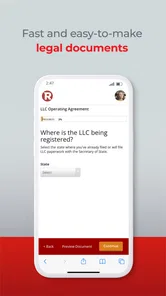
Legal questions rarely arrive at a convenient time. A landlord sends a confusing message, a small side business needs a contract, or a family member asks what a formal letter should say. In those moments, I found Rocket Lawyer Legal & Law Help more useful than searching random templates and hoping they fit. It is a productivity app from Rocket Lawyer that brings document preparation and access to legal help into one mobile experience.
I approached it as something a household might use on a shared tablet or as a practical tool kept on one person’s phone. That distinction matters. Legal work is personal, and a shared device can make convenience collide with privacy. The app can help coordinate a task, but it should not be treated like a communal notebook where everyone casually opens every document. My overall impression is positive: it makes ordinary legal preparation less intimidating, although it still requires careful reading and sensible account boundaries.
What the app feels like in everyday use
The strongest part of the experience is its focus on turning a vague legal problem into a more manageable task. Instead of starting with a blank page, I could think in terms of the document or assistance I actually needed. That is a meaningful difference for someone who knows the situation but does not know the correct legal wording.
For example, imagine two adults sharing responsibility for a rented home. One receives a notice from the landlord while the other is away. The first person can use the app to investigate the kind of document or legal guidance that may apply, then discuss the next step with the other person. That is more practical than copying a generic letter from a search result, especially when the wording, dates, and parties involved need to be accurate.
I would still treat the app as a starting point for informed action rather than an automatic substitute for a lawyer in every situation. A document can be well organized and still be wrong for a particular jurisdiction or unusual dispute. The app’s value is that it helps me prepare, ask better questions, and avoid the paralysis that often comes with legal paperwork.
Setting up a shared-device routine without blurring accounts
Rocket Lawyer is best approached with clear ownership from the beginning. If a household uses one tablet, I would designate one adult as the account holder and avoid passing the device around while a document is open. That simple habit reduces the chance of someone seeing private names, addresses, financial details, or legal correspondence.
For a shared task, I would prepare a short checklist outside the app first: who the document concerns, which dates matter, what supporting information is available, and who should review the final wording. This prevents several people from entering conflicting details and makes the mobile workflow less frustrating. It also gives the second person something concrete to verify instead of asking them to navigate an unfinished document.
More From Our News Desk

Weather by Xiaomi Review: Clear at a Glance, Less Clear Up Close

X Under Pressure: Can It Recover When Posting Goes Wrong?

Clash of Clans Is Won Between the Battles

Android Auto Makes the Case for Quieter Car Software

MobiOffice: Transforming Mobile Productivity with Seamless Integration

EA SPORTS FC™ Mobile Soccer: Redefining Mobile Sports Gaming
The app is free to install, but its legal services can involve in-app purchases ranging from $9.99 to $349.00 per item. I would therefore decide in advance whether I only need to explore resources or whether I am ready to pay for a specific service. On a shared device, that conversation is especially important because the person holding the phone should not accidentally commit the household to a purchase another person did not approve.
That payment boundary is one of the less obvious practical issues. A family may think of a legal task as “ours,” while the account, billing decision, and document history belong to one individual. I recommend agreeing on those responsibilities before starting, particularly when a document affects multiple adults or a small business operated by more than one person.
Coordinating documents between adults
The app works best when one person does the initial preparation and another performs a deliberate review. I would not have two people edit the same legal document casually from a shared device. Instead, one person should gather the facts, complete the draft, and then show the other person the relevant sections for checking.
A useful review pass is to read every name, address, date, amount, and obligation aloud. Legal templates can make a document look finished before the important details have been verified. Reading the content slowly also reveals whether the wording reflects the real agreement or merely sounds formal.
This approach is particularly helpful for household arrangements. Suppose one person is lending money to another relative, or two adults are agreeing on responsibility for a property. The app may make the document preparation less daunting, but the people involved still need to agree on what they want the document to accomplish. I see the app as a coordination aid, not as the party that resolves disagreements.
For a small business, I would use a similar division of labor. One partner can prepare the first version, while another checks the practical consequences before anything is signed or shared. Keeping the review step separate helps prevent the common mistake of assuming that a polished template automatically matches the business relationship.
Privacy, trust, and the age context
The app carries an Everyone content rating, but that does not mean every legal task is suitable for a child or casual user. Legal documents often contain sensitive adult information, and understanding a form’s consequences requires maturity. I would let a teenager observe a general educational discussion if appropriate, but I would keep account access, payment decisions, and private documents with a responsible adult.
This is also where trust matters more than the shared-device idea itself. A partner, roommate, or relative may be helping with a document without needing access to every other matter in the account. I would avoid leaving the app open, save only what is necessary on the device, and make it clear who is authorized to review or submit anything.
Families should also separate “helping someone understand a document” from “acting on their behalf.” Those are not always the same thing. If an older relative asks for assistance, I would use the app together, explain each step, and let that person make the final decisions whenever possible. That keeps the process supportive without quietly taking control of someone else’s legal affairs.
The age rating is useful as a broad guide for the app itself, but it should not be mistaken for advice about who should handle a specific document. A simple form about an everyday agreement and a sensitive dispute have very different privacy and judgment requirements.
Where it stands against ordinary alternatives
The usual alternatives are a web search, a downloaded blank template, a word processor, or contacting a lawyer immediately. Rocket Lawyer sits between those options. It is more guided than a blank document and more focused than a general search, while remaining more accessible than beginning every minor question with a private legal appointment.
A word processor is still better when I already know exactly what I need and have reliable wording from a qualified source. It gives me complete control and avoids paying for features I do not require. The weakness is that it offers no built-in legal direction; I am responsible for finding the right structure and spotting omissions.
Generic online templates can be quick, but they often encourage false confidence. A form that looks suitable may use assumptions that do not match the people, location, or transaction involved. Rocket Lawyer’s guided approach is preferable when I need help identifying the shape of the document, even though I would still read everything carefully.
Going directly to a lawyer remains the better option for a serious dispute, a complicated business arrangement, major financial exposure, or any matter where a mistake could have lasting consequences. The app is most convincing for routine preparation and early guidance. It is not a reason to delay professional advice when the situation is genuinely complex.
Useful habits that improve the mobile workflow
My first practical tip is to collect facts before opening the document workflow. Have the correct spelling of legal names, current addresses, relevant dates, and agreed amounts ready. On a phone, switching between messages, notes, and a form increases the chance of copying something incorrectly. A small preparation list makes the process calmer and reduces rechecking.
My second tip is to separate drafting from approval. Do not treat the first completed screen as the final answer. Close the loop by reviewing the document after a break, then ask the other affected adult to check the parts that concern them. This is especially important on a shared device, where convenience can make everyone feel involved without giving anyone a clear review responsibility.
My third tip is to use the app to prepare questions for legal help, not just to search for a document. If a situation has unusual facts, write down what makes it unusual and what outcome you want. A focused question is more useful than a vague request for “a legal form,” and it helps reveal when a template is not enough.
A fourth useful habit is to keep household and business matters mentally separate. Even if the same person manages both, a personal agreement and a business document can have different consequences, records, and reviewers. Labeling the task clearly before starting helps prevent the wrong names, addresses, or assumptions from carrying into the document.
Performance, access, and practical expectations
The current version is 5.3.0, and the app supports devices running Android 8.0 or later. That makes it approachable for people who do not own the newest phone, although legal work is still easier on a screen large enough to review full paragraphs. I would use a phone for quick research or preparation, then prefer a tablet or computer-sized display for careful proofreading when available.
Rocket Lawyer has built a substantial audience, with over 100 thousand installs and a 4.8 average from around 11 thousand ratings. Those figures suggest that the app is not an obscure experiment, and my experience matches the impression of a mature legal-productivity service rather than a simple template viewer. Still, popularity does not remove the need to check whether a particular service fits the situation.
The app was released on November 9, 2017, and the developer is Rocket Lawyer. Its long presence is reassuring for someone who wants a recognizable service instead of an anonymous document generator. At the same time, legal needs change with circumstances, so I would always inspect the actual wording and service terms at the moment I use it rather than relying on an old document prepared for a different situation.
Because the app is free to download but includes paid items, I see it as low-friction to try, not automatically free from start to finish. That distinction should be obvious in a household budget. If one person is exploring options and another is responsible for payment, agree on the stopping point before moving beyond free access.
Who should use it, and who should choose another route
I would recommend Rocket Lawyer to people who need help organizing a routine legal task, want a more guided alternative to a blank word-processing file, or are preparing questions before speaking with a professional. It is also useful for households where one adult is comfortable gathering information and another wants to review the final result before action is taken.
It is less suitable for someone who wants complete control over every word, already has a trusted lawyer’s document, or only needs a basic personal note with no legal structure. In those cases, a standard editor may be faster. I would also steer away from relying on it alone when the matter involves a serious conflict, unclear ownership, significant money, or facts that do not fit a normal template.
People sharing a device should skip the communal-login mindset. The app can support cooperation, but it should not become a shared legal filing cabinet. If several adults need independent privacy, separate personal devices or carefully managed accounts are a better arrangement than assuming everyone can safely use one open session.
My household verdict
After using it as a legal productivity tool rather than a magic answer machine, I came away with a favorable but measured opinion. Rocket Lawyer Legal & Law Help reduces the intimidation of getting started, gives routine paperwork a clearer path, and can help household members coordinate without beginning from an empty page.
Its best role is the middle ground between a generic internet template and immediate full-service legal representation. I appreciate that it can help me frame a problem, prepare a document, and decide what needs more expert attention. The main friction is that legal confidence can grow faster than legal understanding, especially when a polished form is shared among people who assume someone else checked it.
For a household, my recommendation is simple: choose one responsible account holder, keep private documents private, agree on purchases, and make a second adult review important details. Use the app to organize the work, not to replace judgment. With those boundaries, it is a practical free-to-start option for everyday legal preparation and a sensible companion when I need to approach a professional with clearer information.
My bottom line: Rocket Lawyer is worth trying when the problem is ordinary, the facts are clear, and you want guided help instead of a blank document. For high-stakes or unusual matters, I would use it to prepare and then seek qualified legal advice rather than treating the app as the final authority.
Rocket Lawyer Legal & Law Help Frequently Asked Questions
What devices and operating systems can run Rocket Lawyer?
Rocket Lawyer is a mobile app for handling legal tasks on a phone or tablet. Its current version is 5.3.0, and it requires iOS or Android 8.0 or later, so check your device’s operating-system version before downloading. The app is free to install, while some services and features may involve separate charges or in-app purchases.
Who develops Rocket Lawyer, and is it a well-established app?
Rocket Lawyer is developed by Rocket Lawyer and is presented as a productivity app for making legal help simpler to access. It has been available since November 9, 2017, and has more than 100,000 installs. Its store rating averages 4.8 from around 11,000 ratings, with about 1,000 written reviews, giving prospective users a useful snapshot of other customers’ experiences.
What is Rocket Lawyer Legal & Law Help used for?
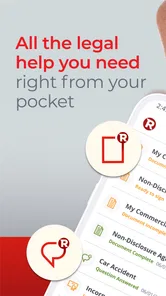
Rocket Lawyer is a legal-services app designed to help individuals, families, and small businesses handle common legal tasks. From the app, users can create and customize legal documents, access legal information, request consultations with attorneys, and manage paperwork in one place. It is especially useful for contracts, business forms, estate-planning documents, and other routine legal needs.
Can I speak with a real lawyer through Rocket Lawyer?
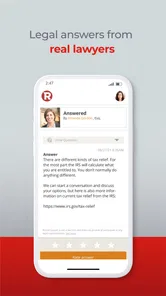
Yes, Rocket Lawyer may provide access to licensed attorneys through consultation or membership-based services, depending on your location and the plan you select. The available communication methods, response times, attorney availability, and consultation limits can vary. Before relying on the service, review the current membership terms and confirm that lawyers are available for your specific legal issue and jurisdiction.
Are Rocket Lawyer documents legally valid and suitable for my situation?
Rocket Lawyer’s templates are designed to help users prepare commonly used legal documents, and they can be legally useful when completed accurately and used under the correct local laws. However, a template cannot account for every personal or business circumstance. Carefully check the document, provide complete information, and consider professional legal advice for complex, high-value, or disputed matters.
Pros
- Connects users with licensed attorneys for personalized legal guidance.
- Offers customizable legal documents for common personal and business needs.
- Legal plans can make ongoing advice more affordable than hourly attorney fees.
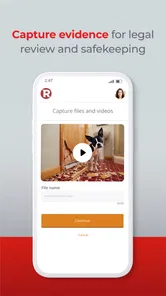
- Digital document storage keeps important files organized and accessible.
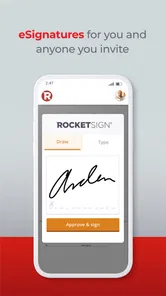
- Supports electronic signatures for faster completion of agreements.
Cons
- Some legal services and attorney consultations require a paid subscription.
- Pricing and plan availability may vary depending on location and legal matter.
- Document templates may not suit complex cases requiring tailored legal advice.
- Response times can differ depending on attorney availability and demand.
- Additional filing
- registration
- or third-party fees may apply to some services.











