Replit: Vibe Code with AI Fast
- 1.79K
- 4.5
- Installs
- 5.00M
- Price
- Free

Screenshots



Analysis by Reviewed
I think the most useful way to judge Replit is to ask what you want to do before you open it. If your goal is to test an idea, learn by changing code, or make a small project with someone else, a coding workspace that removes much of the usual setup can be a real advantage. If you need a carefully tailored local environment for a large, established project, convenience alone may not be enough. Replit is a productivity app from Replit, and its appeal is less about replacing every developer tool than making it easier to get from an idea to a working experiment.
Choosing a coding workspace
I would weigh three things: how quickly I can begin, whether I need other people to work alongside me, and how much control I need over the development environment. Replit’s browser-based approach suits quick starts and shared learning. Its Android app extends that access to a phone, though a small screen and touch keyboard naturally make extended coding less comfortable than working at a desk. The app is free to start, with in-app purchases ranging from about $26 to $260 per item, so I would check the available plan details before relying on paid capabilities for a regular workflow.
It is aimed at people who want to build and experiment, not just read about programming. A student can use it to revisit a class exercise, while a hobbyist might sketch out a simple tool or test a language idea during a spare moment. Replit is rated for Everyone, but that does not mean every feature or project will suit every age or skill level; a beginner still benefits from clear goals and guidance. The app has a 4.2 average from around 15,000 ratings, and has passed over a million installs, which suggests it has found a broad audience without making it the right fit for every coder.
Why Replit Stands Out
Before I choose any coding workspace, I try to picture the whole job rather than focus on the first few minutes. Is this a lesson I want to understand, a sketch I want to share, or a project I need to maintain over time? Replit is strongest when getting started and trying an idea matter more than shaping every detail of the environment. If the work is likely to grow, I would decide early how I will test it, keep track of changes, and move to a more comfortable setup when needed.
Imagine this: you're on the go, perhaps sipping coffee at your favorite spot, and you suddenly have a burst of inspiration for a new app or script. With Replit, you can dive right into coding from any device with internet access—no need to lug around a heavy laptop with all those bulky IDE installations. It’s all about convenience and accessibility.
Features That Make It Shine
One of the coolest features of Replit is its collaborative capabilities. Think Google Docs but for code. You can invite friends or colleagues to work on the same project in real-time, making it a breeze to brainstorm and troubleshoot together. This is particularly handy for educational settings or team projects where you need to be on the same page, literally.
For a student working through an exercise, collaboration can be more useful as a teaching method than as a way to divide up work. I would ask a classmate to explain one confusing section, then make a change myself and check what it does. That keeps the session focused on understanding rather than simply collecting edits. For a small team, the same principle applies: decide who is changing which part before everyone starts typing, especially when the purpose is to review an idea together.
More From Our News Desk

Weather by Xiaomi Review: Clear at a Glance, Less Clear Up Close

X Under Pressure: Can It Recover When Posting Goes Wrong?

Clash of Clans Is Won Between the Battles

Android Auto Makes the Case for Quieter Car Software

MobiOffice: Transforming Mobile Productivity with Seamless Integration

EA SPORTS FC™ Mobile Soccer: Redefining Mobile Sports Gaming
Another jaw-dropping feature is the sheer number of languages it supports. Whether you’re a fan of the ever-popular Python, diving into the depths of C++, or experimenting with niche languages, Replit has got you covered. Plus, it’s not just about coding—there’s also support for hosting and deploying applications. It’s like having your personal server without the hassle.
That breadth is handy when I want to compare approaches without first spending time assembling a separate environment for each experiment. One useful habit is to keep a tiny “proof” project separate from the main idea: test whether a language or a particular approach behaves as expected, then decide whether it deserves a larger build. It is a low-stakes way to avoid investing a long evening in a direction that turns out not to suit the task.
Learning and Growing
For those new to coding, Replit is a fantastic platform to learn and grow. It offers a plethora of tutorials and community-generated content. You can find everything from beginner guides to advanced projects, making it a rich resource for self-paced learning. It’s like having a coding class at your fingertips, anytime you need it.
I would still treat examples and lessons as material to investigate, not as answers to copy without thought. When a sample works, change one small part and predict what should happen before running it. If the result differs, that gives you a concrete question to explore. This routine makes a coding workspace more valuable for learning because it turns a finished example into a sequence of small experiments you can explain in your own words.
And let’s not forget the community aspect. The Replit community is thriving and incredibly supportive. Whether you’re stuck on a bug or need feedback on your code, tapping into this network of coders is like having a team of mentors ready to help out.
When asking for feedback, I get more useful help by describing the behavior I expected, what actually happened, and the smallest step that reproduces the problem. Sharing a whole project with no clear question can make it harder for someone to know where to begin. This is a small but important trade-off of a social learning environment: access to other people can speed up a stuck moment, but I still need to do enough debugging to make the question specific and useful.
The Final Code
In a world where coding is becoming an essential skill, having a tool like Replit is a game-changer. It’s not just an IDE; it’s a vibrant ecosystem that supports learning, collaboration, and innovation. Whether you’re a hobbyist looking to dabble in new languages or a developer in need of a robust coding platform, Replit is worth checking out. It’s like having a coder’s paradise right in your browser.
Where another tool may be a better fit
For a realistic everyday use, imagine I am waiting between appointments and want to test a small script that renames a batch of files. I can use the phone to explore the idea and make a quick change, then return to it later on a larger screen if the work grows. That is a sensible mobile role: a place to capture momentum, not necessarily the only place to finish a demanding project. I would keep the first task small, run it early, and make one change at a time so a narrow screen does not turn debugging into guesswork.
Compared with installing a traditional desktop IDE, Replit favors a low-friction start and access across devices over the fine-grained control developers may want from a local setup. Compared with a plain text editor, it brings the coding environment and project workflow together rather than leaving the user to assemble tools separately. Those are category-level trade-offs, not a claim that one approach is universally better. If you depend on a customized local toolchain, work offline for long stretches, or need precise control over how a large codebase is configured, a desktop IDE is likely the safer main workspace. A mobile coding app is also not a substitute for a physical keyboard when hours of editing are involved.
There is also a difference between choosing a workspace for a prototype and choosing one for a team’s long-running work. A quick demo benefits from a fast path to a runnable result; a maintained application needs deliberate review, repeatable tests, and a workflow everyone can follow. I would not treat easy sharing or deployment as a replacement for those practices. If a project becomes important to other people, the team should judge the workspace by how well it supports its actual maintenance routine, not just by how quickly the first version appeared.
A workflow that avoids avoidable friction
One practical habit is to treat each experiment as a small, testable project rather than beginning with a vague request to build a complete product. Write down what the first version should do, create the smallest useful slice, and check it before adding more. That makes it easier to tell whether a bug comes from the idea or from a later change. For collaborative work, agree on the immediate task before inviting others in; shared editing is most useful when everyone knows what they are changing, and less helpful when several people make unrelated edits at once.
On a phone, I would also make the workspace serve the next step rather than attempt an entire development session in one sitting. A useful mobile task might be reading a short section, correcting a small error, or checking whether a simple experiment behaves as expected. If a change involves many lines, careful comparison, or repeated debugging, I would wait until I had a larger screen and a physical keyboard. That is not a weakness unique to this app; it is a practical limit of writing code on a phone.
Hosting and deployment can make a prototype easier to show, but I would separate “it runs” from “it is ready for real users.” A personal experiment may not need the same testing, reliability, or maintenance as a public service. Treat deployment as a useful next step for a demonstration, not as proof that a project is production-ready. Similarly, community examples can be good starting points, but I would read and understand borrowed code rather than pasting it into a project blindly.
What switching really involves
If you are moving from another editor, the main adjustment is not learning a new programming language; it is changing where your work lives and how you approach setup, testing, and collaboration. Before committing an important project, try a small nonessential one and confirm that its language and workflow suit your needs. Keep a copy of important work somewhere you control, and make sure collaborators know which version is current. That modest trial answers the practical question better than choosing based only on a feature list.
A simple trial can answer several questions at once: whether the project starts as expected, whether the screen is comfortable for the task, and whether working with another person actually helps. I would use a disposable exercise or small prototype rather than migrate a project I rely on every day. If the trial feels natural, it is easier to move over gradually; if it exposes a mismatch, I have learned that before reorganizing important work around a new setup.
The current version is 2.155.0, and the app requires Android 7.0 or later. Those details matter if you are installing it on an older phone, but even a compatible device cannot remove the limits of mobile editing. I would use the app for learning, quick prototypes, and occasional project checks, then move to a larger screen when code review or substantial debugging calls for more room.
Who I would recommend it to
Replit makes the most sense for curious beginners, students, hobbyists, and collaborators who value quick access more than a fully customized workstation. It can also suit an experienced developer who wants a convenient place for a small test or shared demonstration. I would hesitate to recommend it as the only environment for someone whose work depends on extensive local configuration, uninterrupted offline access, or long sessions of detailed editing on a phone. With around 1,100 written reviews and a free entry point, it is easy to investigate, but the best test is still whether one of your real tasks feels simpler there than in your current setup.
If you are choosing between this and a standard desktop coding environment, I would make the decision based on where the friction sits. If setup is what stops you from trying an idea, Replit’s quick access is compelling. If you already have a carefully tuned local workflow and need extensive control, rebuilding that arrangement may not be worth it. A plain editor can be enough for someone who only wants to write text and already has other tools for running and organizing projects; the advantage here is bringing more of that coding process together.
The free starting point makes a small trial approachable, but I would not assume that every capability I might want is included at no cost. In-app purchases run from about $26 to $260 per item, so before making the app part of a regular workflow, I would check what a paid option covers and whether that specific capability matters to my project. The right question is not simply whether a paid plan exists, but whether it removes a real obstacle I have encountered rather than one I only imagine I might face.
My recommendation is to start with a modest project that has a clear finish line: a short script, a lesson exercise, or a prototype you can show a friend. If the quick setup and shared workflow help you keep going, the app has earned a place in your toolkit. If you repeatedly run into environment constraints or find mobile editing slows you down, use a desktop coding environment instead and keep Replit for lighter experiments. It was released on October 14, 2022, and for me its lasting value is straightforward: it lowers the barrier to trying an idea, while still leaving room for a more specialized tool when the work demands one.
Replit: Vibe Code with AI Fast Frequently Asked Questions
Can Replit help me build an app or website from a prompt?
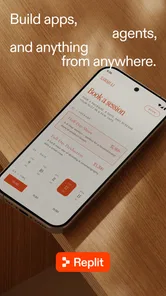
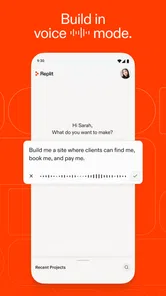
Replit’s mobile app is presented as a tool for making apps and sites with natural-language prompts. That can make it a useful starting point if you want to describe an idea in everyday language and work toward a project without beginning solely from a blank code editor. It is a productivity app, so the experience is centered on creating and working on projects.
What does Replit’s mobile app offer for productivity?
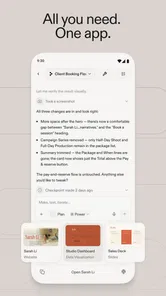
Replit is a productivity app for working on coding projects and making apps or websites with natural-language prompts. Its mobile format lets you access the platform from a phone or tablet, which can be handy for checking in on work away from a computer. Whether it suits your routine depends on how comfortable you are managing project work on a smaller screen.
Can I use Replit on a phone or tablet?
Replit is available as an app, so you can use it on a mobile device rather than relying only on a desktop browser. Its focus on making apps and sites with natural-language prompts may suit quick project work on the go, while coding on a smaller screen can feel different from using a full keyboard and display. The app is free to download, with in-app purchases available.
What is Replit and how does it work?
Replit is a collaborative coding platform that allows users to write, run, and share code directly from a web browser. It supports various programming languages and enables users to work on projects collaboratively in real-time. Replit provides an integrated development environment (IDE) with features like version control, debugging, and a community where users can share and explore projects. Its mobile app is presented as a productivity tool for making apps and sites with natural-language prompts.
Is Replit suitable for beginners in coding?
Yes, Replit is an excellent tool for beginners in coding. It offers an intuitive interface and a range of resources, including tutorials and templates, to help new users get started with coding. The platform's collaborative features also allow beginners to learn from more experienced developers by observing their code and asking questions in real-time. Beginners can also explore the app’s natural-language approach to creating apps and sites as they learn.
Pros
- Supports multiple programming languages
- Real-time collaboration feature
- User-friendly interface
- Cloud-based environment
- Extensive community support
Cons
- Limited offline functionality
- Can be slow with large projects
- Some features behind paywall
- Learning curve for beginners
- Occasional bugs and glitches











