Remote Control App For All TVs
- 177.00
- 4.5
- Installs
- 500.00K
- Price
- Free
Screenshots
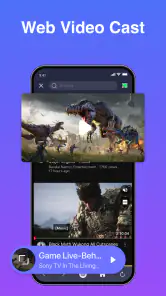
Analysis by Reviewed
I’m most interested in a TV remote app when it solves a real household nuisance rather than asking everyone to change how they watch television. A phone can be a convenient stand-in when the handset has vanished, but it is also the device people use for calls, messages, and plenty else. I’d treat Remote Control App For All TVs as an extra way to manage a TV, then judge whether it fits my routine after setting it up and trying the controls I actually use.
Start with the TV you use most
Before relying on a phone remote, I would test it with the television that causes the most day-to-day friction. Try the basic actions you need, such as changing volume or navigating a menu, while the original remote is still close by. That makes it easy to tell whether the app suits your setup without turning a simple evening into a troubleshooting session.
Compatibility is the first practical question for a universal remote. The broad aim is to work across televisions, but I wouldn’t infer that every model connects in the same way or that setup will be identical in every home. If you have several TVs, pair and test them one at a time, and check which one is selected before making a change. This is especially useful when the screens are in nearby rooms: a quick glance at the target can prevent an accidental volume adjustment on the wrong TV.
A useful backup, not necessarily a replacement
There is a meaningful difference between keeping a phone remote available and making it the household’s only remote. As a backup, it can help when the physical handset is missing or out of reach. As the sole option, it may be less convenient for a guest, a child, or someone who prefers buttons they can identify by touch. I’d keep a physical remote accessible if several people use the TV, particularly if they have different comfort levels with smartphones.
One less obvious trade-off is phone availability. If your phone is charging in another room, its battery is low, or you are using it for something else, a dedicated remote is ready without competing for attention. Conversely, if your phone is already beside you, opening a remote app can be easier than getting up to retrieve a handset. The best fit depends less on which option is universally better and more on where the phone and remote tend to be when you want to use the TV.
That makes the app particularly suitable for someone who already handles everyday tasks comfortably on a phone and wants one more control option close at hand. It is less compelling for a viewer who rarely uses a smartphone, wants a remote that can be operated without looking, or expects a universal app to work as a guaranteed substitute before testing it with their television.
An All-in-One Solution
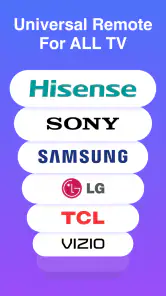
This app truly is an all-in-one solution, compatible with just about every TV brand you can think of. From Samsung, LG, to Sony, and even those less popular brands, this app has got you covered. Setting it up was a breeze. After installing the app, it took me less than five minutes to pair it with my TV. Talk about convenience! With just a tap, I was channel surfing like a pro.
More From Our News Desk

Clash of Clans Is Won Between the Battles

Android Auto Makes the Case for Quieter Car Software

MobiOffice: Transforming Mobile Productivity with Seamless Integration

EA SPORTS FC™ Mobile Soccer: Redefining Mobile Sports Gaming

How Microsoft OneDrive Became a Mobile Productivity Giant

How Google Translate Breaks Language Barriers Effortlessly
When a phone remote fits the moment
I find the strongest case for a TV remote app is not replacing a perfectly working handset every day, but solving the small interruptions that make watching TV awkward: the original remote is missing, someone has carried it into another room, or you want to change the volume without getting up. In a shared home, keeping a phone-based option ready can save a search and avoid passing one remote around.
A realistic use is arriving home with groceries, putting them down, and wanting to pause the television before settling in. If the app is already paired and the TV connection is available, reaching for a phone may be easier than tracking down the physical remote. I would set it up during a calm moment, rather than waiting until guests are sitting down and a show is already playing. That small bit of preparation is more useful than expecting any remote app to work instantly in every situation.
Features Galore
The Remote Control App For All TVs is packed with features that make it stand out from the crowd. For starters, it’s highly customizable. You can rearrange the buttons to suit your preferences, which was a huge plus for me. There’s also a nifty voice command function – just speak, and the app does the rest. It’s like having your personal TV butler.
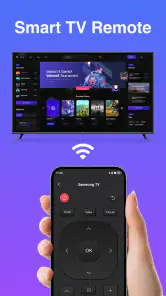
Another feature worth mentioning is the touchpad. It transforms your phone into a sleek, intuitive touch remote, making navigation smoother than ever. Plus, the app supports multiple devices, so you can control all the TVs in your house from a single app. No more juggling between different remotes or apps!
Readability and everyday navigation
For readability, I would judge a remote by how quickly I can recognize the controls I need, not by how many options it claims to offer. A phone screen can make frequently used controls convenient to reach, but it also means the experience depends on the device in your hand and on how clearly you can see and tap its screen. Rearranging buttons, as this app allows, can help put the controls you use most within easier reach; I would keep the layout simple rather than trying to fit every possible action into one busy arrangement.
The touchpad is a different kind of trade-off. It may feel natural for moving through on-screen menus, but it asks for more precise finger movement than tapping a large, familiar button. If a relative finds touch gestures difficult, or prefers physical controls they can locate by feel, I would keep the original remote nearby instead of treating the app as a complete replacement. The same applies when you need an obvious tactile response without looking down at your phone.
User-Friendly Interface
The interface is simple yet effective. As someone who isn’t always the most tech-savvy, I appreciated how intuitive the app was. Everything is clearly labeled and easy to find, from the power button to volume controls and everything in between. It’s designed with the user in mind, ensuring even the least tech-inclined among us can use it without a hitch.
One of my favorite things about this app is the absence of intrusive ads. It’s refreshing to use an app that doesn’t bombard you with pop-ups every few seconds. Kudos to the developers for keeping it clean and user-focused.
Situational access and practical boundaries
On a quiet evening, a phone remote can be useful when the TV is across the room or the household wants to avoid interrupting someone who is resting. It can also be a handy backup for a caregiver who already uses a phone and needs to adjust the television without searching through several devices. I would still check that the phone is charged and within reach; unlike a dedicated remote, a phone may be needed for messages, calls, and other tasks at the same time.
It is also worth separating a clear interface from full accessibility. The app’s straightforward controls may suit someone who is comfortable reading and tapping a phone, while touchpad gestures or voice interaction may not work equally well for every person or setting. Voice control can be inconvenient in a noisy room, and speaking commands may not be comfortable or practical for everyone. In those cases, a physical remote with distinct buttons, or the TV’s own control options, may be the more dependable choice.
For a household with several televisions, the multiple-device support can reduce app switching, but it does not remove the need to select the right screen before making a change. I would give each device a clear, memorable identity in whatever selection workflow is available, and take a moment to verify the target before changing volume or power. That is a simple habit that matters when two TVs are close together or when someone else is watching in another room.
What to expect before relying on it
Remote Control App For All TVs is a free productivity app from HOOHUA. It has a 4.5 average from around 2.2 thousand ratings, with over 500 thousand installs, and is rated for everyone. The current version is 1.4.3, and the app was released on October 24, 2024. Optional in-app purchases range from $3.99 to $94.99 per item, so I would check the purchase details before choosing anything paid rather than assuming every option is included at no cost.
Compared with a TV maker’s own remote app, a universal remote aims to bring different televisions into one place, which can be useful if your home has more than one brand. The trade-off is that a manufacturer’s app may be a better fit if you mainly use one particular TV and want an experience tailored to it. A physical remote remains simpler for guests and people who do not want to unlock a phone; this app makes more sense as a convenient backup or as a shared phone-based option than as a guaranteed replacement for every household.
Making it work for different routines
For a shared living room, I would agree on a simple habit: leave the physical remote where everyone can find it, and let the phone app cover the occasions when that remote is missing or inconvenient. This avoids making a less confident phone user depend on a screen-based control just because another household member prefers it. It also gives the person setting up the app time to confirm the right TV is selected before anyone needs it in a hurry.
If you mainly want to adjust settings while already holding your phone, rearranging the controls around your common tasks is a practical way to reduce hunting through the layout. I would prioritize only the actions I reach for often and avoid changing the arrangement repeatedly. A familiar, uncluttered layout is easier to operate quickly, especially when I am looking at the television rather than concentrating on the phone.
Voice commands and the touchpad are worth evaluating as optional ways to interact, not as universal solutions. A touchpad may suit someone who is comfortable with gestures and navigating menus, while direct buttons may be easier for quick changes. Voice can be handy when hands are occupied, but it depends on the room and the user’s comfort with speaking commands. Trying each method in the actual viewing space is more informative than assuming one will be best in every situation.
Who should choose another option?
I would look elsewhere if the main requirement is a tactile remote that works without unlocking a phone, or if the television must be controlled by someone who does not want to use a touchscreen. A TV maker’s own app may also be the more sensible choice for someone with one primary television who values a control experience focused on that set. And if a universal app has not yet been tested with your particular TV, I would not discard the original remote until the basic controls have been checked.
For people who depend on specific visual, motor, or sensory accommodations, a straightforward interface alone is not enough to establish that the app will meet their needs. Screen legibility, precise tapping, gesture comfort, and the practicality of voice commands can vary from person to person and setting to setting. I would test the controls with the person who will use them, at the usual viewing distance and in the usual room conditions, then keep an alternative available if any interaction feels tiring or uncertain.
Final Thoughts
In a world where convenience is king, the Remote Control App For All TVs is a must-have for anyone tired of losing the remote or dealing with multiple remotes for different devices. It’s packed with features, easy to use, and, most importantly, reliable. If you’re looking to simplify your TV-watching experience, this app is definitely worth a try. Just download it, set it up, and enjoy a whole new level of convenience. Trust me, you’ll wonder how you ever lived without it!
My inclusive verdict is more measured: I would try it if you often misplace remotes, manage televisions from different brands, or prefer keeping everyday controls on your phone. I would skip it if you need tactile buttons, dislike operating a phone while watching, or rely on an approach that works without checking device compatibility and connection first. As a backup that can make common TV tasks easier, it has a practical appeal; the best choice still depends on who is using it and what feels comfortable in their living room.
Remote Control App For All TVs Frequently Asked Questions
What should I know about Remote Control App For All TVs before downloading it?
Remote Control App For All TVs is a productivity app developed by HOOHUA, with the short description “Remote Control App” and the summary “Universal Smart Remote, Control All Your TVs with Ease.” It is free to download and rated for Everyone. The app has an average rating of 4.5 from around 2.2 thousand ratings, and has been installed over 500 thousand times.
What are the key features of the Remote Control App For All TVs?
The Remote Control App For All TVs provides users with a universal remote control solution that works seamlessly with various TV brands and models. It offers features such as channel control, volume adjustment, power on/off, and input selection. Additionally, the app supports voice commands and customizable button layouts, ensuring a personalized user experience.
Is the Remote Control App For All TVs compatible with my TV model?
The app is designed to be compatible with a wide range of TV brands and models, including popular ones like Samsung, LG, Sony, and Panasonic. However, it's essential to check the app's compatibility list or test it with your specific TV model to ensure it works correctly. Some older or less common TV models may not be supported.
Do I need any additional hardware to use the Remote Control App For All TVs?
No additional hardware is required for most modern smartphones equipped with an IR blaster. However, if your device lacks an IR blaster, you might need a compatible Wi-Fi connection or an external IR adapter to use the app effectively. Always check your smartphone's specifications to ensure compatibility with the app.
How user-friendly is the Remote Control App For All TVs?
The app is designed with user-friendliness in mind, featuring an intuitive interface that mimics a physical remote control. It includes easy navigation, clear icons, and helpful tutorials for first-time users. The app also offers customization options, allowing you to tailor the remote layout to your preferences, making it accessible for users of all ages.
Pros
- Easy setup process for all TV brands.
- User-friendly interface design.
- Supports voice commands for ease of use.
- Works seamlessly with smart TVs.
- Regular updates with new features.
Cons
- Limited functionality with older TV models.
- Requires stable internet connection.
- Occasional ads can be disruptive.
- Some features locked behind paywall.
- May not support all regional TV brands.
- Category
- Productivity
- Version
- 1.4.3











