Receipt Scanner: Easy Expense
- 3.38K
- 4.7
- Installs
- 500.00K
- Price
- Free

Screenshots
Analysis by Reviewed
For a freelancer, consultant, or small team, the useful part of a receipt scanner is not simply taking a picture; it is turning a purchase into a record that can be checked and shared later. Receipt Scanner: Easy Expense is built around that everyday task. I see it as a practical option when paper receipts still matter to your work and you want less manual entry, while keeping in mind that a scan is only as useful as the details you verify.
Where the app fits in a workday
I find this kind of receipt-focused tool most useful when I decide on a routine before the paper pile starts growing: scan a receipt soon after paying, then check the extracted details while the purchase is still fresh in my mind. That quick review matters because a camera can capture a crumpled slip imperfectly, and an incorrect total is easier to spot at the counter than weeks later when I’m preparing a report.
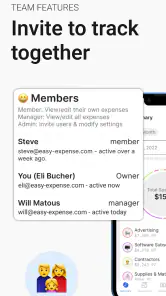
A realistic use case is a freelancer buying supplies on the way to a client meeting. I’d scan the receipt, check the merchant and amount, and keep the record with the rest of the month’s costs. For a small team, the same habit can make expense handoffs less dependent on someone keeping every paper receipt in a bag. The app is aimed at business expense management as well as individual tracking, so that shared workflow is a more natural fit than using a notes app full of receipt photos.
First Impressions
When I first downloaded Receipt Scanner: Easy Expense, I was immediately impressed by its intuitive interface. It's clean, user-friendly, and doesn’t overwhelm you with unnecessary features. As someone who's not exactly tech-savvy, I appreciated how straightforward it was to navigate.
It is a free business app from Easy Expense Tracker, rated for Everyone, and its current version is 5.49.1. Its 4.7 average comes from around 17,000 ratings, with more than 500,000 installs. Those figures suggest plenty of people have tried it, but I’d still judge it by whether its capture-and-review routine suits your own receipts. In-app purchases range from $0.99 to $144.99 per item, so I’d check what a paid option covers before relying on it for a longer-term workflow.
Getting Started
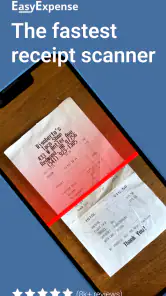
Setting up the app was a breeze. After a quick registration, I was ready to scan my first receipt. The app uses your phone's camera to capture the receipt, and the process is as simple as snapping a photo. Within seconds, the app processes the image and extracts the relevant information, such as the vendor's name, date, and total amount. It's surprisingly accurate, saving me the hassle of manual input.
The useful trade-off is that scanning reduces typing but does not remove the need to check the result. I’d give extra attention to receipts with faint ink, long item lists, or totals close to a reimbursement limit. If the amount or date needs correcting, dealing with it immediately is less frustrating than trying to remember what a small purchase was for at the end of the month.
More From Our News Desk

Clash of Clans Is Won Between the Battles

Android Auto Makes the Case for Quieter Car Software

MobiOffice: Transforming Mobile Productivity with Seamless Integration

EA SPORTS FC™ Mobile Soccer: Redefining Mobile Sports Gaming

How Microsoft OneDrive Became a Mobile Productivity Giant

How Google Translate Breaks Language Barriers Effortlessly
Making records easier to review
One small habit makes the scan history more useful: add context while the purchase is still obvious to me. A receipt for fuel or office supplies may be self-explanatory today, but a restaurant bill or a mixed personal-and-work purchase can be hard to interpret later. I’d note the client, project, or business reason wherever the app’s available fields allow it, rather than expecting the receipt image alone to explain why the expense belongs in a report.
This is especially helpful when I’m collecting receipts across several days. Instead of scanning everything on Friday and trying to reconstruct the week, I’d capture each purchase as it happens, then reserve a short review session to look for missing dates, unreadable totals, or duplicate entries. That split—quick capture first, deliberate checking later—keeps the process manageable without treating automatic recognition as infallible.
Organizing Your Expenses
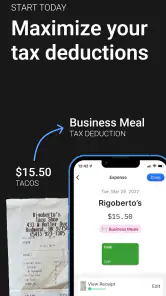
Once you've scanned your receipts, the app categorizes them automatically. You can easily sort through different categories like groceries, travel, or dining. This feature is particularly useful for those who need to keep track of business expenses or for anyone wanting to manage their personal budget more effectively.
For business users, the key question is how your team wants to review and submit expenses. I’d agree on a simple rule—scan promptly and use the same category for the same kind of purchase—before several people start entering records. That consistency makes a month-end review easier, even when the app has done the first pass at sorting. If your workplace needs formal approval stages or tightly controlled accounting workflows, I’d compare those requirements with the app before making it the only system everyone uses.
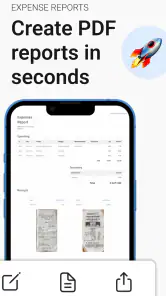
The app also allows you to export your data to Excel or PDF, making it simple to share your expense reports with others, like your accountant or finance team. I found this particularly helpful during tax season when every penny counts.
Exports are also a useful bridge if you do not want to replace your existing bookkeeping setup. I’d treat the spreadsheet or PDF as a reviewable report, then check that its date range and categories match what the recipient expects. Compared with entering each receipt manually into a spreadsheet, scanning can save repetitive effort; compared with dedicated accounting software, a focused tracker may be simpler, but it may not cover every process a business needs.
Choosing a workflow for a small team
For a team, I would decide who checks the records before an export is sent, rather than assuming that every scanned entry is ready for reimbursement. One person can verify that the receipt is legible and the category makes sense; the person responsible for bookkeeping can then check the report’s scope. This is a modest routine, but it helps catch a misread total or a personal purchase mixed into business spending before it reaches an accountant.
There is a trade-off here: a lightweight tracker can make collecting receipts less awkward, but it does not automatically settle a company’s expense policy. If staff need approval rules, audit controls, or a direct connection to a broader accounting process, I’d keep the appropriate business system in place and treat the app as a capture aid only if its exports fit that setup. For a solo operator or a small group with a simple reimbursement process, that extra layer may be unnecessary.
Additional Features
What sets Receipt Scanner: Easy Expense apart are its additional features. You can set reminders for upcoming bills or payments, ensuring you never miss a due date. Plus, the app supports multiple currencies, which is a lifesaver for frequent travelers.
Multiple currencies are most useful when travel spending needs to stay distinguishable from everyday costs. I’d scan a receipt in the currency shown and review the entry before mixing it into a report, especially after crossing borders or paying for a work trip. For someone who only buys locally, this may matter much less than dependable categorization and a habit of recording each expense promptly.
A useful travel workflow is to keep work purchases together as they happen, rather than waiting until the return journey to sort a wallet full of receipts. I’d check each entry against the printed currency and amount, then review the travel period as a separate batch before sharing a report. That is more dependable than trying to remember which exchange or purchase belonged to which day, while still leaving room for a separate accounting tool if the business needs more detailed currency handling.
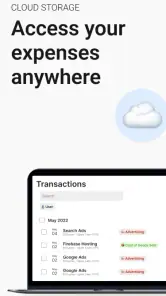
I also appreciated the secure cloud backup, so I never have to worry about losing my data. It's reassuring to know that my financial information is safe and accessible across different devices.
Because receipts and business spending are sensitive, I’d still make a habit of checking that important records are present before clearing paper copies or changing devices. Cloud backup can be reassuring, but it is not a substitute for keeping a copy of a report you need to submit or retaining documents according to your own tax and workplace rules.
What the long release history tells me
The app’s version history begins with a release on January 19, 2020, and it has since reached version 5.49.1. That shows the product has continued through multiple releases; it does not by itself tell me which changes were made or guarantee that every future update will suit my routine. I’d keep the app current and check release notes when available, especially if a change affects how my team scans, organizes, or exports records.
For someone already using it, I would avoid changing a familiar month-end process in the middle of a reporting period just because a new version is available. I’d first confirm that I can still find the records I need and produce the kind of export my recipient expects. For a new user, the version number is a reason to evaluate the current experience rather than assume that an old impression of the app still applies; future improvements are possible, but I would not plan a business workflow around features that have not appeared in the version I use.
Where it may not be the right fit
I would skip a receipt-first tracker if most of my spending is cashless and already appears cleanly in a bank or accounting system, or if I need complex bookkeeping rather than a convenient record of purchases. A regular spreadsheet can be better for someone who wants complete control over every column and formula. Conversely, taking photos and saving them in a gallery is simpler, but it leaves the work of sorting and totaling to me.
I’d also think carefully before choosing it as the only record system for a business with a detailed approval chain or strict document-retention procedure. Its appeal is reducing the friction of receipt capture and organizing expenses; that is different from replacing a full accounting platform. If my main problem is reconciling bank transactions, managing invoices, or controlling budgets across departments, I’d start with a tool built around those jobs and use a receipt scanner only if it fills a clear gap.
The price is another reason to test the fit before building a routine around paid options. The app is free to start, while in-app purchases are listed from $0.99 to $144.99 per item. I’d review the purchase details in the app and decide whether any paid capability solves a real need, rather than paying simply because I have already scanned a few receipts. That is especially sensible for a team, where the useful choice may depend on each person’s role and how reports are submitted.
The Verdict
In conclusion, Receipt Scanner: Easy Expense is a fantastic tool for anyone looking to streamline their expense management. It's easy to use, efficient, and packed with features that make life so much simpler. Whether you're a business professional, a frequent traveler, or just someone looking to get a better handle on your finances, this app is definitely worth a try. Trust me, once you start using it, you'll wonder how you ever managed without it!
My recommendation is a little more specific: it makes the most sense for people who regularly handle paper receipts and want a quicker path from purchase to an organized report. Before moving a whole team onto it, I’d try the same small batch of receipts on everyone’s phones and see whether the scan results and export format fit the actual reimbursement routine. If that test feels smooth, it can be a practical middle ground between a manual spreadsheet and a heavier accounting tool.
I’d begin with a short trial that covers the receipts I actually deal with: a clear shop receipt, one with a long item list, and a travel purchase if multiple currencies matter to me. Then I’d check the extracted details, sort them, and export a sample report to whoever needs to review it. This answers the practical questions that matter most—whether the scans are readable enough, whether the categories suit my habits, and whether the report is useful—without committing my whole record-keeping process at once.
For people who want a straightforward way to capture paper spending, the combination of scanning, organization, reminders, currency support, and report exports makes it worth considering. For someone whose expenses are already handled automatically by a bank or whose business needs formal accounting controls, I’d choose a different primary tool. The best fit is the person who wants receipts to stop becoming a monthly chore, but is still willing to check the details and keep the wider bookkeeping process in view.
Receipt Scanner: Easy Expense Frequently Asked Questions
Does Receipt Scanner: Easy Expense use AI to scan receipts?
Yes. Receipt Scanner: Easy Expense is described as an expense tracker with AI receipt smart scanning. This can help turn paper receipts into digital records and make expense management more convenient. As with any scanning tool, it is sensible to check the details captured from a receipt before relying on them for your records.
Can I use the app to track personal expenses as well as business spending?
Receipt Scanner: Easy Expense is aimed at business expense management, but receipt organization and expense tracking can also be useful for personal spending. If you want one place to keep an eye on purchases and retain receipt details, it may suit that purpose too. Its store summary particularly highlights managing business expenses as a team.
Is Receipt Scanner: Easy Expense free to download?
Receipt Scanner: Easy Expense is free to download, so you can try its receipt-scanning and expense-tracking tools without an upfront purchase. The app also offers in-app purchases, with items ranging from $0.99 to $144.99 each. Consider checking the available options in the app before buying, especially if you only need basic receipt organization.
Can I use Receipt Scanner: Easy Expense for a business or a team?
Yes. Receipt Scanner: Easy Expense is a business-focused expense tracker, and its description highlights managing business expenses as a team. It can be useful for keeping receipts and spending records organized in a work context, as well as for personal expense tracking. The app is developed by Easy Expense Tracker.
What is Receipt Scanner: Easy Expense used for?
Receipt Scanner: Easy Expense is an application designed to help users efficiently manage their expenses by scanning and digitizing paper receipts. The app uses advanced OCR technology to extract important information, such as date, amount, and vendor, thereby simplifying the tracking and categorization of expenditures for personal or business use.
Pros
- User-friendly interface for easy navigation.
- Accurate receipt scanning and data extraction.
- Supports multiple currencies and languages.
- Secure cloud storage for receipts.
- Integrates with popular accounting software.
Cons
- Premium features require a subscription.
- Occasional scanning errors with crumpled receipts.
- Limited offline functionality.
- Lacks advanced expense reporting tools.
- Ads in the free version can be intrusive.
- Category
- Business
- Version
- 5.49.1












