Race Monitor
- 348.00
- 3.5
- Installs
- 500.00K
- Price
- Free

Screenshots
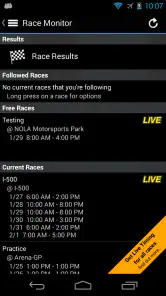
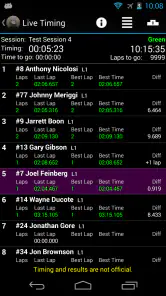
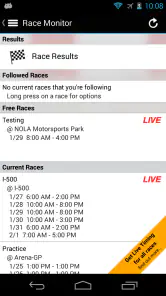
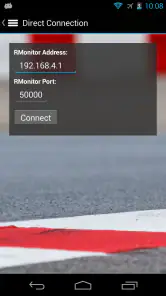
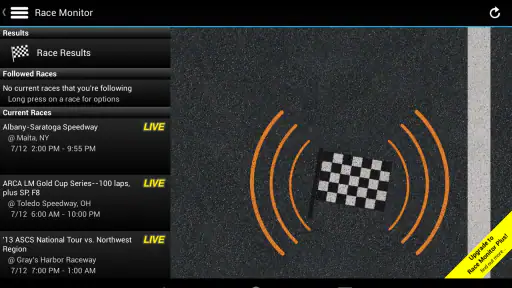
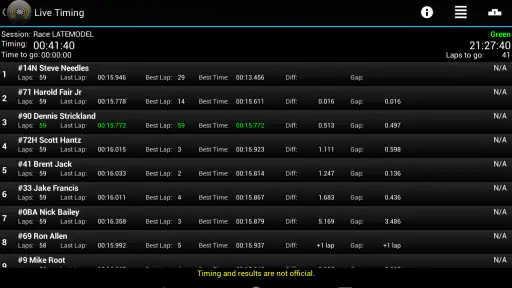
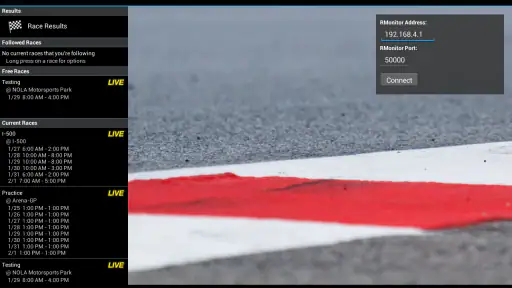
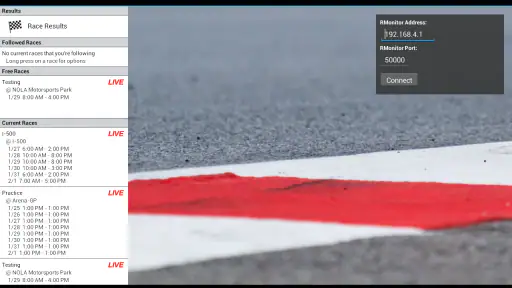
Analysis by Reviewed
I use Race Monitor as a practical companion when I want to follow a race without sitting beside the timing screen at the venue. It is a sports app from Race Monitor built around live race timing, and that focus makes it quite different from a general sports-news app. Instead of asking me to browse headlines or wait for a result recap, it puts the event’s timing information at the center of the experience.
That narrow purpose is both its biggest strength and the main reason some people may not need it. If you follow motorsport closely, attend events, support a driver, or simply want to understand how a race is unfolding while away from the track, the app can be genuinely useful. If you mainly want video, commentary, news, standings across an entire season, or a polished social feed, another kind of sports app will probably suit you better.
Race Monitor is free to download, with optional in-app purchases ranging from under a dollar to several dollars per item. It is rated for Everyone, and its long presence in the sports category has helped it build a sizable audience: the app has passed half a million installs, with an average rating of three and a half from roughly two thousand ratings. Those figures suggest a well-established tool with a mixed but meaningful user response rather than a brand-new experiment.
How I decide whether Race Monitor is the right timing app
My first question is not whether the app can show live information. It is whether live timing is actually the information I need. A timing-focused tool earns its place when the order of competitors, lap progress, gaps, and changing positions matter more than a written explanation of the event. That is the situation Race Monitor is designed for.
I would consider it for three types of users. The first is the spectator at a circuit who cannot see every section of the course. The second is the person following a race remotely while doing something else. The third is the enthusiast who wants a more immediate view of the contest than a result page provides. In each case, the app’s value comes from reducing the distance between what is happening on track and what I can see on my phone.
The decision is less favorable if I want a complete media package. A live timing screen does not replace video coverage, a commentator explaining strategy, detailed driver interviews, or a news service that puts events into context. I also would not choose it as my only motorsport app if I need a broad archive of articles and season analysis. Race Monitor is best understood as a specialist instrument, not an all-purpose racing hub.
What I look for before relying on live timing
When I open a race-timing app, I want to find the event I care about quickly, understand the order without studying a complicated interface, and keep track of changes while my attention moves elsewhere. I also want the information to be useful during a real event, not just after everything has finished. That makes clarity and immediacy more important to me than decorative graphics.
More From Our News Desk

Clash of Clans Is Won Between the Battles

Android Auto Makes the Case for Quieter Car Software

MobiOffice: Transforming Mobile Productivity with Seamless Integration

EA SPORTS FC™ Mobile Soccer: Redefining Mobile Sports Gaming

How Microsoft OneDrive Became a Mobile Productivity Giant

How Google Translate Breaks Language Barriers Effortlessly
Race Monitor’s appeal comes from its directness. Its store summary describes access to live timing from hundreds of races around the world, and that broad event coverage is central to the experience. The app is not tied to a single championship in the way some official services are. That makes it worth checking when a smaller or less familiar event is not covered by the mainstream apps I already have.
There is a trade-off here. A wide collection of events can make discovery less obvious than opening an official championship app that presents one calendar in a carefully organized way. I recommend opening the app before the race begins, finding the event, and deciding which information matters to you. Doing that preparation is more reliable than waiting until the start and expecting to learn the interface under pressure.
A realistic race-day routine
Imagine I am at a circuit with friends. We can see the start and perhaps one corner clearly, but much of the course is hidden. One person is watching the action in front of us, another is taking photos, and I keep Race Monitor open to follow the wider order. When a car disappears from view, the timing screen gives me a way to stay oriented. I can notice whether a position change happened on track or whether the order is simply changing because competitors are being recorded at different points.
That is a more useful scenario than casually opening the app after the event. At the venue, live timing fills the gaps created by limited sightlines and crowd noise. It also helps when the race is spread across a large area or when several classes are competing and it is difficult to identify every vehicle visually.
At home, I might use it alongside a television or stream with the phone placed nearby. In that setup, the app does not need to provide the entire viewing experience. It acts as a second screen for checking the running order while I watch the broadcast. This is one of the strongest ways to use a specialist timing app: let video show the drama and let timing data answer the quick questions.
The less obvious value of a timing-first view
A result page tells me where competitors ended up. Live timing helps me follow the process that leads there. That difference matters when I am trying to understand whether a driver is gaining ground, losing contact with the group, or moving through the order during an active race. Even without a full commentary layer, a changing table can make the contest easier to follow.
It is also useful when the event is not receiving much attention elsewhere. A major sports platform may focus on headline championships and offer little for regional or specialist races. Race Monitor’s worldwide event focus gives it a better chance of being relevant in those situations. I would still check the event list early, because coverage is only valuable if the specific race I care about is available when I need it.
Another practical insight is that timing information works well for shared viewing. If one friend is interested in a particular driver and another is following the overall battle, a live timing screen gives both people a common reference. It can reduce the need to keep asking who is leading or whether a gap has changed, especially when the broadcast cuts away from the action.
Where Race Monitor wins, and where another category fits better
Its strongest advantage is focus
Race Monitor does not need to compete with a general sports app on every front. Its advantage is that it treats live race timing as the main job. I appreciate that focus when I already know what event I am following and want information quickly rather than a stream of unrelated stories.
The app is especially appealing to people who attend races in person. Official event screens can be difficult to see from every part of a venue, and a phone is easier to keep close. It can also help spectators understand what is happening between visible moments, which is often the difference between casually watching cars pass and following the actual contest.
Remote followers benefit too. If I am working, traveling, or waiting somewhere without access to a broadcast, a timing display can keep me connected to the race with less commitment than watching a full stream. That does not make it a replacement for video, but it is a more efficient choice when I only need the current order and race progress.
When an official championship app is the better choice
An official series app may be preferable when my interest is concentrated on one championship and I want its calendar, news, standings, video, and identity in one place. A dedicated official service can feel more coherent because every screen is built around the same competition. Race Monitor is more flexible in spirit, but that flexibility may matter less to someone who follows only one familiar series.
I would also choose an official source when the surrounding context is essential. If I want explanations of penalties, team announcements, driver stories, or a deep season narrative, a timing-first app may leave too much of the story to me. In that case, Race Monitor can still serve as a useful companion, but it should not be the only tool on my phone.
When a general sports app or streaming service wins
A general sports app is the easier choice for someone who follows several sports and wants one place for headlines, scores, alerts, and broad competition coverage. Its interface may be more familiar for casual use. Race Monitor becomes more attractive only when the race itself is the priority and ordinary score updates feel too limited.
A streaming service is the obvious choice for a viewer who wants the visual experience, commentary, onboard footage, or post-race analysis. Timing can tell me that the order is changing, but video shows the reason in a way numbers alone cannot. I would not pay for or install Race Monitor expecting it to deliver the same experience as a broadcast platform.
There is also a simple human factor. Some people find live timing screens absorbing; others find rows of changing information tiring. If I prefer a presenter to explain the race in plain language, the app may feel too bare. If I enjoy following the details myself, its focused approach is much more satisfying.
Small habits that make the app more useful
I recommend choosing the event before the start rather than treating the app like a last-second search tool. This gives me time to confirm that I am viewing the right race, especially when several events are happening close together. It also lets me decide whether I want the app open continuously or only for occasional checks.
When following a race with multiple classes, I pay attention to the context of the order instead of assuming the first name I see is competing directly with every other name. Endurance and support events can place different groups on the same track, so a raw position list may need careful reading. This is a key trade-off of timing apps: they are precise about the data they present, but they do not always explain the sporting meaning for a newcomer.
I also use the app as a companion rather than constantly staring at it. A quick glance during a quiet section is often enough. Keeping the screen open for the entire race can make the experience feel like work, while checking it at meaningful moments gives me the benefit of timing without losing the atmosphere of the event.
What switching really involves
Moving from a general sports app to Race Monitor is not difficult, but it changes what I expect from the experience. I stop looking for news cards and start thinking in terms of events, timing, and race flow. The cost is mostly attention: I may need to learn where the relevant event appears and how to interpret the information without the editorial guidance that a mainstream service provides.
Moving in the other direction has its own cost. If I leave a specialist timing tool for an official app, I may gain richer context but lose the convenience of checking a wider range of races in one focused place. If I switch to video, I gain drama and explanation but need more time, a stronger connection, and a willingness to watch rather than glance.
The free entry point makes experimenting easier. I can try the app during a race weekend without committing to a subscription-style decision, while the optional purchases mean I should pay attention before buying anything. I would first confirm that the free experience fits my routine and that the events I care about are useful to me. That is a sensible approach for any app whose value depends heavily on personal race-following habits.
Race Monitor comes from Race Monitor and has been available since late 2010, which gives it the feel of a long-running specialist rather than a temporary sports project. Its age can be reassuring for someone who values continuity, although a mature app may also feel less visually modern than newer services built around video, social features, or highly personalized feeds.
Who should install it, and who should skip it
I would recommend trying Race Monitor if you attend motorsport events, follow races that are hard to find in mainstream apps, or regularly want live order information while away from a screen showing the race. It is also a good fit for an enthusiast who likes to compare what is visible on television with the developing timing picture.
I would skip it if I only want race highlights, articles, video, or a simple alert when a final result is available. I would also hesitate if I am new to motorsport and need every timing change explained. A more editorial service may be kinder at the beginning, while Race Monitor makes more sense once I already understand the basics of race order and event structure.
My recommendation is clear: install it as a focused live-timing companion, not as a complete replacement for an official racing service or a broadcast. Its real strength is turning a phone into a practical window on the running order when the track, television, or ordinary score app cannot show enough. The free price makes that test straightforward, and the Everyone rating keeps it accessible to a broad audience.
After using it, I see the three-and-a-half average rating as a fair signal of its specialized nature. People who need timing can find it valuable, while users expecting a polished all-in-one sports platform may be disappointed. For my own race-day setup, that distinction is easy to accept: I use Race Monitor when live timing is the question, and I choose another category when the story, pictures, or commentary matter more.
If that is how you follow racing too, Race Monitor is worth keeping available. It does one particular job, and when that job matches the moment, the focused approach is more useful than a busier app trying to cover everything.
Race Monitor Frequently Asked Questions
Is Race Monitor available for Android and iOS?
Race Monitor is a sports app for following motorsport timing and results. Before downloading, check the Google Play Store or Apple App Store on your device to make sure the version is available for your platform and that it meets your device’s requirements. The app is free to download, with optional in-app purchases, so review the store page before installing.
What does Race Monitor cost, and are there optional purchases?
Race Monitor is free to download, but it offers optional in-app purchases. If you are considering a purchase, check its description and price in the app store for your device before confirming, since available items and prices can vary by platform or change over time. You can use the store page to review the purchase terms before installing.
What is Race Monitor, and what does it do?
Race Monitor is a motorsports timing and results app that lets you follow live race information from supported events. It can display driver or rider positions, lap times, intervals, standings, and other timing data while a race is in progress. The app is especially useful for fans attending an event or following a series remotely, although the available information depends on whether the organizer provides compatible timing data.
Does Race Monitor provide live timing for every race or racing series?
No. Race Monitor does not automatically support every race, track, or championship. Live coverage depends on the event using a compatible timing system and making its data available through the service. Before downloading, users should understand that some events may appear only during race weekends, while others may have limited information or no live feed at all. Coverage can also vary by country and racing category.
Can I use Race Monitor without attending the race in person?
Yes, the app is designed to be useful both at the circuit and from a distance. If a supported event is broadcasting timing data, you can generally follow the race from home, while traveling, or anywhere with a suitable internet connection. However, Race Monitor is primarily a timing and results tool, not a video-streaming service, so it may not include live race footage, commentary, or extensive editorial coverage.
Pros
- Live timing updates help fans follow races from anywhere.
- Supports many motorsport events and series in one app.
- Driver and class rankings are easy to compare.
- Useful for tracking friends or family during a race.
- Lightweight design works well on most modern devices.
Cons
- Coverage depends on organizers providing compatible timing data.
- Some events may offer limited details or delayed updates.
- The interface can feel dated compared with newer racing apps.
- Frequent notifications may become distracting during busy events.
- Certain features or event information may vary by location.
- Category
- Sports
- Version
- Varies with device





