QR Scanner - Barcode Reader
- 702.00
- 4.3
- Installs
- 10.00M
- Price
- Free
Screenshots
Analysis by Reviewed
Have you ever found yourself fumbling around with endless URLs or struggling to type out long, cumbersome web addresses? Say goodbye to those irksome moments with the QR Scanner - Barcode Reader app! This nifty little tool is like a magic wand for your smartphone, transforming the way you interact with the digital world. Let’s dive into why this app deserves a spot in your app collection.
Unveiling the Magic of QR Scanner - Barcode Reader
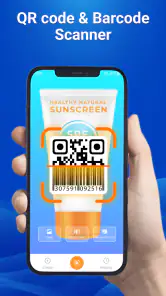
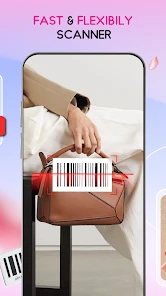
First off, let me just say that the QR Scanner - Barcode Reader app is a lifesaver. It’s designed to be super intuitive, so even if you're not exactly tech-savvy, you’ll find it easy to navigate. The app opens up directly to the scanner, ready for action. Just point your phone at a QR code or barcode, and voila! The app instantly deciphers the code, directing you to the desired content without any fuss.
Features That Stand Out
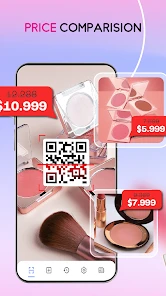
What sets this app apart from the rest? It’s all about the features, my friend. For starters, it supports a wide variety of code types, including QR codes, barcodes, and even ISBNs. This means you can use it for everything from checking product prices to verifying book details or even accessing exclusive web content.
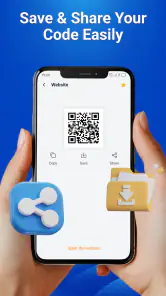
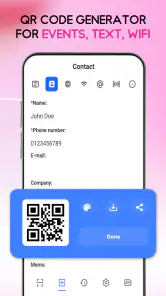
Another cool feature is its history log. Ever scanned something and immediately forgot what it was? No worries! The app keeps a neat history of all your scans so you can revisit them at any time. Plus, it offers an option to create your own QR codes. Imagine the possibilities—personalized QR codes for your business, events, or just for fun!
Seamless Integration and User Experience
Using the app feels like second nature. It integrates seamlessly with your smartphone’s camera and doesn’t require any awkward permissions. It’s lightweight, so it won’t hog your phone’s memory, and it runs smoothly without any annoying lags. The interface is clean and straightforward, which is a big thumbs up in my book.
One thing I genuinely appreciate is the app’s commitment to user privacy. It doesn’t collect unnecessary data, which is a refreshing change in today’s digital age where privacy often takes a backseat.
Final Thoughts
All in all, the QR Scanner - Barcode Reader app is a must-have tool for anyone looking to streamline their digital interactions. Whether you're a savvy shopper, a bookworm, or just someone who loves exploring new tech, this app has something for everyone. Its ease of use, coupled with a robust set of features, makes it a standout choice in the crowded app market.
You May Like

Clash of Clans Is Won Between the Battles

Android Auto Makes the Case for Quieter Car Software

MobiOffice: Transforming Mobile Productivity with Seamless Integration

EA SPORTS FC™ Mobile Soccer: Redefining Mobile Sports Gaming

How Microsoft OneDrive Became a Mobile Productivity Giant

How Google Translate Breaks Language Barriers Effortlessly
So, next time you're faced with a QR code or barcode, whip out your phone, fire up this app, and let it do its magic. Trust me, once you start using QR Scanner - Barcode Reader, you’ll wonder how you ever lived without it!
QR Scanner - Barcode Reader Frequently Asked Questions
What is QR Scanner - Barcode Reader and what does it do?
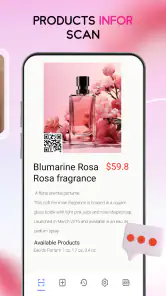
QR Scanner - Barcode Reader is a versatile mobile application designed to scan and read QR codes and barcodes. It allows users to quickly access information encoded in these formats, such as URLs, contact details, and product information. The app supports various barcode formats and provides a seamless scanning experience.
Is QR Scanner - Barcode Reader free to use, and are there any in-app purchases?
Yes, QR Scanner - Barcode Reader is available for free on both Android and iOS platforms. While the basic functionality of the app is free, there may be optional in-app purchases available that offer additional features or remove ads, enhancing the overall user experience.
How accurate and fast is the scanning capability of QR Scanner - Barcode Reader?
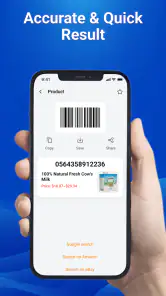
The QR Scanner - Barcode Reader app is known for its high accuracy and fast scanning capabilities. It quickly recognizes and processes QR codes and barcodes, providing users with immediate access to the encoded information. The app's efficient performance is one of its standout features, ensuring a smooth user experience.
What permissions does QR Scanner - Barcode Reader require?
To function properly, QR Scanner - Barcode Reader requires access to your device's camera, as it is essential for scanning codes. Additionally, the app may request permission to access your device's storage for saving scanned information. Rest assured, the app prioritizes user privacy and data security.
Can QR Scanner - Barcode Reader work offline?
QR Scanner - Barcode Reader can function offline to a certain extent. While it can scan and decode QR codes and barcodes without an internet connection, accessing online content linked to the scanned codes will require connectivity. This means users can scan codes offline but may need internet access for further actions.
Pros
- Fast scanning performance.
- User-friendly interface.
- Supports multiple barcode formats.
- Offline scanning capability.
- Minimal ads for free version.
Cons
- Limited advanced features.
- May struggle with poorly lit areas.
- Occasional misreads on damaged codes.
- No batch scanning in free version.
- Requires camera permissions.
- Category
- Productivity
- Version
- 3.4.19












