

Pydroid repository plugin
- 159.00
- 4.1
- Installs
- 1.00M
- Price
- Free

Screenshots
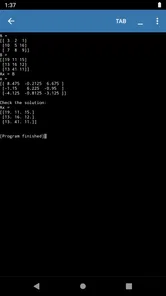
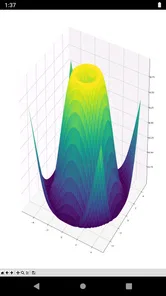
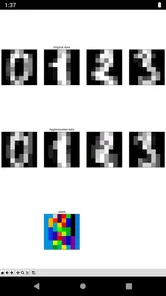
Analysis by Reviewed
I find Pydroid repository plugin most useful when I treat it as a companion to Pydroid rather than a standalone coding app. Its purpose is practical: it gives Pydroid users another route to obtain Python packages, so a project that starts with the tools already available can grow when it needs a particular library. If you write or study Python on an Android device, that can make a phone or tablet more useful for small experiments and focused tasks.
A sensible package-install routine
My preferred workflow is to begin with the code I actually want to run, then add a package only when the project needs it. That keeps a mobile setup easier to understand: I can distinguish problems in my script from problems caused by an extra dependency. The plugin’s role is to support that package step inside the Pydroid environment, not to replace the IDE or teach Python by itself.
For example, if I am away from my desk and want to test a short data-processing idea, I can work in Pydroid and use the repository when an essential library is missing. I would keep the experiment small, install only what the task calls for, and run a simple check before building more code around it. That habit is especially helpful on a phone, where switching between a project, documentation, and troubleshooting can feel less comfortable than on a computer.
Making a mobile session repeatable
One small practice that makes this workflow more dependable is to keep a brief note alongside the project describing the package name and what the script uses it for. That is not a special plugin feature; it is simply a way to avoid guessing later, especially when I return to a learning exercise after a break. I also like to keep one tiny import test separate from the main code. If the test fails, I can focus on the package setup instead of hunting through a longer script for unrelated mistakes.
This approach is particularly useful when a project is part of a class or tutorial. I can check whether the example itself works on the device before adapting it, and I can record any change I made rather than silently altering several things at once. It also makes it easier to ask for help: a clear, minimal test gives someone else a better starting point than a phone-sized project with multiple new dependencies.
Who benefits from the extra repository
This extension makes the most sense for learners, hobbyists, and experienced Python users who already use Pydroid and want to try packages beyond the basic setup. It can also be handy when a lesson or personal project names a library and you would rather test the idea on Android than wait until you have access to a desktop. The app is free, is rated for Everyone, and comes from Lider Soft KZ; its role is narrow, which is a strength if you know why you need it.
I would not choose it as a substitute for a full desktop development environment. A larger project can involve several dependencies, files, and debugging steps, and those are often easier to manage with a keyboard and a conventional computer setup. Nor is the plugin a reason to install every package that sounds interesting. On a mobile device, keeping a project lean makes experiments easier to repeat and reduces avoidable setup complications.
More From Our News Desk

 Gmail
GmailGmail in a Busy Inbox: Who Benefits Most?
From first account to crowded workday, Gmail earns its place through dependable search and flexible sorting—but its best fit depends on how much inbox maintenance you can tolerate.

 Prime Video
Switching to Prime Video: What Changes in Your Viewing Routine
Prime Video can make a compelling second home for streaming, but switching means learning a different catalog, rental layer, and route from browsing to playback.

 Universal TV Remote Control
Universal TV Remote Control Works Best as a Reliable Backup
A phone remote earns its place through quick setup and reliable habits. Here is how to get more from Universal TV Remote Control—and where its limits show.

 Weather - By Xiaomi
Weather by Xiaomi Review: Clear at a Glance, Less Clear Up Close
Xiaomi’s weather app makes everyday forecasts quick to scan, but its calm surface can leave useful details and recovery paths harder to find than they should be.

 X
XX Under Pressure: Can It Recover When Posting Goes Wrong?
A resilience-focused review of X, examining setup, mistaken posts, interruptions, weak connections, and the gaps that matter when recovery needs to be dependable.

 Clash of Clans
Clash of Clans Is Won Between the Battles
Its raids are quick; its community is a long-term project of coordination, teaching, rivalry, and shared responsibility—with all the friction that entails.
Latest News



When another option is a better fit
If I only want to learn basic Python syntax, I would start with the coding tools already available in Pydroid rather than add a repository plugin before I need it. If I am following a desktop-focused course that depends on a complicated environment, I would use the computer setup the course expects whenever possible. That avoids spending a study session trying to make a phone workflow imitate a different platform. The plugin is most useful when the package step is the specific obstacle, not when the whole project needs a different development environment.
Getting Started with the Pydroid Repository Plugin
First off, let's talk about what this plugin is all about. So, the Pydroid repository plugin is designed to work with the Pydroid 3 IDE, which many of you might already be familiar with. It's like the secret sauce that unlocks a treasure trove of additional Python libraries and tools that aren't available by default in the Pydroid 3 app.
Why Use It?
Imagine you're working on a Python project on your phone—because, let's face it, who needs a laptop when you've got a powerful smartphone in your pocket, right?—and you suddenly realize you need a specific Python library that's not available in the base installation. This is where the repository plugin swoops in to save the day! With it installed, you gain access to a vast collection of libraries that you can easily download and incorporate into your projects. It's like having the keys to a Python kingdom.
Setting it up is a breeze, too. All you need to do is install it from the Google Play Store, and voilà, you're ready to start exploring a much larger world of Python capabilities. It's compatible with both the free and the premium versions of Pydroid 3, which means you don't have to worry about being left out if you're not ready to shell out for the premium version just yet.
The User Experience
Now, let's talk about user experience, because what's a great app without an awesome user experience, right? The integration of the repository plugin with Pydroid 3 is seamless. Once installed, it feels like an organic part of the IDE. The interface is clean and intuitive, making it easy for both beginners and seasoned programmers to navigate through the available packages.
Whether you're looking to dive into data science with libraries like NumPy and Pandas or want to experiment with machine learning using TensorFlow or Keras, the Pydroid repository plugin has got you covered. And the best part? No more jumping through hoops to get those libraries up and running on your mobile device!
Faster habits, fewer surprises
A useful repeatable pattern is to note the exact package a script depends on before starting a session, then install that dependency and test a tiny example before running the full project. If something fails, this gives me a clearer first question: is the package available in this setup, or is the issue in my code? It is a modest habit, but it saves time when I am working with a touchscreen and do not want to troubleshoot several changes at once.
I also avoid treating package installation as a one-time guarantee that every project will work unchanged. Python libraries can have different requirements, and a package intended for a desktop workflow may not suit a mobile environment. When an installation or import does not behave as expected, I check the package’s needs and simplify the test rather than repeatedly retrying the same larger script. For learning and small prototypes, that measured approach is usually more useful than trying to recreate a full workstation on a phone.
Settings worth checking before installing
I would first make sure I am working in the Pydroid environment where I intend to run the code, rather than assuming that a package added in one Python setup will automatically be available in another. That is a useful distinction whenever an Android device has more than one coding tool installed. Before building a project around a library, I would also read its basic requirements and test a small import or example. This check can prevent a common dead end: following instructions written for a desktop environment without noticing that the mobile setup may differ.
Another helpful habit is to avoid changing several parts of the setup in one go. If I add a package, alter the script, and change the project structure all at once, I make any failure harder to diagnose. I prefer to make one change, run a small test, and then continue. That is not glamorous, but it is a practical way to use a phone for coding without turning every short experiment into a long troubleshooting session.
Where the mobile approach has limits
The plugin is a focused tool, so it is not a general package manager for every Python setup, nor does it turn Android into a desktop development machine. If your work depends on a particular library or a complex environment, I would first confirm that your intended workflow fits Pydroid rather than assuming every desktop tutorial transfers directly. A desktop IDE or another environment designed around your specific project may be a better choice when you need broader control over dependencies and files.
There is also a practical distinction between getting a package and understanding how to use it. The repository can help with the first step, but you still need suitable documentation, a compatible project, and basic debugging patience. I would recommend it to someone who is comfortable learning those pieces gradually; a complete beginner who expects the plugin to provide lessons or ready-made projects may be disappointed.
How it compares with the usual alternatives
Compared with searching for separate installation instructions and trying to piece together a package manually, using a repository that works with Pydroid offers a more direct route for supported packages. Compared with installing Python on a computer, though, the phone-first workflow trades screen space and familiar desktop tools for convenience and portability. I see the plugin as a bridge for quick tests, coursework practice, and small personal scripts—not a universal replacement for desktop package management.
A realistic use is a student reviewing a Python lesson during a commute: they can open a short example, add a needed library through the Pydroid workflow, and test whether their understanding is right before returning to a larger assignment. I would keep a note of what I installed for that exercise and avoid making unrelated changes in the same session. That makes it easier to reproduce the test later and to spot which dependency matters if the script stops working.
Questions I would settle during a first session
Before relying on the plugin for a project, I would ask myself three practical questions. Do I already use Pydroid for the code? Does the project genuinely need an extra package? Can I test the library with a short example before committing to it? If the answers are yes, the plugin has a clear job. If I am still choosing a Python environment or hoping the plugin will explain a library, I would pause and solve those larger questions first.
I would also keep expectations tied to the package I actually need. The plugin is a route to supported Python libraries within the Pydroid workflow; it is not a promise that every library or desktop tutorial will behave identically on Android. For a quick script or a focused lesson, that distinction is easy to manage. For a project with many moving parts, I would decide early whether the convenience of working on a phone is worth the extra care needed to keep dependencies and tests understandable.
Final Thoughts
In conclusion, if you're serious about Python development on Android, the Pydroid repository plugin is a must-have tool in your coding arsenal. It significantly expands the capabilities of the Pydroid 3 IDE, providing you with the flexibility to work on more complex and varied projects directly from your phone or tablet. So, next time you're in the middle of a coding session and need that one elusive library, remember that the solution might just be a quick plugin install away.
Thanks for sticking around to the end of this review. I hope this gave you a good sense of what the Pydroid repository plugin has to offer. Happy coding, and may your Python adventures be ever fruitful!
My verdict after weighing the trade-offs
For a small, specific job inside Pydroid, I would install it and keep it available: it addresses a clear need without asking me to change my whole coding routine. It has a 4.0 average from around five thousand ratings, and more than a million installs suggest that many Android users have found a reason to try it. The current version is 4.1, and it has been available since March 30, 2019.
My advice is simple: use it when your next Pydroid project genuinely calls for an extra package, and judge success by whether that particular script runs. Skip it if you do not use Pydroid, need a broad desktop-style environment, or expect a repository plugin to solve coding and compatibility questions for you. For the right Android workflow, it is a practical helper; its value comes from fitting into a focused routine, not from replacing one.
Pydroid repository plugin Frequently Asked Questions
Is the Pydroid repository plugin an app on its own, or does it work with Pydroid?
The Pydroid repository plugin is a separate app that works with Pydroid rather than serving as a standalone Python environment. Its role is to provide a repository for Pydroid’s quick-install process, so you can use it when adding supported libraries and packages through the main app. If you are looking for a way to run Python by itself, the plugin is not a replacement for Pydroid.
What is the Pydroid repository plugin used for?
The Pydroid repository plugin is an essential tool for users of the Pydroid app, which allows you to run Python on Android devices. This plugin provides access to a comprehensive repository of pre-built libraries and packages, making it easier to install and manage Python modules without having to compile them on your device. It acts as a repository provider for Pydroid’s quick-install feature, so its usefulness is tied to installing supported packages through Pydroid.
Do I need to install the Pydroid repository plugin separately?
Yes, the Pydroid repository plugin must be installed separately from the main Pydroid application. It is not included by default due to its size, but it is highly recommended for users who want to fully utilize Python's capabilities on their Android devices. Once installed, it seamlessly integrates with Pydroid. You can install it when you want to use the repository-assisted quick-install workflow; it does not replace the main Pydroid app.
Is the Pydroid repository plugin free to use?
The Pydroid repository plugin is available for free. It is a companion utility for Pydroid’s quick-install repository, rather than a separate Python development environment. You can install and use the plugin to support that workflow, while Python coding and running programs remain tasks for the main Pydroid app. Consider whether you already use Pydroid before downloading this companion, since its purpose is specifically connected to that app.
Can I use the Pydroid repository plugin without an internet connection?
While you can use the Pydroid app offline, the repository plugin requires an internet connection to download and update Python libraries and packages. Once the libraries are installed, you can use them offline, but any new installations or updates will need a network connection. In practice, the plugin is most useful when you have connectivity for obtaining packages; it does not provide a way to browse or download new repository items while offline.
Pros
- Integrates seamlessly with Pydroid IDE.
- Supports multiple Python versions.
- Easy to install and update.
- Highly customizable for advanced users.
- Enhances coding efficiency.
Cons
- Requires Pydroid IDE to function.
- Limited to Python language only.
- Some features need premium access.
- Occasional compatibility issues.
- No offline documentation available.










