Pipe Trades Pro Calculator
- 293.00
- 4.8
- Installs
- 50.00K
- Price
- Free

Screenshots
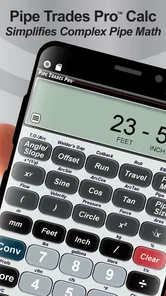

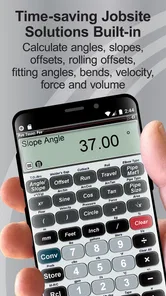
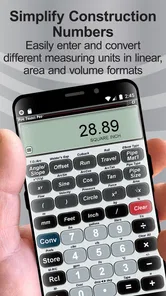
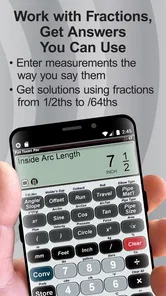
Analysis by Reviewed
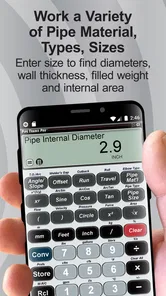
Pipe work often turns a simple field decision into a small mathematics exercise. A rolling offset, a bend allowance, or a weld calculation can force me to stop, sketch the problem, check a formula, and then check it again before cutting material. Pipe Trades Pro Calculator is built for that recurring interruption. Instead of treating pipe fitting as ordinary calculator work, it puts trade-specific calculations in one focused tool.
I reviewed it as a practical utility rather than as a general-purpose calculator. My main question was simple: does it reduce the time and mental friction between seeing a fitting problem and getting a usable answer? In my experience, it does, especially when I am working through rolling offsets, pipe fitting, or weld math away from a desk. It is not a replacement for training, a tape measure, or a careful layout, but it can make the calculation stage much less cumbersome.
Where the calculator earns its place in the field
I find the calculator most valuable when a field measurement needs to become a decision quickly, but I still treat the result as one part of the job rather than the final authority. In this section, I focus on how a repeatable input-and-check routine can make its pipe calculations more dependable under real site conditions. That distinction also helps explain where the app’s focused approach has limits.
The recurring problem is not arithmetic alone
Most tradespeople already know how to enter numbers into a calculator. The harder part is remembering which relationship applies to the job in front of them. A pipe layout may involve a rise in one direction, a travel in another, an offset angle, and a practical adjustment for the way the pieces will actually be assembled. A general calculator can produce a result if I already know the equation, but it does little to help me choose the right calculation path.
That is the gap this app addresses. Its focus is narrow enough to be useful: it is a tools app from Calculated Industries aimed at pipe trades rather than a broad construction calculator with a few unrelated functions. The store summary points directly to rolling offsets, pipe fitting, and weld math, and that focus is reflected in the way I think about its value. I am not opening it to calculate a tip or split a restaurant bill. I am opening it when a pipe problem needs a trade-oriented answer.
The time saving is most noticeable when a calculation must be repeated with slightly different measurements. On paper, changing one dimension can mean rewriting a formula and checking every step. In a dedicated calculator, the workflow is more direct: identify the type of problem, enter the measurements, inspect the result, and decide whether the answer makes sense against the physical layout. That is a modest convenience for one calculation, but a meaningful reduction in friction during a busy shift.
What I would do before relying on an answer
I would not treat any calculator as permission to skip the layout stage. Before entering values, I would identify the actual offset, confirm which dimensions are measured from which reference points, and decide whether the numbers describe the pipe centerline or the outside of the material. This preparation matters because a perfectly correct calculation can still be the wrong calculation if the inputs describe the job incorrectly.
More From Our News Desk

Weather by Xiaomi Review: Clear at a Glance, Less Clear Up Close

X Under Pressure: Can It Recover When Posting Goes Wrong?

Clash of Clans Is Won Between the Battles

Android Auto Makes the Case for Quieter Car Software

MobiOffice: Transforming Mobile Productivity with Seamless Integration

EA SPORTS FC™ Mobile Soccer: Redefining Mobile Sports Gaming
My most useful habit with this app is to write down the measurements first, rather than trying to remember them while switching between the work area and the phone. I would also keep the original sketch nearby. The calculator is strongest when it handles the repetitive mathematics while I remain responsible for interpreting the drawing and checking the result against the available space.
Getting started without turning the first use into a project
The app is free to download, which makes it easy to test on an actual job instead of deciding from screenshots alone. It is rated for Everyone, so its audience is not restricted by an age classification. The current version is 10.8.1, and it supports devices running Android 7.0 or later. Those requirements make it practical for many older work phones, although I would still test it on the specific device I plan to carry before depending on it in the field.
The first useful setup is not a long personal profile or a complicated account routine. It is learning where the relevant calculation lives and becoming familiar with the input sequence. I recommend trying a known example from a notebook or training exercise first. Enter the values, compare the result with your existing answer, and repeat it with one changed measurement. That process reveals more than a quick glance because it shows whether the app fits the way you already think about pipe layouts.
A second good test is deliberately entering a simple case with an obvious physical result. If the offset is small, the answer should not suddenly suggest an implausibly large travel. This kind of sanity check helps me catch unit mistakes, swapped dimensions, or an incorrect interpretation of the problem before the calculator becomes part of a live installation.
I also prefer to use a consistent notation in my notes. For example, I might label the rise, offset, travel, and angle on paper before opening the app. That small step makes the calculator faster because I am not trying to translate an informal site conversation directly into fields. It also gives me a record to review if the finished layout does not match the expected position.
Rolling offsets and the value of a dedicated workflow
Rolling offsets are a good example of why a trade-specific tool can be more useful than a standard calculator. The problem is spatial, not merely numerical. A general calculator may help with square roots or trigonometric functions, but I would still need to remember how the measurements relate to the three-dimensional offset. A specialized workflow reduces the number of intermediate steps I have to reconstruct from memory.
That does not mean the app removes the need to understand the layout. I still need to know which distance is the true offset and which distance represents travel. The advantage is that the app can take over the repetitive relationship once I have identified the geometry correctly. This is particularly helpful when the pipe must clear an obstruction while also moving sideways, because the mental burden is higher than with a flat, two-dimensional offset.
One practical use is comparing alternatives before cutting. If the available space is tight, I can work through a proposed offset, adjust a measurement, and see how the result changes. That is more useful than calculating only one final answer because it lets me judge whether a slightly different layout would be easier to fabricate or install. The app becomes a quick planning aid, not just a last-second answer machine.
Pipe fitting and weld math in everyday work
For pipe fitting, I see the app as most useful when the job involves several related calculations in succession. A fitting decision may begin with an offset, continue with a travel calculation, and end with a cut or weld-related measurement. Keeping those tasks inside a purpose-built tool can reduce the temptation to jump between a general calculator, a reference sheet, and a handwritten formula.
A realistic scenario would be arriving at a site where an existing line must move around a structural obstruction. I would measure the available space, sketch the route, and identify the required offset. Rather than standing beside the pipe while manually rebuilding the formula, I could use the app to work through the calculation, compare a couple of possible layouts, and then return to the pipe with a clearer plan. The important benefit is not that the phone makes the decision for me; it is that it shortens the loop between measurement, calculation, and adjustment.
Weld math is another area where avoiding unnecessary re-entry matters. When several pieces or joints are involved, small transcription errors can be more costly than the arithmetic itself. I would enter the values from a written layout, verify the displayed result, and then mark the answer back on the drawing or material. That two-step process is slower than trusting the screen blindly, but still faster and safer than repeatedly reconstructing the calculation from memory.
For training, the app can also serve as a checking companion. An apprentice can work a problem manually, then use the calculator to compare the result. I prefer that approach to using it as a shortcut because it preserves an understanding of why the answer is reasonable. If the two results differ, the disagreement becomes a useful prompt to inspect the formula, units, or interpretation rather than an excuse to accept whichever number appears first.
Small workflow improvements that matter more than flashy extras
The first non-obvious advantage is repeatability. When I solve similar pipe problems with a general calculator, I often have to recreate the same sequence of operations. A dedicated trade calculator gives me a more consistent starting point. That consistency is valuable when I am tired, wearing gloves, or working under time pressure, because fewer steps are left to memory.
The second is scenario testing. I would not use the first result as the only possible layout. I would change one input at a time to see whether the answer moves in the direction I expect. If increasing an offset produces a result that seems physically inconsistent, that is a warning to stop and inspect the setup. This turns the app into a basic error-detection tool, not merely a source of final numbers.
The third is separation between calculation and judgment. The app can handle the mathematical relationship, but it cannot inspect the pipe, identify a hidden obstruction, judge access for welding, or know whether a measurement was taken from the correct surface. Keeping that boundary clear is a strength rather than a weakness. It encourages me to use the calculator for what it does well and reserve the actual trade decision for the person on site.
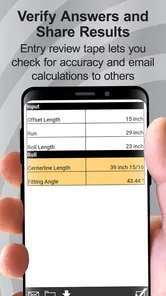
A fourth useful habit is recording the input values with the result. If a supervisor or coworker asks how I arrived at a dimension, I can show the sketch and measurements rather than presenting an unexplained number from a phone screen. This is especially important when a layout changes later. The calculation can be repeated quickly if the original assumptions are visible.
Where it removes friction compared with usual alternatives
The usual alternatives are a pocket calculator, a printed reference sheet, a handwritten formula, or a broader construction calculator. Each has a place. A pocket calculator is dependable for basic arithmetic and does not require learning a specialized interface. A reference sheet can be excellent when it is familiar and kept dry. Hand calculations are transparent and teach the underlying method. A broader calculator may cover more trades in one installation.
Pipe Trades Pro Calculator is more convenient when the problem already belongs to pipe fitting and I want fewer intermediate operations. Its advantage is not that it can replace every other tool. Its advantage is that it narrows the path from a field measurement to a trade-specific calculation. For a person who regularly solves these problems, that focus may save more time than a large collection of unrelated functions.
The trade-off is equally clear. A specialized app is less attractive if my work rarely involves pipe layouts or if I need a single tool for electrical, concrete, estimating, and general construction tasks. In that case, a broader construction calculator may justify its extra complexity. I would also choose a printed or offline reference when the phone is unavailable, the battery is low, or the work environment makes handling a device impractical.
The app has a strong average rating of 4.8 from around 1.6 thousand ratings, with over 50 thousand installs. Those figures suggest that it has found a real audience among people looking for this kind of focused utility, but they do not change my advice to test it with familiar calculations first. A high rating can indicate usefulness while still leaving room for individual differences in preferred notation, workflow, and device comfort.
Friction that remains, and who should skip it
The biggest limitation is the same one shared by every specialized calculator: it depends on correct inputs and correct problem selection. If I misunderstand the geometry, the app can make the wrong approach look authoritative. New users may also need time to become comfortable with trade terminology and the order in which measurements should be entered. That learning curve is small compared with rebuilding formulas from scratch, but it is still a curve.
I would skip this app if I am looking for a visual pipe-layout simulator, a replacement for a fabrication drawing, or a tool that can inspect a job through the camera. Its role is calculation, not design documentation or field measurement. I would also skip it if my work almost never involves pipe trades, because a general calculator would probably be more useful for the rest of my day.
In-app purchases range from $0.49 to $39.99 per item, so I would pay attention to which functions are available in the version I intend to use before building a long-term workflow around it. The free download is enough to make an initial judgment, but anyone who needs a particular advanced calculation should check the app directly and confirm that it fits the intended work. That is a sensible step with any calculator that offers optional paid content.
Another limitation is practical rather than mathematical: phone use can be awkward around dust, water, gloves, or active equipment. I would keep the app as one part of a field kit rather than the only calculation method. A notebook, pencil, tape measure, and basic understanding of the formulas remain important. If the phone becomes a distraction or cannot be handled safely, the written method should take over.
My verdict for working pipe trades
Pipe Trades Pro Calculator succeeds because it addresses a recurring nuisance with a focused solution. It reduces the amount of formula recall and repeated arithmetic involved in rolling offsets, pipe fitting, and weld math, while leaving the actual measurement and trade judgment with me. That balance makes it more useful than a generic calculator for the right audience.
I would recommend it to pipefitters, welders, fabricators, students, and apprentices who regularly face these calculations and want a faster way to check their work. I would begin with known examples, keep a sketch beside the phone, and use changed inputs to test whether the results behave sensibly. Those habits turn the app from a number generator into a more reliable part of a field workflow.
I would not recommend treating it as a substitute for training or as an all-purpose construction package. Its value is strongest when the job matches its narrow purpose. For those situations, the free entry point and Android 7.0 compatibility make it easy to try, while the current version gives users a clear starting point for evaluating it on their own device.
My final judgment is positive: this is a practical time-saving tool when pipe-trade calculations interrupt the workday repeatedly. It does not eliminate the need to measure carefully or understand the geometry, but it removes enough repetitive friction to make planning and checking noticeably easier. If that is the problem I face, I would keep it close at hand; if it is not, I would choose a broader calculator instead.
Pipe Trades Pro Calculator Frequently Asked Questions
Who develops Pipe Trades Pro Calculator, and what kind of app is it?
Pipe Trades Pro Calculator is a Tools app from Calculated Industries, built for pipe-trade calculations in the field. Its focus is practical math for pipe fitting and weld work rather than general-purpose everyday calculations. It has an Everyone content rating, so its stated audience is broad, though the calculations are most relevant to people who work with pipe layouts, fitting, fabrication, or trade training.
What is Pipe Trades Pro Calculator used for?
Pipe Trades Pro Calculator is a specialized mobile tool designed to assist pipefitters, plumbers, welders, fabricators, and students with common trade calculations. It can help with tasks such as pipe measurements, offsets, angles, bends, rolling offsets, and related layout problems. The app is intended to reduce manual calculations in the field, although results should always be checked against project specifications and professional standards.
Is Pipe Trades Pro Calculator suitable for beginners or only experienced tradespeople?
The app can be useful for both beginners and experienced professionals, but users should understand basic pipe-trade terminology before relying on it. Beginners may appreciate the guided inputs and quick results while learning how different measurements affect a layout. However, the calculator does not replace classroom instruction, apprenticeship training, or supervision, especially when working with complex installations or safety-critical systems.
Does Pipe Trades Pro Calculator work without an internet connection?
Most calculator functions are generally designed to work directly on the device, which makes the app practical for jobsites, workshops, and locations with limited mobile coverage. Internet access may still be required for downloading the app, receiving updates, viewing certain external resources, or using features that depend on online services. It is best to test the required calculations offline before depending on the app during a project.
How accurate are the calculations in Pipe Trades Pro Calculator?
The app can provide fast and useful results when measurements, pipe dimensions, angles, and units are entered correctly. Accuracy still depends on the quality of the information supplied and on selecting the appropriate calculation method. Users should confirm results with drawings, manufacturer data, job specifications, and established trade practices. For critical work, treat the app as a calculation aid rather than the sole source of verification.
Pros
- Covers many pipe-trade calculations in one convenient tool.
- Useful for checking field measurements without carrying reference books.
- Supports common fittings
- offsets
- bends
- and layout calculations.
- Results are generally quick to obtain after entering the required values.
- Helpful for apprentices reviewing practical pipe-fitting formulas.
Cons
- Some calculations may require familiarity with trade terminology.
- The interface can feel dated compared with newer calculator apps.
- Limited usefulness for tradespeople outside plumbing and pipe fitting.
- Users should verify critical results against code and project requirements.
- Certain advanced features may take time to learn and navigate.









