

Physicians Cancer Chemotherapy
- 8.00
- 4.7
- Installs
- 10.00K
- Price
- Free
Screenshots
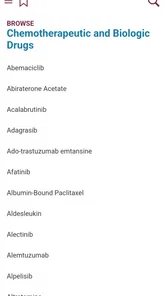
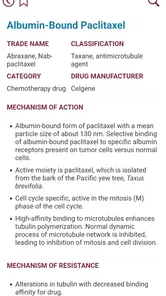
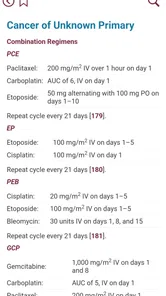
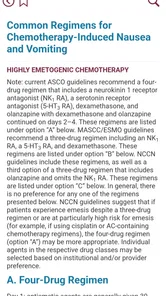
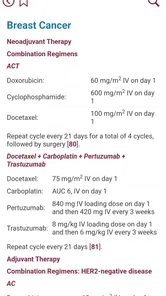
Analysis by Reviewed
I approached Physicians Cancer Chemotherapy as a reference tool rather than as a patient-facing health app. That distinction matters immediately. Its purpose is to bring together drug information connected with current treatment approaches for major cancers, so the useful question is not whether it can diagnose a condition or replace a consultation. The useful question is whether it can help a medical reader find and review oncology medication information with less friction.
My overall impression is positive, but cautious. The app can be valuable when I need a focused drug guide beside other clinical resources, especially when I want to check terminology or refresh my understanding of a treatment category. At the same time, oncology information demands careful verification, and a compact mobile reference should never become the only basis for a prescribing or treatment decision.
What using the app feels like in practice
The app comes from AtmosphereApps and sits in the medical category. It is free to install, which makes it easy to try without committing money at the outset. The audience rating is Everyone, but that does not mean every reader will find the material easy or appropriate for every situation. The subject is specialized, and someone without medical training may quickly encounter names and concepts that need professional explanation.
The first point where I would expect users to get stuck is deciding what they want from it. If I open it expecting a complete cancer-care plan, a symptom checker, or personalized advice, I am using the wrong tool. Its role is narrower: a drug guide for treatment information across major cancers. That makes it more useful for orientation, study, and a second look at terminology than for answering, “What should I take?”
I also found that the app makes more sense when treated as one layer in a wider workflow. A physician, pharmacist, nurse, or student may use it to prepare for a conversation, review a medication class, or organize questions before consulting authoritative clinical material. A patient or family member may use it to understand the names appearing in a treatment discussion, but should bring anything important back to the oncology team.
The published average is 4.7 from around 155 ratings, and the app has passed 10K+ installs. Those figures suggest that it has found a modest but interested audience, rather than being a broadly used general health application. I would read that as a reason to evaluate its fit for a specific task, not as proof that it should replace established medical references.
Where the everyday friction appears
Reference apps often feel simple until a user tries to complete a real task. A common scenario is a clinician preparing for a discussion: a medication name is mentioned in a note, the app is opened, and the user expects an immediate, clearly scoped answer. If the search term is entered differently from the way it appears in the guide, the result may be less obvious than expected. My practical advice is to try the generic drug name first, then a distinctive part of the term, rather than beginning with a brand name or a long treatment phrase.
More From Our News Desk

 Gmail
GmailGmail in a Busy Inbox: Who Benefits Most?
From first account to crowded workday, Gmail earns its place through dependable search and flexible sorting—but its best fit depends on how much inbox maintenance you can tolerate.

 Prime Video
Switching to Prime Video: What Changes in Your Viewing Routine
Prime Video can make a compelling second home for streaming, but switching means learning a different catalog, rental layer, and route from browsing to playback.

 Universal TV Remote Control
Universal TV Remote Control Works Best as a Reliable Backup
A phone remote earns its place through quick setup and reliable habits. Here is how to get more from Universal TV Remote Control—and where its limits show.

 Weather - By Xiaomi
Weather by Xiaomi Review: Clear at a Glance, Less Clear Up Close
Xiaomi’s weather app makes everyday forecasts quick to scan, but its calm surface can leave useful details and recovery paths harder to find than they should be.

 X
XX Under Pressure: Can It Recover When Posting Goes Wrong?
A resilience-focused review of X, examining setup, mistaken posts, interruptions, weak connections, and the gaps that matter when recovery needs to be dependable.

 Clash of Clans
Clash of Clans Is Won Between the Battles
Its raids are quick; its community is a long-term project of coordination, teaching, rivalry, and shared responsibility—with all the friction that entails.
Latest News



Another likely stumbling block is context. A drug entry can be relevant to more than one cancer type or treatment setting, so finding a name does not automatically tell me whether it applies to a particular person. I would always check the surrounding information, confirm the indication with a current professional source, and avoid treating a single matching word as a complete answer.
There is also a human-factor issue: oncology names can be easy to mistype. I would slow down when entering unfamiliar terms, especially those with similar-looking endings. If a result seems unrelated, the safest recovery is to recheck spelling and search more generally, not to assume that the closest-looking result is the intended medicine.
Setup checks before relying on a result
The current version is 2.3.1.156 and requires Android 8.0 or later. Before judging the content, I would confirm that the phone meets that requirement and that the installation completed normally. This is a small check, but it prevents a user from confusing an operating-system limitation or an incomplete installation with a problem in the medical content.
Because the app is free but lists in-app purchases of $39.99 per item, I would also review the purchase screen carefully before activating anything. Free installation does not necessarily mean every part of the experience is free. I would not enter payment details simply to test a feature, and I would make sure I understand what an optional purchase does before proceeding.
After installation, I would begin with a low-stakes lookup rather than an urgent clinical question. That lets me learn how the app presents drug information, how its search behaves, and whether the wording is comfortable to navigate. It is a useful setup habit for any medical reference: learn the tool before a time-sensitive situation exposes its weak points.
I would also keep the app in its proper place on the phone. It is a reference, not a secure clinical record, not a medication reminder, and not a communication channel with a cancer-care team. I would avoid copying sensitive patient details into any field unless the app explicitly requires and safely supports that kind of use. A drug name is one thing; identifiable patient information is another.
The age rating of Everyone makes the app broadly accessible, but accessibility should not be confused with clinical simplicity. If I were introducing it to a student or family member, I would explain that the rating describes who may open the app, not who can interpret cancer treatment information without guidance.
A recovery workflow when a lookup goes wrong
When a search does not produce the expected result, I would use a short recovery sequence. First, I would check the spelling and remove extra words. Second, I would try the generic name instead of a brand name. Third, I would look for a broader category or a nearby term if the app’s organization makes that possible. Finally, I would stop and verify the answer elsewhere rather than repeatedly guessing.
This approach is especially important with medicines that have similar names. A plausible-looking result can be more dangerous than an obvious error because it creates false confidence. My rule is simple: if the name, cancer type, or treatment context does not align with the question I am trying to answer, I do not use that entry as a basis for action.
If the app behaves oddly, I would close and reopen it, check whether the device is otherwise functioning normally, and try the same lookup again without changing several things at once. That basic troubleshooting keeps the diagnosis clear. If one search fails but another works, the issue may be the query. If the whole app fails to open or respond, the issue may be installation, compatibility, or the device rather than the medical reference itself.
I would be particularly careful after an update or reinstall. The version number can change the way an app behaves, and a fresh installation may not feel identical to an older setup. I would recheck the app’s search and navigation with familiar terms before using it for study or professional preparation. This is not about distrusting every update; it is about avoiding surprises when accuracy and speed matter.
When the app is not the cause
Sometimes the real problem is the question. “Is this drug used for cancer?” is much broader than “What role can this medicine have in the treatment context I am reviewing?” A drug guide may answer the first question only partially, because treatment decisions depend on diagnosis, disease stage, previous therapy, laboratory results, other medicines, and the patient’s condition.
It is also possible for two trustworthy references to use different wording without truly disagreeing. One may emphasize a drug class, another a treatment setting, and another a guideline recommendation. I would compare the scope and date of the sources before assuming that one is wrong. The app can help me identify the medication and frame a question, while a current oncology guideline, pharmacist, or treating physician provides the decision-making context.
For patients, the best use is often preparation. I might look up a medicine before an appointment, write down unfamiliar terms, and ask the care team what the entry means for the specific treatment plan. I would not use the app to change a dose, delay a treatment, combine medicines, or interpret a serious symptom. Those decisions belong with the professionals responsible for the patient’s care.
For clinicians and students, the trade-off is speed versus depth. A mobile guide can be more convenient than opening a large textbook for a quick orientation, but convenience can hide missing context. I would use it for a first pass, then move to a more comprehensive source when I need dosing detail, contraindications, interactions, monitoring requirements, or the latest institution-specific guidance.
How it compares with the usual alternatives
Compared with a general web search, this app offers a more focused starting point. A web search can mix patient education, commercial pages, outdated material, and unrelated results. A dedicated oncology drug guide may reduce that noise and make it easier to stay within the vocabulary of cancer treatment. The trade-off is that a search engine is often better at finding the newest official document or a specific guideline, so I would not treat the app as the final stop.
Compared with a large professional database, the app is likely to feel lighter and quicker for basic orientation. The larger reference is usually the better choice when I need full prescribing detail, evidence grading, interaction checking, or carefully maintained clinical updates. The smaller mobile guide wins when the task is simply to identify a treatment term or refresh a general concept without opening a much broader system.
Compared with patient portals and oncology clinic materials, it serves a different purpose. A portal connects information to one person’s care, while this app is a general reference. Clinic materials may explain the exact regimen and expected monitoring more clearly, so patients should prioritize those instructions over a general entry. I see the app as a bridge to better questions, not as a substitute for personalized communication.
Three practical habits that improve its value
My first useful habit is to separate identification from interpretation. I use the app to confirm what a medication name refers to, then I write down the specific question that remains. This prevents a quick lookup from being mistaken for a complete clinical explanation and makes appointments more productive.
My second habit is to search before the pressure of an appointment. If I encounter an unfamiliar term during a consultation, I may not have enough time to explore it carefully. Looking up the name afterward, checking the spelling, and preparing a short list of questions gives the app a safer and more practical role.
My third habit is to keep a second source nearby for consequential details. If the decision involves a dose, interaction, treatment change, or urgent symptom, I move beyond the app immediately. That is not a criticism of this particular reference; it is a sensible boundary for any compact medical guide covering complex cancer care.
A fourth useful distinction is between learning and acting. The app is strongest when I am learning the language of a treatment plan or preparing to discuss it. It is weakest as a standalone action tool, because the same drug can have different implications depending on the person and the treatment setting. Knowing that boundary makes the app more useful, not less.
Who should use it, and who should skip it
I would recommend trying it if you are a medical student, healthcare professional, caregiver, or informed patient who wants a focused way to review oncology drug terminology. It can also suit someone who prefers a mobile reference to scattered browser results and is comfortable checking important points against professional sources.
I would skip it if you want personalized treatment recommendations, emergency guidance, a complete medication-management system, or a replacement for a cancer specialist. I would also avoid depending on it if you need highly detailed prescribing information as your primary reference. In that situation, a more comprehensive professional database or institutional resource is the better choice.
The purchase structure deserves a final practical mention. Since the app is free to install while in-app purchases are listed at $39.99 per item, I would explore the freely available experience first and read any purchase description closely. The right choice depends on whether the added material addresses a real need in your workflow; paying simply because the topic is important is not enough reason.
My final view after using it as a reference
Physicians Cancer Chemotherapy is most convincing as a focused companion for oncology terminology and initial drug research. I like that it gives a medical reader a direct place to begin, without the distraction of a general-purpose health platform. Its free entry point also makes a cautious trial straightforward, while the Android requirement keeps compatibility expectations clear.
Still, I would use it with disciplined limits. I would verify spelling, confirm context, avoid entering personal patient details, and cross-check anything that could affect treatment. If a result is unclear, I would treat that uncertainty as a prompt to ask a pharmacist or oncologist rather than as an invitation to guess.
My recommendation is therefore conditional but genuine: try it if you need a compact cancer-drug reference and understand its role. For quick orientation and question preparation, it can earn a place in a medical study or consultation workflow. For diagnosis, prescribing, urgent decisions, or personalized care, choose a qualified professional and a deeper clinical source instead. The safest way to use this app is as a starting point for informed discussion, never as the final authority.
Physicians Cancer Chemotherapy Frequently Asked Questions
Is Physicians Cancer Chemotherapy free to download, and are there in-app purchases?
Physicians Cancer Chemotherapy is free to download, with in-app purchases listed at $39.99 per item. Before using any paid feature, review its description and terms in the relevant app store so you know what it includes. The app is categorized as medical and is intended as a drug guide for treatment information, so consider whether its reference material fits your professional needs.
What devices can run Physicians Cancer Chemotherapy?
The app is available for Android devices running version 8.0 or later. It is a medical reference app from AtmosphereApps, and its current version is 2.3.1.156. Check your device’s operating-system version and the app-store compatibility details before downloading, especially if you use an older phone or tablet. Keeping your operating system and apps updated can also help with compatibility and security.
What is Physicians Cancer Chemotherapy designed for?
Physicians Cancer Chemotherapy is intended as a clinical reference tool for healthcare professionals who need quick access to cancer chemotherapy information. Its store description presents it as a drug guide for the latest treatment information for all major cancers. It may include drug details, treatment regimens, dosing guidance, supportive-care recommendations, and safety considerations. It should be used to complement, not replace, institutional protocols, specialist consultation, current medical literature, or the official prescribing information for each medicine.
Who should use the Physicians Cancer Chemotherapy app?
The app is primarily aimed at physicians, oncology specialists, pharmacists, nurses, and other trained healthcare professionals involved in cancer treatment. It is not designed to help patients choose medicines or calculate their own chemotherapy doses. Chemotherapy decisions depend on diagnosis, staging, laboratory results, organ function, previous treatments, and local protocols, so users should have appropriate clinical training before relying on any information presented in the app.
Can the app be used to calculate or confirm chemotherapy doses?
The application may provide dosing information or regimen references, but users should never treat its content as an automatic prescription or final dose verification. Chemotherapy dosing can depend on body surface area, weight, kidney and liver function, treatment intent, toxicity, interactions, and patient-specific factors. Every dose should be independently checked against current guidelines, institutional procedures, and a qualified oncology pharmacist or physician before administration.
Pros
- Provides concise chemotherapy drug information for quick reference.
- Useful for reviewing treatment protocols and medication details offline.
- Includes practical clinical terminology for healthcare professionals.
- Simple layout makes key cancer-treatment information easy to locate.
- May support study and preparation before oncology consultations.
Cons
- Content may require specialist knowledge and is not suitable for self-treatment.
- Drug information may vary by country
- guideline
- or hospital protocol.
- Updates and clinical accuracy depend on the app’s maintenance schedule.
- Does not replace personalized advice from an oncologist or pharmacist.
- Limited interactive tools may reduce usefulness for treatment planning.












