Phone Cleaner AI & Antivirus
- 29.00
- 3.8
- Installs
- 10.00M
- Price
- Free

Screenshots
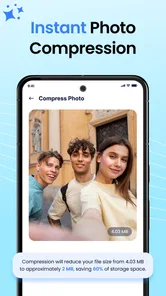
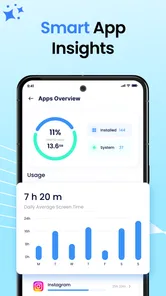
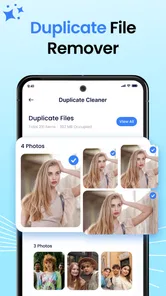
Analysis by Reviewed
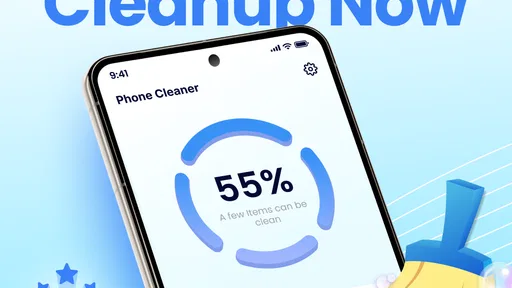
I installed Phone Cleaner AI & Antivirus expecting a straightforward way to tidy a crowded phone, and I found an app aimed at a very familiar problem: storage that slowly disappears under temporary files, unwanted leftovers, and items I no longer need. It sits in the productivity category rather than entertainment, and its focus is practical. The main idea is to scan the device, identify potential clutter, and help remove it while also offering antivirus-oriented tools.
My first impression was that this is designed for people who want one place to begin when their phone feels sluggish or overfilled. I do not see it as a replacement for careful file management, nor would I trust any automatic cleaner to make every deletion decision for me. Instead, I view it as a guided inspection tool. That distinction matters because a scan can point me toward forgotten material, but I still need to understand what I am removing before I confirm anything.
From a crowded phone to a cleaner routine
When several people share a phone, clutter can come from different routines: one person saves travel documents, another downloads videos, and someone else keeps years of chat attachments. I find it helps to treat a cleaner’s scan as a household conversation starter, not permission to erase anything automatically. The next section looks at how I’d set boundaries before anyone uses the app.
The starting condition matters more than the promise
The most useful way to approach this app is to start with a specific problem. If my phone is warning me about low storage, I open it with one goal in mind: find safe candidates for removal. If I am concerned about suspicious software, I use the security side as a separate check rather than assuming that cleaning and antivirus work are the same task.
That separation is one of my main recommendations. Junk removal deals with space and organization. Antivirus scanning deals with potential threats. A phone can have plenty of free storage and still need a security check, while a completely safe phone can be overloaded with disposable files. Treating the two jobs independently makes the workflow clearer and reduces the temptation to delete things simply because the app presents them together.
The app is free to install, which makes it easy to try without committing money at the start. It is intended for Everyone, and it supports devices running Android 7.0 or later. The current release is version 1.0.50, so compatibility is reasonably broad for people using older Android hardware, although the experience will naturally depend on the phone itself and how much control its operating system gives cleaning tools.
My first pass: scan before touching anything
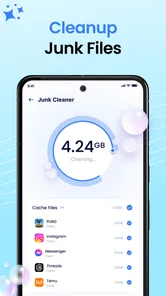
I would begin with a scan and then pause at the results instead of immediately choosing the largest cleanup option. A large number can look persuasive, but size alone does not tell me whether the files are safe to remove. Temporary material, duplicate downloads, old installation leftovers, and cached content can have different consequences depending on the apps that created them.
More From Our News Desk

Weather by Xiaomi Review: Clear at a Glance, Less Clear Up Close

X Under Pressure: Can It Recover When Posting Goes Wrong?

Clash of Clans Is Won Between the Battles

Android Auto Makes the Case for Quieter Car Software

MobiOffice: Transforming Mobile Productivity with Seamless Integration

EA SPORTS FC™ Mobile Soccer: Redefining Mobile Sports Gaming
This is where the app is most useful as a sorting assistant. It gives me a starting point for deciding what deserves attention, especially when I have not opened the phone's storage settings for months. I can use the scan to locate neglected areas, then inspect the categories or selections before proceeding. That extra moment is important for photos, downloaded documents, voice recordings, offline media, and work files that may look disposable only because they have not been opened recently.
My practical rule is simple: scan broadly, delete narrowly. I would first remove items I recognize as temporary or redundant, then run the scan again later. A second pass is more informative than one aggressive cleanup because it shows whether the original problem was genuinely resolved or merely reduced for a short time.
A realistic everyday workflow
Imagine I am leaving for a trip and my phone has too little room for maps, photographs, or a system update. I open the cleaner, run the scan, and examine the results before accepting anything. I would clear obvious disposable material, then move to the phone's own gallery and download folders to handle personal files manually. After that, I would check available space again and only then decide whether I need a more extensive cleanup.
This handoff between the app and Android's built-in tools is essential. The cleaner can help me discover clutter, but the operating system remains the better place to review application storage, uninstall apps I no longer use, and understand which large items belong to which application. If I am managing photographs, a dedicated gallery or cloud-storage workflow is safer than treating every large image as junk. Phone Cleaner AI & Antivirus works best as the first inspection point, not as the entire maintenance system.
The same approach helps when a messaging app has accumulated years of media. I would use the cleaner to identify the storage pressure, then open the messaging app itself to decide which conversations or attachments are valuable. Deleting from the source application can preserve context and avoid removing something I later need. This is a less obvious but important trade-off: convenience improves when one tool finds the problem, while accuracy improves when the original app makes the final decision.
Where the antivirus handoff fits
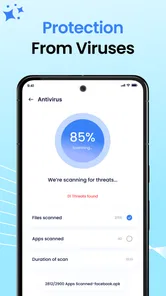
The antivirus function changes the workflow from simple housekeeping to a two-stage check. I would run the security scan when I have a reason, such as installing an unfamiliar application, noticing unusual behavior, or wanting a periodic review. I would not interpret a clean storage scan as evidence that the device is secure, and I would not interpret an antivirus result as proof that my storage is organized.
Security tools also require calm reading. If the app flags something, I would identify the named application or file before removing it. A warning deserves investigation, but an unfamiliar name is not automatically malicious. I would compare the result with the Android app list, check whether I recognize the developer, and consider whether the item is essential to the system. The app can bring attention to a possible issue; it should not replace judgment.
This is also why I would avoid running several security and cleaning products at the same time. Multiple tools can duplicate scans, produce competing alerts, and make it harder to know which recommendation is meaningful. Someone who already uses a trusted security suite may gain little from adding another antivirus layer. In that situation, this app's cleaning workflow may still be useful, but I would avoid overlapping protection unless I had a clear reason.
What happens after the scan
The outcome I want is not merely a bigger number in a storage meter. I want a phone that has enough breathing room for the immediate task, with important files still intact and a clearer understanding of what caused the shortage. The app helps most when it turns an invisible problem into a reviewable list.
For a lightly cluttered phone, that may be enough. I can perform a quick inspection, remove safe leftovers, and return to what I was doing. For a heavily used device, the scan is more like a map. It points me toward the areas that need separate attention: large applications, offline content, media folders, downloads, or files that I have forgotten.
I would also avoid judging success immediately after one cleanup. Some cached or temporary material will return because applications need it to function. That is normal and does not necessarily mean the cleaner failed. The better question is whether the phone now has enough space and whether I understand which habits are recreating the problem. If a podcast app, video service, or chat application is responsible for most of the growth, changing its download settings may have a longer effect than repeatedly clearing the same leftovers.
The friction points I noticed in the flow
The biggest limitation is that cleaning is not a completely automatic, risk-free action. Any tool that offers to remove files must make broad assumptions about what I consider unnecessary. Those assumptions may be reasonable for temporary material, but they become less reliable around downloads, duplicate-looking files, and content created by apps I use infrequently.
I also would not expect the app to solve every performance complaint. A phone can feel slow because of an aging battery, limited memory, thermal throttling, a demanding application, or a system update. Removing clutter may help storage pressure, but it cannot repair worn hardware or make every application efficient. If the real issue is battery drain or crashes, I would investigate Android's battery and app settings instead of repeating cleaner scans.
There is another point to keep in mind: the app includes in-app purchases priced from $8.99 to $38.99 per item. The free entry makes testing convenient, but I would review any upgrade screen carefully and decide whether the additional tools match my actual problem. A person who only needs occasional manual storage checks may not receive enough value from paying. Someone who wants a more consolidated maintenance routine may judge the convenience differently, but I would still avoid subscribing or purchasing before using the basic workflow long enough to understand its limits.
How it compares with the usual alternatives
Android's built-in storage controls are the most direct alternative. They are closer to the operating system, often provide clearer ownership information, and are the place I would go for uninstalling applications or inspecting their storage use. Their weakness is that they can feel fragmented, especially when I want one guided starting point rather than several settings screens.
Dedicated file managers are better when I want precise control. They let me browse folders, rename material, move it elsewhere, and decide exactly what stays. That accuracy comes with more effort. I would choose a file manager for important documents and personal media, while using Phone Cleaner AI & Antivirus to help surface areas I might otherwise overlook.
A standalone antivirus product may be preferable for someone whose priority is security rather than storage. It may offer a more focused security experience, whereas this app combines cleaning and antivirus-oriented functions in one productivity tool. The combined approach is convenient, but it also means neither side should be judged as though it were the only specialist solution on the phone.
Cloud-photo tools and app-specific cleanup screens are also stronger in their own narrow areas. A gallery service understands photo backups, and a messaging app understands its own media relationships. I would use those tools for final decisions involving irreplaceable content. The cleaner is most valuable before that handoff, when I need help locating possible clutter rather than managing memories or conversations.
Who will get the most from it
I think this app suits people who want a simple starting point and do not enjoy navigating Android's storage menus. It can also help users who regularly download files, receive large media attachments, or share a phone with many applications and need a periodic reminder to review accumulated clutter. The combination of cleaning and security checks is convenient for someone who prefers a single dashboard.
It is less suitable for a careful power user who already knows the device's folder structure and wants granular file-by-file control. It is also not my first recommendation for someone with a serious malware concern, a rooted device, or a phone showing unexplained system problems. In those cases, a focused security product, manufacturer support, or a professional diagnosis may be more appropriate than a general cleaner.
Privacy-conscious users should approach any device-scanning utility thoughtfully. Before relying on it, I would read the permission requests and the app's privacy information, then decide whether the convenience is worth the access involved. I would never grant broad access casually, and I would keep backups of important files before performing a large cleanup. That is good practice here because the cost of one mistaken deletion can be much higher than the benefit of saving a little storage.
My final assessment after following the full route
Phone Cleaner AI & Antivirus is a useful first stop for a phone that feels cluttered, especially when I want cleaning and a basic security-oriented check in the same place. Its strongest role is helping me move from a vague complaint—“my phone is full”—to a visible set of areas that deserve review. The result is better when I treat the scan as advice and keep the final decision in my hands.
The app has broad reach, with over ten million installs and an average rating of 3.7 from around one thousand seven hundred ratings. That suggests a sizeable audience but also a mixed experience, which matches my own balanced view: the convenience is real, yet automatic cleanup cannot understand my personal files as well as I can.
Developed by Global Antivirus Security, it is free to begin and available to a wide range of Android users. I would recommend trying it when storage pressure is the immediate problem, then comparing its suggestions with Android's own controls and the apps that created the files. I would skip it if I expect a single tap to fix slow hardware, guarantee security, or replace a proper file-management routine.
In short, I see Phone Cleaner AI & Antivirus as a guided cleanup companion rather than a magic repair button. Used carefully, it can shorten the path from a crowded device to a more manageable one. Used blindly, it may encourage decisions that deserve more context. My preferred workflow is scan, inspect, hand important categories back to their original apps, remove only what I recognize, and then check whether the phone's real problem has actually improved.
Phone Cleaner AI & Antivirus Frequently Asked Questions
What Android version does Phone Cleaner AI & Antivirus require?
Phone Cleaner AI & Antivirus requires Android 7.0 or later, so check your device’s software version before downloading. The app is a productivity tool from Global Antivirus Security, and its stated audience is Everyone. If your phone meets the minimum requirement, you can then decide whether its cleaning and security tools suit the way you manage your device.
What is Phone Cleaner AI & Antivirus used for?
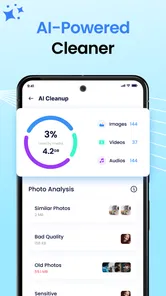
Phone Cleaner AI & Antivirus is designed to help maintain an Android device by identifying unnecessary files, clearing cached data, managing large or duplicate items, and checking for potential security threats. Its cleaning tools may help recover storage space, while the antivirus features are intended to provide an additional layer of protection against suspicious applications or files. Results can vary depending on your device and Android version.
Does Phone Cleaner AI & Antivirus really improve phone performance?
The app can improve available storage by removing selected junk files, temporary data, and other items that are no longer needed. This may make a phone feel less cluttered, especially when storage is nearly full. However, it cannot overcome hardware limitations or magically increase processing power. Review the scan results carefully before cleaning, because deleting useful files may affect apps or personal data.
Is Phone Cleaner AI & Antivirus safe to use?
The application is generally intended to support device maintenance and security, but users should still check the permissions it requests and read each confirmation screen. Cleaner apps may need access to storage, installed applications, or other device information to perform their functions. Download it only from a trusted store, keep Android updated, and avoid approving aggressive permissions that are unrelated to the features you plan to use.
Does Phone Cleaner AI & Antivirus provide real-time antivirus protection?
Its security features may include scanning installed applications or files for potentially harmful behavior, but the exact level of real-time protection depends on the app version, subscription plan, and device settings. It should not be treated as a complete replacement for Android’s built-in protections or safe browsing habits. Keep Google Play Protect enabled and avoid installing applications from unknown sources.
Pros
- AI-assisted scans help identify junk files and potential security threats.
- Simple interface makes cleaning and security checks easy for beginners.
- Can help free storage by detecting cached and unnecessary files.
- Antivirus tools add an extra layer of protection against suspicious apps.
- Useful maintenance features can encourage regular device cleanup.
Cons
- Some features may require a premium subscription or in-app purchase.
- Cleaning recommendations may need manual review before deleting files.
- Security scans can use battery and take longer on older devices.
- Results may overlap with tools already built into Android or iOS.
- Privacy permissions should be checked carefully before granting full access.











