People Finder AI Deep Search
- 178.00
- 3.9
- Installs
- 50.00K
- Price
- Free

Screenshots
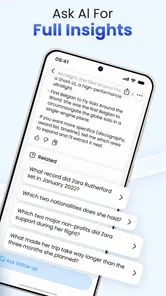
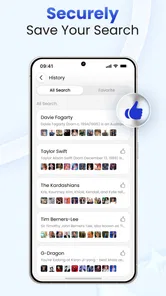
Analysis by Reviewed
I approached People Finder AI Deep Search as a practical Lifestyle app rather than a magic search engine. Its purpose is straightforward: help you look for people and explore public information with an AI-assisted checker. That sounds useful when you are trying to reconnect with someone, organize scattered details, or make sense of information that is already publicly available. My experience is that the app is most valuable when I treat it as a starting point for research, not as a replacement for careful judgment.
The app is free to install, and it is rated for Everyone, which makes the first step feel accessible. It comes from LeoStudio Global Ltd. and has built a modest user base, with over 50 thousand installs and a 3.9 average from around 1 thousand ratings. Those figures suggest that people are finding a reason to try it, while also hinting that expectations should stay realistic. A people-finding tool can be helpful, but results depend heavily on the quality of the information you enter and the amount of public data connected to that person.
Getting from installation to a useful first search
I’d use this section to make the first search deliberate rather than treating installation as a promise of instant answers. Before entering anything, I’d settle on a legitimate question and choose one detail that can distinguish the person from others with the same name. That small bit of preparation makes it easier to judge whether a result is genuinely useful and sets up the next section’s guidance on what to expect.
What to expect before you begin
The most important thing to understand is the difference between finding public information and uncovering private information. The app is designed around publicly available data and an AI checker, so it should not be treated as a way to access restricted accounts, private records, or hidden personal details. That distinction matters both for accuracy and for responsible use.
I would recommend opening it with one clear purpose in mind. For example, you might be checking whether several public references appear to point to the same person, looking for a former contact whose details have changed, or trying to organize an initial set of clues before doing more research elsewhere. A focused question is more useful than entering a vague name and hoping the app will identify the right person automatically.
It is also worth preparing the details you already know. A full name by itself may produce too many possible matches, especially for common names. Adding a location, profession, organization, username, or another non-sensitive identifying detail can make your search more meaningful. I would avoid entering information that you would not feel comfortable handling in a normal research context, and I would never use a result as the sole basis for a serious decision about someone.
The app’s current version is 1.2.8 and supports devices running Android 8.0 or later. That gives it a reasonably broad compatibility range for Android users, although the experience can still vary depending on the phone and operating system environment. Since the application is free to start but includes purchases ranging from $6.99 to $69.99 per item, I would pay attention to any upgrade prompt before confirming it. The free entry point is useful for understanding the workflow first.
More From Our News Desk

Weather by Xiaomi Review: Clear at a Glance, Less Clear Up Close

X Under Pressure: Can It Recover When Posting Goes Wrong?

Clash of Clans Is Won Between the Battles

Android Auto Makes the Case for Quieter Car Software

MobiOffice: Transforming Mobile Productivity with Seamless Integration

EA SPORTS FC™ Mobile Soccer: Redefining Mobile Sports Gaming
Setting up a search without creating confusion
My advice for a first-time user is to begin with the smallest amount of information that can produce a meaningful distinction. Start with the person’s name, then add one contextual detail if the results are too broad. This approach makes it easier to see which piece of information improves the search and prevents you from mixing several uncertain clues together.
When an AI-assisted checker presents a possible match, read it as an interpretation of public information rather than a guaranteed identity confirmation. Names can overlap, profiles can be outdated, and public references can be incomplete. A result that looks convincing at first may belong to someone else with a similar name. I find the tool more trustworthy when I use it to generate leads that I can compare manually.
A useful habit is to keep a simple note of the details that led you to a result. Write down the name variation, location, workplace, or public profile reference that made the match seem relevant. This prevents a common mistake: forgetting which clue supported the search and later treating an uncertain result as established fact. The app can help you gather information, but the final reasoning still belongs to you.
Another practical tip is to search variations carefully rather than repeatedly pressing the same search with no change. Try a middle initial, a known nickname, a different spelling, or a location only when you have a legitimate reason to do so. This can reveal whether the initial result was robust or depended on a very narrow wording. It also gives you a better sense of how sensitive the results are to the information you provide.
The first meaningful success
For me, a successful first session would not necessarily mean finding a complete profile. It would mean receiving a result that gives me a useful next step and includes enough public context to compare it with what I already know. That is a more realistic standard for this kind of app, and it avoids the disappointment of expecting a single search to solve every identification problem.
A realistic everyday scenario would be trying to reconnect with a former classmate after losing an old contact number. I might enter the person’s name and the city where we studied, then examine whether the public references returned by the checker line up with the few details I remember. If one result includes a matching professional field or public profile, I can use that as a lead for a respectful, direct approach. If several people appear equally plausible, I should stop there rather than guessing.
This workflow shows where the app can save time. Instead of searching many unrelated pages with the same broad query, I can use the AI-assisted process to narrow my initial research and identify which details deserve attention. The benefit is organization and direction, not certainty. That distinction is the app’s central trade-off.
I would also use the first result to test the quality of my input. If the matches are obviously unrelated, the problem may be the search terms rather than the application. If the results are too thin, there may simply be little public information connected to the person. Either way, the outcome tells me something useful about the next step: refine the query, verify through another public source, or accept that the search has reached its practical limit.
Where first-time users may get confused
The phrase “AI checker” can create the impression that the app independently knows whether a person is who you think they are. I would not read it that way. AI can help interpret and organize available information, but it cannot make missing, outdated, or contradictory data become reliable. A polished result can still require careful checking.
Another likely source of confusion is the difference between a name match and an identity match. Seeing the same name, city, or occupation in public information is not enough by itself. I look for several independent details that agree before treating a result as a plausible lead. Even then, I keep the wording cautious, especially if the information could affect another person’s privacy or reputation.
Users may also wonder whether the app is suitable for locating anyone. In my view, it is better suited to public-information discovery than to urgent location tracking or personal safety situations. If you are concerned about someone’s immediate wellbeing, contacting emergency services, trusted contacts, or the relevant local authority is more appropriate. A Lifestyle app that searches public data should not be mistaken for a live location service.
Privacy is another area where restraint matters. I would not use the app to harass, monitor, pressure, or expose someone. Even when information is publicly visible, collecting it into a single search can change how sensitive it feels. Responsible use means having a legitimate purpose, limiting the information you gather, and avoiding conclusions that the available evidence cannot support.
The purchase structure deserves attention as well. Because the app can be used without an upfront price but offers in-app purchases, I would first learn what the basic experience provides before spending money. A paid option may be worthwhile for someone who regularly performs legitimate public-information research, but it is harder to justify if you only have one uncertain search. The safest approach is to decide what result would genuinely be useful before considering any purchase.
How it compares with ordinary alternatives
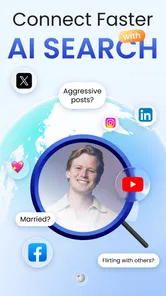
Compared with a normal web search, the app’s main advantage is focus. A general search engine can return news pages, social profiles, directories, and unrelated results all at once. People Finder AI Deep Search is more directly oriented toward people-related discovery, so it may feel less scattered when your goal is to organize public references around one individual.
The trade-off is that a general search gives you more control over how you inspect sources. With ordinary web research, I can open each page, judge its date and context, and compare the wording myself. An AI-assisted checker may make the first pass faster, but I still need to inspect the underlying context wherever possible. For sensitive or high-stakes research, I would use both approaches rather than relying on the app alone.
It also differs from social-network searching. Social platforms are useful when you know the person’s username, community, or likely network, while this app is more appropriate when you are starting with broader public clues. If your only goal is to find a specific account on a known platform, searching that platform directly may be quicker and give clearer context. If your information is fragmented across different public references, the app has a more relevant role.
Traditional people-search services may offer a more formal report-oriented experience, but they can also be more expensive or less approachable for casual users. This app’s free starting point makes it easier to test the idea before committing. On the other hand, anyone who needs legally dependable records, professional verification, or a documented research trail should choose a specialized service designed for that purpose instead.
Small workflow improvements that make a difference
One non-obvious improvement is to separate discovery from verification. During discovery, I allow the app to help me identify possible public references. During verification, I slow down and compare names, locations, dates, and context independently. Mixing those stages can make a promising suggestion feel more certain than it really is.
A second useful technique is to search from the strongest clue outward. If I know a distinctive organization or public username, I would use that before relying on a common name. Once I have a plausible lead, I can compare it with the remaining details. This is usually more efficient than entering every uncertain fact at once, because one incorrect detail can obscure a potentially relevant result.
A third trade-off is knowing when to stop. Repeating searches with tiny wording changes can create the illusion of progress while producing the same uncertain possibilities. I would set a personal stopping point: if the results do not converge after several sensible variations, I would switch to direct public-source research or accept that the available information is insufficient. That habit protects both time and judgment.
I would also keep the app’s role narrow when handling sensitive situations. It can help with an initial public-information check, but it should not become a substitute for consent, direct communication, professional verification, or official processes. This is especially important when the search concerns employment, housing, relationships, money, or personal safety.
Who should try it and who should skip it
I think the app is a good fit for curious, careful users who want a guided way to explore public information about people. It may help someone reconnect with an old acquaintance, sort through possible public references, or begin a background-oriented research task that will later be verified through other sources. The AI-assisted presentation can be friendlier than starting with a blank web-search page.
It is less suitable for anyone expecting guaranteed identity confirmation, private records, live location information, or a complete personal profile from a single name. It is also the wrong choice for users who need official documentation or legally dependable verification. In those cases, a specialized professional service or direct official channel is a better option.
I would be particularly cautious about using it for decisions involving another person’s rights or opportunities. A public-data result can be incomplete or misattributed, and the app’s 3.9 average rating reflects a generally mixed rather than flawless reception. That does not make it unusable, but it reinforces my view that every important result should be checked independently.
My recommendation after using the workflow
People Finder AI Deep Search is easiest to appreciate when I approach it as a research assistant for the first stage of a public-information search. Its strengths are the focused purpose, the accessible free entry point, and the possibility of turning scattered clues into a more organized starting point. The app is not most useful because it promises certainty; it is useful because it can help me decide where to look next.
Before installing, I would ask myself whether I have a legitimate reason to search and whether I am prepared to verify whatever appears. After installing, I would begin with one clear query, add only relevant context, and judge the quality of the result rather than the confidence of its presentation. I would also review any purchase prompt carefully instead of assuming that paying will solve an information gap.
LeoStudio Global Ltd. has made a free Lifestyle app that can be practical in the right hands, especially for first-pass discovery. My final view is positive but measured: try it if you want help organizing public clues about a person, and keep ordinary web research or specialized services available for confirmation. The best result is not the most detailed-looking result; it is the one you can responsibly verify and use.
People Finder AI Deep Search Frequently Asked Questions
What information should I check before downloading People Finder AI Deep Search?
People Finder AI Deep Search is a Lifestyle app from LeoStudio Global Ltd. It is free to download, rated for Everyone, and requires Android 8.0 or later. The app includes in-app purchases, so check the purchase details in your app store before using paid features. Its purpose is to help people discover public information, and it is best approached as a search aid rather than a way to establish someone’s identity with certainty.
What is People Finder AI Deep Search, and what does it do?
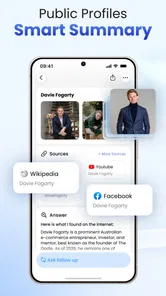
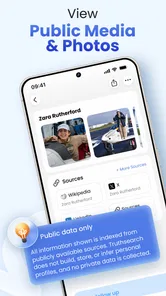
People Finder AI Deep Search is designed to help users locate publicly available information about individuals by searching across online sources. Depending on the information available, results may include names, usernames, social profiles, public records, or related web pages. It should be treated as an information-discovery tool rather than a guaranteed identity-verification service, since results can be incomplete, outdated, or associated with someone who has a similar name.
Is People Finder AI Deep Search free to use, or does it require payment?
The app is free to download, but it also offers in-app purchases priced from $6.99 to $69.99 per item. Review the purchase details carefully before confirming a transaction so you understand what you are paying for. The available features and costs may depend on the offer shown in the app store or app itself, so check those details before starting a paid search or purchasing access.
How accurate and reliable are the search results?
People Finder AI Deep Search can be useful for finding publicly indexed information, but no search result should automatically be considered accurate or complete. Data may come from different websites and databases, and it can contain duplicate, outdated, or incorrectly matched details. Always compare important information with trustworthy sources, avoid making serious decisions based only on an app report, and remember that a matching name does not necessarily identify the correct person.
Does the app protect privacy and personal information?
Before using People Finder AI Deep Search, check its privacy policy and the permissions requested on your device. Search services may process the names, usernames, email addresses, phone numbers, or other details that users submit, and some features may involve third-party data providers. Avoid entering sensitive information unnecessarily, do not use the service for harassment or unauthorized surveillance, and verify how searches, account data, and payment information are stored or deleted.
Pros
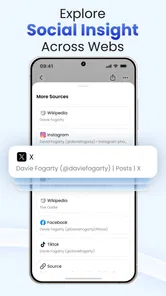
- Searches across multiple public sources from one interface.
- AI helps organize scattered information into readable results.
- Useful for reconnecting with old friends or verifying basic details.
- Simple search flow requires little technical knowledge.
- Can save time compared with checking many directories manually.
Cons
- Results may include outdated
- incomplete
- or incorrectly matched profiles.
- Privacy concerns arise when searching for information about individuals.
- Some useful searches or detailed reports may require payment.
- Availability and accuracy can vary significantly by country.
- Users should verify important findings through reliable official sources.













