Peech
- 190.00
- 2.7
- Installs
- 50.00K
- Price
- Free

Screenshots


Analysis by Reviewed
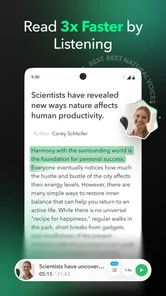
I often want to read more during the day, but the practical problem is rarely a lack of material. It is the pile of material waiting in different places: an article in a browser tab, a long email, a PDF for work, or a document I saved for later. Peech is built around that specific problem. It is a free productivity app from Peech that reads books, articles, emails, PDFs, and documents aloud, turning otherwise screen-bound reading into something I can listen to.
That sounds simple, and in use it is both useful and limited. The app does not magically make every piece of text enjoyable, nor does listening replace careful reading in every situation. What it can do is give neglected text a second route into my day. I found its value strongest when I treated it as part of a repeatable reading system rather than as a novelty voice. If I already knew what deserved my attention, Peech helped me fit it into a walk, a commute, or a household task.
The app sits in the productivity category, carries an Everyone age rating, and is free to start. Its current version is 3.1.0, and it requires Android 10 or later. Peech has passed 50 thousand installs, while its average rating is 2.7 from roughly 981 ratings. That mixed reception matters: the idea is appealing, but the experience will depend heavily on the kind of text I bring into it and how much friction I am willing to tolerate.
Building a reading workflow before opening Peech
The most important decision happens before I press play: I need to decide what listening is for. If I simply send every saved article and document into one large queue, the app becomes another storage place for unfinished intentions. I get better results by separating material into three groups: things I need to understand precisely, things I want to absorb broadly, and things I am only curious about.
Peech is most comfortable with the second group. Background learning, explanatory articles, personal notes, and routine emails can work well when I want the main argument rather than a perfect visual reading experience. Legal wording, dense tables, technical diagrams, and documents where formatting carries meaning still deserve the original page. In those cases, audio can be a first pass, but I would not use it as my only pass.
My practical approach is to choose a small listening target before starting. Instead of telling myself that I will “catch up” on everything, I select one article or a manageable document and decide what I want from it. Sometimes that means understanding the conclusion. Sometimes it means identifying sections worth reading later. This small act prevents the app from becoming a guilt machine filled with content I keep postponing.
There is also a useful distinction between reading time and listening time. When I read visually, I can scan headings, compare paragraphs, and jump backward quickly. Listening is more linear. It asks me to stay with the sequence, even when the writer takes a detour. I therefore use Peech when the uninterrupted flow is an advantage, not when I need to navigate rapidly through a page.
More From Our News Desk

Weather by Xiaomi Review: Clear at a Glance, Less Clear Up Close

X Under Pressure: Can It Recover When Posting Goes Wrong?

Clash of Clans Is Won Between the Battles

Android Auto Makes the Case for Quieter Car Software

MobiOffice: Transforming Mobile Productivity with Seamless Integration

EA SPORTS FC™ Mobile Soccer: Redefining Mobile Sports Gaming
Turning scattered text into something I can actually consume
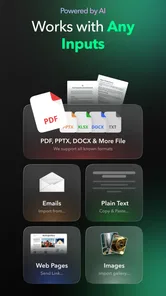
The app’s central promise covers several kinds of text, and that range is what makes it more interesting than a basic article reader. A saved article can become a short listening session. An email can be reviewed while I am away from the screen. A PDF can be approached during a first orientation pass, and a document can be heard when opening it visually would be inconvenient.
The less obvious benefit is reducing the number of decisions between finding useful information and consuming it. Normally, I might save an article, forget why I saved it, reopen it days later, and decide that I no longer have time. A read-aloud workflow changes the question from “When will I sit down to read this?” to “When can I listen to this?” That is not a small change for people whose schedules contain short, fragmented periods rather than long quiet sessions.
I would still organize material outside the app’s immediate listening experience. I keep a simple rule: one item for active listening, a small group for later, and everything else removed or ignored. This prevents a common failure in productivity tools, where collecting becomes easier than finishing. Peech is more helpful when it is the playback stage of a system, not the entire system.
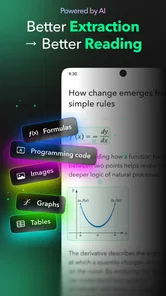
For work documents, I would add a quick visual check before listening. Documents with clean paragraphs are natural candidates. Documents built around columns, footnotes, forms, or charts may sound confusing because the written layout helps the eye understand relationships that speech cannot show. The app can still help me discover whether a document deserves deeper attention, but I would not assume that every PDF will become an equally clear audio experience.
A realistic everyday routine
Imagine that I have an article I want to understand, several emails that do not need immediate replies, and a document I need to review before a meeting. In the morning, I would use the visual versions to identify urgency and remove anything sensitive or irrelevant from the listening queue. Later, I could listen to the article during a walk, noting the central points mentally. I would then open the document visually at the sections that sounded important rather than forcing myself to process every page through audio.
That routine uses Peech for momentum, not for final judgment. It also protects attention. I am not trying to listen to an entire inbox while crossing tasks off mechanically. I am choosing material that can survive being heard once, then reserving screen time for decisions, replies, and details. In my experience, this is where the app fits a sustainable productivity system: it helps move information through the system without pretending that all information deserves equal treatment.
A second useful routine is the “preview before commitment” method. If I have a long article or document, I listen only long enough to decide whether it is worth a full session. If the subject is repetitive or poorly suited to audio, I stop and discard it. If it is valuable, I continue with a clearer purpose. This saves time and avoids the trap of finishing something merely because I started it.
I also prefer to listen when my hands and eyes are occupied but my attention is available. Walking, light chores, and simple travel are better settings than complicated work. I would not use it while driving as a substitute for safe attention, and I would avoid pairing dense listening with another task that requires thought. Audio reduces screen dependence, but it does not create extra mental capacity.
Where the experience earns its place
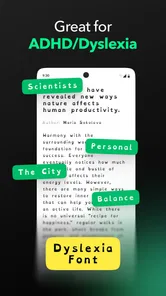
The strongest use case is accessibility to time. Someone who struggles to sit and read may find a spoken version easier to approach. Someone who reads comfortably but has a large backlog may use listening to sort worthwhile material from forgettable material. Students and professionals can use it for an initial pass through explanatory text, provided they return to the original when precision matters.
It can also help people who lose concentration when staring at a long page. Speech gives the material a pace, which can make an article feel less intimidating. The trade-off is that the pace is imposed rather than chosen. I can skim visually when a paragraph is obvious; with audio, I either listen through it or interrupt playback. That makes the app better for steady consumption than for rapid research.
Another concrete advantage is changing the context of reading without changing the source. I do not need to find a separate podcast episode or wait for an author to publish an audio edition. When the text itself is suitable, Peech gives me a way to approach it during a part of the day that would otherwise not support reading. That is a practical improvement, even if it is not a replacement for a full audiobook service.
For emails, I would be selective. Listening can be convenient for long informational messages, newsletters, or updates that I need to understand before responding. It is less appropriate for confidential content in shared spaces, and it does not remove the need to read carefully before sending a consequential reply. I treat spoken email as a review aid, not an automatic inbox solution.
Friction points I would plan around
The rating of 2.7 suggests that the concept has not translated into a universally smooth experience. I would not dismiss the app for that reason, but I would approach it with realistic expectations. Text-to-speech tools are especially sensitive to source formatting. A clean article and a badly structured document are not equivalent inputs, and the difference can make one session feel natural while another feels awkward.
Reading aloud also changes the meaning of “fast.” A visual reader can scan an article in moments and decide whether it matters. A listener must spend time hearing enough of it to make that decision. The preview method helps, but people who already skim very quickly may find a conventional reader more efficient. Peech’s advantage is not raw speed; it is the ability to use otherwise unavailable listening time.
There is a financial consideration as well. The app is free, but its in-app purchases range from $3.99 to $99.99 per item. That broad range means I would examine the purchase screen carefully before committing to anything. A free starting point is helpful for testing whether the reading workflow suits me, but I would not assume that every useful capability is included without cost.
I would also test the app with my own material rather than judging it from the store summary alone. The summary promises read-aloud support for books, articles, emails, PDFs, and documents, but my decision would depend on how well the particular sources I use are handled. A person whose work depends on highly formatted PDFs may have a different experience from someone who mainly listens to straightforward articles.
Version 3.1.0 is the version I would evaluate when installing it, and I would keep expectations grounded: updates can improve an app, but a version number by itself does not guarantee that every source type will behave perfectly. The sensible approach is to begin with low-stakes material, establish whether the voice and navigation feel comfortable, and only then build the app into a daily routine.
How it compares with familiar alternatives
The usual alternative is simply reading in a browser, mail app, PDF viewer, or document editor. Those tools remain better when I need visual structure, fast scanning, annotations, or precise comparison. Peech wins when the screen is the obstacle. It is not a better universal reader; it is a different access route to the same kind of written material.
A dedicated audiobook service is another alternative, especially for people who mainly want professionally narrated books. Those services are usually designed around finished audio catalogs and long-form listening. Peech is more relevant when my material is mixed and personal: an article today, an email tomorrow, and a document after that. I would choose a dedicated audiobook app for narration quality and catalog depth, but Peech for turning everyday text into listenable material.
Built-in accessibility tools on a phone can also read selected text aloud, often without requiring another reading workflow. That can be enough for occasional use. Peech becomes more appealing when I want a focused place for different text sources and a habit built around listening rather than a quick one-off accessibility action. If I only need a paragraph spoken once in a while, installing a separate app may be unnecessary.
Finally, note-taking and read-later apps are better at collecting, tagging, searching, and revisiting information visually. Peech should complement those tools rather than replace them. My preferred arrangement is to use a read-later system for deciding what matters, Peech for the listening session, and the original source for verification and notes. That division of labor is more reliable than asking one app to capture, organize, interpret, and archive everything.
Who should try it, and who should skip it
I would recommend Peech to people who already have useful written material but lack uninterrupted reading time. It is particularly suitable for listeners who want to process articles, emails, PDFs, and documents in a flexible order, and for anyone who benefits from hearing information before deciding what deserves close visual attention. The free entry point makes it reasonable to test with ordinary, non-sensitive material.
I would be more cautious if my main work involves charts, complex layouts, academic notation, forms, or exact wording. I would also skip it if I strongly prefer skimming, highlighting, and jumping around a page. Those users may get more from a traditional reader, a document app, or a dedicated accessibility feature already present on their device.
People should also consider their listening environment. If they rarely have quiet moments, or if they find spoken text tiring, the app may turn reading into another obligation. The best results come from a modest routine: select worthwhile material, listen when attention is genuinely available, and return to the source when accuracy or structure matters.
Developer Peech has made a focused productivity app rather than an all-purpose information manager. Its central idea is useful because it addresses a real bottleneck: written content is abundant, while suitable reading time is not. In my experience, the app is most convincing when it helps me recover small listening windows without encouraging me to collect more than I can finish.
My final view is positive but measured. Peech is worth trying if your problem is access to reading time, not a lack of reading material. Start with one clean article, compare the experience with your normal reader, and pay attention to whether listening genuinely helps you remember or decide. If it does, the app can become a practical part of a sustainable routine. If your work depends on visual precision or rapid navigation, the familiar alternatives will probably remain the better home for serious reading.
Peech Frequently Asked Questions
What does Peech read aloud, and how could it fit into my daily routine?
Peech is a productivity app for reading books, articles, emails, PDFs, and documents aloud. It may suit people who want to listen to written material while doing other tasks or prefer audio to reading on a screen. Its usefulness depends on the kinds of material you work with and the reading experience you prefer.
Who developed Peech, and what should I know about its release and version?
Peech is developed by Peech. It was released on March 13, 2026, and its current version is 3.1.0. These details can help you identify the app and understand which release you are considering. As with any app, keeping it updated can help you use the latest version available for your device.
What is Peech and what can I use it for?
Peech is a mobile app designed to help users create, edit, or share content in a simple and accessible way. Depending on the version and available features, it may be useful for personal communication, entertainment, or managing media. Before downloading, check the official store description because features, supported devices, and regional availability can change over time.
Is Peech free to download and use?
Peech may be available as a free download, but some tools, content, or advanced functions can require in-app purchases or a subscription. We recommend reviewing the pricing section in Google Play or the App Store before starting a trial. Also check renewal terms carefully, since subscriptions can renew automatically unless canceled through your device’s account settings.
Is Peech safe and suitable for children?
The app’s safety depends on how it handles accounts, personal information, user-generated content, and communication features. Parents should review the age rating, privacy policy, and permissions before allowing children to use Peech. If the app includes public sharing or interaction with other users, supervision and appropriate privacy settings are especially important for younger users.
Pros
- Turns written content into engaging videos with minimal editing effort.
- AI voiceovers and subtitles make videos more accessible to wider audiences.
- Useful templates help maintain a consistent visual style across content.
- Supports repurposing articles
- posts
- and scripts for social media platforms.
- Saves time for creators who lack advanced video production skills.
Cons
- AI-generated visuals or narration may require manual corrections for accuracy.
- Some advanced features and export options may require a paid subscription.
- Results can feel repetitive when using the same templates frequently.
- Video rendering may take longer with lengthy scripts or complex projects.
- The app may offer limited creative control compared with professional editors.











